ViScriptShop Optional for Blockshin Menu blockshin-menu-1.21.1-neoforge-1.0.1.jar
optionalMatching file found Matched file: ViScriptShop-neoforge-1.21.1-1.2.0.jar

CurseForge · Minecraft mod
Blockshin Menu gives Minecraft servers an in-game editable menu system. Administrators can configure commands, icons, submenus, daily rewards, and mail directly in game.
Quick answer
Blockshin Menu blockshin-menu-1.21.1-neoforge-1.0.1.jar targets 1.21.1 with NeoForge. The project page does not say whether this file belongs on the client, dedicated server, or both. All 1 required mods have matching files.
Where it goes
The project page does not say whether this file belongs on the client, dedicated server, or both.
The source does not explicitly classify this release as client-only or server-only.
blockshin-menu-1.21.1-neoforge-1.0.1.jar. Change the file and its required mods may change too.
Install LDLib first. We found matching files for this game-version and loader setup. 2 come through another mod in the chain.
2 extra mods were pulled in by other dependencies. Indented rows show who needs each one. We only count dependency files that match this setup. A file for another loader does not fill the gap.
Before you install it
Built for Blockshin Menu blockshin-menu-1.21.1-neoforge-1.0.1.jar. Pick another file and the loader, install side or required mods may change.
Use blockshin-menu-1.21.1-neoforge-1.0.1.jar. It targets 1.21.1 with NeoForge; another release may have different loader, side or dependency requirements.
Install LDLib first. We found matching files for this game-version and loader setup. 2 come through another mod in the chain.
The project page does not say whether this file belongs on the client, dedicated server, or both.
Use the “Get this file” button beside blockshin-menu-1.21.1-neoforge-1.0.1.jar. It opens that exact file at the source.
About this project
A server-menu mod for **Minecraft 1.21.1**. Inspired by the menu design language of Genshin Impact, Blockshin Menu provides an in-game managed main menu, daily rewards, and a mailbox system for servers. Visual assets are created with AI assistance.
/bm**. The keybind can be changed in Minecraft's Controls settings. | Command | Description |
|---|---|
/bm |
Open Blockshin Menu |
/bm edit |
Open the administrator menu editor (requires OP permission level 2) |
/bm reload |
Reload the menu configuration (requires OP permission level 2) |
/bm daily |
Claim the daily reward |
/bm daily setfrominventory |
Configure the daily reward from the administrator's current inventory |
/bm daily status |
View the daily reward configuration |
/bm daily clear |
Clear the daily reward configuration |
/daily is also available as a shortcut for claiming daily rewards.
**Required:**
Place the JAR in the mods folder on both the client and server, then launch the game. Server configuration is stored under serverconfig in the world save directory.
assets/blockshin_menu/textures/menu/icons/ assets/blockshin_menu/textures/menu/cards/ assets/blockshin_menu/menu/icons.json Project description from CurseForge.
Pick your setup
Choose the version and loader you play, then open the matching release.
Check the dependencies, then try the file in a copied instance before changing a world you care about.
Recent files
30 Aug 2026
26 Jul 2026
Looking for an older file? The official CurseForge project page is in Resources.
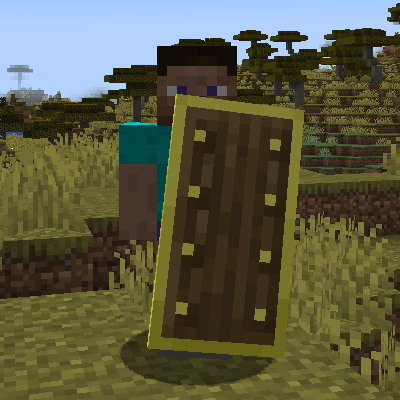 mod
modChanging shields mechanics and adding more shields and enchantments
 mod
modThe mutants are back! Face scary creatures and powerful beasts like never before.
 mod
modView Wynncraft trademarket data, lootrun and raid lootpools!