Minecraft version
Back to mods 
CurseForge · Minecraft mod
Saro's Easy Time
Set the time instantly with /day, /night, /noon and /midnight. No more remembering tick numbers, no GUI and no config to set up.
Choose a version Pick your version below, then grab the matching file.
Quick answer
Which Saro's Easy Time release should I use?
Latest stable file Saros Easy Time 1.0.1 (Neoforge 26.2)
Game version 26.2
Loader NeoForge
Saro's Easy Time Saros Easy Time 1.0.1 (Neoforge 26.2) targets 26.2 with NeoForge. The project page does not say whether this file belongs on the client, dedicated server, or both. No extra mods listed for this file.
Where it goes
Is Saro's Easy Time required on the client, server, or both?
The project page does not say whether this file belongs on the client, dedicated server, or both.
Client Source doesn’t say
Dedicated server Source doesn’t say
Loader for this release NeoForge
Required install it here Optional supported, not mandatory Not supported do not install here Source doesn’t say do not assume
The source does not explicitly classify this release as client-only or server-only.
What else does Saro's Easy Time Saros Easy Time 1.0.1 (Neoforge 26.2) need?
Saros Easy Time 1.0.1 (Neoforge 26.2). Change the file and its required mods may change too.
This file does not list any required mods. Do not add a library just because a different file uses it.
This file does not list any required or optional mods.
Before you install it
Add Saro's Easy Time without breaking your instance.
Built for Saro's Easy Time Saros Easy Time 1.0.1 (Neoforge 26.2). Pick another file and the loader, install side or required mods may change.
- 01
Stick to this file
Use Saros Easy Time 1.0.1 (Neoforge 26.2). It targets 26.2 with NeoForge; another release may have different loader, side or dependency requirements.
- 02
Bring the mods it needs
This file does not list any required mods. Do not add a library just because a different file uses it.
- 03
Put it on the correct side
The project page does not say whether this file belongs on the client, dedicated server, or both.
- 04
Pick the file you checked
Use the “Get this file” button beside Saros Easy Time 1.0.1 (Neoforge 26.2). It opens that exact file at the source.
About this project
What does Saro's Easy Time add?
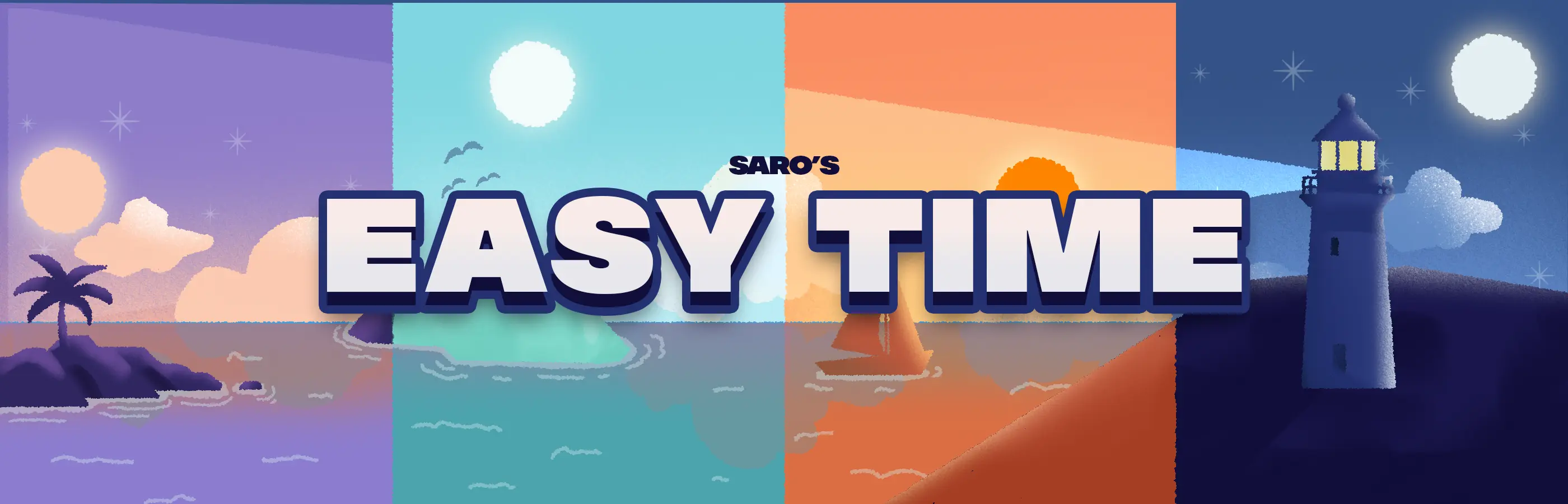
Saro's Easy Time adds short, memorable commands that jump the world straight to the time you want. No more typing /time set 13000 or remembering tick numbers. One file, no GUI, no setup — just type /day and it's morning.

Saros Easy Time registers four tiny aliases for the most common times of day and gets out of your way. Run the command and the world clock snaps to that moment — perfect for building, testing redstone, taking screenshots, or just skipping a rainy night. It works the same in singleplayer and on servers.
/day☀️- Jump straight to morning.
/night🌙- Skip to nighttime.
/noon🌞- Set the sun directly overhead.
/midnight🌑- Set deep night.
Zero Clutter 🪶
- No GUI, no items, no config — four short commands and that's it.

| Command | Description |
|---|---|
/day |
Set the world time to morning |
/night |
Set the world time to night |
/noon |
Set the sun directly overhead |
/midnight |
Set the world time to deep night |
- Works in singleplayer and multiplayer (server-side, synced)
- Op-only on every version — server-safe
- Leaves the day-night cycle running normally afterwards
- No GUI, no items, no config — drop-in and done
- Forge, NeoForge and Fabric

- Install Forge, NeoForge or Fabric for your Minecraft version.
- (Fabric only) also add Fabric API.
- Drop the Saros Easy Time
.jarinto yourmodsfolder. - Launch, then type
/day— instant morning.

(coming soon)

How do I use it? Just type /day, /night, /noon or /midnight. That's the whole mod.
Does it stop the day-night cycle? No — it just jumps the clock to that time; the cycle keeps running normally afterwards.
Can normal players use it? No — the commands are op-only on every supported version, so it's safe to run on a public server.
Does it work in multiplayer? Yes — it runs server-side and syncs to all players, so everyone's sky changes together.
Is there a config? No config needed — it's intentionally a zero-setup utility.
Currently Supported
- Forge — 1.17.1, 1.18.2, 1.19.2, 1.19.4, 1.20.1, 1.20.4, 1.20.6, 1.21, 1.21.1, 1.21.3, 1.21.4, 1.21.5, 1.21.6, 1.21.7, 1.21.8, 1.21.9, 1.21.10, 1.21.11, 26.1, 26.1.1, 26.2
- NeoForge — 26.1, 26.1.1, 26.2
- Fabric — 1.19.2, 1.19.4, 1.20.1, 1.21, 1.21.1, 1.21.2, 1.21.4, 1.21.5, 26.1, 26.1.1, 26.2
Port wishes welcome

Join our community on Discord to give feedback and suggestions or report any bugs you find!
Project description from CurseForge.
Pick your setup
Saro's Easy Time by Minecraft version and loader
Choose the version and loader you play, then open the matching release.
Minecraft version
26.1.1
3 loader buildsMinecraft version
26.1
3 loader buildsMinecraft version
1.21.11
1 loader buildMinecraft version
1.21.10
1 loader buildMinecraft version
1.21.9
1 loader buildMinecraft version
1.21.8
1 loader buildMinecraft version
1.21.7
1 loader buildMinecraft version
1.21.6
1 loader buildMinecraft version
1.21.5
2 loader buildsMinecraft version
1.21.4
2 loader buildsMinecraft version
1.21.3
1 loader buildShowing the newest 12 of 22 game versions. Older files are in the list below.
Check the dependencies, then try the file in a copied instance before changing a world you care about.
Recent files
Saro's Easy Time versions and loaders
Saros Easy Time 1.0.1 (Neoforge 26.2)
Saros-Easy-Time-NeoForge-26.2-1.0.1.jar
26 Jul 2026
Client Source doesn’t say Server Source doesn’t say Dependencies No extras listed Listed on Release listing
Check the 26.2 · NeoForge setup NeoForge26.2 release
Saros Easy Time 1.0.1 (Neoforge 26.1.1)
Saros-Easy-Time-NeoForge-26.1.1-1.0.1.jar
26 Jul 2026
Client Source doesn’t say Server Source doesn’t say Dependencies No extras listed Listed on Release listing
Check the 26.1.1 · NeoForge setup NeoForge26.1.1 release
Saros Easy Time 1.0.1 (Neoforge 26.1)
Saros-Easy-Time-NeoForge-26.1-1.0.1.jar
26 Jul 2026
Client Source doesn’t say Server Source doesn’t say Dependencies No extras listed Listed on Release listing
Check the 26.1 · NeoForge setup NeoForge26.1 release
Saros Easy Time 1.0.1 (Forge 26.2)
Saros-Easy-Time-Forge-26.2-1.0.1.jar
26 Jul 2026
Client Source doesn’t say Server Source doesn’t say Dependencies No extras listed Listed on Release listing
Check the 26.2 · Forge setup Forge26.2 release
Saros Easy Time 1.0.1 (Forge 26.1.1)
Saros-Easy-Time-Forge-26.1.1-1.0.1.jar
26 Jul 2026
Client Source doesn’t say Server Source doesn’t say Dependencies No extras listed Listed on Release listing
Check the 26.1.1 · Forge setup Forge26.1.1 release
Saros Easy Time 1.0.1 (Forge 26.1)
Saros-Easy-Time-Forge-26.1-1.0.1.jar
26 Jul 2026
Client Source doesn’t say Server Source doesn’t say Dependencies No extras listed Listed on Release listing
Check the 26.1 · Forge setup Forge26.1 release
Saros Easy Time 1.0.1 (Forge 1.21.9)
Saros-Easy-Time-Forge-1.21.9-1.0.1.jar
26 Jul 2026
Client Source doesn’t say Server Source doesn’t say Dependencies No extras listed Listed on Release listing
Check the 1.21.9 · Forge setup Forge1.21.9 release
Saros Easy Time 1.0.1 (Forge 1.21.8)
Saros-Easy-Time-Forge-1.21.8-1.0.1.jar
26 Jul 2026
Client Source doesn’t say Server Source doesn’t say Dependencies No extras listed Listed on Release listing
Check the 1.21.8 · Forge setup 1.21.8Forge release
Saros Easy Time 1.0.1 (Forge 1.21.7)
Saros-Easy-Time-Forge-1.21.7-1.0.1.jar
26 Jul 2026
Client Source doesn’t say Server Source doesn’t say Dependencies No extras listed Listed on Release listing
Check the 1.21.7 · Forge setup Forge1.21.7 release
Saros Easy Time 1.0.1 (Forge 1.21.6)
Saros-Easy-Time-Forge-1.21.6-1.0.1.jar
26 Jul 2026
Client Source doesn’t say Server Source doesn’t say Dependencies No extras listed Listed on Release listing
Check the 1.21.6 · Forge setup Forge1.21.6 release
Saros Easy Time 1.0.1 (Forge 1.21.5)
Saros-Easy-Time-Forge-1.21.5-1.0.1.jar
26 Jul 2026
Client Source doesn’t say Server Source doesn’t say Dependencies No extras listed Listed on Release listing
Check the 1.21.5 · Forge setup 1.21.5Forge release
Saros Easy Time 1.0.1 (Forge 1.21.4)
Saros-Easy-Time-Forge-1.21.4-1.0.1.jar
26 Jul 2026
Client Source doesn’t say Server Source doesn’t say Dependencies No extras listed Listed on Release listing
Check the 1.21.4 · Forge setup 1.21.4Forge release
Looking for an older file? The official CurseForge project page is in Resources.
 mod
CurseForge · Minecraft
BSP TELEPORT
A teleport, home, warp mod to be used with the BSP Modpack offical server allowing teleporting between all servers within the network.
 mod
CurseForge · Minecraft
SafeSpawn - Smart Respawns
SafeSpawn automatically finds the nearest safe respawn location when a player's original spawn becomes blocked, destroyed, or unsafe.
 mod
CurseForge · Minecraft
AirSwap
Client-side Fabric mod that swaps your sword for a mace mid-air when attacking players, applying mace attributes to the hit. Features configurable delays, swap-back, target filters, fall distance, cooldowns, Mod Menu GUI, JSON config, and keybinds.