Minecraft version
Back to mods 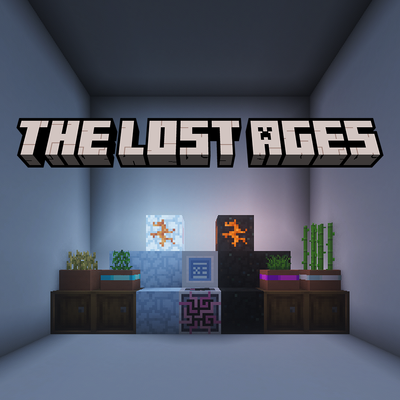
CurseForge · Minecraft mod
The Lost Ages
An unofficial Create - Forge Frontier expansion that restores and expands features from earlier pack versions with new quests, integrations, recipes, world generation, and progression content.
Choose a version Pick your version below, then grab the matching file.
Quick answer
Which The Lost Ages release should I use?
Latest stable file thelostages-1.0.0.jar
Game version 1.20.1
Loader Forge
The Lost Ages thelostages-1.0.0.jar targets 1.20.1 with Forge. The project page does not say whether this file belongs on the client, dedicated server, or both. No extra mods listed for this file.
Where it goes
Is The Lost Ages required on the client, server, or both?
The project page does not say whether this file belongs on the client, dedicated server, or both.
Client Source doesn’t say
Dedicated server Source doesn’t say
Loader for this release Forge
Required install it here Optional supported, not mandatory Not supported do not install here Source doesn’t say do not assume
The source does not explicitly classify this release as client-only or server-only.
What else does The Lost Ages thelostages-1.0.0.jar need?
thelostages-1.0.0.jar. Change the file and its required mods may change too.
This file does not list any required mods. Do not add a library just because a different file uses it.
This file does not list any required or optional mods.
Before you install it
Add The Lost Ages without breaking your instance.
Built for The Lost Ages thelostages-1.0.0.jar. Pick another file and the loader, install side or required mods may change.
- 01
Stick to this file
Use thelostages-1.0.0.jar. It targets 1.20.1 with Forge; another release may have different loader, side or dependency requirements.
- 02
Bring the mods it needs
This file does not list any required mods. Do not add a library just because a different file uses it.
- 03
Put it on the correct side
The project page does not say whether this file belongs on the client, dedicated server, or both.
- 04
Pick the file you checked
Use the “Get this file” button beside thelostages-1.0.0.jar. It opens that exact file at the source.
About this project
What does The Lost Ages add?
The Lost Ages is an unofficial addon for Create - Forge Frontier (v3.1.1+) that provides an alternative gameplay experience.
This addon restores selected mechanics and content from earlier iterations of the pack while introducing its own recipes, quest content, integrations, world generation, and quality-of-life features.
To install, download The Lost Ages and place it in your mods folder alongside its required dependencies. The exact dependencies can be downloaded using the Dependency Downloader, which is located in the Additional Files section of each release.
This project is designed for Minecraft 1.20.1 using Forge 47.4.20.
Disclaimer
The Lost Ages is an independent community project. It is not affiliated with, endorsed by, sponsored by, or maintained by Landscapes Reimagined, the Create - Forge Frontier development team, Mojang Studios, Microsoft, or the developers of any referenced mods. Original portions of this project are copyright © 2026 CtrlAltDyleted. All Rights Reserved. Third-party content remains subject to its respective licenses.
Project description from CurseForge.
Pick your setup
The Lost Ages by Minecraft version and loader
Choose the version and loader you play, then open the matching release.
Check the dependencies, then try the file in a copied instance before changing a world you care about.
Recent files
The Lost Ages versions and loaders
thelostages-1.0.0.jar
31 Oct 2026
Client Source doesn’t say Server Source doesn’t say Dependencies No extras listed Listed on Release listing
Check the 1.20.1 · Forge setup 1.20.1Forge release
thelostages-0.3.4.jar
7 Oct 2026
Client Source doesn’t say Server Source doesn’t say Dependencies 24 required · 24 unchecked Listed on Release listing
Check the 1.20.1 · Forge setup 1.20.1Forge release
thelostages-0.3.3.jar
4 Oct 2026
Client Source doesn’t say Server Source doesn’t say Dependencies 24 required · 24 unchecked Listed on Release listing
Check the 1.20.1 · Forge setup 1.20.1Forge release
thelostages-0.3.2.jar
4 Oct 2026
Client Source doesn’t say Server Source doesn’t say Dependencies 24 required · 24 unchecked Listed on Release listing
Check the 1.20.1 · Forge setup 1.20.1Forge release
thelostages-0.3.1.jar
30 Sept 2026
Client Source doesn’t say Server Source doesn’t say Dependencies 24 required · 24 unchecked Listed on Release listing
Check the 1.20.1 · Forge setup 1.20.1Forge release
thelostages-0.3.0.jar
30 Sept 2026
Client Source doesn’t say Server Source doesn’t say Dependencies 24 required · 24 unchecked Listed on Release listing
Check the 1.20.1 · Forge setup 1.20.1Forge release
forgefrontierlostages-0.2.1.jar
25 Sept 2026
Client Source doesn’t say Server Source doesn’t say Dependencies 24 required · 24 unchecked Listed on Release listing
Check the 1.20.1 · Forge setup 1.20.1Forge release
forgefrontierlostages-0.2.0.jar
24 Sept 2026
Client Source doesn’t say Server Source doesn’t say Dependencies 24 required · 24 unchecked Listed on Release listing
Check the 1.20.1 · Forge setup 1.20.1Forge release
forgefrontierlostages-1.4.jar
15 Sept 2026
Client Source doesn’t say Server Source doesn’t say Dependencies 24 required · 24 unchecked Listed on Release listing
Check the 1.20.1 · Forge setup 1.20.1Forge release
forgefrontierlostages-1.3.jar
11 Aug 2026
Client Source doesn’t say Server Source doesn’t say Dependencies 24 required · 24 unchecked Listed on Release listing
Check the 1.20.1 · Forge setup 1.20.1Forge release
forgefrontierlostages-1.2.jar
4 Aug 2026
Client Source doesn’t say Server Source doesn’t say Dependencies 24 required · 24 unchecked Listed on Release listing
Check the 1.20.1 · Forge setup 1.20.1Forge release
forgefrontierlostages-1.1.2.jar
30 Jul 2026
Client Source doesn’t say Server Source doesn’t say Dependencies 24 required · 24 unchecked Listed on Release listing
Check the 1.20.1 · Forge setup 1.20.1Forge release
Looking for an older file? The official CurseForge project page is in Resources.
 mod
CurseForge + Modrinth · Minecraft
Modulation
A growing collection of quality-of-life tweaks, bug fixes, and cross-mod integrations for modpack creators!
 mod
CurseForge · Minecraft
Starfish!
A mod that adds Starfish and it's colorful variants, Preserved starfish and a new block set called Coquina!
 mod
CurseForge · Minecraft
Create:Extractor
⛏️ Transform your resources with the power of Create!