Fabric API Needed by Head Lab headlab-1.0.0+26.3.jar
requiredMatching file found Matched file: [26.3] Fabric API 0.165.0+26.3
CurseForge · Minecraft mod
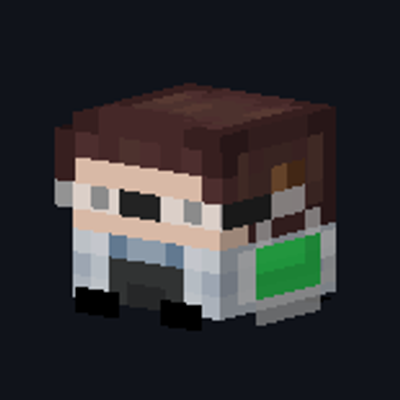
An in-game pixel editor and generator for custom player heads - paint it, preview it in 3D, get it in your inventory.
Quick answer
Head Lab headlab-1.0.0+26.3.jar targets 26.3 with Fabric. The project page does not say whether this file belongs on the client, dedicated server, or both. All 1 required mods have matching files.
Where it goes
The project page does not say whether this file belongs on the client, dedicated server, or both.
The source does not explicitly classify this release as client-only or server-only.
headlab-1.0.0+26.3.jar. Change the file and its required mods may change too.
Install Fabric API first. We found matching files for this game-version and loader setup.
We only count dependency files that match this setup. A file for another loader does not fill the gap.
Before you install it
Built for Head Lab headlab-1.0.0+26.3.jar. Pick another file and the loader, install side or required mods may change.
Use headlab-1.0.0+26.3.jar. It targets 26.3 with Fabric; another release may have different loader, side or dependency requirements.
Install Fabric API first. We found matching files for this game-version and loader setup.
The project page does not say whether this file belongs on the client, dedicated server, or both.
Use the “Get this file” button beside headlab-1.0.0+26.3.jar. It opens that exact file at the source.
About this project
**Design, preview and grab custom player heads — entirely in-game. No websites, no /give commands to copy, no permissions.**
Head Lab is a **client-side** custom player head editor and generator for Fabric. Press **K** (rebindable) or run /headlab-editor to open a pixel editor, paint a custom head, watch it live in 3D, and get the finished player head straight into your inventory — in singleplayer or on any server. It's an in-game replacement for online head generators and skin-to-head websites.
/headlab-editor) to open. Holding a head loads it automatically. B / E / G / I) and a color, switch base/hat with Tab, mirror with M, undo with Ctrl+Z. > ℹ️ Generating uploads your drawing to MineSkin for a Mojang-signed texture (required so vanilla renders custom skins). An optional API key gives faster limits — set it with the **API Key…** button or in config/headlab.properties.
There's also an optional server-side command (requires permission level 2 — OP or creative on a server):
/headlab give <Value | URL | hash>
/headlab givemany <1–64> <Value | URL | hash>
<input> accepts exactly what the editor does:
eyJ0ZXh0dXJlcyI6ey... http://textures.minecraft.net/texture/abc123… abc123…**Does the server need the mod?** No — everything except the optional /headlab give command is client-side.
**Do I need OP / permissions?** No. Creative delivery uses the vanilla inventory packet.
**Why does Generate need internet?** Head textures must be signed by Mojang; MineSkin does that.
**Which versions?** Minecraft **1.20.2 – 1.20.4** with Fabric Loader ≥ 0.16 and Fabric API.
Project description from CurseForge.
Pick your setup
Choose the version and loader you play, then open the matching release.
Showing the newest 12 of 18 game versions. Older files are in the list below.
Check the dependencies, then try the file in a copied instance before changing a world you care about.
Recent files
1 Oct 2026
1 Oct 2026
1 Oct 2026
1 Oct 2026
1 Oct 2026
1 Oct 2026
1 Oct 2026
1 Oct 2026
1 Oct 2026
1 Oct 2026
28 Jul 2026
Looking for an older file? The official CurseForge project page is in Resources.
 mod
modYour modpack's check engine light. Crash, missing mod, broken recipe or "Invalid player data" kick? It tells you what broke and how to fix it, in plain English. Undo bad updates, find the faulty mod, back up and rescue your worlds. Never touches gameplay.
 mod
modBring the power of Thunder to your world! Adds Mjolnir and Thor's Axe with 3D models, throwing mechanics, lightning strikes, mace smashes, and infinite flight.
 mod
modTiered chests from Copper to Netherite, plus chests made from almost any item, with upgrade kits, sorting, locking, double chests and chest minecarts.