Cooking for Blockheads Needed by Occult Cooking occultcooking-2.0.0.jar
requiredMatching file found Matched file: cookingforblockheads-neoforge-26.1.2-26.1.2.5.jar

CurseForge · Minecraft mod
A mod that allows Occultism and Cooking for Blockheads to work together!
Quick answer
Occult Cooking occultcooking-2.0.0.jar targets 26.1.2 with NeoForge. The project page does not say whether this file belongs on the client, dedicated server, or both. All 6 required mods have matching files.
Where it goes
The project page does not say whether this file belongs on the client, dedicated server, or both.
The source does not explicitly classify this release as client-only or server-only.
occultcooking-2.0.0.jar. Change the file and its required mods may change too.
Install Cooking for Blockheads, Balm, Occultism, Curios API and 2 more first. We found matching files for this game-version and loader setup. 9 come through another mod in the chain.
9 extra mods were pulled in by other dependencies. Indented rows show who needs each one. We only count dependency files that match this setup. A file for another loader does not fill the gap.
Before you install it
Built for Occult Cooking occultcooking-2.0.0.jar. Pick another file and the loader, install side or required mods may change.
Use occultcooking-2.0.0.jar. It targets 26.1.2 with NeoForge; another release may have different loader, side or dependency requirements.
Install Cooking for Blockheads, Balm, Occultism, Curios API and 2 more first. We found matching files for this game-version and loader setup. 9 come through another mod in the chain.
The project page does not say whether this file belongs on the client, dedicated server, or both.
Use the “Get this file” button beside occultcooking-2.0.0.jar. It opens that exact file at the source.
About this project

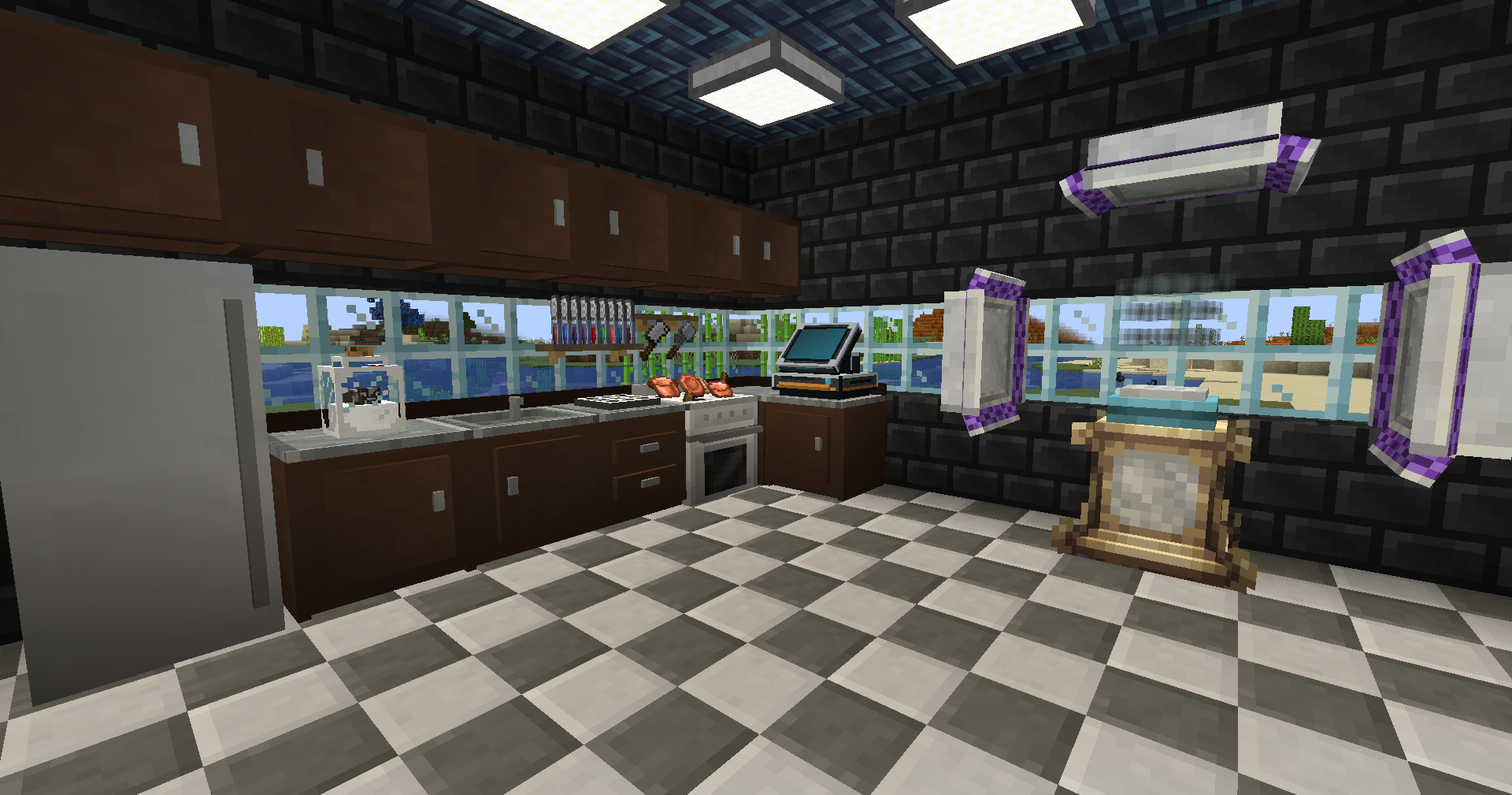
A mod that allows Occultism and Cooking for Blockheads to work together!
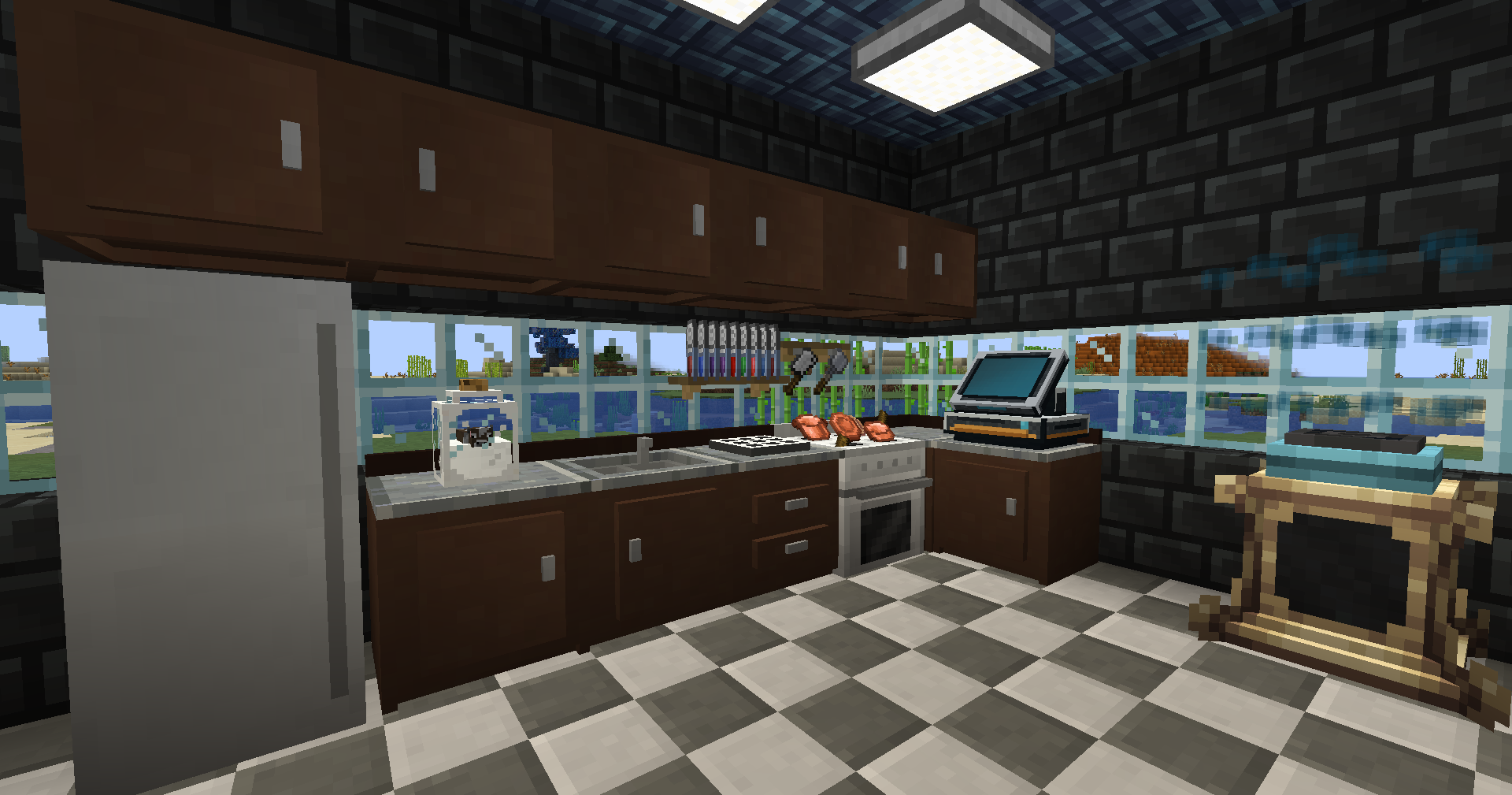
One new block was added. The Occult Kitchen Station!
Place the Kitchen Station as part of your Cooking for Blockheads kitchen, then sneak + right-click any Occultism Dimensional Storage Actuator with the station in hand to bind it.
Once connected, you can consume items from your Occultism storage right from your cooking table.
There is no power cost and no range limit. The link even reaches across dimensions, as long as the actuator's chunk stays loaded.
Occultism stores items only, so water and milk are handled the usual Cooking for Blockheads way (a sink, a milk source, and so on) rather than pulled from the network.
The station binds to any Dimensional Storage Actuator, whether you grow a standard one with stabilizers or drop in a Stabilized actuator on its own.
| Connected | Linked but Offline | Unlinked | |
|---|---|---|---|
| Occult Kitchen Station |  |
 |
 |
The mod runs fine on its own. The optional mods below are supported. The in-game guide is a Patchouli book, so Patchouli needs to be installed to read it.
| Minecraft | Loader | JEI | REI | EMI | Jade | The One Probe | Patchouli |
|---|---|---|---|---|---|---|---|
| 1.21.1 | NeoForge | Yes | Yes | Yes | Yes | Yes | Yes |
Every mod below bridges one storage system to one cooking mod. Same idea, different pairing, pick the one that fits your pack.
| Cooking for Blockheads | Farmer's Delight | |
|---|---|---|
| Applied Energistics 2 | Applied Cooking | Applied Delight |
| Refined Storage | Refined Cooking | Refined Delight |
| Occultism | Occult Cooking you're viewing this |
Occult Delight (coming soon) |


Project description from CurseForge.
Pick your setup
Choose the version and loader you play, then open the matching release.
Check the dependencies, then try the file in a copied instance before changing a world you care about.
Recent files
31 Jul 2026
31 Jul 2026
31 Jul 2026
29 Jul 2026
Looking for an older file? The official CurseForge project page is in Resources.
 mod
modA sidemod for Cobblemon to quickly see useful information about each Pokémon
 mod
modMonsters are keeping you awake? Customize sleeping, waking, and bed mechanics freely.
 mod
modMine only 1 block at once if your tool can instant mine the blocks


