Super Factory Manager ( SFM ) Needed by Super Factory Manager Retro Retro Factory Manager 1.0.1 for MC 1.21.1
requiredMatching file found Matched file: Super Factory Manager MC1.21.1 v4.34.0
CurseForge · Minecraft mod
Build Super Factory Manager programs on a visual node canvas instead of writing SFML by hand. Drag nodes, wire them together, search items and fluids by name, and import/export programs you have already written.
Quick answer
Super Factory Manager Retro Retro Factory Manager 1.0.1 for MC 1.21.1 targets 1.21.1 with NeoForge. The project page does not say whether it belongs on the client. The project page does not say whether it belongs on the dedicated server. All 1 required mods have matching files.
Where it goes
The project page does not say whether it belongs on the client. The project page does not say whether it belongs on the dedicated server.
The source does not explicitly classify this release as client-only or server-only.
Retro Factory Manager 1.0.1 for MC 1.21.1. Change the file and its required mods may change too.
Install Super Factory Manager ( SFM ) first. We found matching files for this game-version and loader setup.
We only count dependency files that match this setup. A file for another loader does not fill the gap.
Before you install it
Built for Super Factory Manager Retro Retro Factory Manager 1.0.1 for MC 1.21.1. Pick another file and the loader, install side or required mods may change.
Use Retro Factory Manager 1.0.1 for MC 1.21.1. It targets 1.21.1 with NeoForge; another release may have different loader, side or dependency requirements.
Install Super Factory Manager ( SFM ) first. We found matching files for this game-version and loader setup.
The project page does not say whether it belongs on the client. The project page does not say whether it belongs on the dedicated server.
Use the “Get this file” button beside Retro Factory Manager 1.0.1 for MC 1.21.1. It opens that exact file at the source.
About this project
An addon for Super Factory Manager that lets you write SFM programs as a node graph instead of as text.
Requires Super Factory Manager.
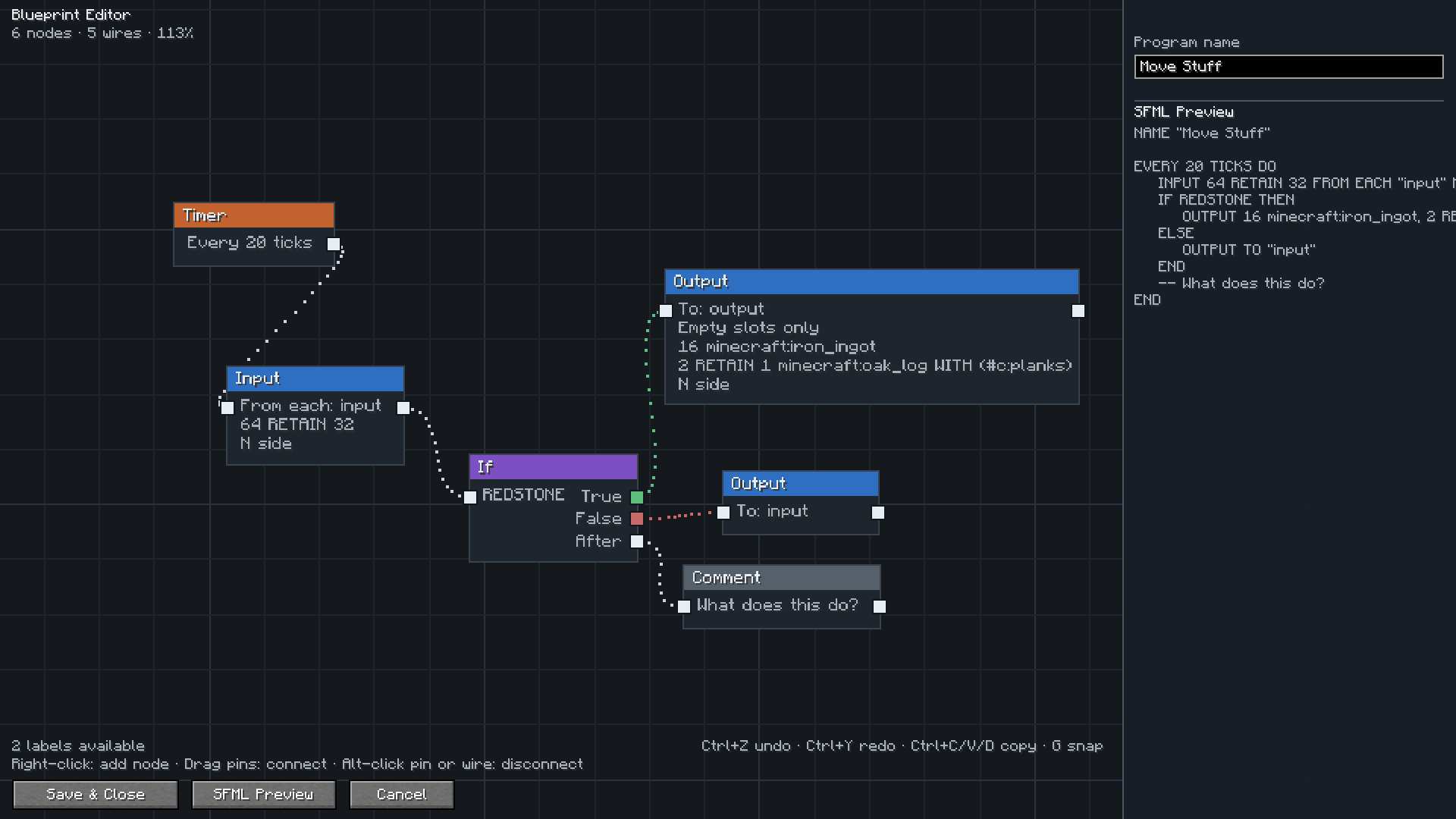
Open a Disk or a Factory Manager and you get a canvas instead of a text box. Place a trigger, chain Input and Output nodes onto it, branch with If nodes, and the SFML is written for you as you go. The preview panel shows exactly what will be saved.
Everything the language can do is in the editor: intervals and redstone triggers, amounts and retain amounts, multiple filters per node, item and tag filters, except lists, sides, slot ranges, round robin, conditions, Forget and Comment nodes.
Type a few letters and pick what you want from a list with icons. Items, fluids, gases and energy are all searchable, so you do not need to remember ids.
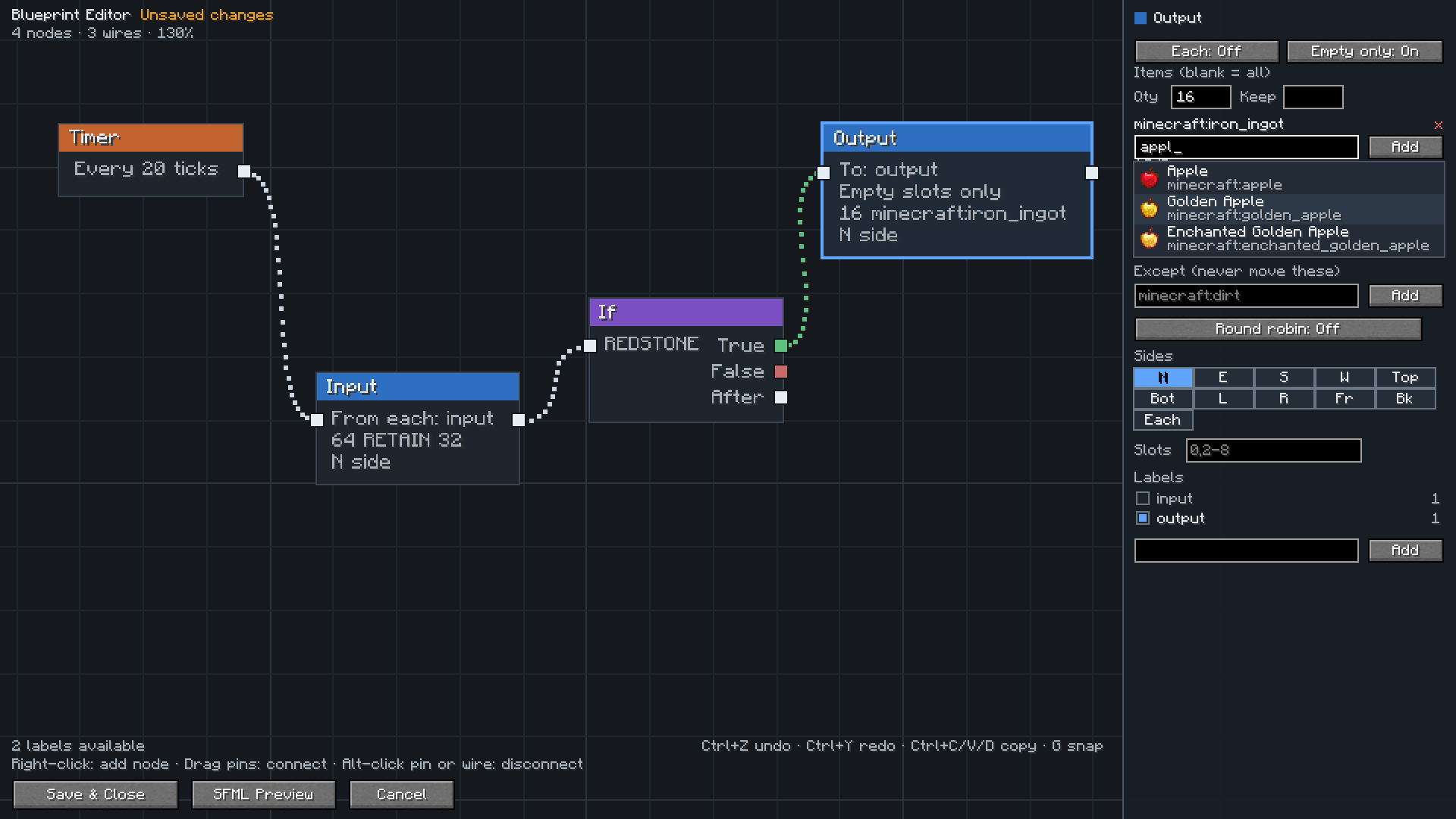
Labels come from your label gun, and the editor shows how many blocks each label covers so you can spot one you forgot to assign.
Open one and press Import to canvas. It is rebuilt as a graph, and the editor checks its own work and tells you whether anything was lost.
Your programs stay normal SFM programs. You can copy the text, share it, or switch back to the text editor whenever you want. The node layout is saved with the program, so reopening the editor gives you your graph back.
Install both mods, then open config/sfm-client-program-editor.toml and set:
preferredEditor = "retrofactorymanager:blueprint"
Right click a Disk, or press Edit in a Factory Manager, and the canvas opens. Set it back to sfm:v1 at any time to return to the text editor.
| Action | How |
|---|---|
| Add a node | Right click the canvas |
| Add a connected node | Drag from a pin and release on empty space |
| Connect nodes | Drag from one pin to another |
| Disconnect | Alt click a pin or a wire |
| Move around | Drag with middle or right mouse button |
| Zoom | Scroll wheel |
| Select | Click, shift click, or drag a box |
| Delete | Select and press Delete |
| Undo and redo | Ctrl+Z and Ctrl+Y |
| Copy, paste, duplicate | Ctrl+C, Ctrl+V, Ctrl+D |
| Snap to grid | Press G |
| Frame everything | Press Home |
Thanks to TeamDman for Super Factory Manager and for making the editor pluggable, and to vswe for the original Steve's Factory Manager.
Project description from CurseForge.
Pick your setup
Choose the version and loader you play, then open the matching release.
Check the dependencies, then try the file in a copied instance before changing a world you care about.
Recent files
retrofactorymanager-1.21.1-1.0.1.jar
1 Aug 2026
retrofactorymanager-26.1.2-1.0.1.jar
1 Aug 2026
31 Jul 2026
Looking for an older file? The official CurseForge project page is in Resources.
 mod
modCompact, tripod-mounted auto-sentry turret addon for SuperbWarfare
 mod
modA technology-focused mod, with animated machinery, diverse processing options, and plenty of new mechanics and equipment
 mod
modSummon and dismiss any mount instantly with just one button press — whether it's a Wolf, a Horse, an Axolotl, or any of the many other rideable creatures.