Minecraft version
Back to mods 
CurseForge · Minecraft mod
LingGemShop
Shop and Economy System Mod
Choose a version Pick your version below, then grab the matching file.
Quick answer
Which LingGemShop release should I use?
Latest stable file ling_q_shop-v1.3-neoforge-1.21.1.jar
Game version 1.21.1
Loader NeoForge
LingGemShop ling_q_shop-v1.3-neoforge-1.21.1.jar targets 1.21.1 with NeoForge. The project page does not say whether this file belongs on the client, dedicated server, or both. No extra mods listed for this file.
Where it goes
Is LingGemShop required on the client, server, or both?
The project page does not say whether this file belongs on the client, dedicated server, or both.
Client Source doesn’t say
Dedicated server Source doesn’t say
Loader for this release NeoForge
Required install it here Optional supported, not mandatory Not supported do not install here Source doesn’t say do not assume
The source does not explicitly classify this release as client-only or server-only.
What else does LingGemShop ling_q_shop-v1.3-neoforge-1.21.1.jar need?
ling_q_shop-v1.3-neoforge-1.21.1.jar. Change the file and its required mods may change too.
This file does not list any required mods. Do not add a library just because a different file uses it.
This file does not list any required or optional mods.
Before you install it
Add LingGemShop without breaking your instance.
Built for LingGemShop ling_q_shop-v1.3-neoforge-1.21.1.jar. Pick another file and the loader, install side or required mods may change.
- 01
Stick to this file
Use ling_q_shop-v1.3-neoforge-1.21.1.jar. It targets 1.21.1 with NeoForge; another release may have different loader, side or dependency requirements.
- 02
Bring the mods it needs
This file does not list any required mods. Do not add a library just because a different file uses it.
- 03
Put it on the correct side
The project page does not say whether this file belongs on the client, dedicated server, or both.
- 04
Pick the file you checked
Use the “Get this file” button beside ling_q_shop-v1.3-neoforge-1.21.1.jar. It opens that exact file at the source.
About this project
What does LingGemShop add?
LingGemShop (FTB Quest Shop & Economy System)
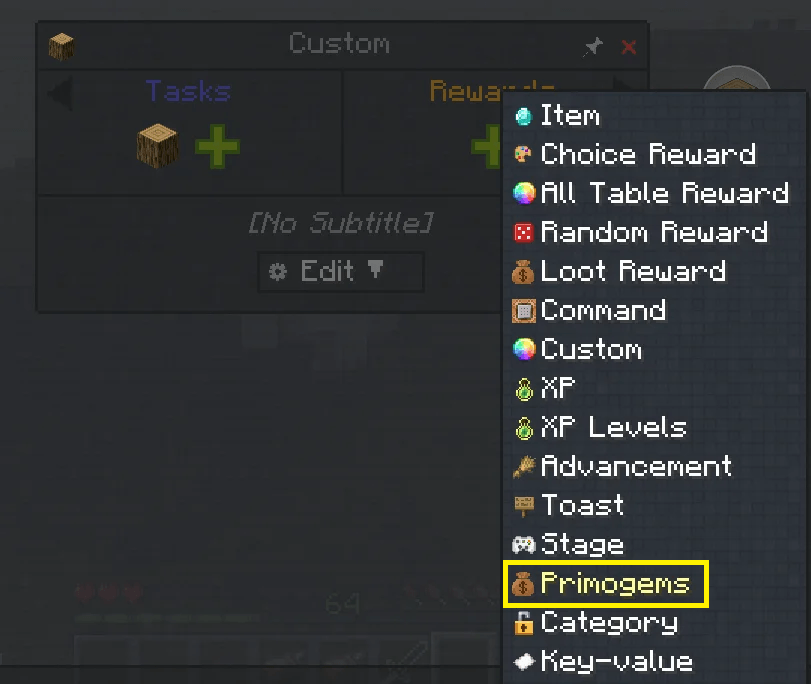
LingGemShop is a modern, fully customizable in-game shop and Primogem economy mod designed for Minecraft NeoForge 1.21.1. Built for progression modpacks, skyblocks, and industrial airship adventures.
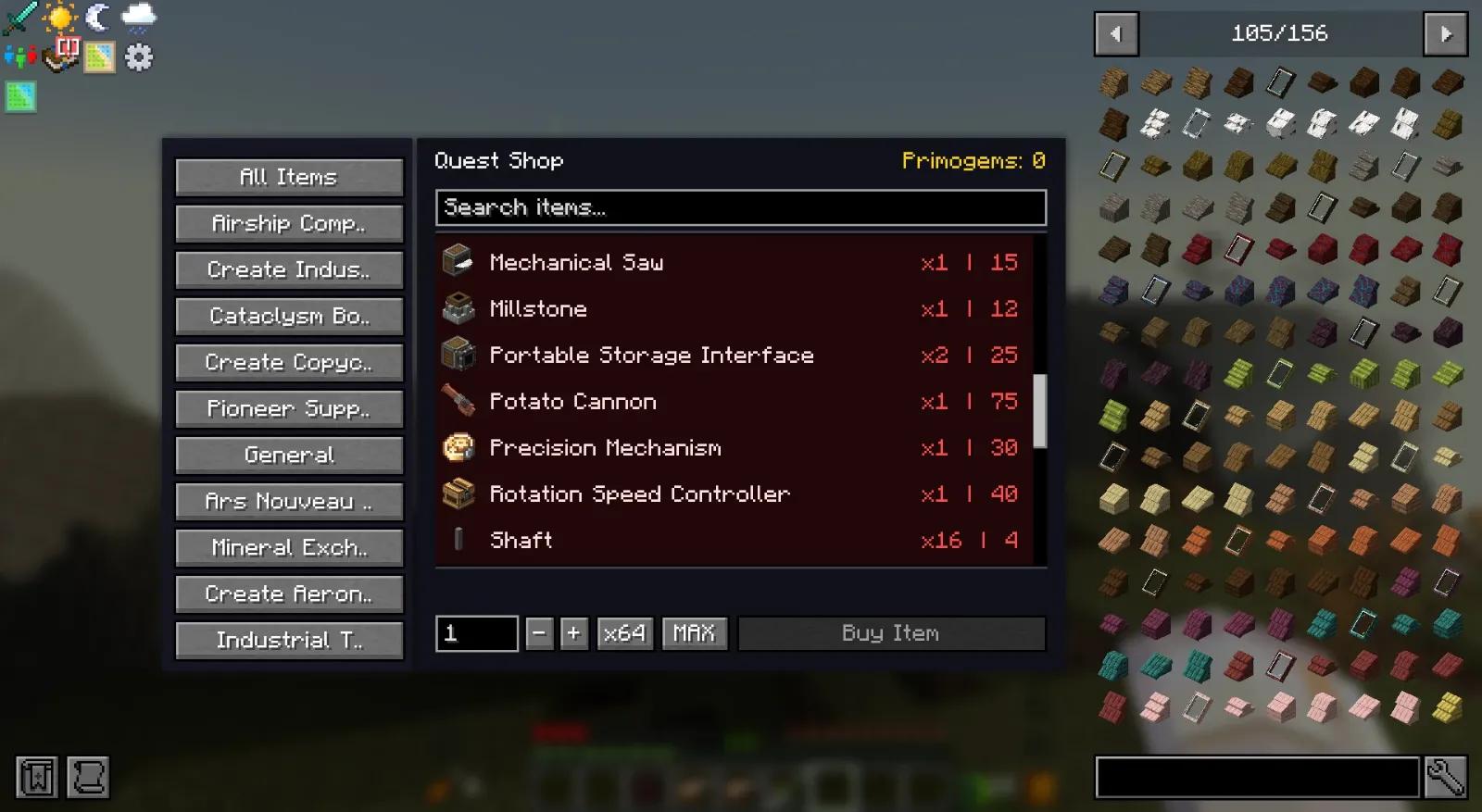
1. Custom Shop GUI & Smart Searching
Sidebar Category Tabs: Instantly switch between mod categories on the left panel. Real-time Search Bar**: Type item names or mod IDs (e.g. create: aeronautics:) to filter items instantly. Bulk Quantity Selector: Easily purchase items in bulk using custom numeric input, quick multiplier buttons ( - + x 64, MAX), and dynamic cost calculations. Keyboard Focus Protection: Intercepts typing inside text inputs so pressing keys like E ,Q or numbers will not close the GUI or drop items.
2. Multi-Access System
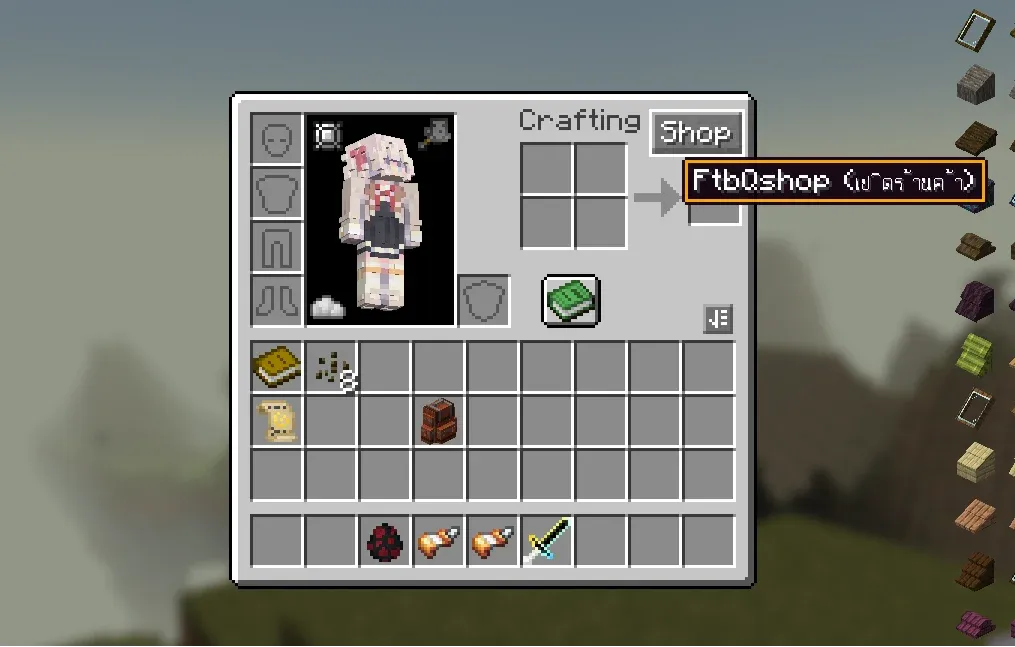
Inventory GUI Button: Automatic Shop button integrated directly inside player inventory (E key). HotkeysPress B to open the shop anywhere. FTB Quests Integration: Access shop directly from the FTB Quests book header icon. In-Game Commands: Use /shop or /hqs shop at any time.
3. Built-in Mod Support & Rarity Pricing
Pre-configured shop catalogs with multi-tiered Rarity pricing for:
- Create Mod (Kinetic machines, gears, casings, and logistics)
- Create Aeronautics (Propellers, airship hulls, thrusters, and physics tools)
- Ars Nouveau (Spellbooks, archmage robes, and source gems)
- Iron's Spells 'n Spellbooks (Scrolls, spellbooks, and wizardry gear)
- L_Ender's Cataclysm (Boss relics and legendary weapons)
- Pioneer Supplies & Industrial Tools (Survival gear and tools)
- Mineral Exchange (Sell raw ores and surplus materials for Primogems)
4. Fully Customizable
You can configure and customize shop entries and categories in 3 easy ways:
In-Game Creative Mode UI: Toggle
[Edit: ON]inside the shop GUI to add/modify items and categories directly.Config Directory: Files located in
config/ling_q_shop/shop_categories/*.jsonandconfig/ling_q_shop/shop_entries/*.json.Datapack Support: Override or add items via Datapacks.
Commands & Permissions
Command Permission Description
/hqs shop | All Players | Opens the FtbQshop GUI
/hqs balance | All Players | Checks your Primogem balance
/hqs addcoins <player> <amount> | Admin (OP level 2) | Adds Primogems to a player
/hqs removecoins <player> <amount> | Admin (OP level 2) | Removes Primogems from a player
/hqs setcoins <player> <amount> | Admin (OP level 2) | Sets exact Primogem balance for a player
Datapack Configuration
https://www.curseforge.com/minecraft/data-packs/questshop-examples
Datapacks are loaded from data/questshop/questshop/:
Folder Structuredata/
└── questshop/
└── questshop/
├── shop_categories/
│ └── example_category.json
└── shop_entries/
└── example_entries.json
Project description from CurseForge.
Pick your setup
LingGemShop by Minecraft version and loader
Choose the version and loader you play, then open the matching release.
Check the dependencies, then try the file in a copied instance before changing a world you care about.
Recent files
LingGemShop versions and loaders
ling_q_shop-v1.3-neoforge-1.21.1.jar
18 Aug 2026
Client Source doesn’t say Server Source doesn’t say Dependencies No extras listed Listed on Release listing
Check the 1.21.1 · NeoForge setup 1.21.1NeoForge release
ling_q_shop-1.2.jar
13 Aug 2026
Client Source doesn’t say Server Source doesn’t say Dependencies No extras listed Listed on Release listing
Check the 1.21.1 · NeoForge setup 1.21.1NeoForge release
LingQshop-1.1.jar
FtbQshop-1.1.jar
7 Aug 2026
Client Source doesn’t say Server Source doesn’t say Dependencies No extras listed Listed on Release listing
Check the 1.21.1 · NeoForge setup 1.21.1NeoForge release
FtbQshop-1.0.jar
31 Jul 2026
Client Source doesn’t say Server Source doesn’t say Dependencies No extras listed Listed on Release listing
Check the 1.21.1 · NeoForge setup 1.21.1NeoForge release
Looking for an older file? The official CurseForge project page is in Resources.
 mod
mod CurseForge · Minecraft
Invincible Incorporated
A mod based on the Invincible comic/show! Become the worlds greatest Hero or The worlds worst Villain
 mod
mod CurseForge · Minecraft
Forgeweave
Modular tools for NeoForge 1.21.1: build tools from parts and materials, melt and cast metals in a smeltery, forge alloys, add modifiers, and pick up material traits — plus shortbow, longbow and crossbow. Tools break, never vanish.
 mod
mod CurseForge · Minecraft
Ecstatic
A hilariously optimized level of detail mod for low end (and high end) machines that retains vanilla performance