Minecraft version
Back to mods 
CurseForge · Minecraft mod
Working Full Bright
A full bright mod that just works.
Choose a version Pick your version below, then grab the matching file.
Quick answer
Which Working Full Bright release should I use?
Latest stable file Working Full Bright — Working Full Bright 1.0.0 (fabric 1.17)
Game version 1.17
Loader Fabric
Working Full Bright — Working Full Bright 1.0.0 (fabric 1.17) targets 1.17 with Fabric. The project page does not say whether this file belongs on the client, dedicated server, or both. No extra mods listed for this file.
Where it goes
Is Working Full Bright required on the client, server, or both?
The project page does not say whether this file belongs on the client, dedicated server, or both.
Client Source doesn’t say
Dedicated server Source doesn’t say
Loader for this release Fabric
Required install it here Optional supported, not mandatory Not supported do not install here Source doesn’t say do not assume
The source does not explicitly classify this release as client-only or server-only.
What else does Working Full Bright — Working Full Bright 1.0.0 (fabric 1.17) need?
Working Full Bright — Working Full Bright 1.0.0 (fabric 1.17). Change the file and its required mods may change too.
This file does not list any required mods. Do not add a library just because a different file uses it.
This file does not list any required or optional mods.
Before you install it
Add Working Full Bright without breaking your instance.
Built for Working Full Bright — Working Full Bright 1.0.0 (fabric 1.17). Pick another file and the loader, install side or required mods may change.
- 01
Stick to this file
Use Working Full Bright — Working Full Bright 1.0.0 (fabric 1.17). It targets 1.17 with Fabric; another release may have different loader, side or dependency requirements.
- 02
Bring the mods it needs
This file does not list any required mods. Do not add a library just because a different file uses it.
- 03
Put it on the correct side
The project page does not say whether this file belongs on the client, dedicated server, or both.
- 04
Pick the file you checked
Use the “Get this file” button beside Working Full Bright — Working Full Bright 1.0.0 (fabric 1.17). It opens that exact file at the source.
About this project
What does Working Full Bright add?
World Full Brightness
🎬 Support this mod — cheap AI video! ZSky AI — unlimited AI text-to-video & image generation. Free forever tier, or Pro $19/mo (~$15/mo billed yearly): no queue, 1080p, watermark-free, commercial use.
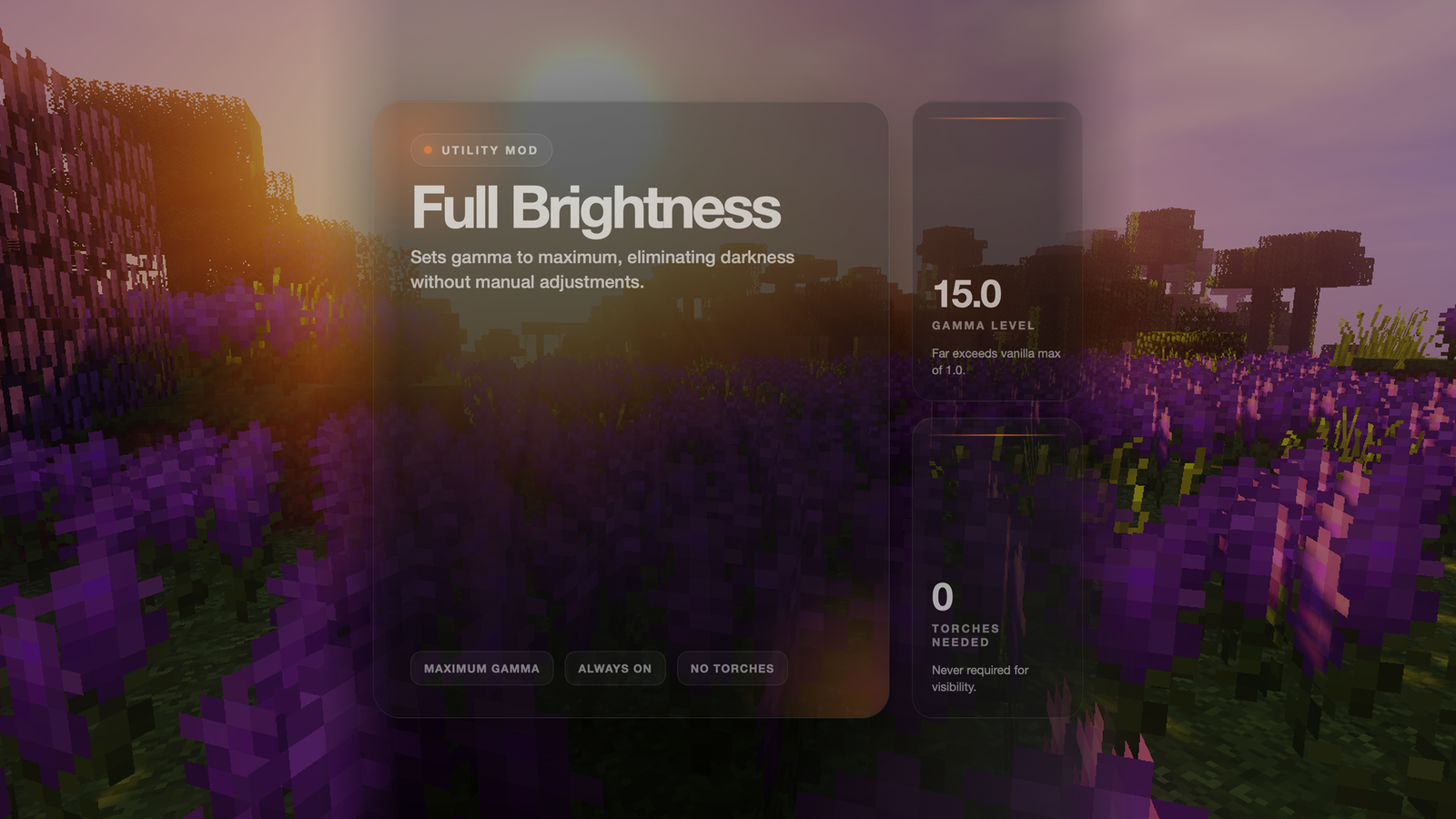
Never struggle to see in dark caves or at night again! This mod sets your game to maximum brightness at all times.
Features
- ✅ Maximum Brightness - Sets gamma to 15.0 (way beyond normal max of 1.0)
- ✅ Always Active - No need to adjust brightness settings manually
- ✅ No Darkness - See clearly in caves, at night, and underwater
- ✅ Lightweight - Minimal performance impact
How It Works
The mod automatically sets your gamma (brightness) setting to maximum when you load the game. This makes everything visible without needing torches or other light sources.
Benefits
- Cave Exploration - See every block clearly without placing torches everywhere
- Night Time - No more waiting for day or sleeping through the night
- Underwater - See clearly in ocean depths
- Building - Work on projects at any time without lighting concerns
- PvP - Spot enemies in dark areas
Project description from CurseForge.
Pick your setup
Working Full Bright by Minecraft version and loader
Choose the version and loader you play, then open the matching release.
Minecraft version
26.1.1
1 loader buildMinecraft version
26.1
1 loader buildMinecraft version
1.21.11
2 loader buildsMinecraft version
1.21.10
2 loader buildsMinecraft version
1.21.9
1 loader buildMinecraft version
1.21.8
2 loader buildsMinecraft version
1.21.7
1 loader buildMinecraft version
1.21.6
1 loader buildMinecraft version
1.21.5
2 loader buildsMinecraft version
1.21.4
2 loader buildsMinecraft version
1.21.3
2 loader buildsShowing the newest 12 of 31 game versions. Older files are in the list below.
Check the dependencies, then try the file in a copied instance before changing a world you care about.
Recent files
Working Full Bright versions and loaders
Working Full Bright — Working Full Bright 1.0.0 (fabric 1.17)
1785716892392-fullbright-1.0.0.jar
3 Aug 2026
Client Source doesn’t say Server Source doesn’t say Dependencies No extras listed Listed on Release listing
Check the 1.17 · Fabric setup Fabric1.17 release
Working Full Bright — Working Full Bright 1.0.0 (fabric 1.18)
1785716892084-fullbright-1.0.0.jar
3 Aug 2026
Client Source doesn’t say Server Source doesn’t say Dependencies No extras listed Listed on Release listing
Check the 1.18 · Fabric setup Fabric1.18 release
Working Full Bright — Working Full Bright 1.0.0 (fabric 1.18.1)
1785716891830-fullbright-1.0.0.jar
3 Aug 2026
Client Source doesn’t say Server Source doesn’t say Dependencies No extras listed Listed on Release listing
Check the 1.18.1 · Fabric setup 1.18.1Fabric release
Working Full Bright — Working Full Bright 1.0.0 (fabric 1.18.2)
1785716891626-fullbright-1.0.0.jar
3 Aug 2026
Client Source doesn’t say Server Source doesn’t say Dependencies No extras listed Listed on Release listing
Check the 1.18.2 · Fabric setup Fabric1.18.2 release
Working Full Bright — Working Full Bright 1.0.0 (fabric 1.19)
1785716891292-fullbright-1.0.0.jar
3 Aug 2026
Client Source doesn’t say Server Source doesn’t say Dependencies No extras listed Listed on Release listing
Check the 1.19 · Fabric setup Fabric1.19 release
Working Full Bright — Working Full Bright 1.0.0 (fabric 1.19.1)
1785716891001-fullbright-1.0.0.jar
3 Aug 2026
Client Source doesn’t say Server Source doesn’t say Dependencies No extras listed Listed on Release listing
Check the 1.19.1 · Fabric setup Fabric1.19.1 release
Working Full Bright — Working Full Bright 1.0.0 (fabric 1.19.3)
1785716890405-fullbright-1.0.0.jar
3 Aug 2026
Client Source doesn’t say Server Source doesn’t say Dependencies No extras listed Listed on Release listing
Check the 1.19.3 · Fabric setup 1.19.3Fabric release
Working Full Bright — Working Full Bright 1.0.0 (fabric 1.19.4)
1785716890156-fullbright-1.0.0.jar
3 Aug 2026
Client Source doesn’t say Server Source doesn’t say Dependencies No extras listed Listed on Release listing
Check the 1.19.4 · Fabric setup 1.19.4Fabric release
Working Full Bright — Working Full Bright 1.0.0 (fabric 1.20.2)
1785716889698-fullbright-1.0.0.jar
3 Aug 2026
Client Source doesn’t say Server Source doesn’t say Dependencies No extras listed Listed on Release listing
Check the 1.20.2 · Fabric setup 1.20.2Fabric release
Working Full Bright — Working Full Bright 1.0.0 (fabric 1.20.1)
1785716889878-fullbright-1.0.0.jar
3 Aug 2026
Client Source doesn’t say Server Source doesn’t say Dependencies No extras listed Listed on Release listing
Check the 1.20.1 · Fabric setup Fabric1.20.1 release
Working Full Bright — Working Full Bright 1.0.0 (fabric 1.20.3)
1785716889449-fullbright-1.0.0.jar
3 Aug 2026
Client Source doesn’t say Server Source doesn’t say Dependencies No extras listed Listed on Release listing
Check the 1.20.3 · Fabric setup Fabric1.20.3 release
Working Full Bright — Working Full Bright 1.0.0 (fabric 1.20.4)
1785716889231-fullbright-1.0.0.jar
3 Aug 2026
Client Source doesn’t say Server Source doesn’t say Dependencies No extras listed Listed on Release listing
Check the 1.20.4 · Fabric setup Fabric1.20.4 release
Looking for an older file? The official CurseForge project page is in Resources.
 mod
CurseForge + Modrinth · Minecraft
Enchantment Core
A data-driven enchantment component and utility library.
 mod
CurseForge · Minecraft
VHat Can I Roll? - Vault Hunters 3 addon
shows you what gear modififers you can roll at any level
 mod
CurseForge · Minecraft
Roguelite Advancements
Advancement now give permanent player buffs. Health, Damage, Reach, Step Assist, Pick up radius and much more.