Applied Energistics 2 Needed by AE2 BatchCraft ae2-batchcraft-1.21.1-1.0.1-neoforge.jar
requiredMatching file found Matched file: AE2 19.2.17 [NEOFORGE]

CurseForge · Minecraft mod
A single processing template can easily drive a group of parallel machines.
Quick answer
AE2 BatchCraft ae2-batchcraft-1.21.1-1.0.1-neoforge.jar targets 1.21.1 with NeoForge. The project page does not say whether this file belongs on the client, dedicated server, or both. All 2 required mods have matching files.
Where it goes
The project page does not say whether this file belongs on the client, dedicated server, or both.
The source does not explicitly classify this release as client-only or server-only.
ae2-batchcraft-1.21.1-1.0.1-neoforge.jar. Change the file and its required mods may change too.
Install Applied Energistics 2, GuideME first. We found matching files for this game-version and loader setup. 10 come through another mod in the chain.
10 extra mods were pulled in by other dependencies. Indented rows show who needs each one. We only count dependency files that match this setup. A file for another loader does not fill the gap.
Before you install it
Built for AE2 BatchCraft ae2-batchcraft-1.21.1-1.0.1-neoforge.jar. Pick another file and the loader, install side or required mods may change.
Use ae2-batchcraft-1.21.1-1.0.1-neoforge.jar. It targets 1.21.1 with NeoForge; another release may have different loader, side or dependency requirements.
Install Applied Energistics 2, GuideME first. We found matching files for this game-version and loader setup. 10 come through another mod in the chain.
The project page does not say whether this file belongs on the client, dedicated server, or both.
Use the “Get this file” button beside ae2-batchcraft-1.21.1-1.0.1-neoforge.jar. It opens that exact file at the source.
About this project
Use one set of processing patterns to drive a group of machines in parallel.
Minecraft 1.21.1 | NeoForge | Applied Energistics 2
AE2 BatchCraft adds a one-to-many processing-pattern P2P network to Applied Energistics 2.
A Pattern P2P input receives complete crafting jobs from a standard AE2 Pattern Provider and distributes them in round-robin order among multiple outputs or Pattern P2P Units. To expand a production line, add more endpoints and machines without copying patterns or consuming an AE channel for every machine.
| Item / Feature | Purpose |
|---|---|
| Pattern P2P Tunnel (Input) | Connects to a Pattern Provider, receives and distributes processing jobs, and collects returned products. Uses 1 AE channel. |
| Pattern P2P Tunnel (Output) | Sends ingredients into one adjacent machine and returns its products. Uses no AE channel and can queue up to 64 jobs. |
| Pattern P2P Tunnel (Energy) | Powers the AE subnet first, then distributes remaining FE among output machines and active Unit Energy Ports. Uses no channel or P2P frequency. |
| Pattern P2P Unit (Manager) | Receives one complete job and coordinates a group of bound functional ports. Available in fluix and all 16 AE2 cable colors. |
| Pattern P2P Unit Ports | Eight port types provide Transfer, Drop, Place, Return, Pickup, Break, Redstone, and Energy functions. Managers and ports use no additional channels. |
| Product Extraction Card | Lets a Pattern Provider and its linked outputs actively extract filtered products from adjacent machines. Supports items, fluids, and compatible integration resource types. |
| AE Component Placer | Batch-places AE cables and cable-attached parts over a point, line, or plane up to 16 x 16, with optional P2P frequency assignment. |
| Per-material Configuration | Assigns an ingredient input side for standard outputs or selects Normal, Drop, and Place forms for Pattern P2P Unit ports. |
1 channel; outputs, Unit Managers, and Unit ports use none.Shift + Right-click the input with an AE2 Memory Card to generate and save a frequency.The input and all endpoints must be on the same AE subnet, and their chunks must be loaded. Frequency 0000 means unconfigured. Offline, unloaded, busy, or blocked endpoints are skipped.
A job is never split between machines. For example, a complete
10000 A -> 10000 Bjob is sent to one endpoint.
Use a Unit when a process needs several interfaces or world interaction instead of one machine face.
Shift + Right-click the Manager with a Memory Card to save its identity.Ctrl + Middle Mouse Button to select Normal, Drop, or Place output.The Manager joins the same round-robin group as standard outputs but processes only one job at a time. Its ports must be on the same AE subnet and remain bound to that Manager's identity.
Project description from CurseForge.
Pick your setup
Choose the version and loader you play, then open the matching release.
Check the dependencies, then try the file in a copied instance before changing a world you care about.
Recent files
5 Aug 2026
3 Aug 2026
Looking for an older file? The official CurseForge project page is in Resources.
 mod
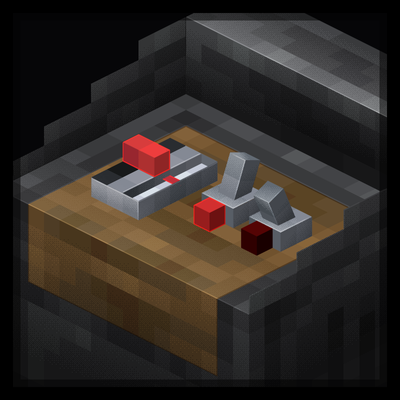
modA mod adding modular control panels for redstone control.
 mod
modA mini mod that adds three permanent progression apples that grant extra hearts forever. Inspired by the permanent improvements of Terraria's Calamity Mod and Infernum Mod
 mod
modShows information about what you are looking at. (Hwyla/WAILA fork for Minecraft 1.16+)