Minecraft version
Back to mods 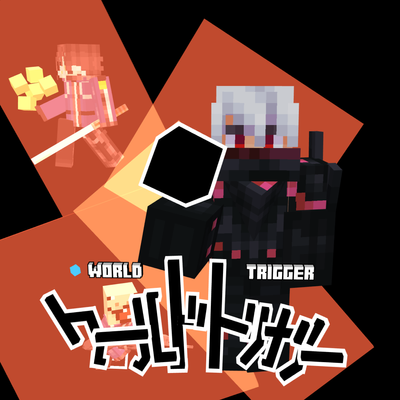
CurseForge · Minecraft mod
Trigger Craft
Are you familiar with World Trigger? Wished there was a mod for it for Minecraft? Well, that's exactly what this mod does! Not another magic RPG mod ;)
Choose a version Pick your version below, then grab the matching file.
Quick answer
Which Trigger Craft release should I use?
Latest stable file Trigger Craft - v0.2.0 [Neoforge, 1.21.8, RELEASE].jar
Game version 1.21.8
Loader NeoForge
Trigger Craft - v0.2.0 [Neoforge, 1.21.8, RELEASE].jar targets 1.21.8 with NeoForge. The project page does not say whether this file belongs on the client, dedicated server, or both. No extra mods listed for this file.
Where it goes
Is Trigger Craft required on the client, server, or both?
The project page does not say whether this file belongs on the client, dedicated server, or both.
Client Source doesn’t say
Dedicated server Source doesn’t say
Loader for this release NeoForge
Required install it here Optional supported, not mandatory Not supported do not install here Source doesn’t say do not assume
The source does not explicitly classify this release as client-only or server-only.
What else does Trigger Craft - v0.2.0 [Neoforge, 1.21.8, RELEASE].jar need?
Trigger Craft - v0.2.0 [Neoforge, 1.21.8, RELEASE].jar. Change the file and its required mods may change too.
This file does not list any required mods. Do not add a library just because a different file uses it.
This file does not list any required or optional mods.
Before you install it
Add Trigger Craft without breaking your instance.
Built for Trigger Craft - v0.2.0 [Neoforge, 1.21.8, RELEASE].jar. Pick another file and the loader, install side or required mods may change.
- 01
Stick to this file
Use Trigger Craft - v0.2.0 [Neoforge, 1.21.8, RELEASE].jar. It targets 1.21.8 with NeoForge; another release may have different loader, side or dependency requirements.
- 02
Bring the mods it needs
This file does not list any required mods. Do not add a library just because a different file uses it.
- 03
Put it on the correct side
The project page does not say whether this file belongs on the client, dedicated server, or both.
- 04
Pick the file you checked
Use the “Get this file” button beside Trigger Craft - v0.2.0 [Neoforge, 1.21.8, RELEASE].jar. It opens that exact file at the source.
About this project
What does Trigger Craft add?
This mod aims to faithfully recreate World Trigger into Minecraft.
Unrelated Notes: The mod is currently under early development and will be updated as consistently as I can ( I'm a solo dev, please understand =3= ), there is currently no progressive system or survival guide/tutorial so you can only play this in creative mode. The guide for creative mode can be found at the bottom. Will add images soon, please bear with the text T^T.

What this mod is about?
Inspired by the World Trigger anime and manga, this mod transforms Minecraft's combat into a fast-paced, tactical experience. You need some damn good positioning, timing, movement, and decision-making, just like in Vanilla PvP.
As someone who enjoys Minecraft PvP, I myself wanted more than that. A system where every ability has ups and downs and every fight plays out differently depending on the choices you make, sounds fun? It does to me.
You got a cool Trigger System, you gotta manage your Trion, you can build your own loadout, and master a variety of combat styles from close-range and long-ranged Triggers. Whether you're dueling another player, wiping the floor with your opponents with your circus moves, or doing some teamfight, your victory depends on how well you manage these.

Youtube Showcase
Recommended Settings:
- View Bobbing: On (If you're comfortable with this, although I'm assuming you will have this off if you PvP)
- FOV Effects: 5% (Or anything you want, it's recommended to keep it lower than 18%)
And most importantly, change your keybinds!
This mod also supports Multiplayer! I test it very often to make sure it works.
Starting Guide (Creative Only)
If you are unfamiliar with World Trigger, there will be a word bank below this for words that are highlighted.
Basics
When you boot up the mod in singleplayer, you will see a blue bar above your hotbar. That bar is your Trion Bar.
There is currently only one Trigger added for now, it's a Black Trigger, you can use this Trigger by right clicking it, this will activate your Trion Body.
When your Trion Body is active, you will not take damage - currently you can take damage from the environment (lava, fire, fall damage), this has been fixed in the upcoming update - and your Trion Bar will take the damage itself instead, although decreased. The Trion Body provides you with many advantages, there are only currently two:
- You take decreased damage
- Your physical capabilities are increased.
Your movement speed and jump height are still the same, but when you tap your crouch keybind for a split second and start sprinting or jumping, you get boosted, your stats also depend on your Trigger. You can also hold your 'Forward' key (W, in my case) when jumping to perform a lunge, this is useful for leaping across very large gaps.
You can also perform a Sidestep, this is by default the R keybind. To activate the sidestep, you need to press the direction you want to go to (WSAD or whatever you use), this will give you a burst of speed and may allow you to dodge things at the last moment, although it does not give i-Frames.
Sub & Main Triggers
These triggers are the loadouts. Each Trigger has 4 slots, I made these slots flexible as well, you can choose where each ability goes to make it comfortable for you. Currently, when you load the game, your Trigger slots are empty, because I have not made it possible to set them other than with commands as of the moment (I'm still building the basic foundation of the mod before adding those).
You can find the commands at the bottom of this.
The default keybinds for these are:
V (Main) and C (Sub)
To select which trigger slot you want for each respective Trigger, you must hold their keybind while pressing 1-4 (you can change this as well in the keybinds).
How to activate the selected Trigger is by also holding the Trigger's keybind and pressing your Trigger Hold Activator keybind as well as your LMB (The keybind is also LMB, I really recommend to keep it the same as your Attack keybind.)
Parry System
This is planned to be a universal system of all weapons, but I will think it through. For now, you can only use this with Kogētsu.
To parry, you must hold your Secondary Trigger Hold Activator (Default RMB, change this to your Use/Place keybind). You will have 0.35 seconds to parry something (in the current update, you can parry ANY damage source, you're welcome ^v^), once 0.35 seconds pass and you haven't parried anything, you will hear a faint sound which indicates you failed and will change to blocking.
When in blocking, you will take decreased damage, you can only hold the blocking state for 2 seconds and can only be activated after a parry. (I might change this system to make blocking a whole different system from parrying).
Added Combat Triggers:
Attacker
- Kogetsu - Just swing it like any sword in Minecraft... or not? Well, Kogētsu has a custom sword swinging animation and mechanic, it's pretty cool. You can cancel the early stages of the attack set by sidestepping, although you're cooked when you've executed the slash, you gotta take in the consequences if you're about to get hit.
- Senkū - Senkū is an
Optional Triggerand is an extension of Kogetsu. When Senkū is activated, you must swing Kogetsu, it will increase its range (~15 blocks) and damage by a lot. To activate it, you must have the slot selected, hold the respective trigger bind, and right click. When you've done the stance, only then can you press your Trigger Hold Activator (LMB) to activate it.
Shooter
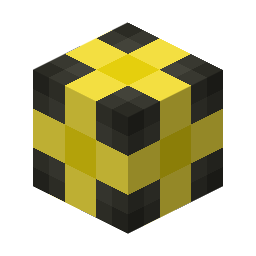
- Asteroid - When activated, it will spawn 7 Trion Cubes around you which follow you, when you press your Trigger Hold Activator keybind, these will launch themselves straight into where you're looking. You can change its formations by holding the respective bind of the trigger it's under and tapping right click to cycle between the modes: Dense, Concentrated, Wide, Scatter, and Ultra-Wide.
- Hound - Activates the same as Asteroid and has the same function with formation cycling. This homes into nearby enemies and will spark with blue trion when they're being marked by Hound. (The homing works, but does not function as I want it to, consider it as WIP)
- Meteor - Functions the same as Asteroid. Meteor is an explosive trion projectile which deals a ton of damage, beware of usage!
- Viper - Functions the same as Asteroid. Viper can be controlled with where you look, when you crouch, Viper will find a nearby target in the proximity of a few blocks and redirect towards them, if it cannot find any target nearby, it will continue moving along where you look.
Gunner
- Handgun - LMB to shoot, RMB to Aim :). Really good range, consumes a fair amount of Trion, but has spread that becomes a disadvantage at longer ranges.
- Egret - A sniper, same as Handgun, except you can only shoot when aiming. There is no scope, YET, and I'll figure it out. This has amazing range, great speed, almost zero spread, but consumes a lot of Trion.
- Lightning - A high-velocity, low-damage sniper, BUT very accurate. Functions the same as Egret in activating and shooting. This has high fire-rate, and is really cool.
Utility Triggers
- Shield - Exactly how it sounds, it's a shield. You can activate this by holding your Trigger Hold Activator, it costs Trion to maintain depending on its form. You can cycle between forms by holding your respective trigger bind and tapping your right click to cycle between the 3 modes: Concentrated, Wide, and Tall. To use [Full Guard], you must have both Sub and Main Triggers to have Shield on them, then press both your Main and Sub Trigger keybind to activate it. The more damaged the Trion Shield is, the more it fades. (It currently does not function as to how you'd expect it to, such as explosions, for example, those will still affect you.)
- Grasshopper - An amazing mobility trigger, to use it, you must hold the respective trigger bind and LMB. If you aren't pressing either WSAD, then you will automatically launch upwards, if you're holding either WSAD, you will launch to the direction held and looked at (you will understand how this works really fast).
Use these wisely, they cost Trion and you MUST remember that your Trion Body uses your Trion as its HP, you start with 100 Trion every time.
Bail Out
This is for when you're out of Trion (0), when it activates, you will fly into the high skies and enter a rough ride. Since there is no way to set a destination for landing, you will enter Emergency State mode, which is my own implementation. It also has a cooldown, around nearly 4 minutes, so don't expect any saving all the time. You will land at a random area and crash land.
When you lose Trion and your Bail Out is under cooldown, well... needless to say, you're cooked. That's all for main additions.
Commands
/triggercraft - You will figure how to use this, you can use it to set your current Trion as well as abilities in your Sub and Main Trigger slots.
- Uses
- /triggercraft [playername] Trigger [Sub/Main] [Trigger Slot: 1-4] [Trigger Ability ID: 1-10] \\\ Only 1-2, 5, 8, and 10-12 are the implemented abilities.
- /triggercraft [playername] Trion [amount]
/setdestination - For Bail Out, since there's no way to set a landing destination for now, you have to use this if you want to try it out. It will set your destination at your current location.
/ttseds - This is a testing command I used for testing Bail Out, it's not supposed to be here but oh well, will be removed in the next update. I guess you can go about "back in my day, this mod had a super special command! You wouldn't know about it.". The naming was just my palm gently landing on my keyboard :)
Changing your maximum Trion
You have to use the base /attribute command of Minecraft, I'm very kind so I'll paste it here:
- /attribute [playername] triggercraft:trion_max base set [amount]
Word Bank
- Trion
- Think of Trion as Mana, it functions the same, except it also serves as your HP when your Trion Body is activated. In the manga, Trion is made from an invisible organ in our body called the Trion Gland.
- Trion Body
- Your Trion Bar is the healthbar for the Trion Body, so manage it well, please.
- Is a body made out of your Trion, it shells your real body and replaces it with one made out of Trion. It increases your physical capabilities and mobility.
- Trigger
- Standard Triggers - These are normal triggers, they have fixed amount of Trion. These are divided into four different roles: Attacker, Shooter/Gunner, Sniper, and Defense/Utility.
- Optional Trigger - These are plug-ins or extensions to enhance a standard Trigger, like Sēnku to Kogētsu. You will know if you have an optional trigger in your slots, they are highlighted in blue.
- Black Triggers - These are unique triggers, they are made when someone with tons of Trion sacrifices their life to leave behind their legacy. They are vastly different from Standard Triggers, these can't just be used by anyone and are extremely powerful (think of these as nuclear weapons).
Code, Textures & Models: Me
Sounds: Halo (Energy Sword) and Pixabay Sound Effects - I will make my own sound effects when I have time.
I do not claim any of the Intellectual Property of Daisuke Ashihara
And to all the other resources that I used, those belong to their creators respectfully (I hope I didn't forget to credit anyone else o.O).
Fun fact: This is a remake of my 2019 version :)
Unrelated Notes #2: Some of you probably know me from my MC Calamity, you might ask, what happened to you? Well, I simply got lazy for a whole year. How long was I working on this mod…? I started at July 29, I somehow found the motivation to get back to modding.
Project description from CurseForge.
Pick your setup
Trigger Craft by Minecraft version and loader
Choose the version and loader you play, then open the matching release.
Check the dependencies, then try the file in a copied instance before changing a world you care about.
Recent files
Trigger Craft versions and loaders
Trigger Craft - v0.2.0 [Neoforge, 1.21.8, RELEASE].jar
10 Aug 2026
Client Source doesn’t say Server Source doesn’t say Dependencies No extras listed Listed on Release listing
Check the 1.21.8 · NeoForge setup 1.21.8NeoForge release
Trigger Craft - v0.1.0 [Neoforge, 1.21.8, BETA].jar
6 Aug 2026
Client Source doesn’t say Server Source doesn’t say Dependencies No extras listed Listed on Release listing
Check the 1.21.8 · NeoForge setup 1.21.8NeoForge release
Trigger Craft - v0.0.1 [Neoforge, 1.21.8, ALPHA].jar
3 Aug 2026
Client Source doesn’t say Server Source doesn’t say Dependencies No extras listed Listed on Release listing
Check the 1.21.8 · NeoForge setup 1.21.8NeoForge alpha
Looking for an older file? The official CurseForge project page is in Resources.
 mod
mod CurseForge + Modrinth · Minecraft
Collision Effects
See every impact! HUD particle effects for impacts and environmental interactions
 mod
mod CurseForge · Minecraft
Sophisticated Backpacks
Yet another backpack mod this time with backpack you can place in world, color in different color combinations, upgrade with more inventory and enhance with many functional upgrades
 mod
mod Modrinth · Minecraft
Pipez
Simple and efficient pipes