Simply Light Needed by Simply Light: Smart! simply_light_smart-0.7.1.jar
requiredMatching file found Matched file: simplylight 1.5.3+1.21.1-b4
CurseForge · Minecraft mod
An addon for Simply Light that adds redstone-dimmable lights and Smart Switch controls for linked lighting networks.
Quick answer
Simply Light: Smart! simply_light_smart-0.7.1.jar targets 1.21.1 with NeoForge. The project page does not say whether this file belongs on the client, dedicated server, or both. All 1 required mods have matching files.
Where it goes
The project page does not say whether this file belongs on the client, dedicated server, or both.
The source does not explicitly classify this release as client-only or server-only.
simply_light_smart-0.7.1.jar. Change the file and its required mods may change too.
Install Simply Light first. We found matching files for this game-version and loader setup.
We only count dependency files that match this setup. A file for another loader does not fill the gap.
Before you install it
Built for Simply Light: Smart! simply_light_smart-0.7.1.jar. Pick another file and the loader, install side or required mods may change.
Use simply_light_smart-0.7.1.jar. It targets 1.21.1 with NeoForge; another release may have different loader, side or dependency requirements.
Install Simply Light first. We found matching files for this game-version and loader setup.
The project page does not say whether this file belongs on the client, dedicated server, or both.
Use the “Get this file” button beside simply_light_smart-0.7.1.jar. It opens that exact file at the source.
About this project
An addon for Simply Light

Simply Light lights normally turn on or off with redstone. Simply Light - Smart! lets supported lights dim smoothly with the signal, and adds a Smart Switch that can control a group of lights together.
Use your existing Simply Light blocks as usual. The addon adds smart versions of its lights, plus a Smart Linker for choosing which lights a switch controls.

Redstone controls brightness across the full 0–15 signal range. For most supported lights, no signal means full brightness and a signal strength of 15 turns the light off. Illuminant Blocks keep their familiar normal and inverted versions.
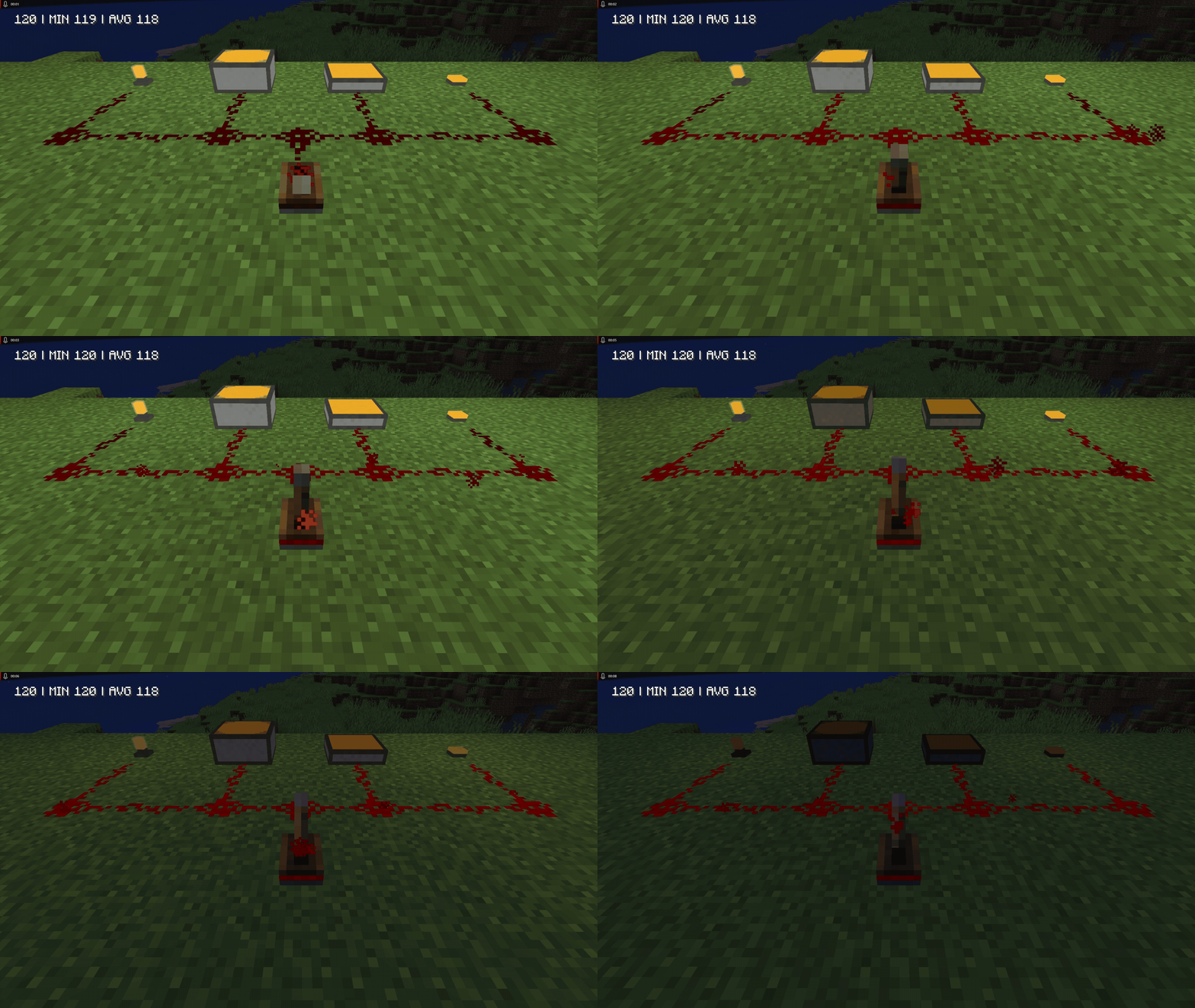
Send one redstone signal to a group of up to 64 linked lights within 128 blocks. The Smart Linker selects the lights; the Smart Switch sends them its current signal strength.
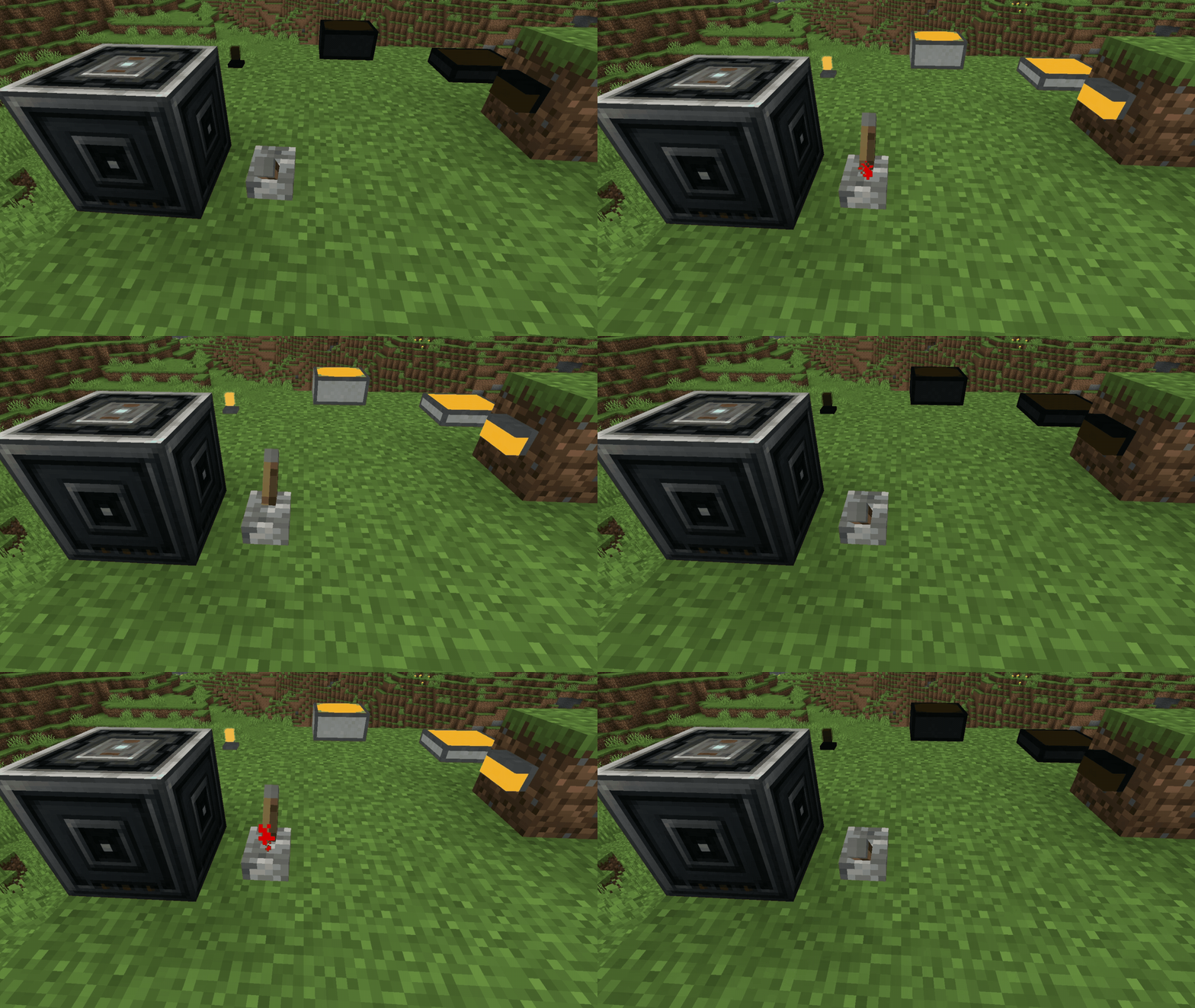
Supported shaders show the same dimming as the lights. Solas, BSL, and the base Complementary Reimagined and Unbound packs work without extra setup. With Euphoria Patches, you can select the optional SLSmart variant generated for Complementary in the shader menu.
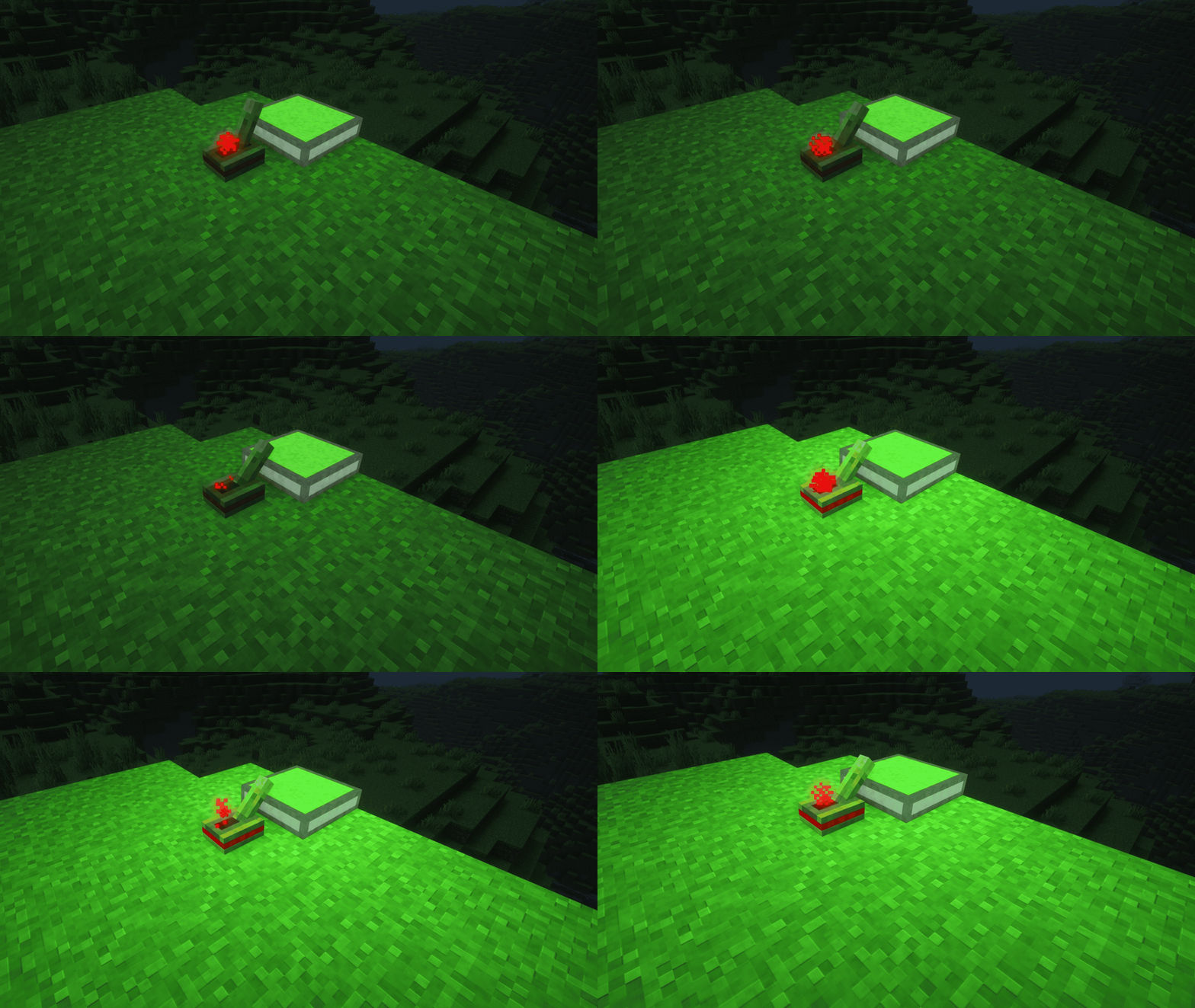

Heads up: linked lights ignore their own local redstone input while assigned to a Smart Switch. A light can belong to only one switch at a time.
Hold Shift and left-click in the air to clear the Smart Linker's selection.

Install the addon on both the client and server, alongside Simply Light.

Open an issue on GitHub. Include your Minecraft, NeoForge, Simply Light, and addon versions, along with the block, signal strength, or shader pack involved. Screenshots or a short video help describe visual issues.

Yes. Simply Light - Smart! is licensed under the MIT License. See LICENSE.
For more feature details, see the project page, shader support notes, and CHANGELOG.
Project description from CurseForge.
Pick your setup
Choose the version and loader you play, then open the matching release.
Check the dependencies, then try the file in a copied instance before changing a world you care about.
Recent files
15 Oct 2026
12 Oct 2026
4 Sept 2026
17 Aug 2026
14 Aug 2026
11 Aug 2026
10 Aug 2026
7 Aug 2026
7 Aug 2026
6 Aug 2026
5 Aug 2026
3 Aug 2026
Looking for an older file? The official CurseForge project page is in Resources.
 mod
A soulslike RPG overhaul: earn runes, level eight attributes at Ember Shrines, wield 74 scaling armaments and hunt seven Sovereigns.
 mod
Grab, throw, and catch items in VR, bat blocks midair, climb walls with craftable gloves, and recall enchanted weapons with a flick of your wrist. Built for Vivecraft on Fabric 1.21.1, with seated play and multiplayer support.
 mod
A mod that provides universal tools, super alloy furnaces, and various QOL modifications.