Architectury API Needed by Old Radio oldradio-1.21.1-neoforge-1.1.0.jar
requiredMatching file found Matched file: [NeoForge 1.21] v13.0.11
CurseForge · Minecraft mod
Adds a retro radio that plays old music. It has a nice warm glow at night.
Quick answer
Old Radio oldradio-1.21.1-neoforge-1.1.0.jar targets 1.21.1 with NeoForge. The project page does not say whether this file belongs on the client, dedicated server, or both. All 1 required mods have matching files.
Where it goes
The project page does not say whether this file belongs on the client, dedicated server, or both.
The source does not explicitly classify this release as client-only or server-only.
oldradio-1.21.1-neoforge-1.1.0.jar. Change the file and its required mods may change too.
Install Architectury API first. We found matching files for this game-version and loader setup.
We only count dependency files that match this setup. A file for another loader does not fill the gap.
Before you install it
Built for Old Radio oldradio-1.21.1-neoforge-1.1.0.jar. Pick another file and the loader, install side or required mods may change.
Use oldradio-1.21.1-neoforge-1.1.0.jar. It targets 1.21.1 with NeoForge; another release may have different loader, side or dependency requirements.
Install Architectury API first. We found matching files for this game-version and loader setup.
The project page does not say whether this file belongs on the client, dedicated server, or both.
Use the “Get this file” button beside oldradio-1.21.1-neoforge-1.1.0.jar. It opens that exact file at the source.
About this project
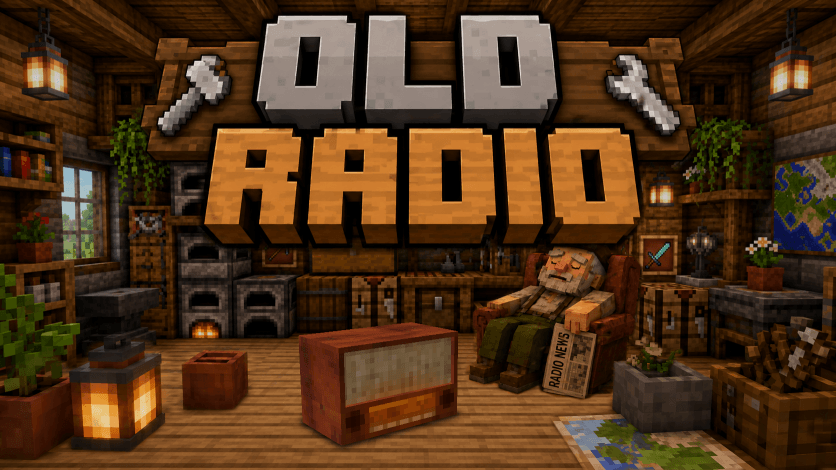

This Old Radio plays old music.
Right-click it to turn the radio on or off.
By default it plays Radio Dismuke, an internet radio station that broadcasts original vintage recordings of 1920s & 1930s popular music and jazz. But, this can be changed to any internet radio station in the config.
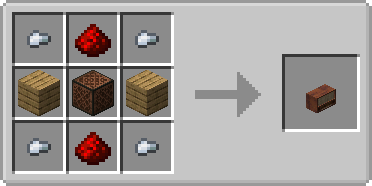
Project description from CurseForge.
Pick your setup
Choose the version and loader you play, then open the matching release.
Check the dependencies, then try the file in a copied instance before changing a world you care about.
Recent files
8 Aug 2026
8 Aug 2026
4 Aug 2026
4 Aug 2026
Looking for an older file? The official CurseForge project page is in Resources.
 mod
modAllows you to automatically reequip a totem after popping one
 mod
modEasily call (whistle) your horse with a goat horn to teleport it to you
 mod
modDonidin's Fun with Friends is a small quality-of-life mod that focuses entirely on multiplayer.
