Minecraft version
Back to mods 
CurseForge · Minecraft mod
BlockPalette Studio
The ultimate in-game architect studio for Minecraft builders featuring Ponder-style 3D wall dioramas, WorldEdit command studio with custom ratios, multi-mod filtering, color harmony algorithms, smooth block gradients, and builder preset libraries.
Choose a version Pick your version below, then grab the matching file.
Quick answer
Which BlockPalette Studio release should I use?
Latest stable file BlockPaletteStudio-1.21.1-NeoForge-v2.2.2.jar
Game version 1.21.1
Loader NeoForge
BlockPalette Studio BlockPaletteStudio-1.21.1-NeoForge-v2.2.2.jar targets 1.21.1 with NeoForge. The project page does not say whether this file belongs on the client, dedicated server, or both. No extra mods listed for this file.
Where it goes
Is BlockPalette Studio required on the client, server, or both?
The project page does not say whether this file belongs on the client, dedicated server, or both.
Client Source doesn’t say
Dedicated server Source doesn’t say
Loader for this release NeoForge
Required install it here Optional supported, not mandatory Not supported do not install here Source doesn’t say do not assume
The source does not explicitly classify this release as client-only or server-only.
What else does BlockPalette Studio BlockPaletteStudio-1.21.1-NeoForge-v2.2.2.jar need?
BlockPaletteStudio-1.21.1-NeoForge-v2.2.2.jar. Change the file and its required mods may change too.
This file does not list any required mods. Do not add a library just because a different file uses it.
This file does not list any required or optional mods.
Before you install it
Add BlockPalette Studio without breaking your instance.
Built for BlockPalette Studio BlockPaletteStudio-1.21.1-NeoForge-v2.2.2.jar. Pick another file and the loader, install side or required mods may change.
- 01
Stick to this file
Use BlockPaletteStudio-1.21.1-NeoForge-v2.2.2.jar. It targets 1.21.1 with NeoForge; another release may have different loader, side or dependency requirements.
- 02
Bring the mods it needs
This file does not list any required mods. Do not add a library just because a different file uses it.
- 03
Put it on the correct side
The project page does not say whether this file belongs on the client, dedicated server, or both.
- 04
Pick the file you checked
Use the “Get this file” button beside BlockPaletteStudio-1.21.1-NeoForge-v2.2.2.jar. It opens that exact file at the source.
About this project
What does BlockPalette Studio add?
🎨 BlockPalette Studio
BlockPalette Studio is a professional in-game building assistant, 3D architectural simulator, WorldEdit export engine, and color theory studio designed for Minecraft builders, architects, and designers. It analyzes block textures in real-time to generate smooth color harmonies, organic gradients, interactive 3D wall dioramas, customizable WorldEdit commands with smart ratios, and builder preset libraries.
🌟 Key Features
⚡ 1. Advanced WorldEdit Studio & Architect Command Engine
- 13 Essential WorldEdit Architect Commands:
- Core & Surfaces:
//set,//replace,//walls,//outline,//overlay,//line(NEW!),//faces - Brushes & 3D Shapes:
//brush sphere,//brush cyl,//cyl,//hcyl,//sphere,//hsphere
- Core & Surfaces:
- Special Air, Water & Lava Blocks: Easily construct ruined/decayed walls (
50%stone,50%air), water channels, or lava mixtures with dedicated[+ Air],[+ Water], and[+ Lava]buttons. - Interactive Live EditBox: Real-time editable command line! Tweak commands, flags (
-h), masks (!air), dimensions, or block IDs directly with keyboard input. - 1-Click Smart Ratio Presets: Instantly apply
Equal (1:1),70% Dominant,Cascading (50%, 30%, 15%...), andRandomweight distributions. - Block Weight Tuner, Reordering & 1-Click Deletion: Adjust ratios via
[-][+]or mouse scroll, shift block order with[◀][▶], and delete blocks instantly by clicking[-]at 1x weight. - Automatic Singleplayer & Multiplayer Support:
- Singleplayer: 100% unlimited direct JVM execution (supports 10,000+ characters with 0 packet limits!).
- Multiplayer: Built-in network packet guard that safely copies >256 character commands to clipboard to prevent server disconnects.
- Radius (
r) & Height (h) Controls: Compact dimension steppers for cylinder, line, and brush commands. - Raw Block List Export: 1-click button to export comma-separated block lists (
stone,andesite...).
🧱 2. Ponder-Style 3D Wall Diorama & Texture Simulator
- Interactive 3D Isometric Diorama: Preview your palette on an elegant marble pedestal platform directly inside the GUI.
- Free 360° Camera: Rotate freely with mouse drag (
Yaw/Pitch) and zoom in/out with the scroll wheel. - 2D Seamless Texture Mode: Inspect connected, borderless block textures in a flat repeating wall.
- 3 Distribution Modes: Natural Noise Clusters, Vertical Height Gradient, and Random Dither with live
[ 🔀 Re-Roll ].
🔍 3. Multi-Select Mod Filter & Visual Category Icons
- Visual Minecraft Block Icons: Every category button features an intuitive block icon (Oak Log for Wood, Stone Bricks for Stone, Terracotta, Glass, Iron Ore, etc.).
- Color-Coded Filter States: Bright Green
[✔ Included]and Bold Red[✖ Excluded]for instant visual clarity. - Multi-Mod Filtering: Select and combine blocks from multiple installed mods simultaneously.
- Live Search Bar: Instantly search and filter through hundreds of mods by name.
- 1-Click Actions: Instant "Select All" and "Clear All" buttons for effortless modpack management.
🎯 4. Real-Time Color Theory & Harmony Engine
- Automatic Texture Analysis: Dynamically extracts the dominant perceptual RGB and HSV colors directly from block textures (including modded blocks).
- 6-Model Color Harmony Popup Grid: View and select all 6 color models at once with detailed color theory tooltips (Similar, Analogous, Complementary, Triadic, Split-Complementary, Monochromatic).
- Advanced Color & Material Filters: Filter by Tone (
Warm,Cool,Neutral), Brightness, Saturation, and Block Material.
🌈 5. Smart Block Gradient Generator
- Perceptual Color Pathfinding: Generates seamless, natural block-to-block gradients between any two chosen blocks.
- Curve Shaping: Fine-tune transition pacing with
Linear,Smooth S-Curve,Ease-In, andEase-Out. - Step Control: Create gradients ranging from 3 to 15 blocks in length.
📋 6. Builder Presets & Palette Management
- Curated Built-In Presets: Medieval, Gothic, Cyberpunk, Rustic Wood, Modern Clean, Nether, and more.
- Save & Load Custom Palettes: Store unlimited palettes in a scrollable card grid.
- Eyedropper Tool (
VKey): Sample any block from your world or inventory directly into the studio. - JEI Integration: Press
R(Recipes) andU(Usages) while hovering over any block. - Custom UI Design Mode: Resize and reposition studio panels to fit your exact screen workflow.
🎮 Default Controls & Keybindings
| Key / Action | Description |
|---|---|
C |
Open BlockPalette Studio GUI |
V |
Eyedropper — Sample targeted block into studio |
| Left Click & Drag | Rotate 3D Wall Diorama (360°) / Drag UI Panels in Design Mode |
| Scroll Wheel | Zoom 3D Diorama / Adjust Block Weights / Scroll Grids |
R / U |
View JEI Recipe / Usage for hovered block |
ESC |
Close Modals / Return to Game |
📦 Installation & Dependencies
- Platform: Forge 1.20.1 (Recommended Forge version
47.1.0or higher) - Dependencies: None! BlockPalette Studio runs standalone out of the box.
- Optional Integrations: JEI (Just Enough Items) & WorldEdit.
Project description from CurseForge.
Pick your setup
BlockPalette Studio by Minecraft version and loader
Choose the version and loader you play, then open the matching release.
Minecraft version
1.20.1
2 loader buildsCheck the dependencies, then try the file in a copied instance before changing a world you care about.
Recent files
BlockPalette Studio versions and loaders
BlockPaletteStudio-1.21.1-NeoForge-v2.2.2.jar
25 Aug 2026
Client Source doesn’t say Server Source doesn’t say Dependencies No extras listed Listed on Release listing
Check the 1.21.1 · NeoForge setup 1.21.1NeoForge release
BlockPaletteStudio-1.21.1-Fabric-v2.2.2.jar
25 Aug 2026
Client Source doesn’t say Server Source doesn’t say Dependencies No extras listed Listed on Release listing
Check the 1.21.1 · Fabric setup Fabric1.21.1 release
BlockPaletteStudio-1.20.1-Forge-v2.2.2.jar
25 Aug 2026
Client Source doesn’t say Server Source doesn’t say Dependencies No extras listed Listed on Release listing
Check the 1.20.1 · Forge setup 1.20.1Forge release
BlockPaletteStudio-1.20.1-Fabric-v2.2.2.jar
25 Aug 2026
Client Source doesn’t say Server Source doesn’t say Dependencies No extras listed Listed on Release listing
Check the 1.20.1 · Fabric setup Fabric1.20.1 release
BlockPaletteStudio-1.21.1-NeoForge-v2.1.14.jar
16 Aug 2026
Client Source doesn’t say Server Source doesn’t say Dependencies No extras listed Listed on Release listing
Check the 1.21.1 · NeoForge setup 1.21.1NeoForge release
BlockPaletteStudio-1.21.1-Fabric-v2.1.14.jar
16 Aug 2026
Client Source doesn’t say Server Source doesn’t say Dependencies No extras listed Listed on Release listing
Check the 1.21.1 · Fabric setup Fabric1.21.1 release
BlockPaletteStudio-1.20.1-Forge-v2.1.14.jar
16 Aug 2026
Client Source doesn’t say Server Source doesn’t say Dependencies No extras listed Listed on Release listing
Check the 1.20.1 · Forge setup 1.20.1Forge release
BlockPaletteStudio-1.20.1-Fabric-v2.1.14.jar
16 Aug 2026
Client Source doesn’t say Server Source doesn’t say Dependencies No extras listed Listed on Release listing
Check the 1.20.1 · Fabric setup Fabric1.20.1 release
BlockPaletteStudio-1.21.1-NeoForge-v2.1.5.jar
14 Aug 2026
Client Source doesn’t say Server Source doesn’t say Dependencies No extras listed Listed on Release listing
Check the 1.21.1 · NeoForge setup 1.21.1NeoForge release
BlockPaletteStudio-1.20.1-Forge-v2.1.5.jar
14 Aug 2026
Client Source doesn’t say Server Source doesn’t say Dependencies No extras listed Listed on Release listing
Check the 1.20.1 · Forge setup 1.20.1Forge release
BlockPaletteStudio-1.21.1-Fabric-v2.1.5.jar
14 Aug 2026
Client Source doesn’t say Server Source doesn’t say Dependencies No extras listed Listed on Release listing
Check the 1.21.1 · Fabric setup Fabric1.21.1 release
BlockPaletteStudio-1.20.1-Fabric-v2.1.5.jar
14 Aug 2026
Client Source doesn’t say Server Source doesn’t say Dependencies No extras listed Listed on Release listing
Check the 1.20.1 · Fabric setup Fabric1.20.1 release
Looking for an older file? The official CurseForge project page is in Resources.
 mod
mod CurseForge · Minecraft
Crit Combo
Build combo streaks with critical hits to deal increasing bonus damage.
 mod
mod CurseForge + Modrinth · Minecraft
Fireball Predictor
Predicts and visualizes the trajectory and explosive impact of fireballs, wither skulls and wind charges in real-time.
 mod
mod CurseForge + Modrinth · Minecraft
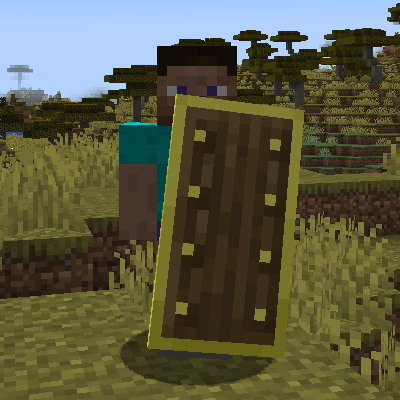
Shields+
Changing shields mechanics and adding more shields and enchantments