Minecraft version
Back to mods 
CurseForge · Minecraft mod
No Need Overlay
A Minecraft Forge 1.8.9 mod that automatically displays Bedwars stats such as Stars/Level, FKDR, and cheater detection in the game tablist/playerlist with a chat alert and a beautiful UI.
Choose a version Pick your version below, then grab the matching file.
Quick answer
Which No Need Overlay release should I use?
Latest stable file NoNeedOverlay-1.8.9-1.0.10.jar
Game version 1.8.9
Loader Forge
No Need Overlay NoNeedOverlay-1.8.9-1.0.10.jar targets 1.8.9 with Forge. The project page does not say whether this file belongs on the client, dedicated server, or both. No extra mods listed for this file.
Where it goes
Is No Need Overlay required on the client, server, or both?
The project page does not say whether this file belongs on the client, dedicated server, or both.
Client Source doesn’t say
Dedicated server Source doesn’t say
Loader for this release Forge
Required install it here Optional supported, not mandatory Not supported do not install here Source doesn’t say do not assume
The source does not explicitly classify this release as client-only or server-only.
What else does No Need Overlay NoNeedOverlay-1.8.9-1.0.10.jar need?
NoNeedOverlay-1.8.9-1.0.10.jar. Change the file and its required mods may change too.
This file does not list any required mods. Do not add a library just because a different file uses it.
This file does not list any required or optional mods.
Before you install it
Add No Need Overlay without breaking your instance.
Built for No Need Overlay NoNeedOverlay-1.8.9-1.0.10.jar. Pick another file and the loader, install side or required mods may change.
- 01
Stick to this file
Use NoNeedOverlay-1.8.9-1.0.10.jar. It targets 1.8.9 with Forge; another release may have different loader, side or dependency requirements.
- 02
Bring the mods it needs
This file does not list any required mods. Do not add a library just because a different file uses it.
- 03
Put it on the correct side
The project page does not say whether this file belongs on the client, dedicated server, or both.
- 04
Pick the file you checked
Use the “Get this file” button beside NoNeedOverlay-1.8.9-1.0.10.jar. It opens that exact file at the source.
About this project
What does No Need Overlay add?
No Need Overlay
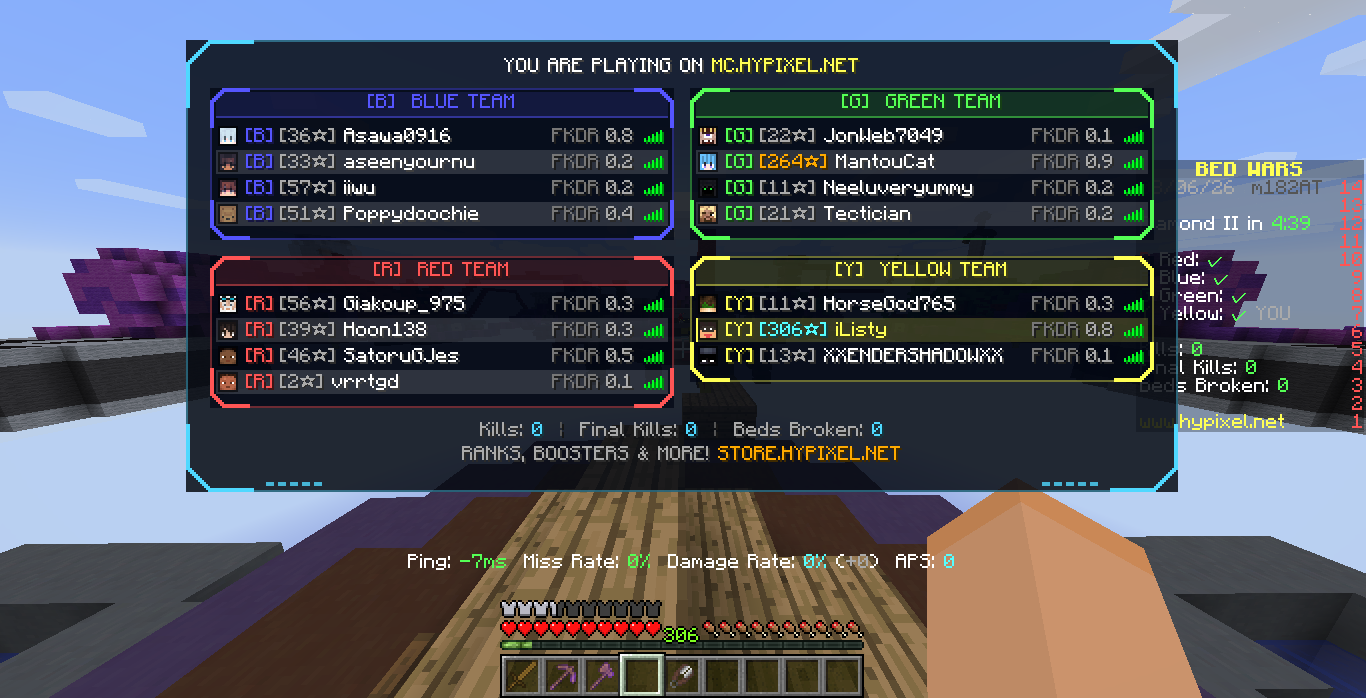
Redesigned Hypixel BedWars tab list with per-team panels, prestige-coloured BedWars stars, FKDR, cheater detection, and live match stats from the Hypixel API.
Features
- Bedwars Level & Prestige Stars: Displays live BedWars stars for every player with authentic Hypixel prestige colors and brackets.
- FKDR Display: Live calculated Final Kill/Death Ratio with dynamic danger threshold coloring.
- Nicked Player Detection: Automatically identifies nicked players with orange
[NICK]tags and highlighted background styling. - Cheater Detection & Cheater GUI:
- Highlights confirmed cheaters with a red
⚠alert icon on the TAB list. - Dedicated Cheater GUI (
Mkeybind or/nno cheaters) showing all flagged players, tagged databases, and detailed hover reasons. - Right-click clipboard copy to copy individual database report reasons or a player's full report history.
- Highlights confirmed cheaters with a red
- Chat Alerts & Reports:
- Send team summary reports to team chat (
/pcor/ac) with combined stars, total FKDR, and flagged cheaters. - Report specific enemy teams or your own team manually (
/nno report <team>or/nno r <team>). - Pre-game queue chat lookup: automatically announces stats in party chat when players chat in queue (deduplicated to once per player).
- Send team summary reports to team chat (
- Lobby Mentions & Quick Stats:
- Detects when someone mentions your IGN in BedWars lobbies and provides a local clickable
[View Stats]button. - Mentions GUI (
Nkeybind or/nno mentions) showing all players who mentioned you, their stats inline, and one-click party invite buttons.
- Detects when someone mentions your IGN in BedWars lobbies and provides a local clickable
- Party Prefix Stats Command (
!s):- Party members (or yourself) can check player stats by typing
!s <ign>or!sin party chat. - Fully toggleable ("Block prefix requests" setting) with customizable prefix.
- Party members (or yourself) can check player stats by typing
- Local Client Chat Recoloring: All stat messages received in party and team chat are automatically formatted with TAB prestige star colors and FKDR warning colors on your end.
- Live Match & End-Game Stats: Displays live kills, final kills, and beds broken in your HUD/TAB, with optional end-of-game stat sharing.
- Full In-Game Configuration: Intuitive GUI (
]keybind or/nno config) with hover tooltips for every option.
Installation
Vanilla Forge
- Download the latest release
.jarfile. - Place the
.jarfile into your Minecraft.minecraft/modsfolder. - Launch Minecraft 1.8.9 with Forge installed.
- Join Hypixel and set your API key (see Usage below).
Lunar Client
- Download the latest release
.jarfile. - Place the mod file into:
C:\Users\{yourusername}\.lunarclient\profiles\1.8\mods\forge-1.8.9 - Launch Lunar Client on 1.8.9 with Forge enabled.
- Join Hypixel and set your API key.
Usage
Setting up your API key
- Visit the Hypixel Developer Dashboard.
- Log in to your Hypixel forum account to generate an API key.
- Copy your API key.
- In-game, use the command
/nno key <your-api-key>or press]on your keyboard to open the config GUI and paste your key into the API key field (keys are masked when unfocused for privacy).
Default Keybinds
]- Open No Need Overlay Config GUIM- Open Cheater List GUIN- Open Lobby Mentions GUI (All keybinds are rebindable in the config menu or vanilla Controls menu)
Commands
/nno- Show all available commands and help/nno config- Open the visual configuration GUI/nno key <key>- Set your Hypixel API key/nno s <ign>or/nno stat <ign>- View stats of a specific player (displays via GUI or local chat based on your config)/nno r [team]or/nno report [team]- Send stat summary of all teams or a specific team to party/team chat/nno cheaters- Open the cheater list GUI/nno mentions- Open the lobby mentions GUI/nno refresh- Refresh current player and match stats cache/nno fkdr- Toggle FKDR display on/off/nno ping- Toggle ping indicators on/off/nno toggle- Toggle No Need Overlay custom TAB overlay on/off
How it works
When you join a BedWars game, No Need Overlay automatically fetches player stats asynchronously via the Hypixel API and displays them in a sleek, team-colored sci-fi HUD tab overlay. You get immediate visibility into team prestige stars, FKDR averages, nicked players, and active cheaters without leaving your game or slowing down your client.
Still need help or stuck with something?
Join our Discord and explain your problem. We'll try our best to help.
Project description from CurseForge.
Pick your setup
No Need Overlay by Minecraft version and loader
Choose the version and loader you play, then open the matching release.
Check the dependencies, then try the file in a copied instance before changing a world you care about.
Recent files
No Need Overlay versions and loaders
NoNeedOverlay-1.8.9-1.0.10.jar
18 Oct 2026
Client Source doesn’t say Server Source doesn’t say Dependencies No extras listed Listed on Release listing
Check the 1.8.9 · Forge setup Forge1.8.9 release
NoNeedOverlay-1.8.9-1.0.9.jar
10 Aug 2026
Client Source doesn’t say Server Source doesn’t say Dependencies No extras listed Listed on Release listing
Check the 1.8.9 · Forge setup Forge1.8.9 release
NoNeedOverlay-1.8.9-1.0.8.jar
8 Aug 2026
Client Source doesn’t say Server Source doesn’t say Dependencies No extras listed Listed on Release listing
Check the 1.8.9 · Forge setup Forge1.8.9 release
NoNeedOverlay-1.8.9-1.0.7.jar
8 Aug 2026
Client Source doesn’t say Server Source doesn’t say Dependencies No extras listed Listed on Release listing
Check the 1.8.9 · Forge setup Forge1.8.9 release
NoNeedOverlay-1.8.9-1.0.6.jar
6 Aug 2026
Client Source doesn’t say Server Source doesn’t say Dependencies No extras listed Listed on Release listing
Check the 1.8.9 · Forge setup Forge1.8.9 release
Looking for an older file? The official CurseForge project page is in Resources.
 mod
mod CurseForge · Minecraft
TaCZ Magazines
A TaCZ addon that transforms the normal ammo system into a compatible magazine system for every gun and addon
 mod
mod CurseForge · Minecraft
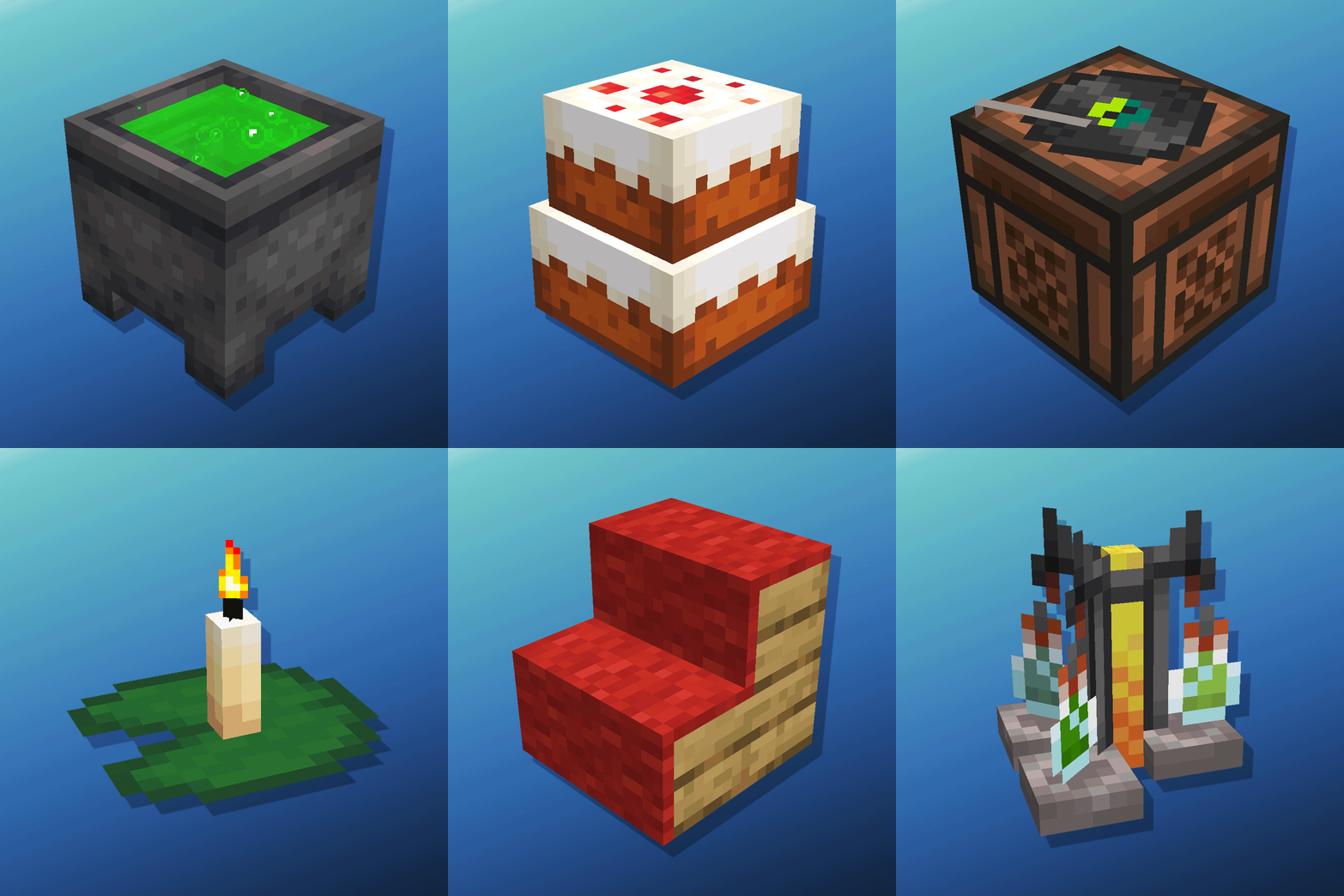
Amendments
Cauldron Potion Mixing, Lanterns Animation, Carpeted Stairs, Candle Skulls, Double Cakes, Better Lilypads and much more
 mod
mod CurseForge · Minecraft
BOM Races
A race-based RPG progression mod with 10 playable races, each with its own abilities, skill tree, and quests — datapack-driven and fully configurable.