MINIMOD-API Needed by MINIMOD-RAILS V1.1
requiredMatching file found Matched file: minimod-api-0.1.0.0.jar
CurseForge · Minecraft mod
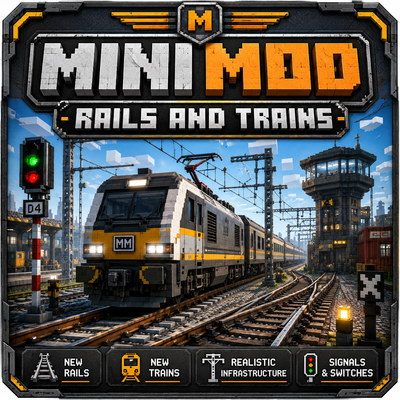
A modern railway mod featuring drivable electric trains, automated metro routes, smart stations, speed controls, and customizable rail infrastructure.
Quick answer
MINIMOD-RAILS V1.1 targets 1.21.11 with Forge. The project page does not say whether this file belongs on the client, dedicated server, or both. All 1 required mods have matching files.
Where it goes
The project page does not say whether this file belongs on the client, dedicated server, or both.
The source does not explicitly classify this release as client-only or server-only.
MINIMOD-RAILS V1.1. Change the file and its required mods may change too.
Install MINIMOD-API first. We found matching files for this game-version and loader setup.
We only count dependency files that match this setup. A file for another loader does not fill the gap.
Before you install it
Built for MINIMOD-RAILS V1.1. Pick another file and the loader, install side or required mods may change.
Use MINIMOD-RAILS V1.1. It targets 1.21.11 with Forge; another release may have different loader, side or dependency requirements.
Install MINIMOD-API first. We found matching files for this game-version and loader setup.
The project page does not say whether this file belongs on the client, dedicated server, or both.
Use the “Get this file” button beside MINIMOD-RAILS V1.1. It opens that exact file at the source.
About this project
MiniMod Rail is a modern railway and metro expansion focused on realistic train operation, automation, customization, and detailed station infrastructure. Build complete passenger networks, drive electric trains manually, or create automated metro lines that operate between registered stations.
MiniMod Rail is designed for players who want to create detailed railway systems ranging from small local lines to fully automated metropolitan networks.
Project description from CurseForge.
Pick your setup
Choose the version and loader you play, then open the matching release.
Check the dependencies, then try the file in a copied instance before changing a world you care about.
Recent files
MINIMOD-RAILS V1.1.jar
15 Aug 2026
rrpmini-0.1.0.jar
6 Aug 2026
Looking for an older file? The official CurseForge project page is in Resources.
 mod
modA bunch of rustic machinery to transport, mine, and automate things, while staying close to the vanilla style.
 mod
modThe mod adds a new ore called Faxaryth, which is found in the End.
 mod
modBetter F3, Zoom, MiniMap, inventory sorting, Shoulder Surfing & FreeCam for Servers, armor HUDs, Mouse Tweaks, fullbright, binds, Markers, HP HUDs, food and effect previews, chat tools, numeric ping, auto totem, elytra swap in one compact mod.