Minecraft version
Back to mods 
Modrinth · Minecraft mod
OFF Client
MiniMap, Shoulder Surfing, Better F3, Zoom, Freecam, Mouse Tweaks & inventory sorting. Fullbright, Auto Totem, armor/HP HUDs, waypoints, chat heads & animations, entity hiding, day counter, stopwatch & reload splash hiding in one Fabric mod.
Choose a version Pick your version below, then grab the matching file.
Quick answer
Which OFF Client release should I use?
Latest stable file 1.2.1
Game version 26.3
Loader Fabric
OFF Client 1.2.1 targets 26.3 with Fabric. It must be installed on the client. Do not install it on the dedicated server. No extra mods listed for this file.
Where it goes
Is OFF Client required on the client, server, or both?
It must be installed on the client. Do not install it on the dedicated server.
Client Required
Dedicated server Not supported
Loader for this release Fabric
Required install it here Optional supported, not mandatory Not supported do not install here Source doesn’t say do not assume
This file is marked client-only.
What else does OFF Client 1.2.1 need?
1.2.1. Change the file and its required mods may change too.
This file does not list any required mods. Do not add a library just because a different file uses it.
This file does not list any required or optional mods.
Before you install it
Add OFF Client without breaking your instance.
Built for OFF Client 1.2.1. Pick another file and the loader, install side or required mods may change.
- 01
Stick to this file
Use 1.2.1. It targets 26.3 with Fabric; another release may have different loader, side or dependency requirements.
- 02
Bring the mods it needs
This file does not list any required mods. Do not add a library just because a different file uses it.
- 03
Put it on the correct side
It must be installed on the client. Do not install it on the dedicated server.
- 04
Pick the file you checked
Use the “Get this file” button beside 1.2.1. It opens that exact file at the source.
About this project
What does OFF Client add?
OFF Client
MiniMap, Freecam, Shoulder Surfing, Better F3, Zoom and Mouse Tweaks, together with inventory sorting, waypoints, Fullbright, Auto Totem, Elytra Swap and armor/health HUDs in one configurable Fabric client mod. Includes game element hiding, chat heads, animated messages and sounds, a day counter, stopwatch, compact resource pack reload progress, visual time control, effect timers, food and target information, numeric ping, equipment comparison, pickup notifications, Auto Clicker and keybinds. Customize your HUD and choose the Minecraft font or a warm orange interface with our custom font.
Lightweight and built for performance, with efficient caching and carefully selected libraries.
Every feature can be disabled individually, stopping its processing to avoid unnecessary overhead.
The minimap is primarily designed for playing on servers: navigate familiar areas, save useful locations, find your last death, and keep important information close at hand. It also works in singleplayer.
Minimap
- Surface terrain with relief: biome colors, height shading, water depth, snow, ice, and lava. Optional night shading and block lighting help show how the world changes throughout the day.
- Your preferred layout: circular or square map, adjustable size and position, compass letters, player skin marker with direction and size controls.
- Independent map zoom: zoom the terrain without changing the size of the HUD. The default keys are − and =, and both can be reassigned.
- Configurable information: coordinates, biome, world time with day/night labels, text scale, backgrounds, and chunk grid.
- Waypoints and death markers: save locations by world and dimension, choose colors and symbols, and display markers on the map and in the world. Death markers include the date and time; nearby repeated deaths reuse a marker to reduce clutter.
- Mob and dropped-item markers: configurable visibility and limits. Nearby drops are grouped to keep the overlay readable.
The map uses chunks received by your client and shows the surface. It does not generate unexplored server terrain or provide a cave map.
More tools
- Freecam: detach the camera up to 32 blocks from your character, with configurable movement speed and a toggle key. The camera respects solid-block collisions while your character stays in place.
- Shoulder camera: configurable third-person framing with Normal and Server modes. Server mode preserves vanilla movement and targeting with a fixed central crosshair; Normal mode allows independent camera movement.
- Zoom: a configurable camera zoom for viewing distant details.
- Fullbright: brighten dark areas on the client.
- Game Element Hider: separate controls for players and names, peaceful and hostile mobs, item frames, Block Display, Text Display, Item Display, armor stands and equipped armor. Hide worn armor while retaining the entity, held items, wings and saddles. Located in the Player category.
- Resource pack reload UI: optionally hide the reload splash and show a small progress bar at the top. The resources still load normally, and reload errors remain handled.
- Auto Totem, Elytra Swap, and Auto Clicker: configurable utilities for totem handling, swapping a chestplate and elytra, and repeated input.
- Armor HUD and health indicators: keep track of equipment and entity health. Health can appear only for the entity you look at or remain visible for eligible entities.
- Equipment comparison: compare armor, tools, and weapons with equipped items in a separate panel.
- Pickup notifications: compact notices for collected items, with configurable duration and merging of repeated pickups.
- Better F3 and target information: configurable debug information and details about the block or entity under your crosshair.
- Mouse Tweaks and Inventory Manager: inventory mouse gestures, wheel transfers, and sorting for open inventories and containers.
- Effect Timers, Food Info and Numeric Ping: track active effects, food details and player latency.
- Chat heads, animations and sounds: player skin heads beside messages, smooth message transitions and configurable incoming-message sounds.
- Day counter: a movable HUD with a customizable format, size and optional background.
- Stopwatch: start, pause and reset a movable timer; choose its format, size and background. Seconds with milliseconds are the default.
- Customizable interface: module settings, keybinds, command binds, HUD placement, scoreboard styling and in-game feedback. Switch between the Minecraft and custom fonts. Warm inventory slots, complete borders, aligned offhand and recipe book styling are available on every supported version; inventory and hotbar panels have no drop shadows. Compact corner notifications adapt to the available window size.
Getting started
Install Fabric Loader and Fabric API, then choose the OFF Client JAR matching your Minecraft version. Version 1.2.0 has separate builds for 1.21.11, 26.1, 26.1.1, 26.1.2, 26.2 and 26.3. Install only one matching build.
| Action | Default key |
|---|---|
| Open OFF Client | Right Shift |
| Open module settings | Right-click a module |
| Minimap zoom out / in | − / = |
| Create / list waypoints | N / M |
Controls can be reassigned. /off opens the panel; /offmark provides waypoint commands.
Use freecam and automated utilities only where the server rules allow them.
OneTick community
Made with love for OneTick players.
License: ARR.
Русский
Миникарта, Freecam, камера за плечом, улучшенный F3, зум и Mouse Tweaks вместе с сортировкой инвентаря, метками, фулбрайтом, автототемом, свапом элитр и HUD брони и здоровья — в одном настраиваемом моде для Fabric. Также доступны скрытие элементов игры, головы в чате, анимация и звуки сообщений, счётчик дней, секундомер, компактная полоса применения ресурспака, время суток, таймеры эффектов, информация о еде и цели, числовой пинг, сравнение снаряжения, уведомления о подборе, автокликер и бинды. Настраивайте HUD, тёплое оранжевое оформление и выбирайте стандартный шрифт Minecraft или наш шрифт.
Мод легковесный и ориентирован на производительность благодаря эффективному кэшированию и тщательно подобранным библиотекам.
Любую функцию можно отключить отдельно: её обработка прекращается, не создавая лишней нагрузки.
Миникарта в первую очередь предназначена для игры на серверах: ориентируйтесь на местности, сохраняйте полезные места, находите точку последней смерти и держите нужную информацию перед глазами. В одиночной игре она тоже работает.
Миникарта для серверов
- Поверхность с рельефом: цвета биомов, тени перепадов высоты, глубина воды, снег, лёд и лава. Ночное затемнение и отображение освещения от блоков можно отключать.
- Настраиваемый вид: круглая или квадратная форма, размер и положение, стороны света, маркер со скином игрока, направлением и регулировкой размера.
- Масштабирование самой карты: приближайте и отдаляйте местность, сохраняя размер окна миникарты. Клавиши − и = можно заменить.
- Информация вокруг карты: координаты, биом, игровое время с подписью дня или ночи, размер текста, фон и сетка чанков.
- Метки и точки смерти: сохранение мест по мирам и измерениям, выбор цвета и символа, отображение на карте и в мире. Метки смерти содержат дату и время; повторные смерти рядом обновляют метку, не засоряя карту.
- Мобы и выпавшие предметы: переключатели видимости и ограничения количества маркеров. Расположенный рядом дроп объединяется в группы.
Карта показывает поверхность по чанкам, которые получил клиент. Она не генерирует неисследованную территорию сервера и не показывает карту пещер.
Другие возможности
- Freecam: камера отделяется от персонажа и перемещается в пределах 32 блоков; скорость и клавиша включения настраиваются. Камера учитывает столкновения с твёрдыми блоками, а персонаж остаётся на месте.
- Камера за плечом: настройка положения и поведения камеры, обычный и серверный режимы. Серверный режим сохраняет ванильное движение, наведение и неподвижный центральный прицел; обычный допускает независимое движение камеры.
- Зум: настраиваемое приближение камеры для просмотра далёких объектов.
- Фулбрайт: повышение яркости тёмных мест на клиенте.
- Скрытие элементов игры: отдельные переключатели игроков и ников, мирных и враждебных мобов, рамок, Block Display, Text Display, Item Display, стоек и надетой брони. Броню можно скрыть, сохранив саму сущность, предметы в руках, крылья и сёдла. Модуль находится в категории «Игрок».
- Загрузка ресурспаков: скрытие заставки применения ресурсов с небольшой полосой прогресса сверху. Сам ресурспак загружается как обычно, обработка ошибок сохраняется.
- Автототем, свап элитр и автокликер: настраиваемые инструменты для работы с тотемом, переключения нагрудника и элитр и повторения действий.
- HUD брони и индикатор ХП: информация об экипировке и здоровье существ. ХП можно показывать при наведении либо постоянно для выбранных категорий существ.
- Сравнение снаряжения: отдельная панель сравнения брони, инструментов и оружия с надетыми или удерживаемыми предметами.
- Уведомления о подборе: компактные сообщения о полученных предметах с настройкой длительности и объединением повторных подборов.
- Улучшенный F3 и информация о цели: настраиваемые отладочные данные и сведения о блоке или существе под прицелом.
- Улучшенная мышь и менеджер инвентаря: перенос предметов жестами и колёсиком, сортировка открытых инвентарей и контейнеров.
- Таймеры эффектов, информация о еде и числовой пинг: активные эффекты, свойства еды и задержка игроков.
- Головы, анимация и звуки чата: головы со скинами рядом с сообщениями, плавное появление текста и настраиваемый звук новых сообщений.
- Счётчик дней: перемещаемый HUD с настройкой формата, размера и фона.
- Секундомер: запуск, пауза и сброс, выбор формата, размера и фона. По умолчанию показывает секунды с миллисекундами.
- Настраиваемый интерфейс: параметры модулей, горячие клавиши, бинды команд, положение HUD, оформление скорборда и игровые уведомления. Стандартный шрифт Minecraft или наш шрифт на выбор. Тёплые слоты и полные рамки инвентаря, выровненная вторая рука и оформление книги рецептов на всех поддерживаемых версиях; панели инвентаря и хотбара без теней. Небольшие уведомления в углу подстраиваются под размер окна.
Установка и управление
Установите Fabric Loader и Fabric API, затем выберите JAR под свою версию Minecraft. Для OFF Client 1.2.0 подготовлены отдельные сборки под 1.21.11, 26.1, 26.1.1, 26.1.2, 26.2 и 26.3. Устанавливайте только одну подходящую сборку.
| Действие | Клавиша по умолчанию |
|---|---|
| Открыть OFF Client | Right Shift |
| Настроить модуль | ПКМ по модулю |
| Отдалить / приблизить миникарту | − / = |
| Создать метку / открыть список | N / M |
Клавиши можно переназначить. Команда /off открывает панель, /offmark позволяет работать с метками.
Используйте freecam и автоматические функции только там, где это разрешено правилами сервера.
Сообщество OneTick
С любовью для игроков сервера OneTick.
Лицензия: ARR.
Project description from Modrinth.
Pick your setup
OFF Client by Minecraft version and loader
Choose the version and loader you play, then open the matching release.
Minecraft version
26.2
1 loader buildMinecraft version
26.1.2
1 loader buildMinecraft version
26.1.1
1 loader buildMinecraft version
26.1
1 loader buildMinecraft version
1.21.11
1 loader buildCheck the dependencies, then try the file in a copied instance before changing a world you care about.
Recent files
OFF Client versions and loaders
1.2.1
off-client-26.3-1.2.1.jar
14 Oct 2026
Client Required Server Not supported Dependencies No extras listed Listed on Release listing
Check the 26.3 · Fabric setup 26.3Fabric release
1.2.1
off-client-26.2-1.2.1.jar
14 Oct 2026
Client Required Server Not supported Dependencies No extras listed Listed on Release listing
Check the 26.2 · Fabric setup 26.2Fabric release
1.2.1
off-client-26.1.2-1.2.1.jar
14 Oct 2026
Client Required Server Not supported Dependencies No extras listed Listed on Release listing
Check the 26.1.2 · Fabric setup 26.1.2Fabric release
1.2.1
off-client-26.1.1-1.2.1.jar
14 Oct 2026
Client Required Server Not supported Dependencies No extras listed Listed on Release listing
Check the 26.1.1 · Fabric setup 26.1.1Fabric release
1.2.1
off-client-26.1-1.2.1.jar
14 Oct 2026
Client Required Server Not supported Dependencies No extras listed Listed on Release listing
Check the 26.1 · Fabric setup 26.1Fabric release
1.2.1
off-client-1.21.11-1.2.1.jar
14 Oct 2026
Client Required Server Not supported Dependencies No extras listed Listed on Release listing
Check the 1.21.11 · Fabric setup 1.21.11Fabric release
1.2.0
off-client-26.3-1.2.0.jar
14 Oct 2026
Client Required Server Not supported Dependencies No extras listed Listed on Release listing
Check the 26.3 · Fabric setup 26.3Fabric release
1.2.0
off-client-26.2-1.2.0.jar
14 Oct 2026
Client Required Server Not supported Dependencies No extras listed Listed on Release listing
Check the 26.2 · Fabric setup 26.2Fabric release
1.2.0
off-client-26.1.2-1.2.0.jar
14 Oct 2026
Client Required Server Not supported Dependencies No extras listed Listed on Release listing
Check the 26.1.2 · Fabric setup 26.1.2Fabric release
1.2.0
off-client-26.1.1-1.2.0.jar
14 Oct 2026
Client Required Server Not supported Dependencies No extras listed Listed on Release listing
Check the 26.1.1 · Fabric setup 26.1.1Fabric release
1.2.0
off-client-26.1-1.2.0.jar
14 Oct 2026
Client Required Server Not supported Dependencies No extras listed Listed on Release listing
Check the 26.1 · Fabric setup 26.1Fabric release
1.2.0
off-client-1.21.11-1.2.0.jar
14 Oct 2026
Client Required Server Not supported Dependencies No extras listed Listed on Release listing
Check the 1.21.11 · Fabric setup 1.21.11Fabric release
Looking for an older file? The official Modrinth project page is in Resources.
 mod
mod CurseForge + Modrinth · Minecraft
Madoku Craft: Core
Madoku Craft: Core modifies and adds gameplay systems to Minecraft.
 mod
mod CurseForge + Modrinth · Minecraft
AzureLib
Java Minecraft mod using Bedrock models to create custom models and animations for items, blocks, entities
 mod
mod CurseForge · Minecraft
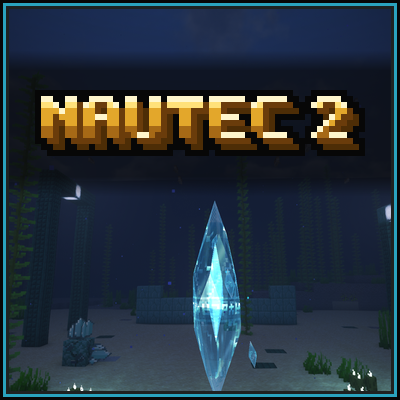
Nautec 2
A rewritten continuation of the MagiTek mod NauTec for Minecraft 26.1.2. Ocean tech built on exploration, laser power, bacteria farming, fusion plants, submarines and wireless power networks.