Minecraft version
Back to mods 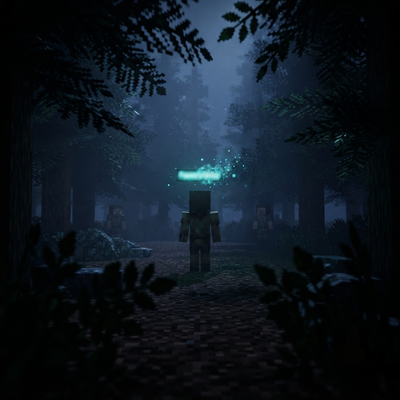
CurseForge · Minecraft mod
Ghost Names
Player name tags disappear from the world. Right-click someone and their name fades in for ten seconds, then fades away. Tab list untouched, client side only.
Choose a version Pick your version below, then grab the matching file.
Quick answer
Which Ghost Names release should I use?
Latest stable file ghostnames-fabric-1.20.1-1.1.0
Game version 1.20.1
Loader Fabric
Ghost Names ghostnames-fabric-1.20.1-1.1.0 targets 1.20.1 with Fabric. The project page does not say whether this file belongs on the client, dedicated server, or both. No extra mods listed for this file.
Where it goes
Is Ghost Names required on the client, server, or both?
The project page does not say whether this file belongs on the client, dedicated server, or both.
Client Source doesn’t say
Dedicated server Source doesn’t say
Loader for this release Fabric
Required install it here Optional supported, not mandatory Not supported do not install here Source doesn’t say do not assume
The source does not explicitly classify this release as client-only or server-only.
What else does Ghost Names ghostnames-fabric-1.20.1-1.1.0 need?
ghostnames-fabric-1.20.1-1.1.0. Change the file and its required mods may change too.
This file does not list any required mods. Do not add a library just because a different file uses it.
This file does not list any required or optional mods.
Before you install it
Add Ghost Names without breaking your instance.
Built for Ghost Names ghostnames-fabric-1.20.1-1.1.0. Pick another file and the loader, install side or required mods may change.
- 01
Stick to this file
Use ghostnames-fabric-1.20.1-1.1.0. It targets 1.20.1 with Fabric; another release may have different loader, side or dependency requirements.
- 02
Bring the mods it needs
This file does not list any required mods. Do not add a library just because a different file uses it.
- 03
Put it on the correct side
The project page does not say whether this file belongs on the client, dedicated server, or both.
- 04
Pick the file you checked
Use the “Get this file” button beside ghostnames-fabric-1.20.1-1.1.0. It opens that exact file at the source.
About this project
What does Ghost Names add?
Ghost Names
Name tags floating over every player flatten the world. Ghost Names takes them away — and gives you a way to ask.
Point and ask
Right-click a player. Their name fades in, holds for ten seconds, and fades out again. That is the whole interaction.
Reach is 20 blocks by default, not the ~3 of the vanilla crosshair, because reading a name is not the same as punching someone. There is a small aiming tolerance so distant players are not a pixel hunt, and an optional line-of-sight check so walls actually block you.
What it does not touch
- The tab list keeps every name, exactly as before
- Chat, scoreboards and the sidebar are untouched
- The server never knows. This is a client mod — no server install, works on vanilla servers, and changes nothing another player sees
Honest rendering
At full opacity the name is drawn by vanilla itself, pixel for pixel. Only the fade in and out is ours, so nothing looks subtly off compared to the game you know.
Fully hidden tags are stopped through NeoForge's own name tag event rather than by brute force, which keeps other mods that touch nameplates working.
Tune it
Everything lives in config/ghostnames-client.toml:
| Option | Default | |
|---|---|---|
enabled |
true | master switch |
revealSeconds |
10.0 | how long a name stays up |
fadeInTicks |
6 | fade-in length |
fadeOutTicks |
10 | fade-out length |
revealRange |
20.0 | right-click reach, in blocks |
aimLeniency |
0.3 | extra blocks around the hitbox |
requireLineOfSight |
true | walls block the reveal |
affectOtherEntities |
false | also hide named mobs, pets, armor stands |
A toggle hotkey is registered but left unbound by default, so it cannot fight with the rest of your modpack. Bind it under Controls → Ghost Names.
Notes
- Client side only. Nothing to install on the server.
- Requires NeoForge for 1.21.1.
- Available in 13 languages.
Project description from CurseForge.
Pick your setup
Ghost Names by Minecraft version and loader
Choose the version and loader you play, then open the matching release.
Minecraft version
1.21.11
2 loader buildsMinecraft version
1.21.10
1 loader buildMinecraft version
1.21.9
1 loader buildMinecraft version
1.21.8
2 loader buildsMinecraft version
1.21.7
1 loader buildMinecraft version
1.21.6
1 loader buildMinecraft version
1.21.1
3 loader buildsMinecraft version
1.20.1
2 loader buildsCheck the dependencies, then try the file in a copied instance before changing a world you care about.
Recent files
Ghost Names versions and loaders
ghostnames-fabric-1.20.1-1.1.0
ghostnames-fabric-1.20.1-1.1.0.jar
7 Sept 2026
Client Source doesn’t say Server Source doesn’t say Dependencies No extras listed Listed on Release listing
Check the 1.20.1 · Fabric setup Fabric1.20.1 release
ghostnames-forge-1.20.1-1.1.0
ghostnames-forge-1.20.1-1.1.0.jar
7 Sept 2026
Client Source doesn’t say Server Source doesn’t say Dependencies No extras listed Listed on Release listing
Check the 1.20.1 · Forge setup 1.20.1Forge release
ghostnames-fabric-26.2-1.2.0
ghostnames-fabric-26.2-1.2.0.jar
3 Sept 2026
Client Source doesn’t say Server Source doesn’t say Dependencies No extras listed Listed on Release listing
Check the 26.2 · Fabric setup Fabric26.2 release
ghostnames-fabric-1.21.11-1.2.0
ghostnames-fabric-1.21.11-1.2.0.jar
3 Sept 2026
Client Source doesn’t say Server Source doesn’t say Dependencies No extras listed Listed on Release listing
Check the 1.21.11 · Fabric setup Fabric1.21.91.21.101.21.11 release
ghostnames-fabric-1.21.8-1.2.0
ghostnames-fabric-1.21.8-1.2.0.jar
3 Sept 2026
Client Source doesn’t say Server Source doesn’t say Dependencies No extras listed Listed on Release listing
Check the 1.21.8 · Fabric setup Fabric1.21.81.21.61.21.7 release
ghostnames-neoforge-26.2-1.2.0
ghostnames-neoforge-26.2-1.2.0.jar
3 Sept 2026
Client Source doesn’t say Server Source doesn’t say Dependencies No extras listed Listed on Release listing
Check the 26.2 · NeoForge setup NeoForge26.2 release
ghostnames-neoforge-1.21.11-1.2.0
ghostnames-neoforge-1.21.11-1.2.0.jar
3 Sept 2026
Client Source doesn’t say Server Source doesn’t say Dependencies No extras listed Listed on Release listing
Check the 1.21.11 · NeoForge setup NeoForge1.21.11 release
ghostnames-neoforge-1.21.8-1.2.0
ghostnames-neoforge-1.21.8-1.2.0.jar
3 Sept 2026
Client Source doesn’t say Server Source doesn’t say Dependencies No extras listed Listed on Release listing
Check the 1.21.8 · NeoForge setup 1.21.8NeoForge release
ghostnames-fabric-1.1.0
ghostnames-fabric-1.1.0.jar
12 Aug 2026
Client Source doesn’t say Server Source doesn’t say Dependencies No extras listed Listed on Release listing
Check the 1.21.1 · Fabric setup Fabric1.21.1 release
ghostnames-forge-1.1.0
ghostnames-forge-1.1.0.jar
12 Aug 2026
Client Source doesn’t say Server Source doesn’t say Dependencies No extras listed Listed on Release listing
Check the 1.21.1 · Forge setup Forge1.21.1 release
ghostnames-neoforge-1.1.0
ghostnames-neoforge-1.1.0.jar
12 Aug 2026
Client Source doesn’t say Server Source doesn’t say Dependencies No extras listed Listed on Release listing
Check the 1.21.1 · NeoForge setup 1.21.1NeoForge release
Ghost Names 1.0.0
ghostnames-forge-1.0.0.jar
7 Aug 2026
Client Source doesn’t say Server Source doesn’t say Dependencies No extras listed Listed on Release listing
Check the 1.21.1 · Forge setup Forge1.21.1 release
Looking for an older file? The official CurseForge project page is in Resources.
 mod
CurseForge · Minecraft
Prime Tiers
See every player's real PvP tier above their head – live from MCTiers, PvPTiers & SubTiers – and unlock capes, wings, auras and pets.
 mod
CurseForge · Minecraft
Ultimate Friendly Enderman
Have you ever wanted to tame a friendly Enderman? Build relationships, chat with custom dialogue, and turn Minecraft’s tall mystery mob into your loyal companion!
 mod
CurseForge + Modrinth · Minecraft
Polydium
Well-rounded client-side optimization mod, works with Sodium + all other mods. Extremely compatible Vulkan backend for 1.21.11-26.1.2. By Polyfrost, best with OneClient.