Back to mods
Simplest Chairs | Sit project artwork

CurseForge · Minecraft mod

Simplest Chairs | Sit

Simplest functional chairs: 1 stair, 2 signs or shelves, that's it. | You can now also sit anywhere!

Choose a version Pick your version below, then grab the matching file.

Quick answer

Which Simplest Chairs | Sit release should I use?

Updated today
Latest stable file Simplest Chairs 2.1 for 26.3 [MOD]
Game version 26.3
Loader Fabric, Forge, NeoForge

Simplest Chairs | Sit Simplest Chairs 2.1 for 26.3 [MOD] targets 26.3 with Fabric, Forge, NeoForge. The project page does not say whether this file belongs on the client, dedicated server, or both. No extra mods listed for this file.

Where it goes

Is Simplest Chairs | Sit required on the client, server, or both?

The project page does not say whether this file belongs on the client, dedicated server, or both.

Client Source doesn’t say
Dedicated server Source doesn’t say
Loader for this release Fabric, Forge, NeoForge
Required install it here Optional supported, not mandatory Not supported do not install here Source doesn’t say do not assume

The source does not explicitly classify this release as client-only or server-only.

What else does Simplest Chairs | Sit Simplest Chairs 2.1 for 26.3 [MOD] need?

Simplest Chairs 2.1 for 26.3 [MOD]. Change the file and its required mods may change too.

No extra mods listed for this file

This file does not list any required mods. Do not add a library just because a different file uses it.

This file does not list any required or optional mods.

Before you install it

Add Simplest Chairs | Sit without breaking your instance.

Built for Simplest Chairs | Sit Simplest Chairs 2.1 for 26.3 [MOD]. Pick another file and the loader, install side or required mods may change.

  1. 01

    Stick to this file

    Use Simplest Chairs 2.1 for 26.3 [MOD]. It targets 26.3 with Fabric, Forge, NeoForge; another release may have different loader, side or dependency requirements.

  2. 02

    Bring the mods it needs

    This file does not list any required mods. Do not add a library just because a different file uses it.

  3. 03

    Put it on the correct side

    The project page does not say whether this file belongs on the client, dedicated server, or both.

  4. 04

    Pick the file you checked

    Use the “Get this file” button beside Simplest Chairs 2.1 for 26.3 [MOD]. It opens that exact file at the source.

About this project

What does Simplest Chairs | Sit add?

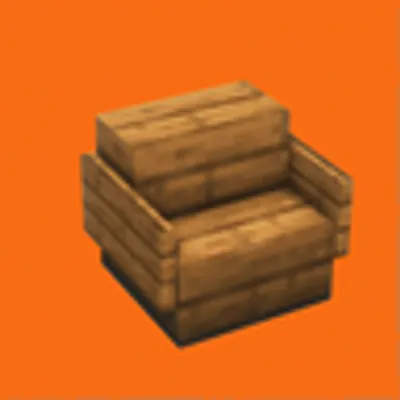
Simplest functional chairs

INSTRUCTIONS

CREATE A CHAIR

Put a couple signs or shelves on the sides of a stair and you've got yourself a fully functional chair.

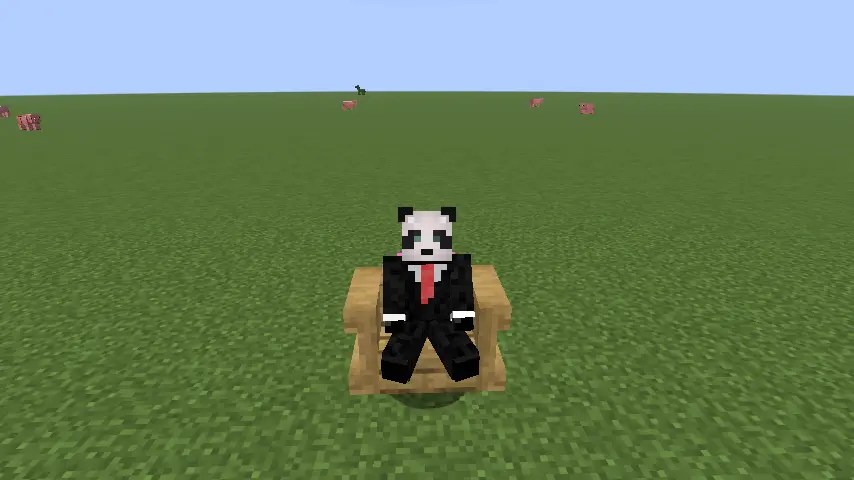
Player sitting in a chair

SIT IN A CHAIR

Right click to sit in a chair.

REMOVE A CHAIR

Sneak and left click to remove a chair.

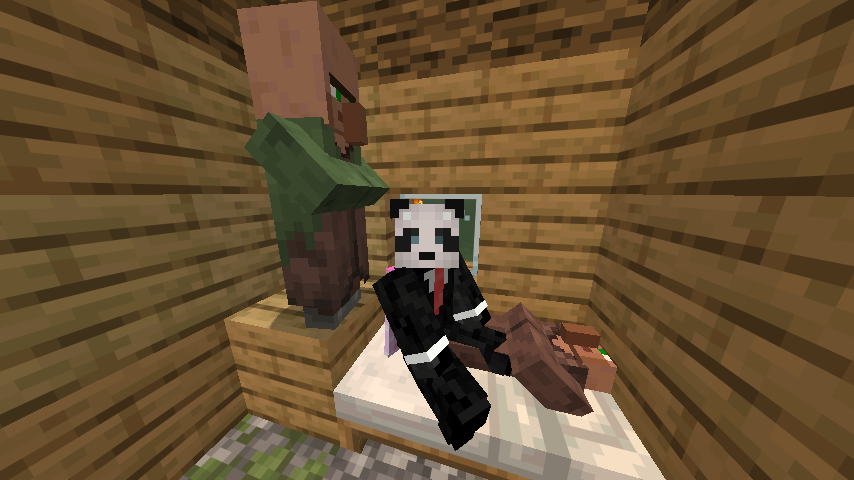
SIT ANYWHERE (like a /sit command)

/trigger sc.sit

Player sitting on a bed

UPDATE DATAPACK FROM 1.0

Remove the previous datapack and paste this one. A database migration will start automatically next time you join or type /reload.

REPAIR UNRESPONSIVE CHAIRS

  • ONCE. /function simplechairs:repair/repair_nearby_chairs. It will repair all chairs within a 128 radius.
  • AUTOMATICALLY. /function simplechairs:repair/start_auto_repair. It will repair all chairs within a 128 radius every 3 seconds. Use /function simplechairs:repair/stop_auto_repair to stop it.

UNINSTALL DATAPACK

  • /function simplechairs:uninstall/uninstall. It will erase all chairs and all data, it migth take seconds or minutes.
  • /function simplechairs:uninstall/resume_uninstall. Use this if the uninstall somehow stopped without finishing.

Project description from CurseForge.

Pick your setup

Simplest Chairs | Sit by Minecraft version and loader

Choose the version and loader you play, then open the matching release.

65 available setups

Showing the newest 12 of 13 game versions. Older files are in the list below.

Check the dependencies, then try the file in a copied instance before changing a world you care about.

Recent files

Simplest Chairs | Sit versions and loaders

6 of 6 releases match

Looking for an older file? The official CurseForge project page is in Resources.