Minecraft version
Back to mods 
CurseForge · Minecraft mod
Map Art Maker
Paste an image link or drop a picture onto the block to craft locked vanilla map art.
Choose a version Pick your version below, then grab the matching file.
Quick answer
Which Map Art Maker release should I use?
Latest stable file map_art_maker-1.0.0+neoforge-26.2
Game version 26.2
Loader NeoForge
Map Art Maker map_art_maker-1.0.0+neoforge-26.2 targets 26.2 with NeoForge. The project page does not say whether this file belongs on the client, dedicated server, or both. No extra mods listed for this file.
Where it goes
Is Map Art Maker required on the client, server, or both?
The project page does not say whether this file belongs on the client, dedicated server, or both.
Client Source doesn’t say
Dedicated server Source doesn’t say
Loader for this release NeoForge
Required install it here Optional supported, not mandatory Not supported do not install here Source doesn’t say do not assume
The source does not explicitly classify this release as client-only or server-only.
What else does Map Art Maker map_art_maker-1.0.0+neoforge-26.2 need?
map_art_maker-1.0.0+neoforge-26.2. Change the file and its required mods may change too.
This file does not list any required mods. Do not add a library just because a different file uses it.
This file does not list any required or optional mods.
Before you install it
Add Map Art Maker without breaking your instance.
Built for Map Art Maker map_art_maker-1.0.0+neoforge-26.2. Pick another file and the loader, install side or required mods may change.
- 01
Stick to this file
Use map_art_maker-1.0.0+neoforge-26.2. It targets 26.2 with NeoForge; another release may have different loader, side or dependency requirements.
- 02
Bring the mods it needs
This file does not list any required mods. Do not add a library just because a different file uses it.
- 03
Put it on the correct side
The project page does not say whether this file belongs on the client, dedicated server, or both.
- 04
Pick the file you checked
Use the “Get this file” button beside map_art_maker-1.0.0+neoforge-26.2. It opens that exact file at the source.
About this project
What does Map Art Maker add?
Map Art Maker Paste an image link, or drop a picture file onto the block, and get vanilla map art you can craft and place like any other map. Vanilla maps only ever show terrain. This adds a craftable block that turns any picture into a locked filled map, ready to frame on a wall — either alone or as part of a larger grid for a mural. No admin permissions, no launcher plugin: it's a block and a recipe, built for survival. **Features** - Paste an image URL, or drag a local image file onto the block's screen — both work - Build 1x1 up to 3x3 grids (up to 9 maps) for larger murals - Toggle dithering on or off before creating - Consumes empty maps from your inventory, one per output tile - The block accepts empty maps from the top or sides and lets a hopper pull finished maps from below, so bulk runs don't need to be babysat - Finished maps are locked, the same mechanism vanilla uses when you lock a map with glass at a cartography table, so walking around the world with one in hand never overwrites it back into real terrain - Multiplayer-safe: finished maps are stored server-side, so every player who picks one up sees the same picture **How to use** 1. Craft a Map Art Maker block (3 sticks, 5 planks, 1 empty map — cartography-table shaped). 2. Place empty maps in the input, then either paste an image URL or drop an image file onto the screen. 3. Pick a grid size (1x1 to 3x3) and hit Create. Take the finished maps out, or let a hopper do it. **For server admins** When a URL is used, the server is the one that fetches it, so loopback, LAN, and cloud metadata addresses are refused out of the box — a player can't point the machine at your internal network. A config option opens that up if you deliberately host images somewhere private the server should reach. **Not in this version** - No clipboard image paste — only a typed/pasted URL or a dropped file work - Dithering is a fixed algorithm you switch on or off, not a choice of algorithms - No automatic item frame placement — you place the finished maps yourself - No editing or deleting map art after it's created - No Create contraption integration Install on both the client and the server. No other mods required. All Rights Reserved. Free to put in any modpack, on any platform, monetised or not - no permission needed, no credit required. Source is published so you can read exactly what it does: https://github.com/KURONAMI333/map-art-maker
Project description from CurseForge.
Pick your setup
Map Art Maker by Minecraft version and loader
Choose the version and loader you play, then open the matching release.
Minecraft version
1.21.1
1 loader buildCheck the dependencies, then try the file in a copied instance before changing a world you care about.
Recent files
Map Art Maker versions and loaders
map_art_maker-1.0.0+neoforge-26.2
map_art_maker-1.0.0+neoforge-26.2.jar
9 Aug 2026
Client Source doesn’t say Server Source doesn’t say Dependencies No extras listed Listed on Release listing
Check the 26.2 · NeoForge setup NeoForge26.2 release
map_art_maker-1.0.0+neoforge-1.21.1
map_art_maker-1.0.0+neoforge-1.21.1.jar
9 Aug 2026
Client Source doesn’t say Server Source doesn’t say Dependencies No extras listed Listed on Release listing
Check the 1.21.1 · NeoForge setup 1.21.1NeoForge release
Looking for an older file? The official CurseForge project page is in Resources.
 mod
mod CurseForge · Minecraft
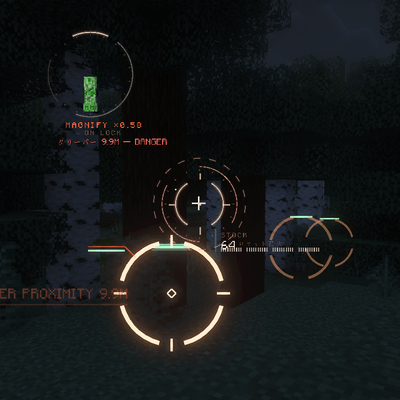
VECTOR HUD
A cinematic, fully vector-drawn HUD: holographic terrain map, flight instruments, threat alerts, and ten switchable themes. Every element is geometry, not a texture.
 mod
mod CurseForge · Minecraft
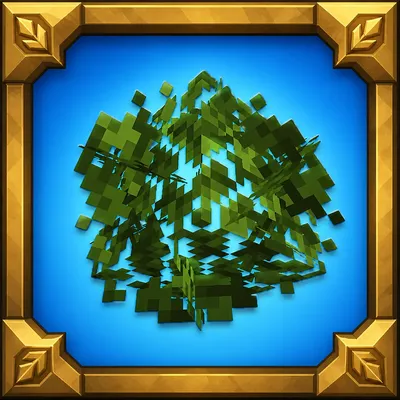
Way Better Leaves
Way Better Leaves is a client-side mod. It automatically gives vanilla and modded leaf blocks external X-shaped leaf panels using each block model's own leaf texture.
 mod
mod CurseForge · Minecraft
Create: The Factory Must Work!
A NeoForge addon for The Factory Must Grow that adds a large collection of bug fixes and features for TFMG —Fixing multiblock reliability issues, missing pipe/fluid connectivity, crash loops, incorrect electrical behavior, and JEI display bugs.