
Minecraft version
Back to mods 
CurseForge · Minecraft mod
Biome Palette!
Paint your world!
Choose a version Pick your version below, then grab the matching file.
Quick answer
Which Biome Palette! release should I use?
Latest stable file Biome Palette 2.0.0 - Fabric 26.3.jar
Game version 26.3
Loader Fabric
Biome Palette! Biome Palette 2.0.0 - Fabric 26.3.jar targets 26.3 with Fabric. The project page does not say whether this file belongs on the client, dedicated server, or both. No extra mods listed for this file.
Where it goes
Is Biome Palette! required on the client, server, or both?
The project page does not say whether this file belongs on the client, dedicated server, or both.
Client Source doesn’t say
Dedicated server Source doesn’t say
Loader for this release Fabric
Required install it here Optional supported, not mandatory Not supported do not install here Source doesn’t say do not assume
The source does not explicitly classify this release as client-only or server-only.
What else does Biome Palette! Biome Palette 2.0.0 - Fabric 26.3.jar need?
Biome Palette 2.0.0 - Fabric 26.3.jar. Change the file and its required mods may change too.
This file does not list any required mods. Do not add a library just because a different file uses it.
This file does not list any required or optional mods.
Before you install it
Add Biome Palette! without breaking your instance.
Built for Biome Palette! Biome Palette 2.0.0 - Fabric 26.3.jar. Pick another file and the loader, install side or required mods may change.
- 01
Stick to this file
Use Biome Palette 2.0.0 - Fabric 26.3.jar. It targets 26.3 with Fabric; another release may have different loader, side or dependency requirements.
- 02
Bring the mods it needs
This file does not list any required mods. Do not add a library just because a different file uses it.
- 03
Put it on the correct side
The project page does not say whether this file belongs on the client, dedicated server, or both.
- 04
Pick the file you checked
Use the “Get this file” button beside Biome Palette 2.0.0 - Fabric 26.3.jar. It opens that exact file at the source.
About this project
What does Biome Palette! add?
Welcome to Biome Palette!
Have you ever wanted to build with specific grass blocks and water from other biomes? What about change the way the grass and water around your home looks? This mod allows you to do exactly that! Place biome-specific grass blocks, water, vines, even sugar cane! "Paint" existing blocks to match your style!
WORKS WITH ANY MOD! :)
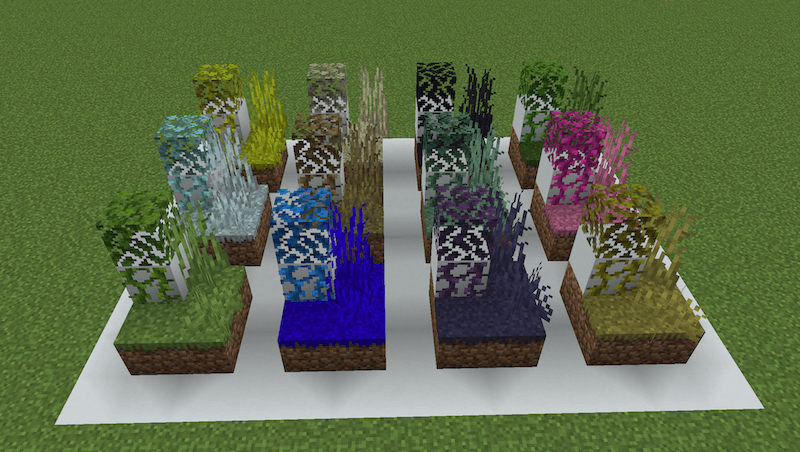
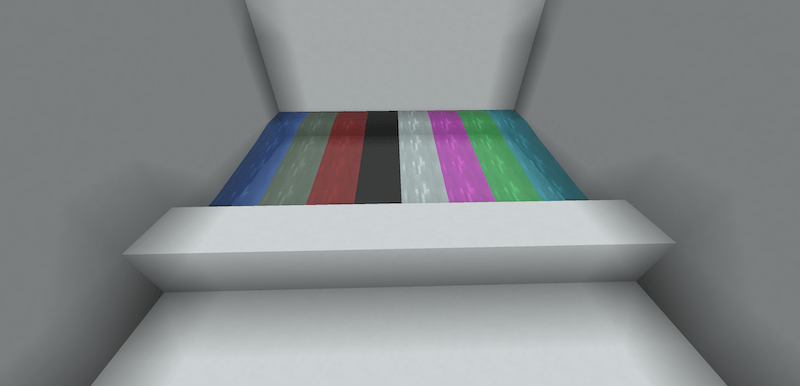
Using the Tinting Table, you can easily turn any normal grass block, water bucket etc, into any biome-colored version you choose! (Use any dye or any planks)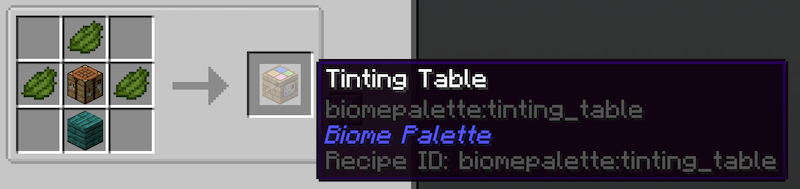
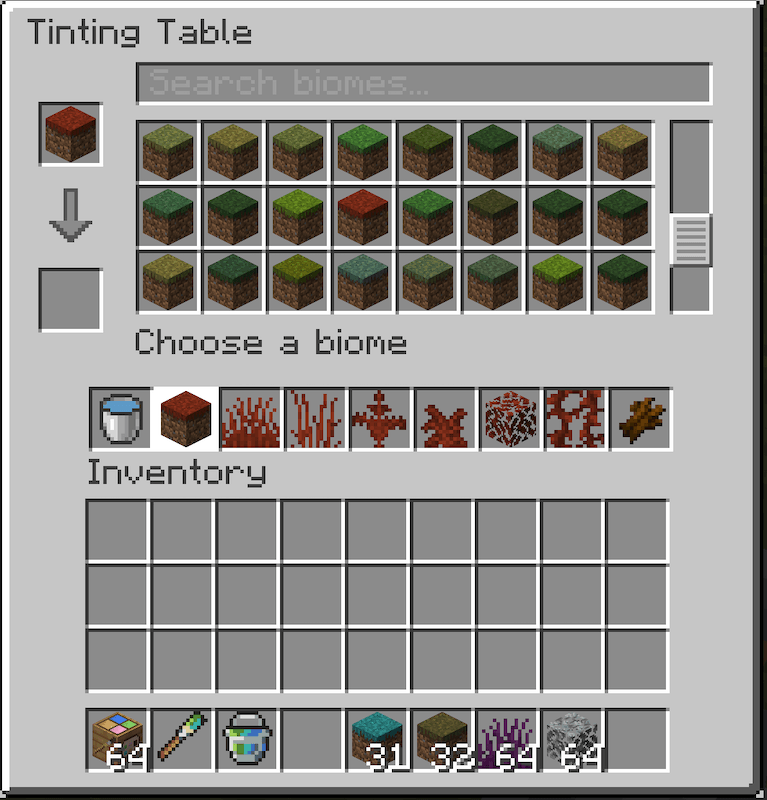 .
. 
Place blocks, water buckets etc. 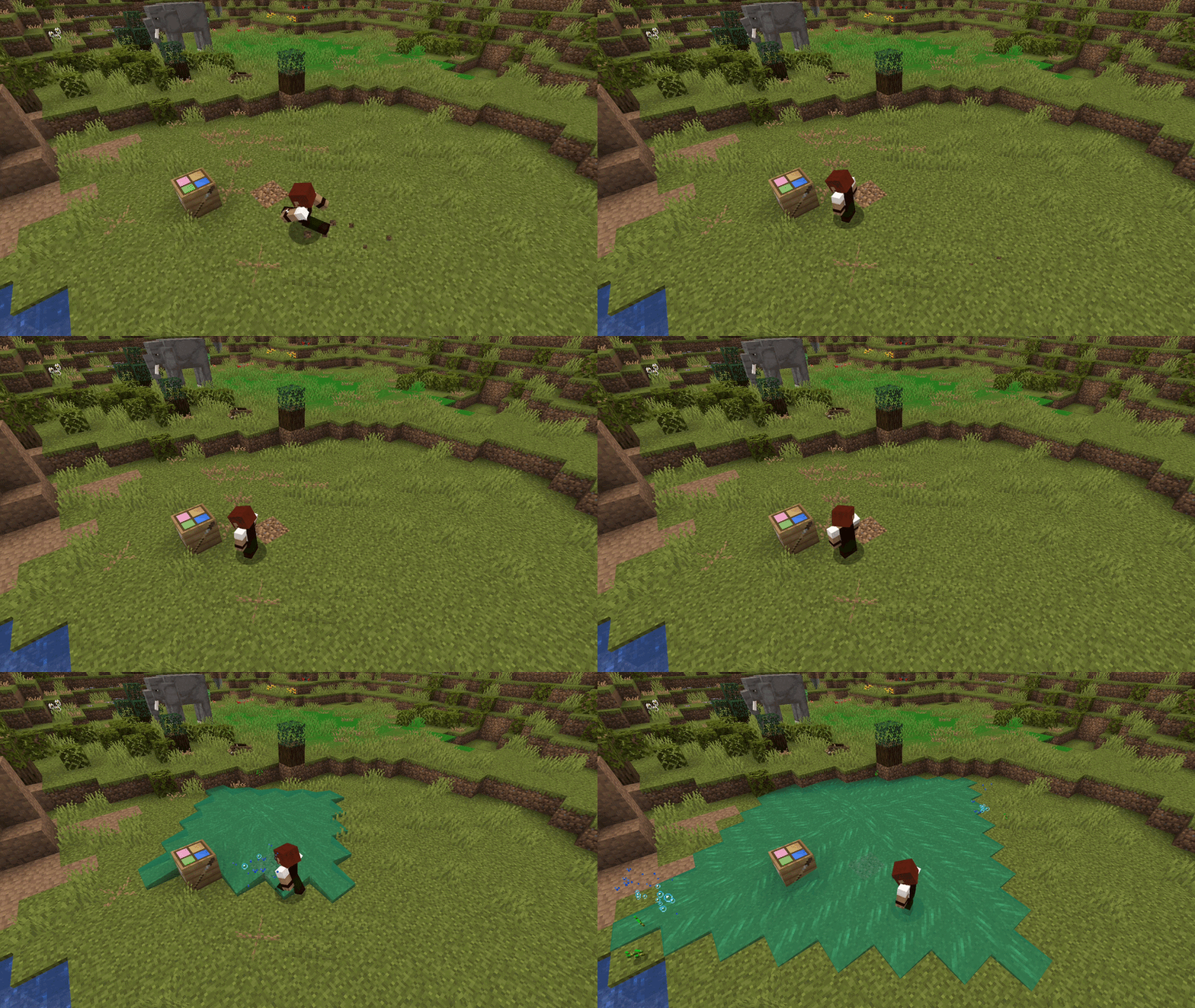
Use the Biome Brush or the Biome Bucket to change existing blocks to whatever color you like!
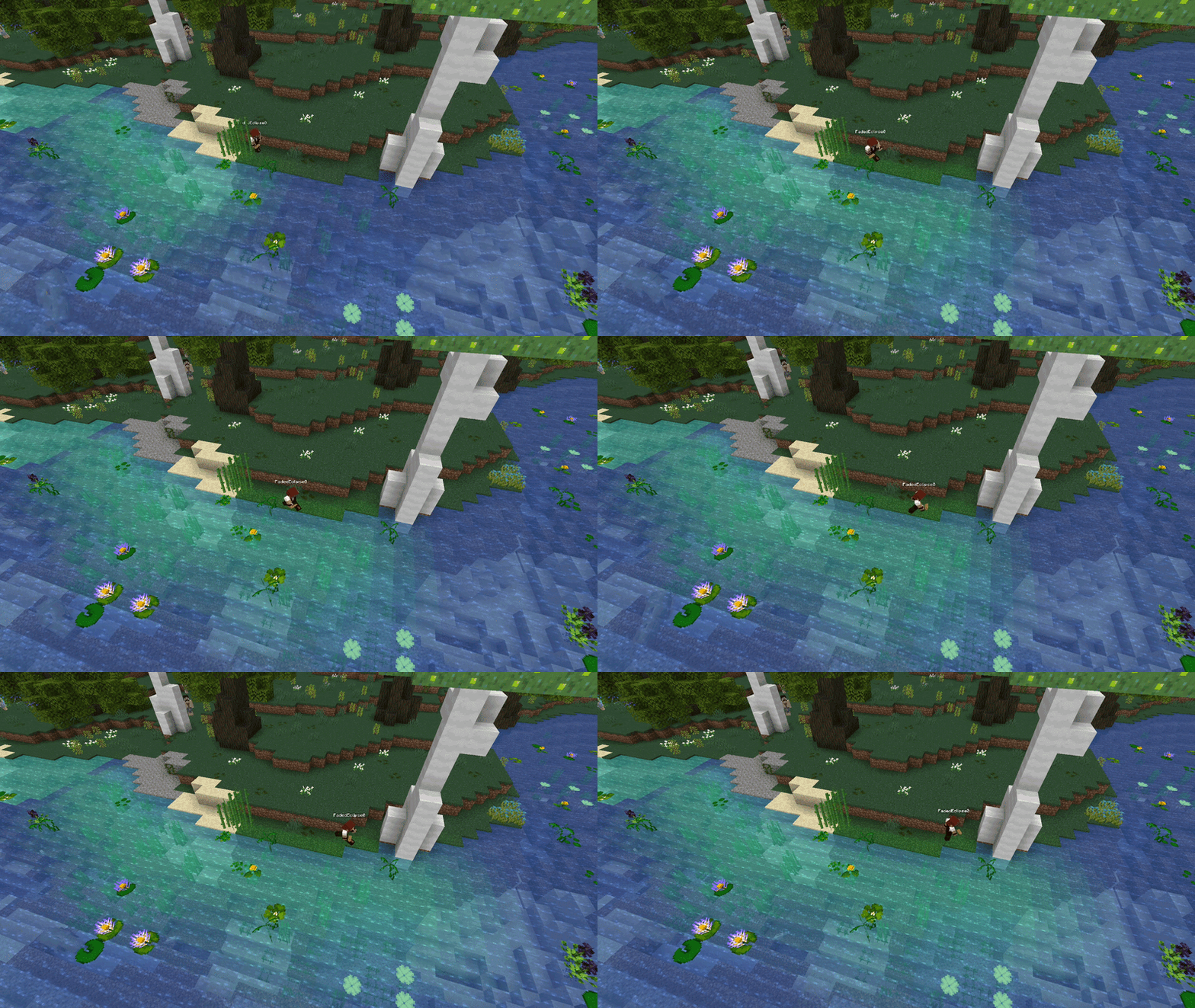
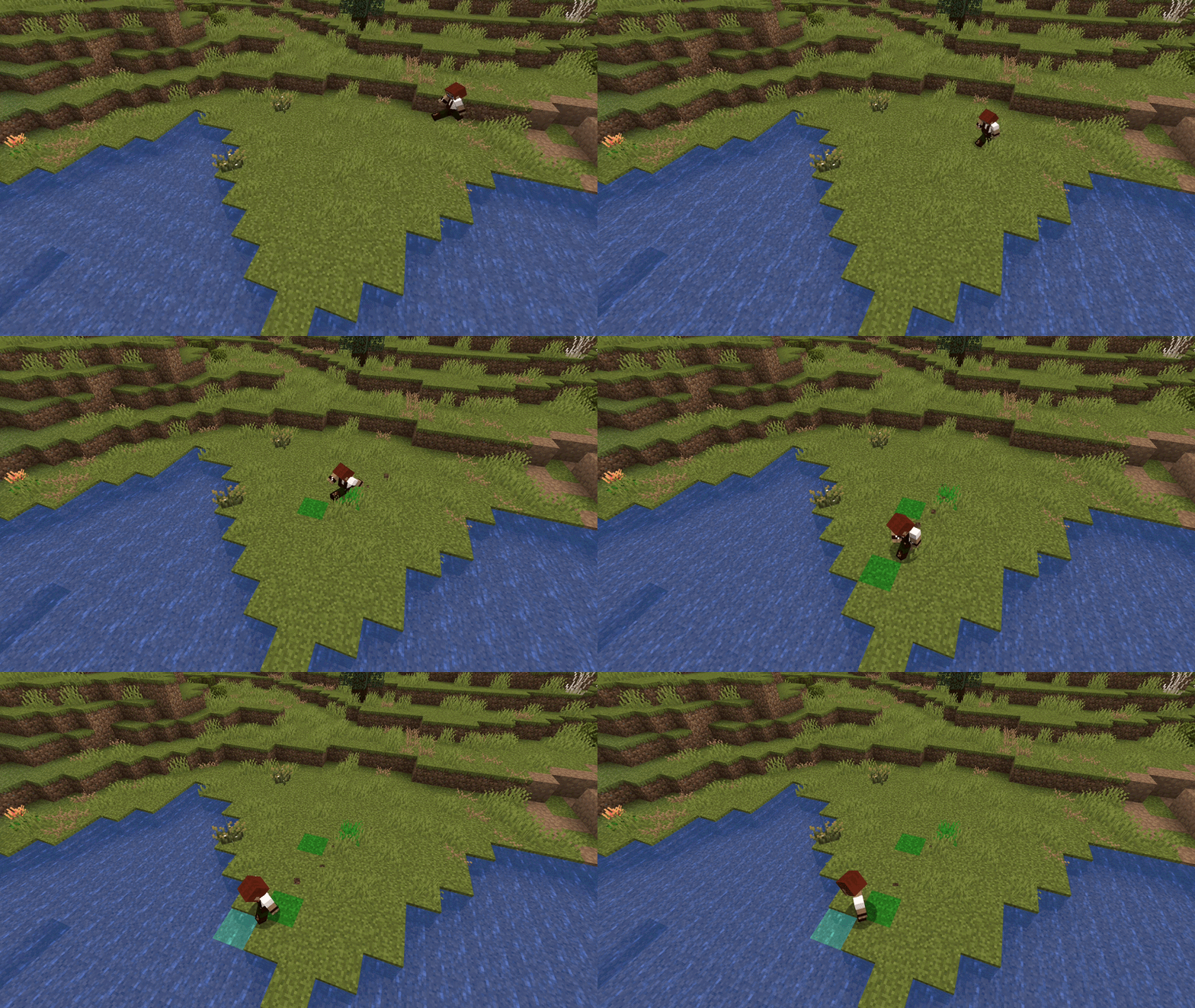
Biome waters and grass blocks are fully operational, so you can farm, make aquariums, even bonemeal! All this without having to worry about your crops going dry, your fish suffocating, or vanilla grass being grown!
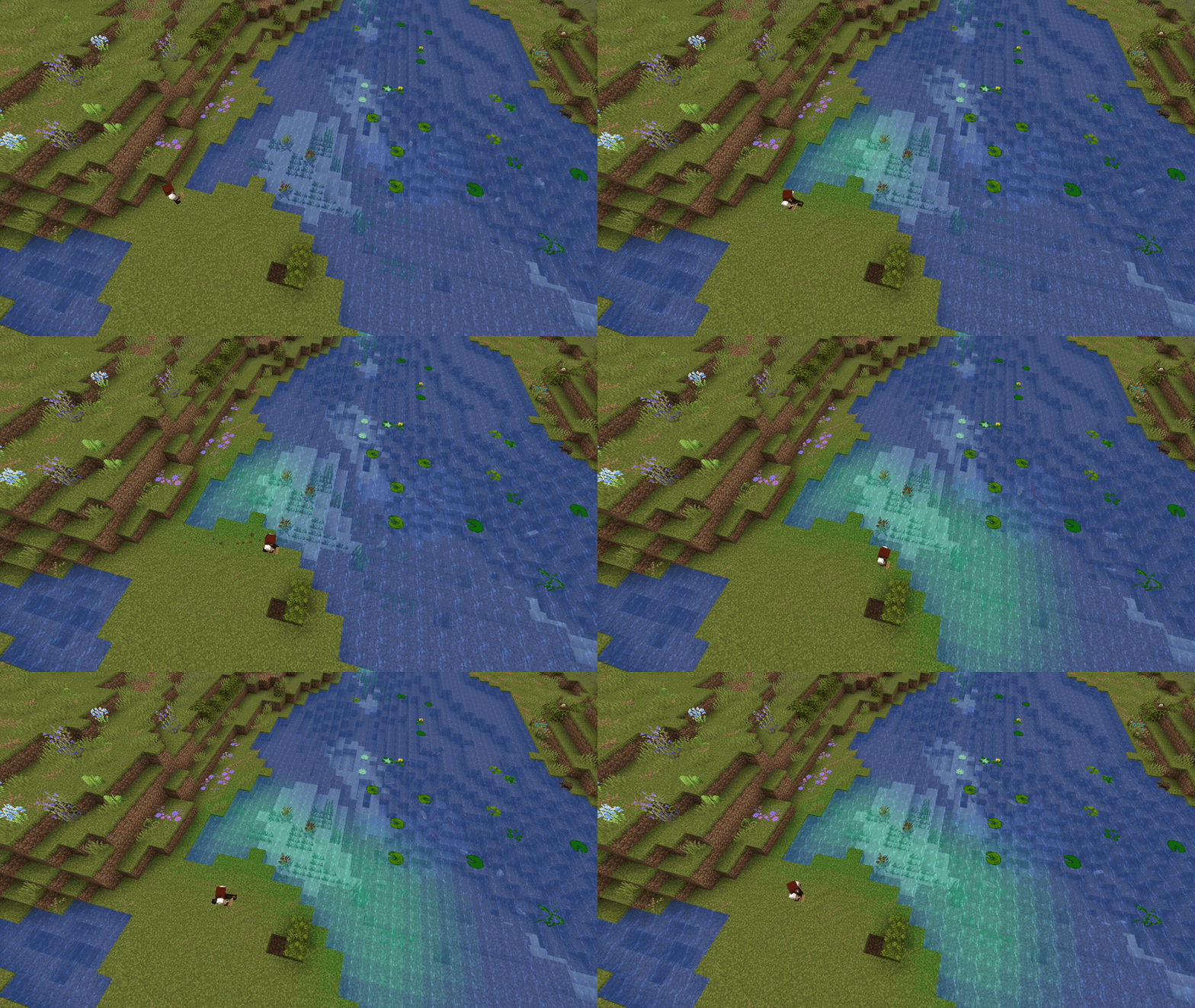
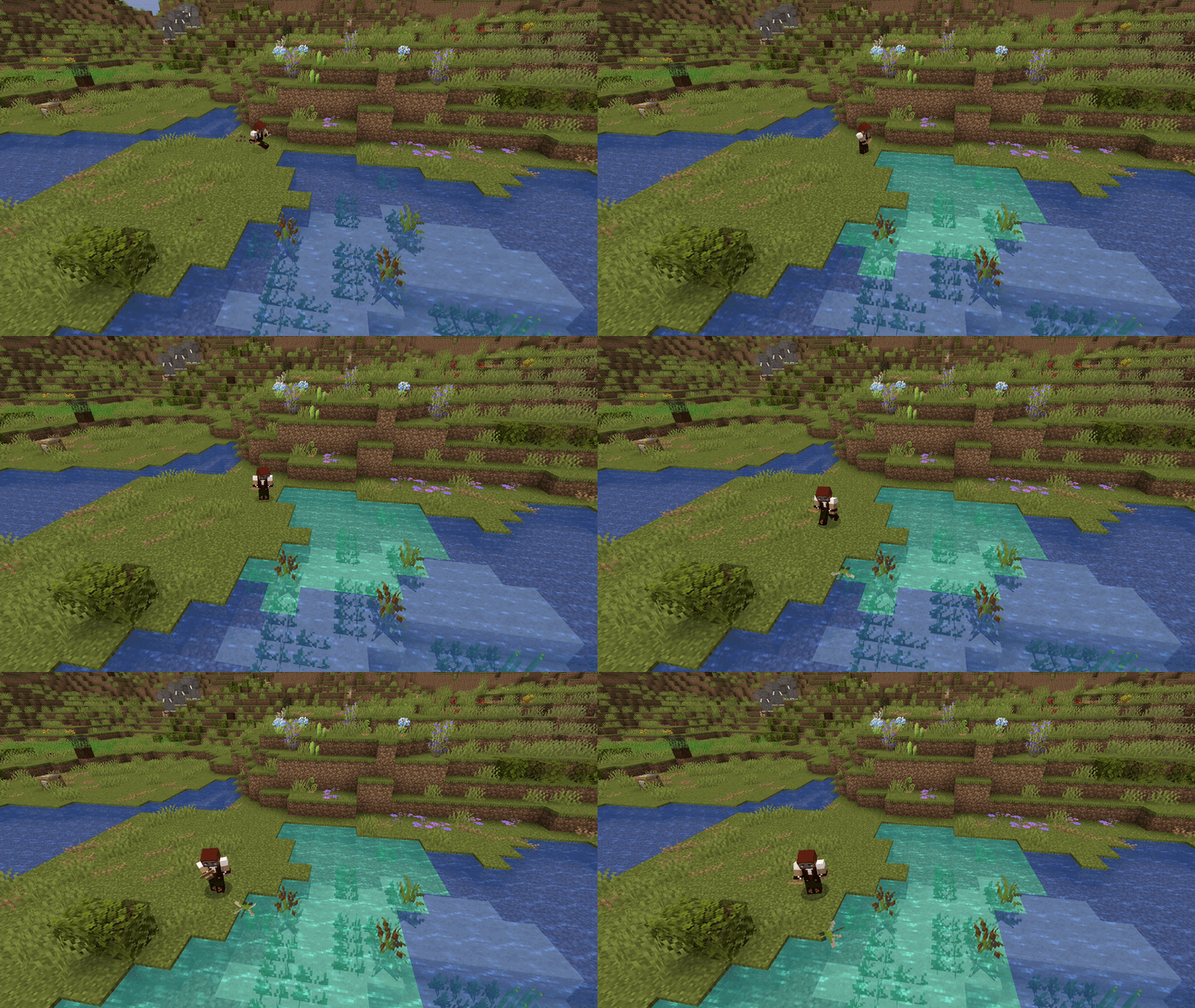
You can choose to use biome blending to make color transitions smoother, or just have clear color borders!
With Biome Blending Without Biome Blending
Built in World Edit support!
//set grass_block@swamp
//replace grass_block #tint[jungle]
//set #untint
- Place tinted blocks with
block@biome. - Recolor existing blocks with
#tint[biome], and restore them with#untint. - Set blending with
#blend[off],#blend[painted]or#blend[natural]. - Filter selections with
#tinted,#tinted[biome],#flator#blended. - Colors survive copy, paste, schematics, undo and redo.
Check out my other mod: Terrariums and Aquariums!
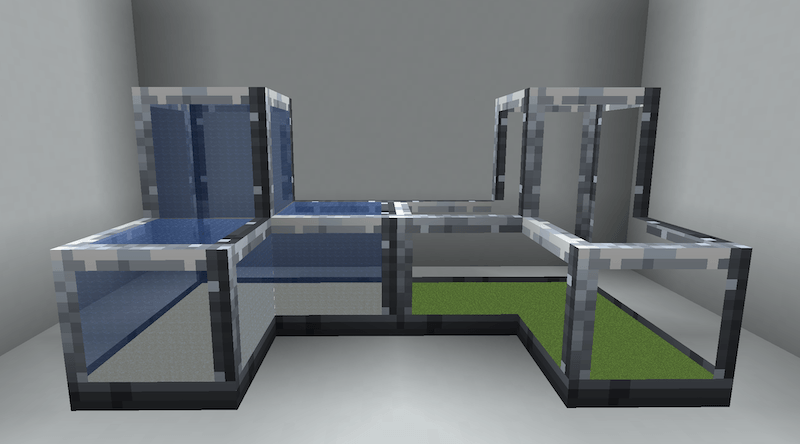
https://www.curseforge.com/minecraft/mc-mods/terrariums-and-aquariums
Any suggestions, bug reports, or support join the discord! https://discord.gg/mqGaDG9zGa
Project description from CurseForge.
Pick your setup
Biome Palette! by Minecraft version and loader
Choose the version and loader you play, then open the matching release.
Minecraft version
26.2
1 loader buildMinecraft version
26.1.2
1 loader buildMinecraft version
1.21.1
1 loader buildMinecraft version
1.20.1
2 loader buildsCheck the dependencies, then try the file in a copied instance before changing a world you care about.
Recent files
Biome Palette! versions and loaders
Biome Palette 2.0.0 - Fabric 26.3.jar
1 Oct 2026
Client Source doesn’t say Server Source doesn’t say Dependencies No extras listed Listed on Release listing
Check the 26.3 · Fabric setup Fabric26.3 release
Biome Palette 2.0.0 - NeoForge 26.2.jar
1 Oct 2026
Client Source doesn’t say Server Source doesn’t say Dependencies No extras listed Listed on Release listing
Check the 26.2 · NeoForge setup NeoForge26.2 release
Biome Palette 2.0.0 - NeoForge 26.1.2.jar
1 Oct 2026
Client Source doesn’t say Server Source doesn’t say Dependencies No extras listed Listed on Release listing
Check the 26.1.2 · NeoForge setup NeoForge26.1.2 release
Biome Palette 2.0.0 - NeoForge 26.3.jar
30 Sept 2026
Client Source doesn’t say Server Source doesn’t say Dependencies No extras listed Listed on Release listing
Check the 26.3 · NeoForge setup NeoForge26.3 release
BiomePalette-2.0.0-1.21.1-NeoForge.jar
29 Sept 2026
Client Source doesn’t say Server Source doesn’t say Dependencies No extras listed Listed on Release listing
Check the 1.21.1 · NeoForge setup 1.21.1NeoForge release
BiomePalette-2.0.0-1.20.1-Forge.jar
29 Sept 2026
Client Source doesn’t say Server Source doesn’t say Dependencies No extras listed Listed on Release listing
Check the 1.20.1 · NeoForge setup 1.20.1NeoForge release
BiomePalette-1.0.0-1.21.1.jar
9 Aug 2026
Client Source doesn’t say Server Source doesn’t say Dependencies No extras listed Listed on Release listing
Check the 1.21.1 · NeoForge setup 1.21.1NeoForge release
BiomePalette-1.0.0-1.20.1.jar
9 Aug 2026
Client Source doesn’t say Server Source doesn’t say Dependencies No extras listed Listed on Release listing
Check the 1.20.1 · Forge setup 1.20.1Forge release
Looking for an older file? The official CurseForge project page is in Resources.
 mod
mod CurseForge + Modrinth · Minecraft
Madoku Craft: Mobs
Madoku Craft: Mobs allows a mob's stats to scale through time, biome, and structure. It also modifies and adds certain mechanics to certain mobs.
 mod
mod CurseForge + Modrinth · Minecraft
SleepCycle
Enhances the sleeping mechanics by allowing time to pass progressively while players are asleep, rather than skipping the night instantly.
 mod
mod CurseForge · Minecraft
Ground Clear
Configurable automatic ground item clearing for Minecraft servers.