Minecraft version
Back to mods 
CurseForge · Minecraft mod
AleehBinds
A Fabric mod to bind commands with custom keys, intervals, and a live HUD timer // Un mod de Fabric para asignar comandos con teclas personalizadas, intervalos y un temporizador HUD en tiempo real.
Choose a version Pick your version below, then grab the matching file.
Quick answer
Which AleehBinds release should I use?
Latest stable file aleehbinds-1.0.1.jar
Game version 1.21, 1.21.1
Loader Fabric
aleehbinds-1.0.1.jar targets 1.21, 1.21.1 with Fabric. The project page does not say whether this file belongs on the client, dedicated server, or both. No extra mods listed for this file.
Where it goes
Is AleehBinds required on the client, server, or both?
The project page does not say whether this file belongs on the client, dedicated server, or both.
Client Source doesn’t say
Dedicated server Source doesn’t say
Loader for this release Fabric
Required install it here Optional supported, not mandatory Not supported do not install here Source doesn’t say do not assume
The source does not explicitly classify this release as client-only or server-only.
What else does aleehbinds-1.0.1.jar need?
aleehbinds-1.0.1.jar. Change the file and its required mods may change too.
This file does not list any required mods. Do not add a library just because a different file uses it.
This file does not list any required or optional mods.
Before you install it
Add AleehBinds without breaking your instance.
Built for aleehbinds-1.0.1.jar. Pick another file and the loader, install side or required mods may change.
- 01
Stick to this file
Use aleehbinds-1.0.1.jar. It targets 1.21, 1.21.1 with Fabric; another release may have different loader, side or dependency requirements.
- 02
Bring the mods it needs
This file does not list any required mods. Do not add a library just because a different file uses it.
- 03
Put it on the correct side
The project page does not say whether this file belongs on the client, dedicated server, or both.
- 04
Pick the file you checked
Use the “Get this file” button beside aleehbinds-1.0.1.jar. It opens that exact file at the source.
About this project
What does AleehBinds add?
★ AleehBinds ★ (ENG)
AleehBinds is a client-side Fabric mod designed to streamline and automate your Minecraft commands effortlessly. Whether you need custom keybinds for server commands or automatic command repetition with visual timers, AleehBinds has you covered!
🔥 Features
Multiple Command Support: Add as many commands as you want in an easy-to-use side panel list.
Custom Hotkeys: Bind any command to any key on your keyboard for instant execution.
Automatic Loops: Set custom time intervals (in seconds) for commands to repeat automatically (e.g.,
/feed,/heal,/fly,/fix).Live HUD Timer: A real-time flame indicator on your HUD showing remaining countdown seconds for active loops and bound keys.
In-Game Menu: Access settings directly from the Pause Menu (
ESC) via the Configurar AleehBinds button.Persistent Storage: All your configurations are saved automatically in your config folder.
🎮 How to Use
Press
ESCin-game and click on ★Configurar AleehBinds★.Click
+ Añadirto create a new command slot.Type your command (e.g.,
/feed).Set the timer interval in seconds.
Click
Tecla Vinculadato set a hotkey, or leave it disabled.Toggle the Loop Automático to ON or OFF.
Click
Guardar Todoand enjoy!
☕ Support the Project
If you enjoy using AleehBinds, consider supporting the creator on Ko-fi! Every coffee helps keep the project updated:
-------------------------------------------- ★ AleehBinds ★ (ESP)
AleehBinds es un mod de cliente para Fabric diseñado para simplificar y automatizar tus comandos de Minecraft de forma fácil e intuitiva. Ya sea que necesites atajos de teclado personalizados para comandos de servidor o repetición automática con temporizadores en vivo, ¡AleehBinds tiene todo lo que necesitas!
🔥 Características
Soporte para Múltiples Comandos: Agrega todos los comandos que quieras en un práctico panel lateral.
Atajos Personalizados (Binds): Asigna cualquier comando a cualquier tecla de tu teclado para ejecutarlo al instante.
Loops Automáticos: Configura intervalos de tiempo personalizados (en segundos) para repetir comandos automáticamente (ej:
/feed,/heal,/fly,/fix).HUD con Contador en Vivo: Un indicador con fuego 🔥 en tu pantalla que muestra la cuenta regresiva en segundos de cada loop activo.
Menú Integrado: Accede a la configuración directamente desde el Menú de Pausa (
ESC) con el botón ★Configurar AleehBinds★.Guardado Automático: Todos tus comandos y teclas se guardan solos en la carpeta de configuración.
🎮 Cómo Usar
Presiona
ESCdentro del juego y haz clic en ★Configurar AleehBinds★.Haz clic en
+ Añadirpara crear un nuevo espacio de comando.Escribe tu comando (ej:
/feed).Define el tiempo en segundos.
Haz clic en
Tecla Vinculadapara asignar una tecla.Activa o desactiva el Loop Automático.
Haz clic en
Guardar Todo¡y listo!
☕ Apoya el Proyecto
Si te gusta usar AleehBinds, ¡considera apoyar al creador en Ko-fi! Cada cafecito ayuda a mantener el mod actualizado:
Project description from CurseForge.
Pick your setup
AleehBinds by Minecraft version and loader
Choose the version and loader you play, then open the matching release.
Minecraft version
1.21
1 loader buildCheck the dependencies, then try the file in a copied instance before changing a world you care about.
Recent files
AleehBinds versions and loaders
aleehbinds-1.0.1.jar
10 Aug 2026
Client Source doesn’t say Server Source doesn’t say Dependencies No extras listed Listed on Release listing
Check the 1.21.1 · Fabric setup 1.21Fabric1.21.1 release
Looking for an older file? The official CurseForge project page is in Resources.
 mod
CurseForge · Minecraft
ZacsRevenge
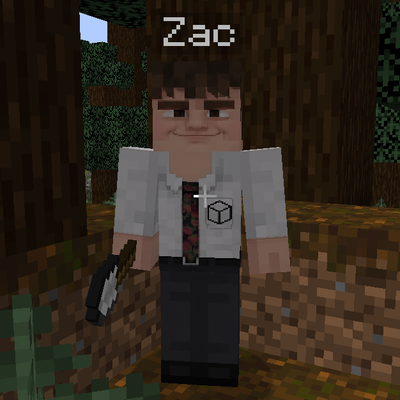
Zacs Revenge adds 8 new mobs, a new dimension and new tools and ways to find zac!
 mod
CurseForge · Minecraft
Anvil Enchanting Table for Bottle
Anvil for Bottle removes the need for player XP levels when repairing, combining, renaming, or enchanting items! Instead, power your workstation directly with Bottles o' Enchanting —manually or fully automated with hoppers.
 mod
CurseForge · Minecraft
Paxo's Pink Fairy
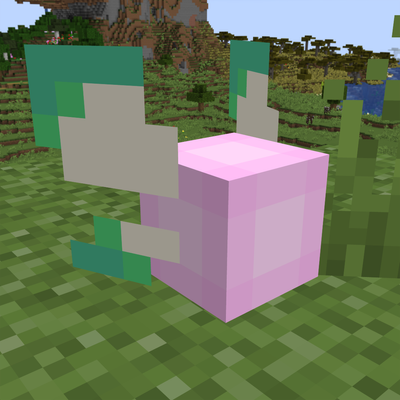
A simple mod that adds the pink fairy from the Zelda series.