KubeJS Needed by Tinkers Elemental TinkersElemental-1.20.1-1.0.1
requiredMatching file found Matched file: KubeJS Forge 2001.6.5-build.26
CurseForge · Minecraft mod
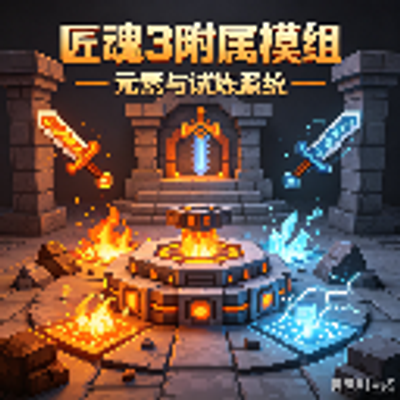
Added an element system, a trial system, and a skill system. The mod itself doesn't include any actual content; modpacks creators need to add it themselves.
Quick answer
Tinkers Elemental TinkersElemental-1.20.1-1.0.1 targets 1.20.1 with Forge. The project page does not say whether this file belongs on the client, dedicated server, or both. All 5 required mods have matching files.
Where it goes
The project page does not say whether this file belongs on the client, dedicated server, or both.
The source does not explicitly classify this release as client-only or server-only.
TinkersElemental-1.20.1-1.0.1. Change the file and its required mods may change too.
Install KubeJS, Tinkers Construct, Rhino, Architectury API and 1 more first. We found matching files for this game-version and loader setup. 4 come through another mod in the chain.
4 extra mods were pulled in by other dependencies. Indented rows show who needs each one. We only count dependency files that match this setup. A file for another loader does not fill the gap.
Before you install it
Built for Tinkers Elemental TinkersElemental-1.20.1-1.0.1. Pick another file and the loader, install side or required mods may change.
Use TinkersElemental-1.20.1-1.0.1. It targets 1.20.1 with Forge; another release may have different loader, side or dependency requirements.
Install KubeJS, Tinkers Construct, Rhino, Architectury API and 1 more first. We found matching files for this game-version and loader setup. 4 come through another mod in the chain.
The project page does not say whether this file belongs on the client, dedicated server, or both.
Use the “Get this file” button beside TinkersElemental-1.20.1-1.0.1. It opens that exact file at the source.
About this project
How to use Tinkers' Elemental to add Elements, Reactions, Trials, and Skills to existing Tinkers' Construct materials (some examples) This tutorial is set by the author and may not be reproduced without permission.
This tutorial is time-sensitive.
Step 1: Register elements (here we create two elements: Gold / Fire) [startup script] //TinkersElemental.registerElement("element registry name", "element display name", color code) TinkersElemental.registerElement('gold', 'Gold', 0xFFD700) TinkersElemental.registerElement('fire', 'Fire', 0xF00000)
Step 2: Bind elements to existing materials (Gold → Iron, Fire → Flint). The material id can be found in-game in the info of parts made from that material. [startup script] //TinkersElemental.bindMaterialToElement('material id', 'element registry name') TinkersElemental.bindMaterialToElement("tconstruct:iron", "gold") TinkersElemental.bindMaterialToElement('tconstruct:flint', 'fire')
Step 3: Add special effects to the elements (Gold, Fire) [server script] //Gold - right-click a stone block while holding a gold Tinkers' tool to randomly generate ore. //Different durability is consumed based on the ore's rarity. //Define the ores to generate and their corresponding durability costs const orelist = [ ['minecraft:iron_ore', 20], ['minecraft:gold_ore', 50], ['minecraft:coal_ore', 3], ['minecraft:redstone_ore', 10], ['minecraft:lapis_ore', 30], ['minecraft:diamond_ore', 100], ['minecraft:emerald_ore', 200] ] //Add an element right-click event ElementalEvents.elementRightClick(event => { //If it's not a right-click, return if (!event.isRightClickBlock()) return //It's a right-click, execute the code below let tool = event.getTool() let player = event.getPlayer() let blockState = event.getBlockState() let blockId = String(blockState.getBlock().getDescriptionId()) //If the tool doesn't have this element, return if (!event.hasElement("gold")) return //If the right-clicked block isn't stone, return if (blockId !== 'block.minecraft.stone') return //If all conditions are true, execute the code below //Get a random number (from 0 to the array length) let random = Utils.getRandom().nextInt(0, orelist.length) //If the tool's durability is less than or equal to the durability cost, return if (tool.getCurrentDurability() <= orelist[random][1]) { event.cancel() return } //Otherwise, deduct the required durability from the tool tool.setDamage(tool.getDamage() + orelist[random][1]) //Replace the block let pos = event.getPos() let level = player.getLevel() level.setBlock(pos.getX(), pos.getY(), pos.getZ(), orelist[random][0]) })
//Fire - ignite the target for 5s on attack //Create an element attack event ElementalEvents.elementAttack(event => { //If it has the Fire element, set the target on fire for 5s if (event.hasElement('fire')) { event.target.setOnFire(5) } })
Step 4: Register an element reaction (Gold + Fire = Conduction) [startup script] //TinkersElemental.registerReaction('reaction id', 'element 1', 'element 2') TinkersElemental.registerReaction('conduction', 'gold', 'fire')
Step 5: Add the reaction event (Conduction) [server script] //Add an element reaction event ElementalEvents.elementReaction(event => { //If it's not Conduction, return if (event.getReactionId() !== "tinkers_elemental:conduction") return //It's Conduction, execute the code below //Null checks let player = event.getUser() let target = event.getTarget() if (!player || !target) return //Get the player's active potion effects player.getPlayer().getActiveEffects().forEach(eff => { let effectId = eff.getEffect().getDescriptionId() .replace("effect.", "") .replace(".", ":") //Add to the target target.addEffect(effectId, 200, eff.getAmplifier()) }) })
Step 6: Register a trial [startup script] //Gold Rush TinkersElemental.registerTrial({ id: "gold_rush", name: "Gold Rush", description: "Mine 256 gold ore" }) //Set a stat reward (mining speed +10) TinkersElemental.addTrialStatBoost("tinkers_elemental:gold_rush", "mining_speed", 10)
Step 6: Bind the trial to a material [startup script] //TinkersElemental.bindTrialToMaterial("material id", "trial id") TinkersElemental.bindTrialToMaterial("tconstruct:iron", "gold_rush")
Step 7: Set the trial completion condition [server script] //Use in other events ElementalEvents.elementMining(event => { //If the mined block isn't gold ore, return let blockState = event.getBlockState() let blockId = String(blockState.getBlock().getDescriptionId()) let tool = event.getTool() if (blockId !== 'block.minecraft.gold_ore') return //It is, execute the code below //If the tool's Gold Rush trial progress < 256 if (TinkersElemental.getTrialProgress(tool, 'tinkers_elemental:gold_rush') < 256) { //Then update the progress by 1 TinkersElemental.updateTrialProgress(tool, 'tinkers_elemental:gold_rush', 1) } else { //If progress >= 256, complete the trial TinkersElemental.completeTrial(tool, 'tinkers_elemental:gold_rush') } })
Step 8: Register a skill [startup script] //TinkersElemental.registerSkill("skill id", "trial id", {}) TinkersElemental.registerSkill("bloodsurges", "tinkers_elemental:bloodthirsty", { name: "Blood Surge", description: "Consume 2/3 of current health, deal magic damage equal to 15% of max health to enemies within 2 blocks, 2 min cooldown" }) //Unlock condition: complete the trial TinkersElemental.unlockSkillOnTrialComplete("tinkers_elemental:bloodthirsty", "tinkers_elemental:bloodsurges")
Step 9: Bind the skill to a material [startup script] TinkersElemental.bindSkillToMaterial("tconstruct:flint", "tinkers_elemental:bloodsurges")
(Note: the original tutorial had a full-width colon in "tconstruct:flint" — it should be the half-width "tconstruct:flint".)
Step 10: Add the skill event [server script] (this part was done by AI, so there are no comments) //Skill system ============================================ let RL = Java.loadClass("net.minecraft.resources.ResourceLocation") let Component = Java.loadClass("net.minecraft.network.chat.Component")
// Server tick counter (ServerEvents.tick fires exactly once per tick) let serverTick = 0 ServerEvents.tick(event => { serverTick++ })
// Skill config: { skillId: { name, cooldownTicks } } const SKILL_CONFIG = { "tinkers_elemental:bloodsurges": { name: "Blood Surge", cooldownTicks: 2400 // 2 minutes = 2400 ticks = 120 seconds } }
// Cooldown storage: key = "uuid:skillId" → serverTick when the cooldown ends let cdMap = {}
// Get remaining cooldown in seconds function getCooldownRemaining(uuid, skillId) { let key = uuid + ":" + skillId let endTick = cdMap[key] if (!endTick || serverTick >= endTick) return 0 return Math.ceil((endTick - serverTick) / 20) }
// Check and consume cooldown function tryConsumeCooldown(uuid, skillId, cooldownTicks) { let key = uuid + ":" + skillId if (cdMap[key] && serverTick < cdMap[key]) return false cdMap[key] = serverTick + cooldownTicks return true }
// ========================================== // Right-click to trigger the skill (cooldown check + message) // ========================================== ElementalEvents.elementRightClick(event => { if (!event.isRightClickAir()) return
let tool = event.getTool()
if (!TinkersElemental.hasElement(tool, "blood")) return

let skills = tool.getPersistentData()
    .getCompound(new RL("tinkers_elemental", "skills_unlocked"))
if (!skills.getBoolean("skill_tinkers_elemental:bloodsurges")) return

let player = event.getPlayer()
let uuid = String(player.getUuid())
let skillId = "tinkers_elemental:bloodsurges"
let cfg = SKILL_CONFIG[skillId]

let remaining = getCooldownRemaining(uuid, skillId)
if (remaining > 0) {
    player.getPlayer().displayClientMessage(
        Component.literal("§c" + cfg.name + " on cooldown... §e" + remaining + "s"),
        true
    )
    return
}

TinkersElemental.triggerSkillActivate(tool, "bloodsurges", player)
})
// ========================================== // Skill activation logic // ========================================== ElementalEvents.skillActivate(event => { let skillId = event.getSkillId() let cfg = SKILL_CONFIG[skillId] if (!cfg) return
let p = event.getUser()
if (!p) return

let uuid = String(p.getUuid())

if (!tryConsumeCooldown(uuid, skillId, cfg.cooldownTicks)) return

// ---- Blood Surge ----
if (skillId === "tinkers_elemental:bloodsurges") {
    let hp = p.getHealth()
    let cost = Math.floor(hp * 2 / 3)
    if (hp <= cost) {
        p.getPlayer().displayClientMessage(
            Component.literal("§cNot enough health to cast " + cfg.name),
            true
        )
        cdMap[uuid + ":" + skillId] = 0
        return
    }
    p.getPlayer().setHealth(Math.max(1, hp - cost))

    let pos = p.position()
    let rawLevel = p.getLevel().getLevel()
    let AABB = Java.loadClass("net.minecraft.world.phys.AABB")
    let LivingEntity = Java.loadClass("net.minecraft.world.entity.LivingEntity")
    let Player = Java.loadClass("net.minecraft.world.entity.player.Player")
    let TamableAnimal = Java.loadClass("net.minecraft.world.entity.TamableAnimal")
    let EntityJS = Java.loadClass("slimeknights.tconstruct.addons.elemental.kubejs.EntityJS")
    let box = new AABB(pos.x - 2, pos.y - 2, pos.z - 2, pos.x + 2, pos.y + 2, pos.z + 2)

    let player = p.getPlayer()
    let hitCount = 0
    rawLevel.getEntitiesOfClass(LivingEntity, box, e => {
        if (e === player) return false
        if (!e.isAlive()) return false
        if (e instanceof Player) return false
        if (e instanceof TamableAnimal) {
            let owner = e.getOwnerUUID()
            if (owner !== null && owner.equals(player.getUUID())) return false
        }
        return true
    }).forEach(e => {
        new EntityJS(e).hurtBypassInvul((new EntityJS(e).maxHealth) * 0.15)
        hitCount++
    })

    let cdSeconds = Math.floor(cfg.cooldownTicks / 20)
    player.displayClientMessage(
        Component.literal("§4§l" + cfg.name + "! §r§cCost " + cost + " HP §7| §eHit " + hitCount + " target(s) §7| §bCooldown " + cdSeconds + "s"),
        true
    )
}
})
Step 11: Unlock a new trial after a trial is completed [startup script] TinkersElemental.unlockTrialOnComplete("tinkers_elemental:bloodthirsty", "tinkers_elemental:bloodsurges2")
Note: Because this mod was made by AI, the author doesn't have complete mastery of the mod's usage either. However, all of the mod's methods are exposed to ProbeJS; using that plugin will help you master the mod more quickly.
A few things I noticed while translating (kept the code faithful, but flagging them in case you're actually implementing against this):
Step 9 full-width colon: the original has "tconstruct:flint" (full-width :). It should be "tconstruct:flint". Skill id namespace inconsistency: Step 8 registers the skill as "bloodsurges" (no namespace) but Step 10 reads "tinkers_elemental:bloodsurges". Worth confirming which form the API actually returns. registerElement signature comment had mismatched quotes in the original — I normalized it to ("element registry name", "element display name", color code).
Project description from CurseForge.
Pick your setup
Choose the version and loader you play, then open the matching release.
Check the dependencies, then try the file in a copied instance before changing a world you care about.
Recent files
TinkersElemental-1.20.1-1.0.1.jar
10 Aug 2026
Looking for an older file? The official CurseForge project page is in Resources.
 mod
modLots of Vanilla styled structures to fill up the end dimension with life!
 mod
modA mod with a double barrel in it.
 mod
modUnofficial port and continuation of the Majrusz's Progressive Difficulty mod!