Minecraft version
Back to mods 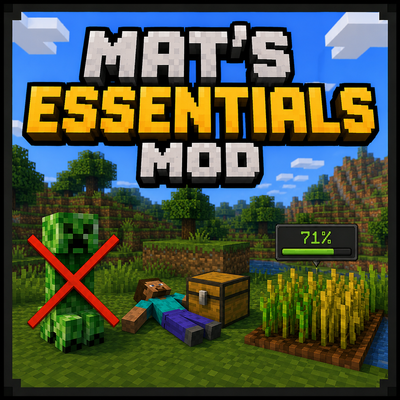
CurseForge · Minecraft mod
Mat's Essentials
Display useful information like time, coordinates, crop growth, and targeted blocks, while enabling optional features such as Tree Felling, Fast Leaf Decay, Right-Click Harvest, Graves, Farmland Protection, and safer mob interactions.
Choose a version Pick your version below, then grab the matching file.
Quick answer
Which Mat's Essentials release should I use?
Latest stable file mats-essentials-26.3.jar
Game version 26.3
Loader Fabric
Mat's Essentials mats-essentials-26.3.jar targets 26.3 with Fabric. The project page does not say whether this file belongs on the client, dedicated server, or both. No extra mods listed for this file.
Where it goes
Is Mat's Essentials required on the client, server, or both?
The project page does not say whether this file belongs on the client, dedicated server, or both.
Client Source doesn’t say
Dedicated server Source doesn’t say
Loader for this release Fabric
Required install it here Optional supported, not mandatory Not supported do not install here Source doesn’t say do not assume
The source does not explicitly classify this release as client-only or server-only.
What else does Mat's Essentials mats-essentials-26.3.jar need?
mats-essentials-26.3.jar. Change the file and its required mods may change too.
This file does not list any required mods. Do not add a library just because a different file uses it.
This file does not list any required or optional mods.
Before you install it
Add Mat's Essentials without breaking your instance.
Built for Mat's Essentials mats-essentials-26.3.jar. Pick another file and the loader, install side or required mods may change.
- 01
Stick to this file
Use mats-essentials-26.3.jar. It targets 26.3 with Fabric; another release may have different loader, side or dependency requirements.
- 02
Bring the mods it needs
This file does not list any required mods. Do not add a library just because a different file uses it.
- 03
Put it on the correct side
The project page does not say whether this file belongs on the client, dedicated server, or both.
- 04
Pick the file you checked
Use the “Get this file” button beside mats-essentials-26.3.jar. It opens that exact file at the source.
About this project
What does Mat's Essentials add?
Mat’s Essentials
Enhance your Minecraft experience with useful HUD features and optional quality-of-life improvements while preserving the game’s vanilla feel. View the current time, coordinates, crop growth, and targeted blocks directly on your screen without needing additional items.
Enable practical features such as Tree Felling, Fast Leaf Decay, Right-Click Harvest, graves, protected farmland, and safer mob interactions. Every feature can be enabled or disabled individually, allowing you to customize the mod for your preferred playstyle.
How to use:
Type /matsessentials in the chat to open the settings menu.
Note: All UI features are enabled by default, while all Game Mechanics features are disabled until you choose to enable them.
Project description from CurseForge.
Pick your setup
Mat's Essentials by Minecraft version and loader
Choose the version and loader you play, then open the matching release.
Minecraft version
26.2
1 loader buildCheck the dependencies, then try the file in a copied instance before changing a world you care about.
Recent files
Mat's Essentials versions and loaders
mats-essentials-26.3.jar
25 Sept 2026
Client Source doesn’t say Server Source doesn’t say Dependencies No extras listed Listed on Release listing
Check the 26.3 · Fabric setup Fabric26.3 release
mats-essentials-1.0.6+mc26.2.jar
10 Aug 2026
Client Source doesn’t say Server Source doesn’t say Dependencies No extras listed Listed on Release listing
Check the 26.2 · Fabric setup Fabric26.2 release
Looking for an older file? The official CurseForge project page is in Resources.
 mod
CurseForge · Minecraft
Simple Voice Chat: Voice Physics
Realistic proximity voice chat for Simple Voice Chat: voices fade with distance, are muffled by walls (occlusion), come through doors and echo in caves. HUD, presets and sound zones; server-side walls work even for players without the mod.
 mod
CurseForge + Modrinth · Minecraft
Polydium
Well-rounded client-side optimization mod. Extremely compatible Vulkan backend for 1.21.11-26.1.2. By Polyfrost, best with OneClient.
 mod
CurseForge + Modrinth · Minecraft
Starter Structure
🏛️ Allows the creation of buildings on initial world generation at spawn via schematic files.