Lyra Needed by Damage Info damage_info-26.2.1.jar
requiredMatching file found Matched file: lyra-26.2.1.jar
CurseForge · Minecraft mod
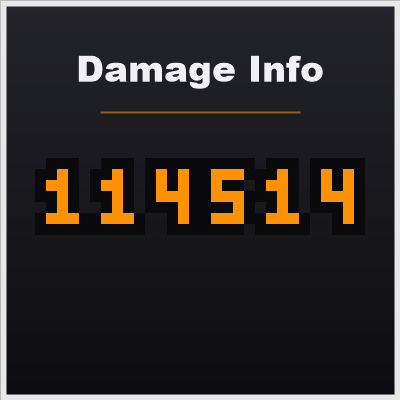
Displays floating damage numbers when entities take damage, with fully customizable styles.
Quick answer
Damage Info damage_info-26.2.1.jar targets 26.2 with NeoForge. The project page does not say whether this file belongs on the client, dedicated server, or both. All 1 required mods have matching files.
Where it goes
The project page does not say whether this file belongs on the client, dedicated server, or both.
The source does not explicitly classify this release as client-only or server-only.
damage_info-26.2.1.jar. Change the file and its required mods may change too.
Install Lyra first. We found matching files for this game-version and loader setup. 1 comes through another mod in the chain.
1 extra mod was pulled in by another dependency. Indented rows show who needs each one. We only count dependency files that match this setup. A file for another loader does not fill the gap.
Before you install it
Built for Damage Info damage_info-26.2.1.jar. Pick another file and the loader, install side or required mods may change.
Use damage_info-26.2.1.jar. It targets 26.2 with NeoForge; another release may have different loader, side or dependency requirements.
Install Lyra first. We found matching files for this game-version and loader setup. 1 comes through another mod in the chain.
The project page does not say whether this file belongs on the client, dedicated server, or both.
Use the “Get this file” button beside damage_info-26.2.1.jar. It opens that exact file at the source.
About this project
High performance — damage records are batched per tick and rendered through the modern submission pipeline, with negligible impact on client performance.
All damage number styles are defined in a JSON file:
assets/damage_info/damage_info/damage_info.json (resource location: damage_info:damage_info/damage_info.json)/reload after editing.{
"default": {
"damage_type": "default",
"texture": "damage_info:textures/damage_font.png",
"texture_width": 55,
"texture_height": 7,
"glyph_spacing": 0,
"render_size": 0.2,
"max_life": 40,
"color": "ff9104",
"critical_color": "ff5a28"
},
"entries": [
{
"damage_type": "lyra:servant",
"texture": "damage_info:textures/damage_font.png",
"texture_width": 55,
"texture_height": 7,
"glyph_spacing": 0,
"render_size": 0.2,
"max_life": 40,
"color": "68dfff",
"critical_color": "049fff"
}
]
}
| Field | Description |
|---|---|
damage_type |
Damage type id. default is the fallback style for all unlisted types. |
texture |
Glyph texture. Layout: digits 0-9 in order, followed by a decimal point (index 10). |
texture_width / texture_height |
Texture size in pixels. Glyph width is derived as texture_width / 11. |
glyph_spacing |
Horizontal spacing between glyphs, in pixels. |
render_size |
Render size in the world. |
max_life |
Lifetime of a damage number, in ticks. |
color / critical_color |
Normal / critical color, hex RGB (no #). |
Project description from CurseForge.
Pick your setup
Choose the version and loader you play, then open the matching release.
Check the dependencies, then try the file in a copied instance before changing a world you care about.
Recent files
13 Aug 2026
13 Aug 2026
12 Aug 2026
Looking for an older file? The official CurseForge project page is in Resources.
 mod
modErgonomic multiloader configuration library with sync support.
 mod
modThis small quality-of-life mod makes experience absorption nearly instant, while still preserving part of the XP orb animation. It significantly reduces the delay when absorbing experience orbs.
 mod
modAdventure time inspired dungeon crawler on a train. Procedurally generated carriages on a infinite sable physics train. Rich narrative, with custom made mods for a completely unique experience.