CobbleBash Needed by CobbleBashScreen cobblebash_screen-0.1.3.jar
requiredMatching file found Matched file: cobblebash-0.2.0.jar
CurseForge · Minecraft mod
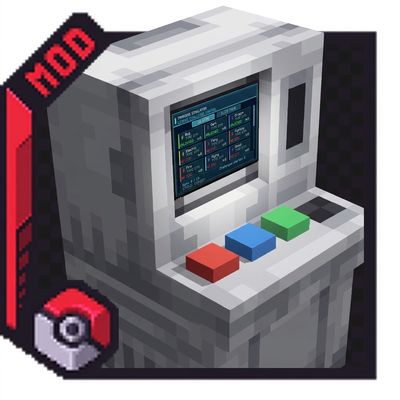
Replaces the Training Simulator interaction with a compact, technology-themed screen
Quick answer
CobbleBashScreen cobblebash_screen-0.1.3.jar targets 1.21.1 with NeoForge. The project page does not say whether this file belongs on the client, dedicated server, or both. 1 required mod needs a matching file.
Where it goes
The project page does not say whether this file belongs on the client, dedicated server, or both.
The source does not explicitly classify this release as client-only or server-only.
cobblebash_screen-0.1.3.jar. Change the file and its required mods may change too.
Install CobbleBash, Radical Cobblemon Trainers API, Cobblemon, Curios API and 4 more first, but 1 required mod has no matching file for this setup. Do not mix loader builds to force a match. 8 come through another mod in the chain.
8 extra mods were pulled in by other dependencies. Indented rows show who needs each one. We only count dependency files that match this setup. A file for another loader does not fill the gap.
Before you install it
Built for CobbleBashScreen cobblebash_screen-0.1.3.jar. Pick another file and the loader, install side or required mods may change.
Use cobblebash_screen-0.1.3.jar. It targets 1.21.1 with NeoForge; another release may have different loader, side or dependency requirements.
Install CobbleBash, Radical Cobblemon Trainers API, Cobblemon, Curios API and 4 more first, but 1 required mod has no matching file for this setup. Do not mix loader builds to force a match. 8 come through another mod in the chain.
The project page does not say whether this file belongs on the client, dedicated server, or both.
Use the “Get this file” button beside cobblebash_screen-0.1.3.jar. It opens that exact file at the source.
About this project
CobbleBash Screen is a NeoForge add-on for CobbleBash. It replaces the Training Simulator interaction with a compact, technology-themed screen without replacing CobbleBash classes, registrations, or resources.
The development build expects the local CobbleBash dependency and other dependency jars declared in build.gradle.
Other server-side mods can unlock challenges without consuming a disc through TrainingSimulatorApi:
TrainingSimulatorApi.unlockGym(player, GymType.FIRE);
TrainingSimulatorApi.unlockAllGyms(player);

if (TrainingSimulatorApi.isEliteFourAvailable(player)) {
    TrainingSimulatorApi.unlockEliteFour(player);
}
unlockEliteFour always preserves CobbleBash's progression order and returns false until the player has completed all 18 gyms.
The same API exposes server-safe progress queries without requiring access to attachments or NBT:
int clears = TrainingSimulatorApi.getGymClearCount(player, GymType.FIRE);
boolean completed = TrainingSimulatorApi.hasClearedGym(player, GymType.FIRE);
int uniqueGyms = TrainingSimulatorApi.getClearedGymCount(player);
int started = TrainingSimulatorApi.getChallengesStarted(player);
Other mods can subscribe to these events on NeoForge.EVENT_BUS:
TrainingSimulatorOpenEvent.Pre, cancellable before the screen opensTrainingSimulatorChallengeStartedEvent.PostTrainingSimulatorGymClearedEvent.PostTrainingSimulatorEliteFourCompletedEvent.PostThe add-on opens its menu through NeoForge's block interaction event and calls CobbleBash's public GymCommand entry methods. One narrowly scoped Mixin observes successful returns from CobbleBash's private gym completion method so the UI can record repeat clear counts; it does not cancel or alter CobbleBash behavior.
Player UI progress is stored on each player in the serializable cobblebash_screen:training_simulator NeoForge attachment. The attachment is copied when the player respawns after death. Screen values remain server-authoritative and are synchronized through the menu rather than exposing the attachment to clients.
The add-on owns the cobblebash_screen registry namespace. Its assets/cobblebash resources only provide missing Simplified Chinese translations for CobbleBash and do not replace CobbleBash registrations or gameplay data.
Project description from CurseForge.
Pick your setup
Choose the version and loader you play, then open the matching release.
Check the dependencies, then try the file in a copied instance before changing a world you care about.
Recent files
29 Sept 2026
16 Aug 2026
16 Aug 2026
14 Aug 2026
Looking for an older file? The official CurseForge project page is in Resources.