Minecraft version
Back to mods 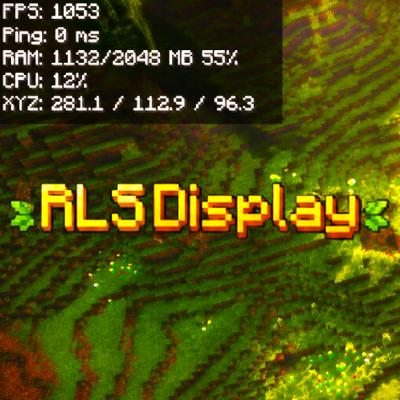
CurseForge · Minecraft mod
RLSDisplay
RLSDisplay is a lightweight client-side mod showing FPS, ping, RAM, CPU, GPU, XYZ, speed and time. The HUD is customizable, supports Compact Mode and hides on F3. English only.
Choose a version Pick your version below, then grab the matching file.
Quick answer
Which RLSDisplay release should I use?
Latest stable file rlsdisplay_1.20.1.jar
Game version 1.20.1
Loader Fabric
rlsdisplay_1.20.1.jar targets 1.20.1 with Fabric. The project page does not say whether this file belongs on the client, dedicated server, or both. No extra mods listed for this file.
Where it goes
Is RLSDisplay required on the client, server, or both?
The project page does not say whether this file belongs on the client, dedicated server, or both.
Client Source doesn’t say
Dedicated server Source doesn’t say
Loader for this release Fabric
Required install it here Optional supported, not mandatory Not supported do not install here Source doesn’t say do not assume
The source does not explicitly classify this release as client-only or server-only.
What else does rlsdisplay_1.20.1.jar need?
rlsdisplay_1.20.1.jar. Change the file and its required mods may change too.
This file does not list any required mods. Do not add a library just because a different file uses it.
This file does not list any required or optional mods.
Before you install it
Add RLSDisplay without breaking your instance.
Built for rlsdisplay_1.20.1.jar. Pick another file and the loader, install side or required mods may change.
- 01
Stick to this file
Use rlsdisplay_1.20.1.jar. It targets 1.20.1 with Fabric; another release may have different loader, side or dependency requirements.
- 02
Bring the mods it needs
This file does not list any required mods. Do not add a library just because a different file uses it.
- 03
Put it on the correct side
The project page does not say whether this file belongs on the client, dedicated server, or both.
- 04
Pick the file you checked
Use the “Get this file” button beside rlsdisplay_1.20.1.jar. It opens that exact file at the source.
About this project
What does RLSDisplay add?
RLSDisplay is a lightweight client-side Minecraft mod designed to provide quick access to useful system and gameplay information without constantly opening the F3 debug screen.
The mod can display information such as FPS, ping, RAM usage, CPU usage, GPU information, XYZ coordinates, movement speed, and the current time directly on your screen.
The HUD is fully customizable, allowing you to choose which statistics are visible, adjust their position, and enable Compact Mode for a cleaner display. RLSDisplay automatically hides when the F3 debug screen is opened to avoid overlapping with Minecraft's vanilla debug information.
The mod also includes convenient keyboard shortcuts:
F8 — Open RLSDisplay settings
F9 — Quickly enable or disable the HUD
RLSDisplay is designed to work alongside popular performance and graphics mods such as Sodium and Iris without directly modifying their interfaces, helping to maintain compatibility and stability.
It is designed to be simple, lightweight, customizable, and easy to use, making it ideal for players who want to monitor their game and system performance without cluttering the screen.
Please note: RLSDisplay is currently available only in English.
Project description from CurseForge.
Pick your setup
RLSDisplay by Minecraft version and loader
Choose the version and loader you play, then open the matching release.
Minecraft version
1.20.1
1 loader buildCheck the dependencies, then try the file in a copied instance before changing a world you care about.
Recent files
RLSDisplay versions and loaders
rlsdisplay_1.20.1.jar
25 Aug 2026
Client Source doesn’t say Server Source doesn’t say Dependencies No extras listed Listed on Release listing
Check the 1.20.1 · Fabric setup Fabric1.20.1 release
rlsdisplay_1.21.4.jar
25 Aug 2026
Client Source doesn’t say Server Source doesn’t say Dependencies No extras listed Listed on Release listing
Check the 1.21.4 · Fabric setup Fabric1.21.4 release
Looking for an older file? The official CurseForge project page is in Resources.
 mod
mod CurseForge · Minecraft
Sophisticated Tactical Backpacks (And Ammo Reload Upgrade)
Adding tactical camouflages to Sophisticated Backpack
 mod
mod CurseForge · Minecraft
Create Waystones Recipes
This mod change Waystones Recipes into create recipes
 mod
mod CurseForge · Minecraft
Dungeon Difficulty Additions
Add compatibility with RPG Series Jewelry and Relics and additional features to Dungeon Difficulty