Minecraft version
Back to mods 
CurseForge · Minecraft mod
Leveling Bench
A bench that upgrades your enchantments levels with minerals
Choose a version Pick your version below, then grab the matching file.
Quick answer
Which Leveling Bench release matches 26.2?
Best match for your filters enchanting_leveler_26.2_1.0.0.jar
Game version 26.2
Loader NeoForge
Leveling Bench enchanting_leveler_26.2_1.0.0.jar targets 26.2 with NeoForge. The project page does not say whether this file belongs on the client, dedicated server, or both. No extra mods listed for this file.
Where it goes
Is Leveling Bench required on the client, server, or both?
The project page does not say whether this file belongs on the client, dedicated server, or both.
Client Source doesn’t say
Dedicated server Source doesn’t say
Loader for this release NeoForge
Required install it here Optional supported, not mandatory Not supported do not install here Source doesn’t say do not assume
The source does not explicitly classify this release as client-only or server-only.
What else does Leveling Bench enchanting_leveler_26.2_1.0.0.jar need?
enchanting_leveler_26.2_1.0.0.jar on 26.2. Every mod below is checked against that same setup.
This file does not list any required mods. Do not add a library just because a different file uses it.
This file does not list any required or optional mods.
Before you install it
Add Leveling Bench without breaking your instance.
Built for Leveling Bench enchanting_leveler_26.2_1.0.0.jar on 26.2. Pick another file and the loader, install side or required mods may change.
- 01
Stick to this file
Use enchanting_leveler_26.2_1.0.0.jar. It targets 26.2 with NeoForge; another release may have different loader, side or dependency requirements.
- 02
Bring the mods it needs
This file does not list any required mods. Do not add a library just because a different file uses it.
- 03
Put it on the correct side
The project page does not say whether this file belongs on the client, dedicated server, or both.
- 04
Pick the file you checked
Use the “Get this file” button beside enchanting_leveler_26.2_1.0.0.jar. It opens that exact file at the source.
About this project
What does Leveling Bench add?
Leveling Bench
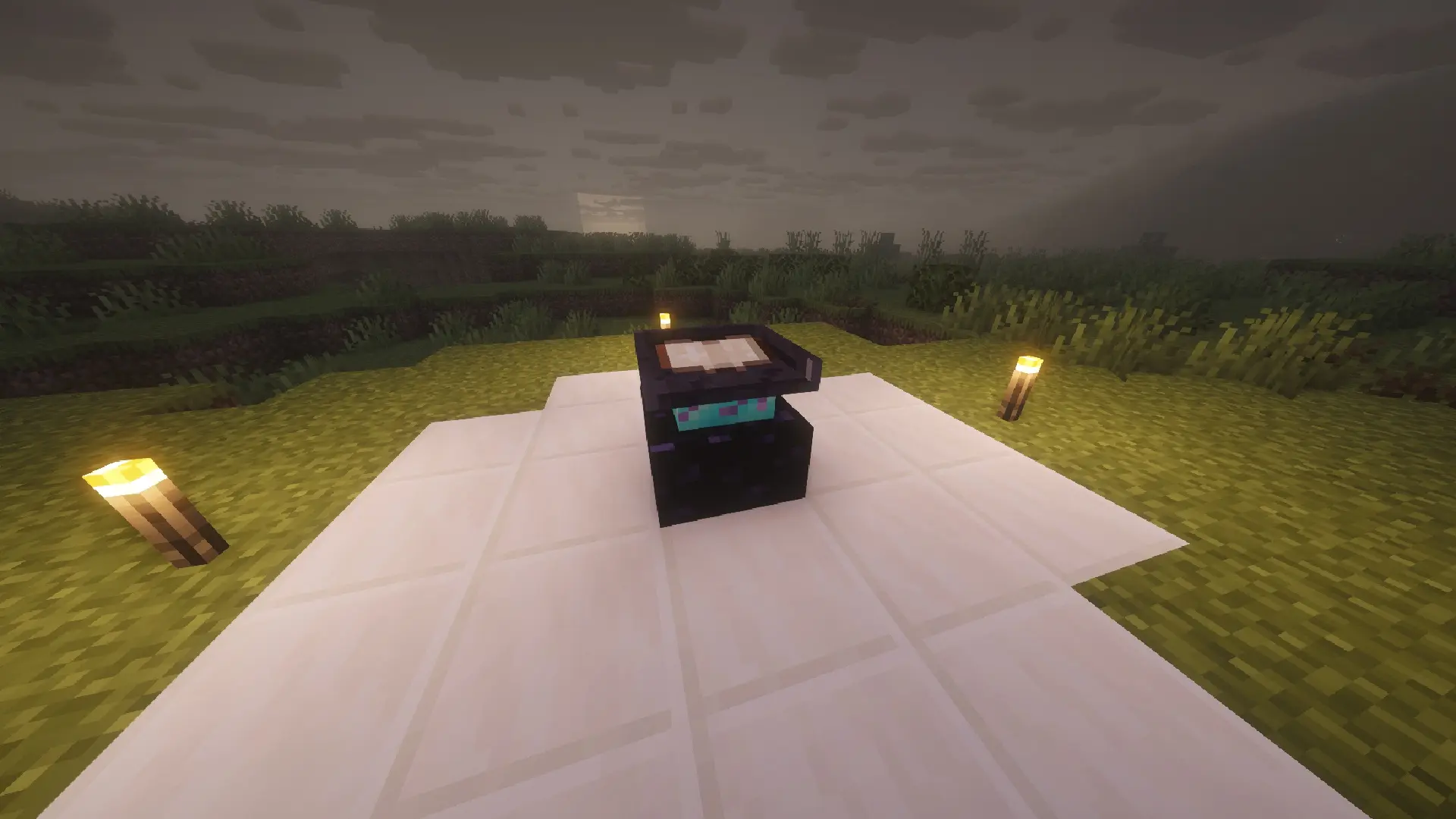
Leveling Bench adds the Leveling Bench, a special workstation that lets you keep leveling up the enchantments on your tools, weapons, and armor beyond Minecraft's normal cap (Sharpness V, Fortune III, etc. are no longer the ceiling) — using minerals as "fuel" to pay for each upgrade.
How it works.
Craft the Leveling Bench using the reinforced materials (recipes below) and place it in the world — it's blast-resistant (TNT-proof) and can only be mined with an iron pickaxe or better, just like an anvil.
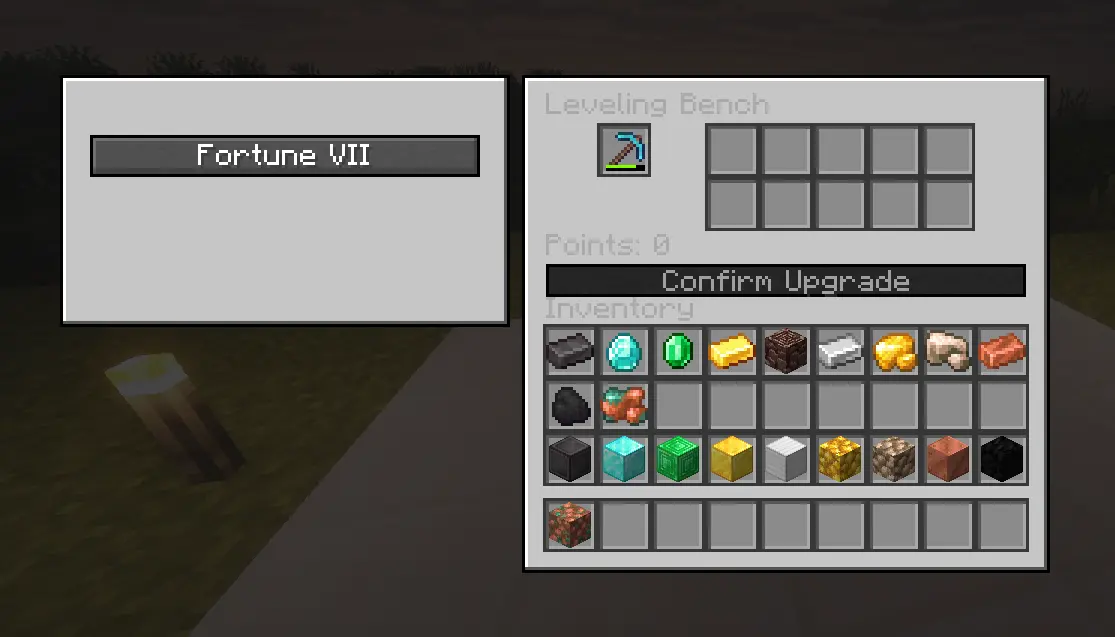
Click to open its interface.
Put an enchanted tool in the slot on the left — the bench automatically reads all of its enchantments and lists them in a scrollable list.
Pick which enchantment you want to upgrade.
Fill the slots below with minerals — each material contributes a different amount of PTS (points).
Once you've gathered enough PTS for the current level, the Confirm Upgrade button activates. Confirming it consumes exactly the materials needed (not a single extra item) and the enchantment levels up.
The Points cost rises along a smooth curve as the level gets higher, so going from level 1 to 2 is cheap, but pushing all the way up to extreme levels **(up to 255)** takes serious amounts of material.
Note: enchantments that are capped at level 1 in vanilla (Mending, Silk Touch, Infinity, curses, etc.) show up locked in the list — leveling them further wouldn't do anything, so they can't even be selected.
Points value per material
- Material PTS
- Netherite Ingot 100
- Diamond 86
- Emerald 71
- Gold Ingot 59
- Iron Ingot 44
- Copper Ingot 24
- Coal 16
- Ancient Debris 51
- Raw Iron 28
- Raw Gold 36
- Raw Copper 12
Blocks (Block of Diamond, Block of Iron, etc.) are worth 9x the material they're made of, in case you'd rather feed in fewer items at a time.
New items and recipes
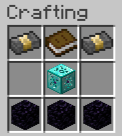
Leveling Bench (block): Reinforced Netherite Ingot in the top corners, a book in the top-middle, Reinforced Diamond Block only in the center, and 3 Obsidian along the bottom row.
Reinforced Diamond Block (item, not placeable): 8 Diamonds surrounding a Crying Obsidian in the center.
Reinforced Netherite Ingot (item, not placeable): middle row only — Netherite Ingot, Block of Gold, Netherite Ingot.
All 3 recipes are standard vanilla-format recipes and show up automatically in recipe viewer mods like REI or JEI.
Compatible with other mods
Any enchantment added by another mod works automatically in the Leveling Bench, no configuration needed — it's read directly off the tool.
Want to add more minerals to the PTS system? It's easily extendable through a datapack tag.
Crafting Recipe:
Supported languages
English, Spanish (Spain, Mexico, Argentina), Portuguese (Brazil), French, German, Italian, Russian, Simplified Chinese, Japanese, Korean, Polish, Turkish, and Dutch.
Requirements
Minecraft: Java Edition
Fabric Loader
Fabric API: required (the mod won't load without it)
Must be installed on both the client and the server to play in multiplayer.
Need another version?, tell me in the discord.
Installation
Install Fabric Loader for Minecraft from fabricmc.net/use (this creates a new profile in your launcher).
Download Fabric API from Modrinth or CurseForge.
Download the Enchanting Leveler .jar.
Open your launcher's .minecraft folder (on Windows: %appdata%/.minecraft) and go into the mods folder (create it if it doesn't exist).
Copy both .jar files in there (Fabric API + Enchanting Leveler).
Open the Minecraft launcher, select the Fabric profile, and play.
For dedicated servers, the process is the same: both .jar files go in the server's mods folder.
Credits
Created by Cristian06kk.
Hope you all enjoy my mod :) GRACIAS
Project description from CurseForge.
Pick your setup
Leveling Bench by Minecraft version and loader
Choose the version and loader you play, then open the matching release.
Minecraft version
26.1.2
2 loader buildsMinecraft version
1.21.11
1 loader buildMinecraft version
1.21.4
1 loader buildMinecraft version
1.21.1
2 loader buildsMinecraft version
1.20.6
1 loader buildMinecraft version
1.20.4
1 loader buildMinecraft version
1.20.2
1 loader buildMinecraft version
1.20.1
2 loader buildsMinecraft version
1.18.2
1 loader buildCheck the dependencies, then try the file in a copied instance before changing a world you care about.
Recent files
Leveling Bench versions and loaders
enchanting_leveler_26.2_1.0.0.jar
16 Aug 2026
Client Source doesn’t say Server Source doesn’t say Dependencies No extras listed Listed on Release listing
Check the 26.2 · NeoForge setup NeoForge26.2 release
enchanting-leveler26.2-1.1.0.jar
16 Aug 2026
Client Source doesn’t say Server Source doesn’t say Dependencies No extras listed Listed on Release listing
Check the 26.2 · Fabric setup Fabric26.2 release
Looking for an older file? The official CurseForge project page is in Resources.
 mod
mod CurseForge · Minecraft
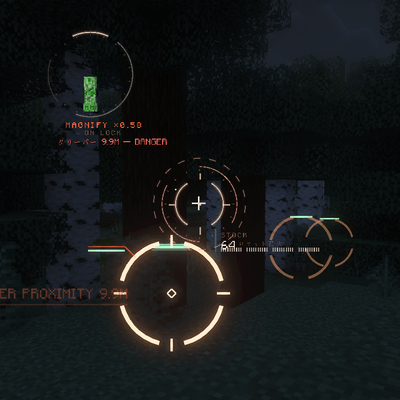
VECTOR HUD
A cinematic, fully vector-drawn HUD: holographic terrain map, flight instruments, threat alerts, and ten switchable themes. Every element is geometry, not a texture.
 mod
mod CurseForge · Minecraft
Intangible Effect
Added a effect that allows players slow flight and wall phasing.
 mod
mod CurseForge · Minecraft
Vulky
Improves Vulkan compatibility and stability by adding fallbacks for missing features, fixing descriptor issues, and reducing common rendering problems.