Minecraft version
Back to mods 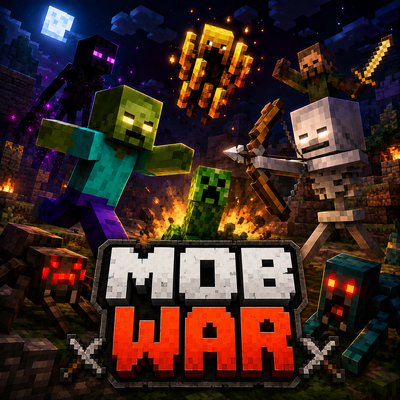
CurseForge · Minecraft mod
MOB WAR
Join the Monster War and fight with one Race against all
Choose a version Pick your version below, then grab the matching file.
Quick answer
Which MOB WAR release should I use?
Latest stable file mob-war Uprade-1.20.1-1.5.0.jar
Game version 1.20.1
Loader Fabric
MOB WAR mob-war Uprade-1.20.1-1.5.0.jar targets 1.20.1 with Fabric. The project page does not say whether this file belongs on the client, dedicated server, or both. No extra mods listed for this file.
Where it goes
Is MOB WAR required on the client, server, or both?
The project page does not say whether this file belongs on the client, dedicated server, or both.
Client Source doesn’t say
Dedicated server Source doesn’t say
Loader for this release Fabric
Required install it here Optional supported, not mandatory Not supported do not install here Source doesn’t say do not assume
The source does not explicitly classify this release as client-only or server-only.
What else does MOB WAR mob-war Uprade-1.20.1-1.5.0.jar need?
mob-war Uprade-1.20.1-1.5.0.jar. Change the file and its required mods may change too.
This file does not list any required mods. Do not add a library just because a different file uses it.
This file does not list any required or optional mods.
Before you install it
Add MOB WAR without breaking your instance.
Built for MOB WAR mob-war Uprade-1.20.1-1.5.0.jar. Pick another file and the loader, install side or required mods may change.
- 01
Stick to this file
Use mob-war Uprade-1.20.1-1.5.0.jar. It targets 1.20.1 with Fabric; another release may have different loader, side or dependency requirements.
- 02
Bring the mods it needs
This file does not list any required mods. Do not add a library just because a different file uses it.
- 03
Put it on the correct side
The project page does not say whether this file belongs on the client, dedicated server, or both.
- 04
Pick the file you checked
Use the “Get this file” button beside mob-war Uprade-1.20.1-1.5.0.jar. It opens that exact file at the source.
About this project
What does MOB WAR add?
Mob War
Mob War completely changes how hostile mobs interact with each other while also giving you the ability to build your own personal mob army.
You can turn Minecraft into a full Free For All, create species-based wars, or keep completely normal Vanilla mob behavior while still recruiting individual monsters to fight for you.
Main Features
Hostile mobs can fight other hostile mobs
Multiple combat modes
Recruit individual hostile mobs
Build your own personal mob alliance
Control recruited mobs individually
Recruited mobs can follow you, stay in one place, or roam freely
Your army attacks enemies you attack
Recruited mobs do not attack their owner
Recruited mobs belonging to the same player do not attack each other
Recruited mobs are persistent and will not normally despawn
Multiplayer-friendly ownership system
World settings are saved
Made for Minecraft 1.20.1 Fabric
Combat Modes
Vanilla Mode
Command:
/mobwar mode vanilla
or
/mobwar mode normal
All normal mobs behave exactly like regular Minecraft again.
Wild Zombies, Skeletons, Creepers and other mobs use their normal Vanilla AI.
You can still recruit individual mobs and use your personal mob army.
This mode is great if you want normal Minecraft gameplay but still want the recruitment system.
Free For All
Command:
/mobwar mode all
Every hostile mob can fight every other hostile mob.
Even mobs of the same species can become enemies.
Expect complete chaos.
Zombie vs Zombie
Skeleton vs Skeleton
Creeper vs Zombie
Spider vs Skeleton
Blaze vs Enderman
…and much more.
Species War
Command:
/mobwar mode species
Mobs of the same species become allies.
For example:
Skeletons will not attack other Skeletons
Zombies will not attack other Zombies
Creepers will not attack other Creepers
But different hostile species will fight each other.
This creates large natural faction wars throughout your world.
Recruit Your Own Mobs
You can recruit individual hostile mobs by right-clicking them while holding an item associated with their drops.
Only the mob you recruit joins your personal alliance.
Recruiting one Zombie does not automatically make every Zombie your ally.
Examples:
Zombie → Rotten Flesh
Skeleton → Bone
Creeper → Gunpowder
Spider → String
Enderman → Ender Pearl
Blaze → Blaze Rod
Ghast → Ghast Tear
Slime → Slime Ball
Magma Cube → Magma Cream
Phantom → Phantom Membrane
Shulker → Shulker Shell
Evoker → Totem of Undying
Warden → Sculk Catalyst
Wither → Nether Star
One recruitment item is consumed when the mob joins you, unless you are in Creative Mode.
Control Individual Mobs
After recruiting a mob, right-click it again to cycle through its behavior modes:
FOLLOW → STAY → ROAM
Follow
The mob follows you and fights alongside you.
Stay
The mob guards its current position.
If it has to fight an enemy, it will return to its assigned position afterwards.
Roam
The mob can move around freely while remaining part of your alliance.
Each recruited mob has its own individual setting.
For example, you can have:
2 Skeletons following you
3 Zombies guarding your base
1 Creeper roaming freely
1 Blaze following you
all at the same time.
Fight Together
Your recruited mobs automatically recognize other mobs owned by you as allies.
Different species can therefore fight together in the same army.
If you recruit a:
Zombie + Skeleton + Creeper + Blaze
they will all consider each other allies.
When you attack an enemy, nearby recruited mobs can also target that enemy.
This allows you to lead your own mob army directly into battle.
Army Commands
You can also control your recruited army with commands:
/mobarmy follow
Makes your recruited mobs follow you.
/mobarmy stay
Orders your recruited mobs to stay.
/mobarmy roam
Lets your recruited mobs roam freely.
/mobarmy status
Shows information about your current army.
Individual right-click settings can still be used to control mobs separately.
Mob War Commands
/mobwar mode vanilla
Normal Minecraft mob behavior while keeping recruitment enabled.
/mobwar mode all
Enables complete hostile-mob Free For All.
/mobwar mode species
Enables species-based faction wars.
/mobwar status
Shows the current Mob War mode.
Build Your Own Monster Army
Recruit monsters you find throughout the world, assign them different jobs and fighting behaviors, and create your own custom army.
Keep normal Minecraft behavior with Vanilla Mode, create organized species wars with Species Mode, or unleash complete chaos with Free For All Mode.
The choice is yours.
Minecraft Version: 1.20.1
Mod Loader: Fabric
Fabric API Required: Yes
Project description from CurseForge.
Pick your setup
MOB WAR by Minecraft version and loader
Choose the version and loader you play, then open the matching release.
Check the dependencies, then try the file in a copied instance before changing a world you care about.
Recent files
MOB WAR versions and loaders
mob-war Uprade-1.20.1-1.5.0.jar
mob-war-1.20.1-1.5.0.jar
18 Aug 2026
Client Source doesn’t say Server Source doesn’t say Dependencies No extras listed Listed on Release listing
Check the 1.20.1 · Fabric setup Fabric1.20.1 release
MOBWAR1.20.1-1.1.0.jar
hostile-ffa-1.20.1-1.1.0.jar
17 Aug 2026
Client Source doesn’t say Server Source doesn’t say Dependencies No extras listed Listed on Release listing
Check the 1.20.1 · Fabric setup Fabric1.20.1 release
Looking for an older file? The official CurseForge project page is in Resources.
 mod
mod CurseForge + Modrinth · Minecraft
FTB Quests Entity Visualization
Adds entity visualization to FTB Quests
 mod
mod Modrinth · Minecraft
Emeralds Galore
Emerald Ores and Zombie Villagers drop more Emeralds
 mod
mod CurseForge · Minecraft
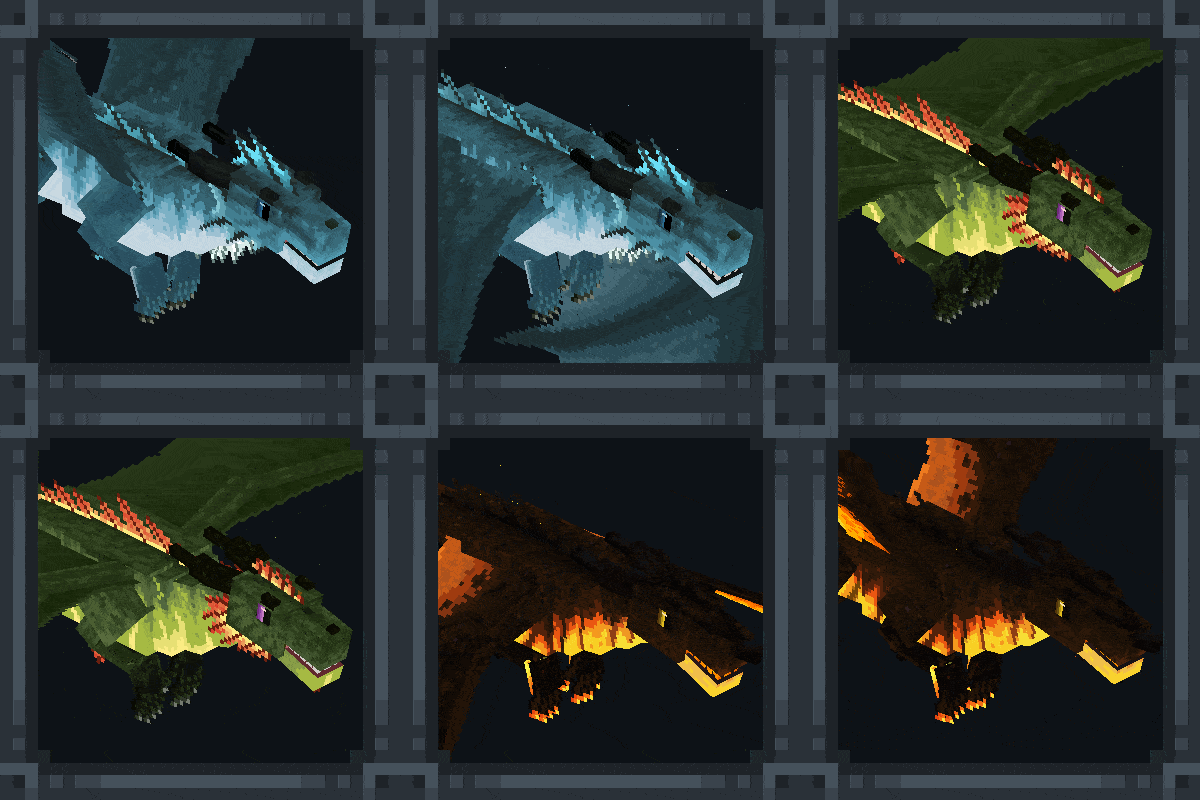
Dragon Survival
Global modification for Java Minecraft centered around playable dragons.