Minecraft version
Back to mods 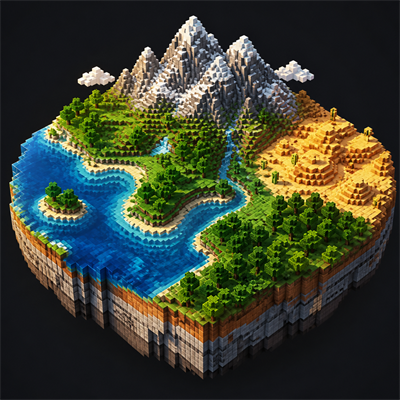
CurseForge · Minecraft mod
Better World Generation
Shape oceans, continents, mountains, terrain, and climate from Minecraft's Create World menu while preserving vanilla seed-based generation.
Choose a version Pick your version below, then grab the matching file.
Quick answer
Which Better World Generation release should I use?
Latest stable file betterworldgen-1.2.0+mc26.2.jar
Game version 26.2
Loader NeoForge
Better World Generation betterworldgen-1.2.0+mc26.2.jar targets 26.2 with NeoForge. The project page does not say whether this file belongs on the client, dedicated server, or both. No extra mods listed for this file.
Where it goes
Is Better World Generation required on the client, server, or both?
The project page does not say whether this file belongs on the client, dedicated server, or both.
Client Source doesn’t say
Dedicated server Source doesn’t say
Loader for this release NeoForge
Required install it here Optional supported, not mandatory Not supported do not install here Source doesn’t say do not assume
The source does not explicitly classify this release as client-only or server-only.
What else does Better World Generation betterworldgen-1.2.0+mc26.2.jar need?
betterworldgen-1.2.0+mc26.2.jar. Change the file and its required mods may change too.
This file does not list any required mods. Do not add a library just because a different file uses it.
This file does not list any required or optional mods.
Before you install it
Add Better World Generation without breaking your instance.
Built for Better World Generation betterworldgen-1.2.0+mc26.2.jar. Pick another file and the loader, install side or required mods may change.
- 01
Stick to this file
Use betterworldgen-1.2.0+mc26.2.jar. It targets 26.2 with NeoForge; another release may have different loader, side or dependency requirements.
- 02
Bring the mods it needs
This file does not list any required mods. Do not add a library just because a different file uses it.
- 03
Put it on the correct side
The project page does not say whether this file belongs on the client, dedicated server, or both.
- 04
Pick the file you checked
Use the “Get this file” button beside betterworldgen-1.2.0+mc26.2.jar. It opens that exact file at the source.
About this project
What does Better World Generation add?
Better World Generation
Shape the character of your Minecraft worlds directly from the Create World screen.
Better World Generation expands vanilla world creation with simple sliders for oceans, continents, mountains, terrain, and climate. It does not replace Minecraft's procedural generator or create fixed maps. Your world remains completely seed-based - your settings only influence what kinds of terrain and biomes are more likely to appear.
Leave every slider at Vanilla and world generation remains unchanged.
Land & Water
- Ocean Amount - create land-heavy worlds or worlds dominated by water.
- Continent Size - choose between small scattered landmasses and broad continents.
- Ocean Depth - make ocean floors generally shallower or deeper.
Terrain
- Mountain Amount - control how frequently mountainous regions appear.
- Mountain Height - adjust the typical height of mountain ranges.
- Mountain Size - change the horizontal scale of mountain regions.
- Terrain Roughness - produce smoother terrain or more rugged, cliff-heavy landscapes.
Climate & Biomes
- Temperature - bias biome placement toward colder or hotter climates.
- Humidity / Dryness - favor wet, lush regions or dry biomes.
- Climate Region Size - control how large climate and biome regions tend to be.
Presets and Tools
- Reset every option to Vanilla at any time.
- Randomize all generation settings for a surprise world.
- Save and load your own named presets.
- Choose from built-in presets.
- View a seed-based statistical preview while configuring the world.
Per-World Generation
Every world stores its own Better World Generation settings. This allows different saves in the same installation to use completely different terrain styles.
The changes apply only to the Overworld. The Nether and End remain untouched, and the terrain controls are designed to preserve vanilla caves and aquifers.
How to Use
- Select Create New World.
- Open the World tab.
- Select World Generation…
- Adjust the sliders or select a preset.
- Create the world normally.
The preview is an approximation of the selected world's statistical character, not an exact map. Individual mountains, coastlines, and biomes are still determined procedurally from the seed.
Important
It is not recommended to use this mod alongside others. This mod is an experiment with vanilla generation and can lead to very poor results depending on the settings.
Project description from CurseForge.
Pick your setup
Better World Generation by Minecraft version and loader
Choose the version and loader you play, then open the matching release.
Minecraft version
26.2
1 loader buildMinecraft version
26.1.2
1 loader buildMinecraft version
1.21.11
1 loader buildMinecraft version
1.21.10
1 loader buildMinecraft version
1.21.9
1 loader buildMinecraft version
1.21.8
1 loader buildMinecraft version
1.21.7
1 loader buildMinecraft version
1.21.6
1 loader buildMinecraft version
1.21.5
1 loader buildMinecraft version
1.21.4
1 loader buildMinecraft version
1.21.3
1 loader buildShowing the newest 12 of 14 game versions. Older files are in the list below.
Check the dependencies, then try the file in a copied instance before changing a world you care about.
Recent files
Better World Generation versions and loaders
betterworldgen-1.2.0+mc26.2.jar
betterworldgen-1.2.0-mc26.2.jar
15 Nov 2026
Client Source doesn’t say Server Source doesn’t say Dependencies No extras listed Listed on Release listing
Check the 26.2 · NeoForge setup NeoForge26.2 release
betterworldgen-1.2.0+mc26.1.2.jar
betterworldgen-1.2.0-mc26.1.2.jar
15 Nov 2026
Client Source doesn’t say Server Source doesn’t say Dependencies No extras listed Listed on Release listing
Check the 26.1.2 · NeoForge setup NeoForge26.1.2 release
betterworldgen-1.2.0+mc1.21.x.jar
betterworldgen-1.2.0-mc1.21.x.jar
15 Nov 2026
Client Source doesn’t say Server Source doesn’t say Dependencies No extras listed Listed on Release listing
Check the 1.21.11 · NeoForge setup 1.21.81.21.51.21.41.21.1 release
betterworldgen-1.2.0+mc26.3.jar
betterworldgen-1.2.0-mc26.3.jar
15 Nov 2026
Client Source doesn’t say Server Source doesn’t say Dependencies No extras listed Listed on Release listing
Check the 26.3 · NeoForge setup NeoForge26.3 release
betterworldgen-1.1.0+mc26.3.x.jar
betterworldgen-1.1.0-mc26.3.x.jar
12 Nov 2026
Client Source doesn’t say Server Source doesn’t say Dependencies No extras listed Listed on Release listing
Check the 26.3 · NeoForge setup NeoForge26.3 release
betterworldgen-1.1.0+mc26.2.x.jar
betterworldgen-1.1.0-mc26.2.x.jar
12 Nov 2026
Client Source doesn’t say Server Source doesn’t say Dependencies No extras listed Listed on Release listing
Check the 26.2 · NeoForge setup NeoForge26.2 release
betterworldgen-1.1.0+mc26.1.2.jar
betterworldgen-1.1.0-mc26.1.2.jar
12 Nov 2026
Client Source doesn’t say Server Source doesn’t say Dependencies No extras listed Listed on Release listing
Check the 26.1.2 · NeoForge setup NeoForge26.1.2 release
betterworldgen-1.1.0+mc1.21-1.21.11.jar
betterworldgen-1.1.0-mc1.21-1.21.11.jar
12 Nov 2026
Client Source doesn’t say Server Source doesn’t say Dependencies No extras listed Listed on Release listing
Check the 1.21.11 · NeoForge setup 1.21.81.21.51.21.41.21.1 release
betterworldgen-neoforge-1.0.1.jar
betterworldgen-1.0.1.jar
22 Aug 2026
Client Source doesn’t say Server Source doesn’t say Dependencies No extras listed Listed on Release listing
Check the 1.21.1 · NeoForge setup 1.21.1NeoForge release
betterworldgen-neoforge-1.0.0.jar
betterworldgen-1.0.0.jar
17 Aug 2026
Client Source doesn’t say Server Source doesn’t say Dependencies No extras listed Listed on Release listing
Check the 1.21.1 · NeoForge setup 1.21.1NeoForge release
Looking for an older file? The official CurseForge project page is in Resources.
 mod
CurseForge · Minecraft
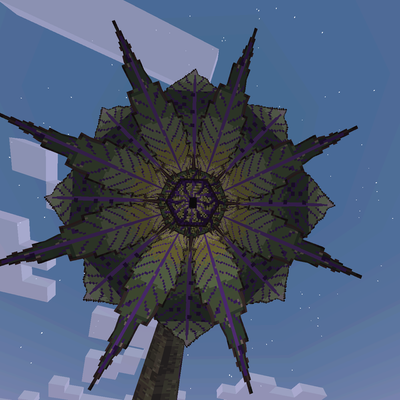
Evolution: Core Ecosystem (Infection Mod)
A meteor brings a living alien plant to your world. It roots, hatches its heart, grows its own creatures and trees of the dead, and spreads its miasma toward you. Cut it down before it grows too big to stop. [Heavy AI Assisted Development]
 mod
CurseForge + Modrinth · Minecraft
Oh My, Meteors! - A meteorite mod
A Modern falling Meteor mod, highly configurable, pretty and with spirt of the old ones!
 mod
CurseForge · Minecraft
OreGanics: Bio-Flasks
Grow ores in glass Bio-Flasks: plant a resource spore, watch it swell into ore and smelt the harvest.