Minecraft version
Back to mods 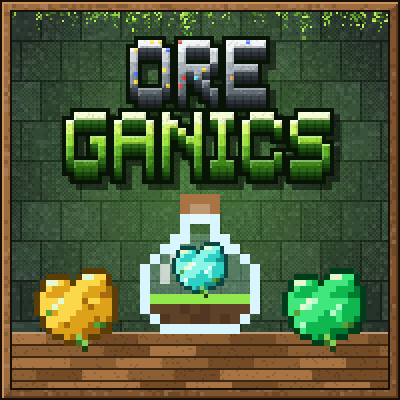
CurseForge · Minecraft mod
OreGanics: Bio-Flasks
Grow ores in glass Bio-Flasks: plant a resource spore, watch it swell into ore and smelt the harvest.
Choose a version Pick your version below, then grab the matching file.
Quick answer
Which OreGanics: Bio-Flasks release should I use?
Latest stable file OreGanics 1.1.0
Game version 1.21.8, 1.21.5, 1.21.4
Loader NeoForge
OreGanics: Bio-Flasks OreGanics 1.1.0 targets 1.21.8, 1.21.5, 1.21.4 with NeoForge. The project page does not say whether this file belongs on the client, dedicated server, or both. No extra mods listed for this file.
Where it goes
Is OreGanics: Bio-Flasks required on the client, server, or both?
The project page does not say whether this file belongs on the client, dedicated server, or both.
Client Source doesn’t say
Dedicated server Source doesn’t say
Loader for this release NeoForge
Required install it here Optional supported, not mandatory Not supported do not install here Source doesn’t say do not assume
The source does not explicitly classify this release as client-only or server-only.
What else does OreGanics: Bio-Flasks OreGanics 1.1.0 need?
OreGanics 1.1.0. Change the file and its required mods may change too.
This file does not list any required mods. Do not add a library just because a different file uses it.
This file does not list any required or optional mods.
Before you install it
Add OreGanics: Bio-Flasks without breaking your instance.
Built for OreGanics: Bio-Flasks OreGanics 1.1.0. Pick another file and the loader, install side or required mods may change.
- 01
Stick to this file
Use OreGanics 1.1.0. It targets 1.21.8, 1.21.5, 1.21.4 with NeoForge; another release may have different loader, side or dependency requirements.
- 02
Bring the mods it needs
This file does not list any required mods. Do not add a library just because a different file uses it.
- 03
Put it on the correct side
The project page does not say whether this file belongs on the client, dedicated server, or both.
- 04
Pick the file you checked
Use the “Get this file” button beside OreGanics 1.1.0. It opens that exact file at the source.
About this project
What does OreGanics: Bio-Flasks add?

Grow your own ores in glass lab flasks. Put soil in a Bio-Flask, plant a resource spore and watch a tiny speck swell into a chunk of iron, a cluster of diamonds or a little oak tree. Right-click to harvest, then smelt the clump in an ordinary furnace.

Coal in a Basic Flask, iron in a Thermal Flask above magma, diamonds in a Crystal Flask on crying obsidian.

The Basic Flask works anywhere and grows coal, copper, flint, wood, string, slime and bone. The Thermal Flask stands on an iron ring above a heat source (a campfire, magma, lava, fire or a lit furnace) and adds iron, gold, redstone, lapis, quartz, gunpowder, amethyst, glowstone and blaze rods. The two-block Crystal Flask needs crying obsidian below and grows diamonds, emeralds, ender pearls and, very slowly, netherite.


A spore is a small piece of the resource plus a seed or a slimeball. One iron nugget becomes one Bio-Iron Clump, and that clump smelts into a whole ingot. Every culture has a favourite soil (gold likes red sand, flint likes gravel, netherite likes soul soil) and grows 25% faster in it. You can watch each one grow through six stages.


Seven cultures come from mobs, the Nether and the End: slime and bone in the Basic Flask, gunpowder, amethyst, glowstone and blaze rods in the Thermal Flask, and ender pearls in the Crystal Flask. Glowstone and blaze grow best in netherrack or nylium, ender pearls in end stone, and each one grows in its own shape: a wobbly gel cube, a sheaf of glowing rods, a dark round pearl.


- Growth Module: +50% growth speed, fits every flask.
- Yield Module: a 50% chance of an extra clump, fits every flask.
- Replication Module: a 25% chance that a harvest keeps its spore, fits every flask.
- Lava Module: heats a Thermal Flask from inside.
- Resonance Module: frees a Crystal Flask from crying obsidian.
Bone meal, by hand or from a dispenser, moves a growing culture in a Basic or Thermal Flask a step forward. A redstone signal pauses a flask until it ends. Up to 16 spores wait in a flask and start one after another. Hoppers feed soil and spores and pull out the harvest, comparators read the growth stage, and pipes from other mods can reach the flask's slots. A small furnace-style screen shows progress, speed and anything that is missing.


- Install NeoForge for your Minecraft version and drop the OreGanics jar into
mods. The same file works on every supported version. - Craft a Basic Flask: a clay ball, two glass and three planks.
- Right-click it with dirt, then with a Coal Spore (coal and wheat seeds). The recipe book shows every recipe once you hold a flask.
Every item has a tooltip in English and Russian, and the whole mod lives in its own creative tab.


- One jar for Minecraft 1.21.1, 1.21.3, 1.21.4, 1.21.5, 1.21.8, 1.21.10, 1.21.11, 26.1.2, 26.2 and 26.3.
- Needed on both client and server; no other mods are required.
- How each culture grows is a recipe of the game, so recipe viewers that read recipes by themselves, such as Kinda Enough Items, show it in a Bio-Flask tab: spore, favourite soil, flask and time.
- Growth times, the global speed, the bone meal step and the heat and resonance rules are adjustable in the server config.
Screenshots are real in-game captures of OreGanics 1.1.0 on Minecraft 26.3.
License: MDFL 1.0 · ✅ Modpacks · ✅ Videos & streams · ✅ Compatibility addons · ❌ Reuploads · ❌ Modified copies
All the creative work and in-game testing are done by the mod's creator. AI is just a handy tool working in the background to help generate code and support the project.
Project description from CurseForge.
Pick your setup
OreGanics: Bio-Flasks by Minecraft version and loader
Choose the version and loader you play, then open the matching release.
Minecraft version
26.2
1 loader buildMinecraft version
26.1.2
1 loader buildMinecraft version
1.21.11
1 loader buildMinecraft version
1.21.10
1 loader buildMinecraft version
1.21.8
1 loader buildMinecraft version
1.21.5
1 loader buildMinecraft version
1.21.4
1 loader buildMinecraft version
1.21.3
1 loader buildMinecraft version
1.21.1
1 loader buildCheck the dependencies, then try the file in a copied instance before changing a world you care about.
Recent files
OreGanics: Bio-Flasks versions and loaders
OreGanics 1.1.0
oreganics-1.1.0.jar
15 Nov 2026
Client Source doesn’t say Server Source doesn’t say Dependencies No extras listed Listed on Release listing
Check the 26.3 · NeoForge setup 1.21.81.21.51.21.41.21.1 release
OreGanics 1.0.6
oreganics-1.0.6.jar
8 Nov 2026
Client Source doesn’t say Server Source doesn’t say Dependencies No extras listed Listed on Release listing
Check the 26.3 · NeoForge setup 1.21.81.21.51.21.41.21.1 release
OreGanics 1.0.5
oreganics-1.0.5.jar
7 Nov 2026
Client Source doesn’t say Server Source doesn’t say Dependencies No extras listed Listed on Release listing
Check the 26.3 · NeoForge setup 1.21.81.21.51.21.41.21.1 release
OreGanics 1.0.4
oreganics-1.0.4.jar
27 Oct 2026
Client Source doesn’t say Server Source doesn’t say Dependencies No extras listed Listed on Release listing
Check the 26.3 · NeoForge setup 1.21.81.21.51.21.41.21.1 release
OreGanics 1.0.3
oreganics-1.0.3.jar
26 Oct 2026
Client Source doesn’t say Server Source doesn’t say Dependencies No extras listed Listed on Release listing
Check the 26.3 · NeoForge setup 1.21.81.21.51.21.41.21.1 release
OreGanics 1.0.2
oreganics-1.0.2.jar
25 Oct 2026
Client Source doesn’t say Server Source doesn’t say Dependencies No extras listed Listed on Release listing
Check the 26.3 · NeoForge setup 1.21.81.21.51.21.41.21.1 release
OreGanics 1.0.1
oreganics-1.0.1.jar
14 Oct 2026
Client Source doesn’t say Server Source doesn’t say Dependencies No extras listed Listed on Release listing
Check the 26.3 · NeoForge setup 1.21.81.21.51.21.41.21.1 release
OreGanics 1.0.0
oreganics-1.0.0.jar
10 Oct 2026
Client Source doesn’t say Server Source doesn’t say Dependencies No extras listed Listed on Release listing
Check the 26.3 · NeoForge setup 1.21.81.21.51.21.41.21.1 release
Looking for an older file? The official CurseForge project page is in Resources.
 mod
CurseForge · Minecraft
Living Doodles
Draw a creature in your sketchbook and it comes to life: a paper pet whose powers come from the inks you drew it with.
 mod
CurseForge · Minecraft
Lootlings
Your chest just grew legs: wake any chest with a key and it follows you, carries your loot, bites your enemies and keeps your things when you die.
 mod
CurseForge · Minecraft
Custom Multiblock Machines
Data-driven multiblock machines for NeoForge.