Minecraft version
Back to mods 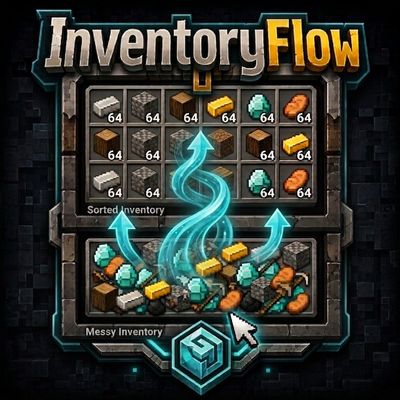
CurseForge · Minecraft mod
InventoryFlow
InventoryFlow improves Minecraft inventory management with fast item transfers, mouse drag actions, scroll-based transfers, stack controls, and one-click inventory sorting.
Choose a version Pick your version below, then grab the matching file.
Quick answer
Which InventoryFlow release should I use?
Latest stable file InventoryFlow-v1.2.2-forge-26.2
Game version 26.2
Loader Forge
InventoryFlow-v1.2.2-forge-26.2 targets 26.2 with Forge. The project page does not say whether this file belongs on the client, dedicated server, or both. No extra mods listed for this file.
Where it goes
Is InventoryFlow required on the client, server, or both?
The project page does not say whether this file belongs on the client, dedicated server, or both.
Client Source doesn’t say
Dedicated server Source doesn’t say
Loader for this release Forge
Required install it here Optional supported, not mandatory Not supported do not install here Source doesn’t say do not assume
The source does not explicitly classify this release as client-only or server-only.
What else does InventoryFlow-v1.2.2-forge-26.2 need?
InventoryFlow-v1.2.2-forge-26.2. Change the file and its required mods may change too.
This file does not list any required mods. Do not add a library just because a different file uses it.
This file does not list any required or optional mods.
Before you install it
Add InventoryFlow without breaking your instance.
Built for InventoryFlow-v1.2.2-forge-26.2. Pick another file and the loader, install side or required mods may change.
- 01
Stick to this file
Use InventoryFlow-v1.2.2-forge-26.2. It targets 26.2 with Forge; another release may have different loader, side or dependency requirements.
- 02
Bring the mods it needs
This file does not list any required mods. Do not add a library just because a different file uses it.
- 03
Put it on the correct side
The project page does not say whether this file belongs on the client, dedicated server, or both.
- 04
Pick the file you checked
Use the “Get this file” button beside InventoryFlow-v1.2.2-forge-26.2. It opens that exact file at the source.
About this project
What does InventoryFlow add?
InventoryFlow
InventoryFlow is a lightweight client-side inventory management mod for Minecraft. It adds fast item movement, mouse wheel transfers, drag controls, hotbar management, and quick inventory sorting while keeping vanilla inventory behavior familiar.
No server-side installation is required.
Features
Inventory Sorting
Sort supported storage inventories with the C button.
Sort the player inventory with the I button.
Supported storage inventories include:
Chests
Barrels
Shulker Boxes
Hoppers
Dispensers
Droppers
Player inventory sorting affects the main inventory only.
The hotbar is kept separate and is never rearranged automatically.
Matching stacks are combined whenever possible before sorting.
Items are then arranged into a clean and consistent order.
Click Controls
Ctrl + Left Click — Moves 1 item from the selected stack to the opposite inventory area.
Ctrl + Shift + Left Click — Moves all matching stacks of the selected item to the opposite inventory area.
Alt + Left Click on an item in a supported storage inventory — Moves the selected stack directly to the hotbar.
Alt + Left Click on an item in the main player inventory — Moves the selected stack directly to the hotbar.
Alt + Left Click on a hotbar item — Moves the selected stack from the hotbar to the main player inventory.
When a supported storage inventory is open, Shift + Left Click on a hotbar item transfers it to the storage inventory.
Normal Left Click, Right Click, and other vanilla inventory interactions keep their normal behavior unless another InventoryFlow feature is active.
Drag Controls
Left Drag with an empty cursor — Picks up items from hovered slots one slot at a time.
Left Drag while carrying an item — Merges the carried item into compatible hovered stacks one slot at a time.
Shift + Left Drag — Quickly transfers hovered stacks to the opposite inventory area.
Shift + Right Drag — Distributes carried items one by one across hovered slots.
Ctrl + Left Drag — Moves 1 item from each hovered stack to the opposite inventory area.
Ctrl + Right Drag — Moves 1 item from each hovered stack to the opposite inventory area.
Right Drag without Shift keeps the normal vanilla behavior.
Mouse Wheel Controls
Mouse Wheel — Transfers items between supported storage inventories and the player inventory.
By default, each scroll step transfers 1 item.
Shift + Mouse Wheel — Transfers a full stack.
Ctrl + Mouse Wheel — Transfers all matching stacks of the hovered item.
Scroll direction can be reversed through the client configuration file.
Configuration
InventoryFlow automatically creates the following client configuration file after the game is launched:
config/inventoryflow-client.toml
To reverse the mouse wheel transfer direction, change:
invertScrollDirection = false
to:
invertScrollDirection = true
Why InventoryFlow?
Reduces repetitive inventory actions.
Makes moving items between inventories faster.
Provides direct hotbar transfers with Alt + Left Click.
Makes it easy to move items between storage inventories, the main inventory, and the hotbar.
Provides quick and simple inventory sorting.
Keeps common vanilla inventory controls familiar.
Bulk transfer actions require deliberate key combinations to help prevent accidental moves.
The hotbar is never automatically sorted, so your active tools, blocks, and frequently used items stay exactly where you placed them.
Runs entirely on the client side.
No server-side installation is required.
Project description from CurseForge.
Pick your setup
InventoryFlow by Minecraft version and loader
Choose the version and loader you play, then open the matching release.
Minecraft version
26.1.2
3 loader buildsMinecraft version
26.1.1
3 loader buildsMinecraft version
26.1
2 loader buildsMinecraft version
1.21.11
3 loader buildsMinecraft version
1.21.10
3 loader buildsMinecraft version
1.21.9
3 loader buildsMinecraft version
1.21.8
3 loader buildsMinecraft version
1.21.7
3 loader buildsMinecraft version
1.21.6
3 loader buildsMinecraft version
1.21.5
3 loader buildsMinecraft version
1.21.4
3 loader buildsShowing the newest 12 of 18 game versions. Older files are in the list below.
Check the dependencies, then try the file in a copied instance before changing a world you care about.
Recent files
InventoryFlow versions and loaders
InventoryFlow-v1.2.2-forge-26.2
InventoryFlow-v1.2.2-forge-26.2.jar
25 Aug 2026
Client Source doesn’t say Server Source doesn’t say Dependencies No extras listed Listed on Release listing
Check the 26.2 · Forge setup Forge26.2 release
InventoryFlow-v1.2.2-neoforge-26.2
InventoryFlow-v1.2.2-neoforge-26.2.jar
25 Aug 2026
Client Source doesn’t say Server Source doesn’t say Dependencies No extras listed Listed on Release listing
Check the 26.2 · NeoForge setup NeoForge26.2 release
InventoryFlow-v1.2.2-fabric-26.2
InventoryFlow-v1.2.2-fabric-26.2.jar
25 Aug 2026
Client Source doesn’t say Server Source doesn’t say Dependencies No extras listed Listed on Release listing
Check the 26.2 · Fabric setup Fabric26.2 release
InventoryFlow-v1.2.2-forge-26.1.2
InventoryFlow-v1.2.2-forge-26.1.2.jar
25 Aug 2026
Client Source doesn’t say Server Source doesn’t say Dependencies No extras listed Listed on Release listing
Check the 26.1.2 · Forge setup Forge26.1.2 release
InventoryFlow-v1.2.2-neoforge-26.1.2
InventoryFlow-v1.2.2-neoforge-26.1.2.jar
25 Aug 2026
Client Source doesn’t say Server Source doesn’t say Dependencies No extras listed Listed on Release listing
Check the 26.1.2 · NeoForge setup NeoForge26.1.2 release
InventoryFlow-v1.2.2-fabric-26.1.2
InventoryFlow-v1.2.2-fabric-26.1.2.jar
25 Aug 2026
Client Source doesn’t say Server Source doesn’t say Dependencies No extras listed Listed on Release listing
Check the 26.1.2 · Fabric setup Fabric26.1.2 release
InventoryFlow-v1.2.2-forge-26.1.1
InventoryFlow-v1.2.2-forge-26.1.1.jar
25 Aug 2026
Client Source doesn’t say Server Source doesn’t say Dependencies No extras listed Listed on Release listing
Check the 26.1.1 · Forge setup Forge26.1.1 release
InventoryFlow-v1.2.2-neoforge-26.1.1
InventoryFlow-v1.2.2-neoforge-26.1.1.jar
25 Aug 2026
Client Source doesn’t say Server Source doesn’t say Dependencies No extras listed Listed on Release listing
Check the 26.1.1 · NeoForge setup NeoForge26.1.1 release
InventoryFlow-v1.2.2-fabric-26.1.1
InventoryFlow-v1.2.2-fabric-26.1.1.jar
25 Aug 2026
Client Source doesn’t say Server Source doesn’t say Dependencies No extras listed Listed on Release listing
Check the 26.1.1 · Fabric setup Fabric26.1.1 release
InventoryFlow-v1.2.2-neoforge-26.1
InventoryFlow-v1.2.2-neoforge-26.1.jar
25 Aug 2026
Client Source doesn’t say Server Source doesn’t say Dependencies No extras listed Listed on Release listing
Check the 26.1 · NeoForge setup NeoForge26.1 release
InventoryFlow-v1.2.2-fabric-26.1
InventoryFlow-v1.2.2-fabric-26.1.jar
25 Aug 2026
Client Source doesn’t say Server Source doesn’t say Dependencies No extras listed Listed on Release listing
Check the 26.1 · Fabric setup Fabric26.1 release
InventoryFlow-v1.2.2-forge-1.21.11
InventoryFlow-v1.2.2-forge-1.21.11.jar
25 Aug 2026
Client Source doesn’t say Server Source doesn’t say Dependencies No extras listed Listed on Release listing
Check the 1.21.11 · Forge setup Forge1.21.11 release
Looking for an older file? The official CurseForge project page is in Resources.
 mod
mod CurseForge + Modrinth · Minecraft
JourneyMap Web Map
Web Map for JourneyMap
 mod
mod CurseForge + Modrinth · Minecraft
ModernTabs
A standalone, cross-platform library that makes creative mode tabs more customizable
 mod
mod CurseForge + Modrinth · Minecraft
WaypointsPlus
Create and manage waypoints on any multiplayer server with a clean in-game GUI.