
Minecraft version
Back to mods 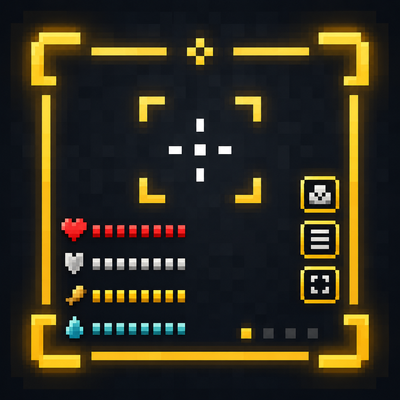
CurseForge · Minecraft mod
Utility Core HUD
A lightweight, fully customizable on-screen HUD system for Minecraft — drag, resize, and toggle status indicators (starting with armor durability) without touching a config file.
Choose a version Pick your version below, then grab the matching file.
Quick answer
Which Utility Core HUD release matches 26.2 NeoForge?
Best match for your filters Utility Core HUD (1.1.0)
Game version 26.2
Loader NeoForge
Utility Core HUD (1.1.0) targets 26.2 with NeoForge. The project page does not say whether this file belongs on the client, dedicated server, or both. No extra mods listed for this file.
Where it goes
Is Utility Core HUD required on the client, server, or both?
The project page does not say whether this file belongs on the client, dedicated server, or both.
Client Source doesn’t say
Dedicated server Source doesn’t say
Loader for this release NeoForge
Required install it here Optional supported, not mandatory Not supported do not install here Source doesn’t say do not assume
The source does not explicitly classify this release as client-only or server-only.
What else does Utility Core HUD (1.1.0) need?
Utility Core HUD (1.1.0) on 26.2 NeoForge. Every mod below is checked against that same setup.
This file does not list any required mods. Do not add a library just because a different file uses it.
This file does not list any required or optional mods.
Before you install it
Add Utility Core HUD without breaking your instance.
Built for Utility Core HUD (1.1.0) on 26.2 NeoForge. Pick another file and the loader, install side or required mods may change.
- 01
Stick to this file
Use Utility Core HUD (1.1.0). It targets 26.2 with NeoForge; another release may have different loader, side or dependency requirements.
- 02
Bring the mods it needs
This file does not list any required mods. Do not add a library just because a different file uses it.
- 03
Put it on the correct side
The project page does not say whether this file belongs on the client, dedicated server, or both.
- 04
Pick the file you checked
Use the “Get this file” button beside Utility Core HUD (1.1.0). It opens that exact file at the source.
About this project
What does Utility Core HUD add?
🎯 Utility Core HUD
A lightweight, fully customizable on-screen HUD system for Minecraft.


✨ Overview
Utility Core HUD adds a lightweight, fully customizable on-screen display system for Minecraft — a foundation for HUD elements you can toggle, drag, and resize without ever opening a config file. Every element is positioned interactively in-game and saved instantly.
What it covers today:
- Armor durability status — always-visible icons showing the condition of your equipped armor
- In-game guide book — a Vellumli-powered book explaining every feature, with a direct button to open the HUD menu
- Interactive positioning — drag, resize and reorient any HUD element with the mouse, no config editing required
🧩 Features
🛡️ Armor Durability Status
Shows an icon for each equipped armor piece, styled exactly like its inventory slot icon, including the damage overlay. Icons always sit flush against each other — if a piece is removed or fully repaired, the remaining icons close the gap instead of leaving an empty slot.
📖 In-Game Guide Book
A Vellumli-powered guide book explains every HUD element and setting. The book's first page includes a button that opens the HUD configuration menu directly, no need to dig through menus.
🎯 Interactive Positioning
- Drag any HUD element anywhere on screen with the mouse
- Scroll the mouse wheel to switch between vertical and horizontal layout
- Use the on-screen
+/−buttons to resize it - A gold border marks the editable area while positioning is active
- Press
Enterto confirm and save, returning to the HUD menu
👁️ Show / Hide Control
Toggle each HUD element on or off at any time from the configuration menu, independent of the positioning tool.
⚙️ Fully Configurable
No config file editing needed — every HUD element is enabled, positioned, oriented and resized directly in-game through the interactive editor, and saved automatically to config/utility_core_hud/.
📋 Requirements
| Minecraft |26.2 | | NeoForge |26.2.0.57 |
Side: Client only.
Required dependency:
- Vellumli (in-game guide book)
🎮 How to Use
- Open the in-game guide book (Vellumli).
- Press the menu button on the book's first page.
- Choose Show or Never show for each HUD element.
- Press Edit position to enter interactive placement mode.
- Drag to move, scroll to switch orientation, use
+/−to resize. - Press
Enterto save and return to the menu, then Save / Close.
🙏 Credits
Developed by Stalking Dragons.

https://codex.skdragons.com/
Codex Stalking Dragons — Minecraft Modding
Project description from CurseForge.
Pick your setup
Utility Core HUD by Minecraft version and loader
Choose the version and loader you play, then open the matching release.
Check the dependencies, then try the file in a copied instance before changing a world you care about.
Recent files
Utility Core HUD versions and loaders
Utility Core HUD (1.1.0)
utility_core_hud-26.2-neoforge-26.2.0.57-1.1.0.jar
22 Sept 2026
Client Source doesn’t say Server Source doesn’t say Dependencies No extras listed Listed on Release listing
Check the 26.2 · NeoForge setup NeoForge26.2 release
Utility Core HUD (1.0.1)
utility_core_hud-26.2-neoforge-26.2.0.57-1.0.1.jar
25 Aug 2026
Client Source doesn’t say Server Source doesn’t say Dependencies No extras listed Listed on Release listing
Check the 26.2 · NeoForge setup NeoForge26.2 release
Utility Core HUD (1.0.0)
utility_core_hud-26.2-neoforge-26.2.0.57-1.0.0.jar
24 Aug 2026
Client Source doesn’t say Server Source doesn’t say Dependencies No extras listed Listed on Release listing
Check the 26.2 · NeoForge setup NeoForge26.2 release
Utility Core HUD (0.0.0-beta.2)
utility_core_hud-26.2-neoforge-26.2.0.57-0.0.0-beta.2.jar
22 Aug 2026
Client Source doesn’t say Server Source doesn’t say Dependencies No extras listed Listed on Release listing
Check the 26.2 · NeoForge setup NeoForge26.2 release
Utility Core HUD (0.0.0-beta.1)
utility_core_hud-26.2-neoforge-26.2.0.57-0.0.0-beta.1.jar
22 Aug 2026
Client Source doesn’t say Server Source doesn’t say Dependencies No extras listed Listed on Release listing
Check the 26.2 · NeoForge setup NeoForge26.2 release
Looking for an older file? The official CurseForge project page is in Resources.
 mod
CurseForge · Minecraft
Chain Crafter
A JEI addon that auto-crafts the full chain of missing sub-ingredients for a recipe, using only what's already in your inventory.
 mod
CurseForge · Minecraft
XP: RPG Damage Indicator
Real-time damage numbers with 5+ animated styles, fully customizable via resource packs
 mod
CurseForge · Minecraft
Villager Trading Overhaul
A fully client-side mod that enhances vanilla villager trading screen with mod supports