
Minecraft version
Back to mods 
CurseForge · Minecraft mod
Death with Wings
Military drones and warfare
Choose a version Pick your version below, then grab the matching file.
Quick answer
Which Death with Wings release should I use?
Latest stable file death-with-wings-21.1.0-MC1.21.1-NeoForge21.1.248.jar
Game version 1.21.1
Loader NeoForge
Death with Wings death-with-wings-21.1.0-MC1.21.1-NeoForge21.1.248.jar targets 1.21.1 with NeoForge. The project page does not say whether this file belongs on the client, dedicated server, or both. No extra mods listed for this file.
Where it goes
Is Death with Wings required on the client, server, or both?
The project page does not say whether this file belongs on the client, dedicated server, or both.
Client Source doesn’t say
Dedicated server Source doesn’t say
Loader for this release NeoForge
Required install it here Optional supported, not mandatory Not supported do not install here Source doesn’t say do not assume
The source does not explicitly classify this release as client-only or server-only.
What else does Death with Wings death-with-wings-21.1.0-MC1.21.1-NeoForge21.1.248.jar need?
death-with-wings-21.1.0-MC1.21.1-NeoForge21.1.248.jar. Change the file and its required mods may change too.
This file does not list any required mods. Do not add a library just because a different file uses it.
This file does not list any required or optional mods.
Before you install it
Add Death with Wings without breaking your instance.
Built for Death with Wings death-with-wings-21.1.0-MC1.21.1-NeoForge21.1.248.jar. Pick another file and the loader, install side or required mods may change.
- 01
Stick to this file
Use death-with-wings-21.1.0-MC1.21.1-NeoForge21.1.248.jar. It targets 1.21.1 with NeoForge; another release may have different loader, side or dependency requirements.
- 02
Bring the mods it needs
This file does not list any required mods. Do not add a library just because a different file uses it.
- 03
Put it on the correct side
The project page does not say whether this file belongs on the client, dedicated server, or both.
- 04
Pick the file you checked
Use the “Get this file” button beside death-with-wings-21.1.0-MC1.21.1-NeoForge21.1.248.jar. It opens that exact file at the source.
About this project
What does Death with Wings add?
This is an AI-generated mod, and it was created entirely by AI.
This mod adds some military drones, an isometric map, and some war-themed elements.
Remote-Control Helmets
The remote-control helmet is the most basic item in the mod. It comes in a standalone version and integrated helmet versions. The integrated versions have seven variants, corresponding to the seven vanilla helmet types. You can craft a matching remote-control helmet variant by combining the standalone remote-control helmet with any vanilla helmet, including the Turtle Shell.
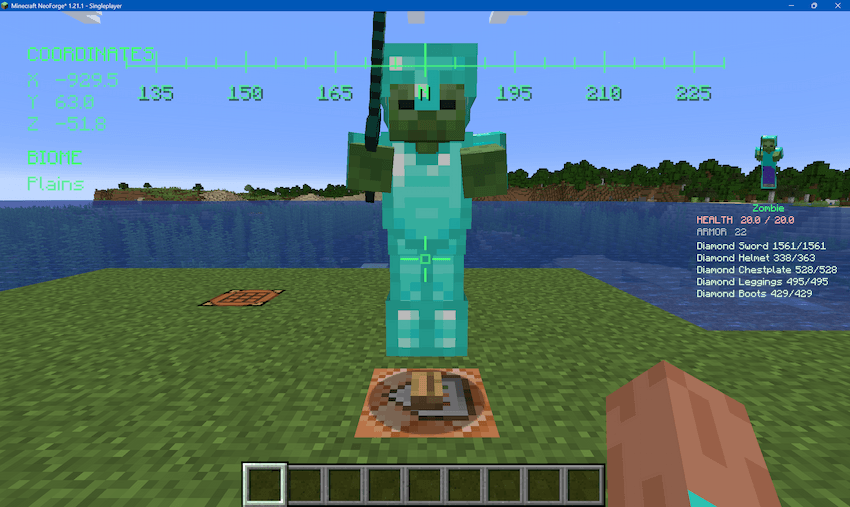
When worn, a remote-control helmet displays the player's coordinates and current biome on the heads-up display. It can also scan living entities in the player's line of sight and show their combat information, including equipment type, equipment durability, enchantments, and active status effects.
"Vampire" Drone
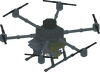
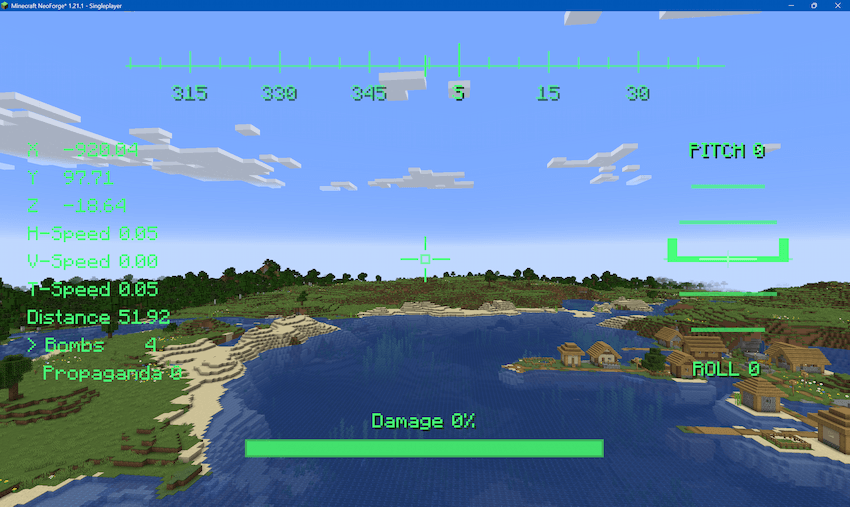
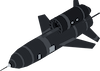
The "Vampire" drone is a heavy bomber drone. While wearing any remote-control helmet, right-click a "Vampire" drone to enter control mode. Press Space to ascend, Shift to descend, and W/S/A/D to move forward, backward, left, and right. Use the mouse to control the camera direction. After landing, press O to exit control mode.
Left-click to drop bombs. A "Vampire" drone can carry up to four bombs. Right-click the drone while holding bombs to reload it. If the drone is damaged, use a Drone Repair Kit to repair it. After removing the remote-control helmet, right-click the drone with an empty hand to recover it.
FPV Drone
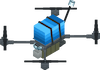
The FPV drone is a very fast drone with a battery system. While wearing a remote-control helmet, hold the FPV drone item and right-click to launch it. Use the mouse to control its flight direction. Its base speed is 1. Hold W to accelerate to 1.5, which doubles battery consumption. The drone explodes if it hits an object or runs out of battery.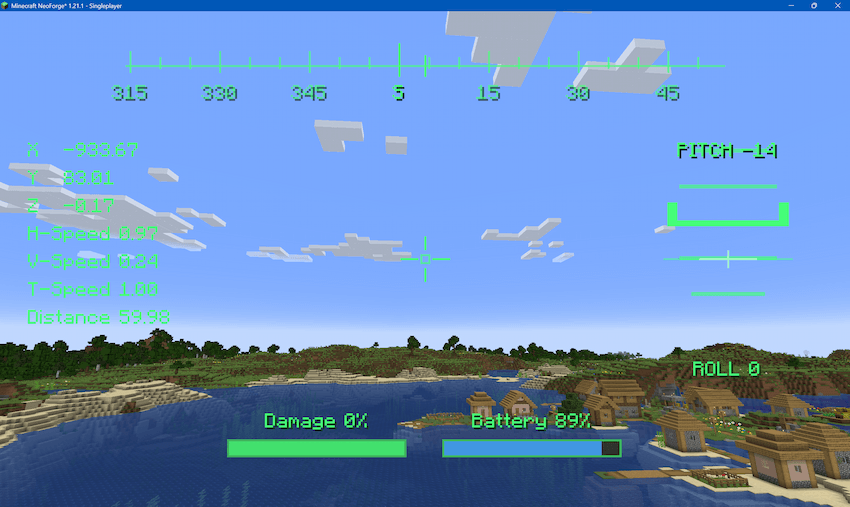
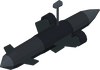
"TOLOKA" Uncrewed Underwater Vehicle
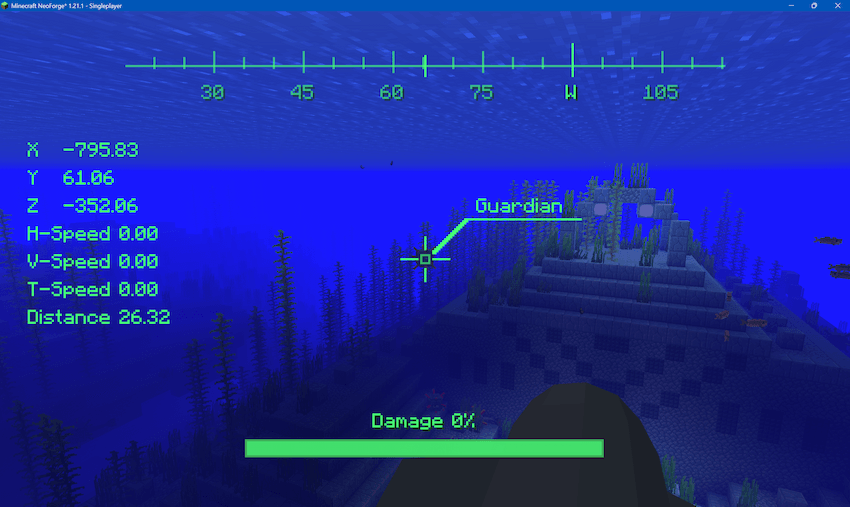
The "TOLOKA" uncrewed underwater vehicle is an underwater drone. It can only be deployed on the surface of, or inside, a still water source block. Right-click it to enter control mode. Press Shift to dive, Space to surface, W/S to move forward and backward, and A/D to change heading. Rotate the mouse to look around. Hold the left mouse button to self-destruct, producing a powerful explosion.
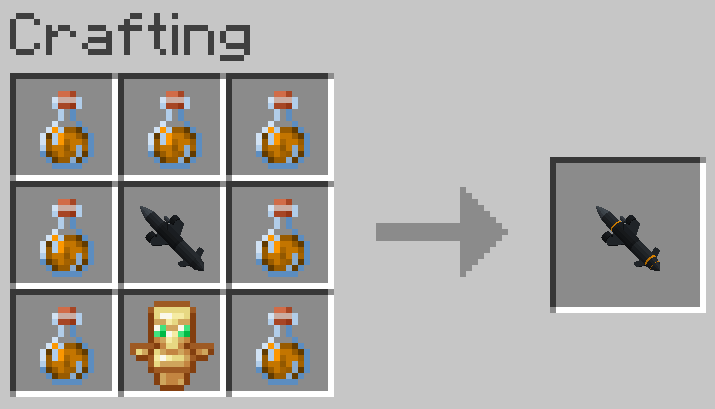
It has a variant called the "TOLOKA" Lava Submersible, which can operate in both water and lava. Its controls are the same. The lava version is crafted from seven Fire Resistance Potions, one Totem of Undying, and one regular "TOLOKA" uncrewed underwater vehicle.

MiG-29
The MiG-29 is a fighter aircraft capable of firing guided missiles. Right-click it to enter flight mode. Press U to start or stop the engine, Space to fire a missile, and W to accelerate. After reaching sufficient speed, press Numpad 5 to raise the nose and take off. Numpad 5 and Numpad 8 control pitch, while Numpad 4 and Numpad 6 control roll. A and D control yaw. Hold S to slow down for landing. Press G to raise or lower the landing gear.
The landing gear must be lowered before landing. Otherwise, the aircraft becomes damaged and disabled. You must stop the engine with U before leaving the aircraft. If the aircraft lands at an unsafe angle or collides with blocks while moving, it will crash and explode. Right-click the aircraft while holding an aircraft missile to reload it.
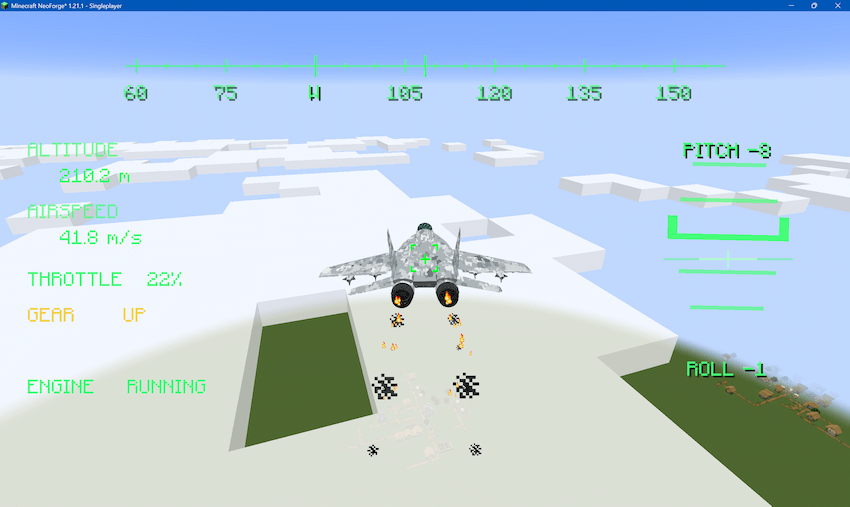
Invaders
Invaders are new hostile mobs that are always hostile. They have 20 health points and 5 armor points, and always spawn with an AK-47. Invaders only begin spawning in the world after the player obtains any remote-control helmet.
They can spawn in most plains and forest biomes. In Sunflower Plains biomes, they spawn at twice the normal number. Killing an invader does not drop any items, but grants one point.
Freedom Fighters
Each "Vampire" drone can carry 10 propaganda materials. Propaganda materials can be dropped from the drone. Press Tab to switch the drone's payload type.
Dropping propaganda materials near an invader has a chance to convert it into a freedom fighter. If another invader is nearby, the conversion chance is halved. If two or more invaders are nearby, conversion will never occur.
Freedom fighters have the same base attributes as invaders. Newly created freedom fighters follow the player by default. Use the Intercom to issue commands to freedom fighters. There are four commands: Follow, Guard, March, and Assembly March. Press Tab to switch command types.
In Follow command mode, right-click a freedom fighter to make it follow the player. In Guard command mode, right-click a freedom fighter to make it stand guard in place and stop following the player. In March command mode, first right-click a freedom fighter to select it, then right-click the surface of any full block to order it to move to the selected location. In Assembly March command mode, no individual selection is required; right-click the surface of any full block to order all nearby freedom fighters to move to that location.
Freedom fighters actively attack invaders and other mobs hostile to the player. They also have a hunger system. Right-click a freedom fighter while holding food to restore its hunger. If its hunger is high enough, it will automatically regenerate health.
Right-click a freedom fighter while holding armor to equip it. Right-click an armored freedom fighter with an empty hand to retrieve its armor.
For every 10 hostile mobs killed, a freedom fighter gains one level, up to level III. Leveling grants permanent attribute bonuses:
Level I: 1.25x damage, Speed I, Health Boost I, Resistance I.
Level II: 1.5x damage, Speed I, Health Boost II, Resistance II, Regeneration I.
Level III: 2x damage, Speed II, Health Boost III, Resistance III, Regeneration II, Fire Resistance, Water Breathing, and Slow Falling.
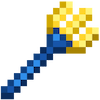
Tryzub
Tryzub is a special trident. Both melee attacks and thrown attacks ignore armor and deal 10 damage to living entities. Normal attacks do not consume durability. Tryzub has an effect equivalent to the Loyalty enchantment and cannot be enchanted.
Tryzub can protect the player from fatal damage 5 times, including damage from the /kill command and the void. When triggered, the player gains Fire Resistance for 60 seconds, Regeneration III for 60 seconds, Absorption V for 60 seconds, Resistance V for 30 seconds, and Speed II for 30 seconds.
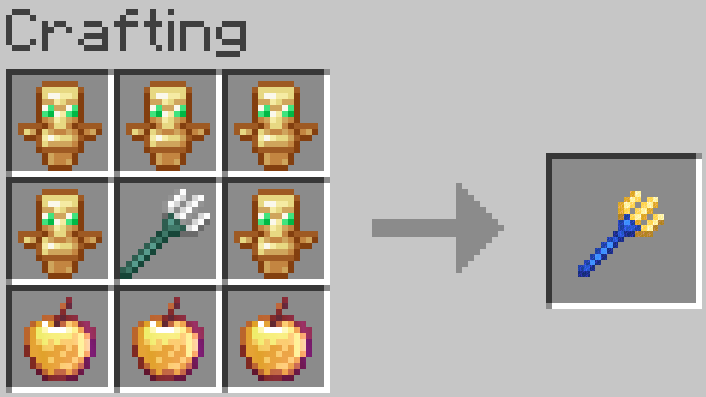
Tryzub is crafted from 5 Totems of Undying, 3 Enchanted Golden Apples, and a trident at full durability. The trident must be completely unused; damaged tridents cannot be used in the recipe.
AK-47
The AK-47 is a special weapon and cannot be crafted. Press Tab to switch between semi-auto and full-auto firing modes. Press R to reload bullets. When invaders run out of ammunition, they throw away their guns and flee. This is the only way to obtain an AK-47 in Survival Mode.
Applications
Press M to open the Applications menu. In the Army menu, you can spend points earned from kills, or money, to buy most items in the mod.
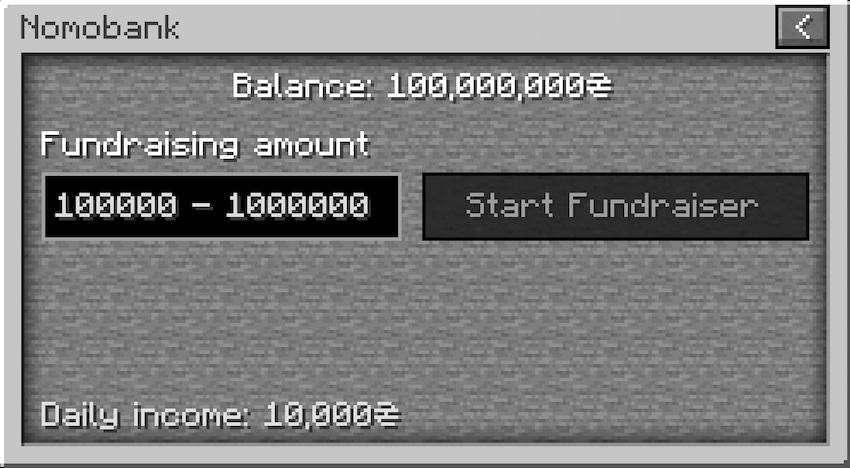
In Nomobank, you can start a fundraiser to obtain money. Fundraising time increases exponentially with the amount requested. If you no longer want to wait after starting a fundraiser, you can choose Cancel at the bottom of the screen. No matter how the fundraiser ends, there is a mandatory cooldown of 3 in-game days. In addition, the player receives a daily income of 10000₴.
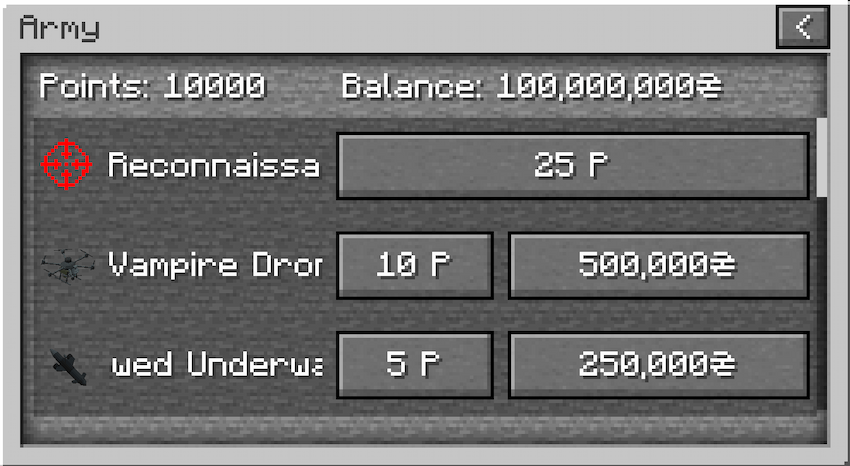
Isometric Map and Remote Strikes
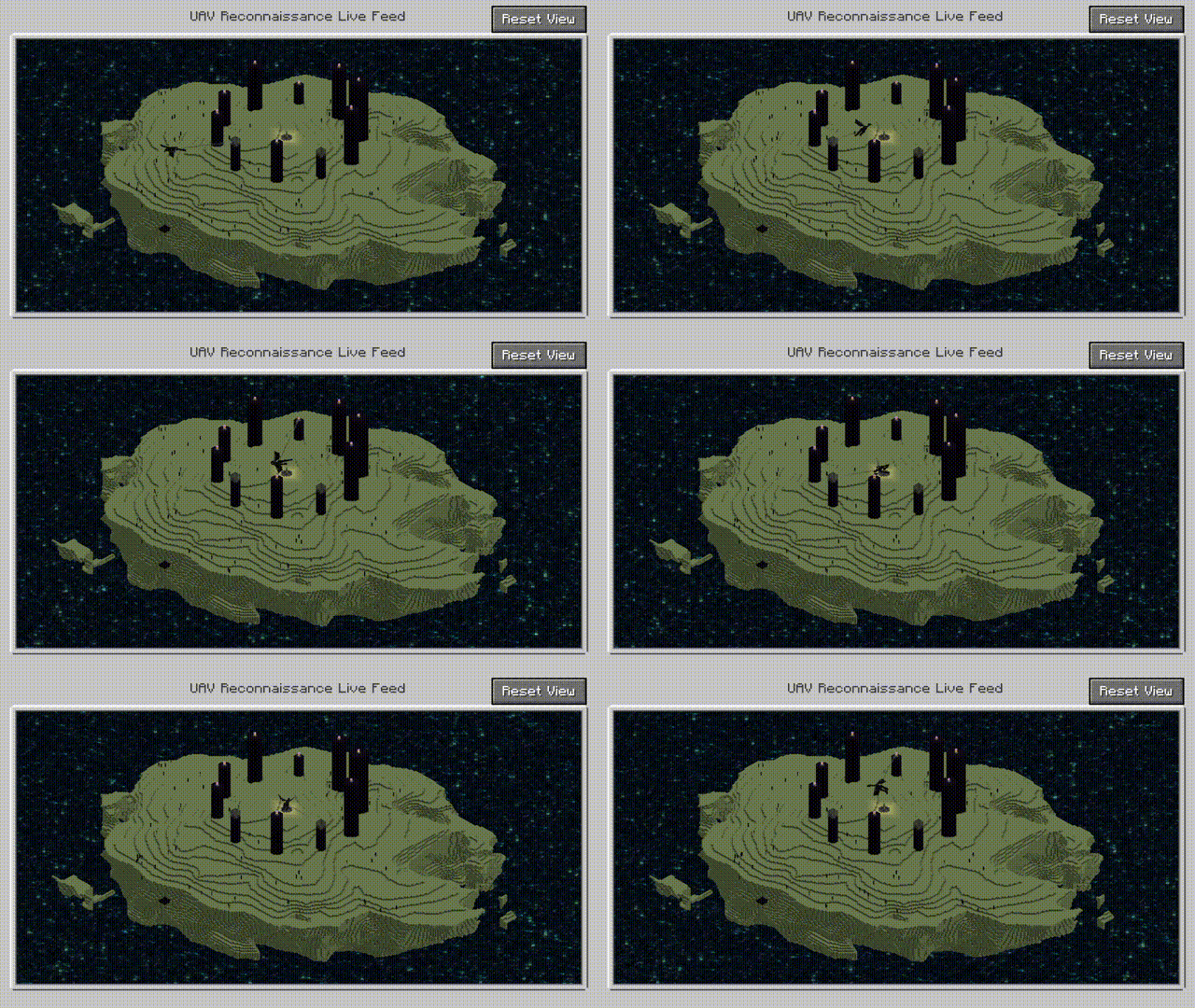
After activating Reconnaissance and Remote Strikes in the Army menu, a minimap appears in the upper-left corner. Press Z to zoom. Press I to open the large map. On the large map screen, hold the middle mouse button and drag to rotate the map.
After selecting a block on the large map, right-click to spend points and choose an operation: artillery strike, missile strike, or MLRS strike.
Note: the map updates in real time at about 20 FPS and is demanding on system performance. This can be changed in Video Settings. You can select a low frame-rate mode, about 5 FPS, or disable the map entirely. Remote strike functionality is also disabled when the map is disabled, because a computer that cannot handle the map is unlikely to handle the large explosions.
To prevent large numbers of item drops from hurting performance after explosions, Video Settings also include an option that makes blocks destroyed by the three map strike types never drop items.
Right-clicking on the large map can also call in a MiG-29 aircraft. This is the only way to obtain a MiG-29 in Survival Mode.
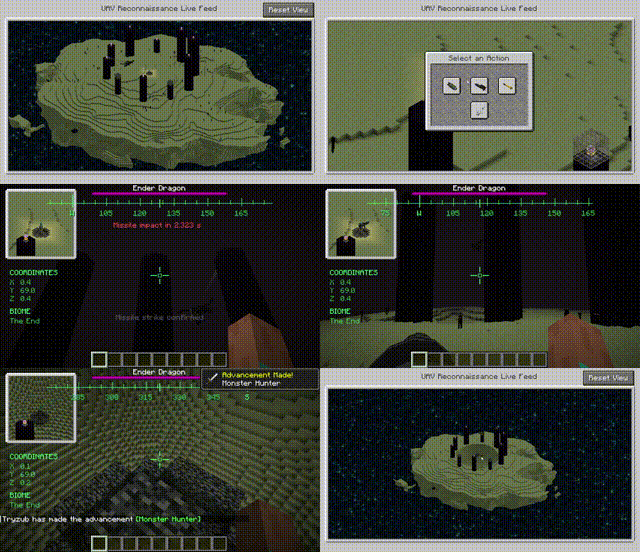
Advancement System
The mod adds 12 new advancements.
New Game Rules
invincibleDrone: false by default. When set to true, drones are invincible.
infiniteBombs: false by default. When set to true, "Vampire" drones can drop bombs without consuming loaded bombs.
infinitePower: false by default. When set to true, FPV drones can fly indefinitely.
fasterFPV: false by default. When set to true, the FPV drone's maximum speed increases to 3. This requires infinitePower to be true.
infiniteMissiles: false by default. When set to true, the MiG-29 can fire missiles indefinitely.
New Commands
/addpoint <targets> <count>: Adds the specified number of points to the specified players.
/addmoney <targets> <count>: Adds the specified amount of money to the specified players.
If you need to report an issue, please visit the GitHub repository for this project.
Project description from CurseForge.
Pick your setup
Death with Wings by Minecraft version and loader
Choose the version and loader you play, then open the matching release.
Minecraft version
1.20.1
1 loader buildCheck the dependencies, then try the file in a copied instance before changing a world you care about.
Recent files
Death with Wings versions and loaders
death-with-wings-21.1.0-MC1.21.1-NeoForge21.1.248.jar
21 Aug 2026
Client Source doesn’t say Server Source doesn’t say Dependencies No extras listed Listed on Release listing
Check the 1.21.1 · NeoForge setup 1.21.1NeoForge release
death-with-wings-21.1.0-MC1.21.1-Forge52.1.0.jar
21 Aug 2026
Client Source doesn’t say Server Source doesn’t say Dependencies No extras listed Listed on Release listing
Check the 1.21.1 · Forge setup Forge1.21.1 release
death-with-wings-20.1.0-MC1.20.1-Forge47.4.23.jar
21 Aug 2026
Client Source doesn’t say Server Source doesn’t say Dependencies No extras listed Listed on Release listing
Check the 1.20.1 · Forge setup 1.20.1Forge release
Looking for an older file? The official CurseForge project page is in Resources.
 mod
mod CurseForge + Modrinth · Minecraft
Endernium
A successor to Netherite, with special abilities!
 mod
mod CurseForge · Minecraft
Aetherwinds Enchant Patches
A small server-side compatibility patch for [Enhanced Enchanting]
 mod
mod CurseForge · Minecraft
[TaCZ] Juggernaut Armoury
Ever wanted to tank bullets like they're nothing? Then this mod is for you! This is, by far, the most integrated armor mod for TaCZ.