Create Needed by Create: Copycat Replace! 0.3.0 (neoforge 1.21.1)
requiredMatching file found Matched file: Create 6.0.10 for mc1.21.1
CurseForge · Minecraft mod
Replace a Copycat's material in a single click - Supports Copycats+
Quick answer
Create: Copycat Replace! 0.3.0 (neoforge 1.21.1) targets 1.21.1 with NeoForge. The project page does not say whether this file belongs on the client, dedicated server, or both. All 1 required mods have matching files.
Where it goes
The project page does not say whether this file belongs on the client, dedicated server, or both.
The source does not explicitly classify this release as client-only or server-only.
Create: Copycat Replace! 0.3.0 (neoforge 1.21.1). Change the file and its required mods may change too.
Install Create first. We found matching files for this game-version and loader setup. 3 come through another mod in the chain.
3 extra mods were pulled in by other dependencies. Indented rows show who needs each one. We only count dependency files that match this setup. A file for another loader does not fill the gap.
Before you install it
Built for Create: Copycat Replace! 0.3.0 (neoforge 1.21.1). Pick another file and the loader, install side or required mods may change.
Use Create: Copycat Replace! 0.3.0 (neoforge 1.21.1). It targets 1.21.1 with NeoForge; another release may have different loader, side or dependency requirements.
Install Create first. We found matching files for this game-version and loader setup. 3 come through another mod in the chain.
The project page does not say whether this file belongs on the client, dedicated server, or both.
Use the “Get this file” button beside Create: Copycat Replace! 0.3.0 (neoforge 1.21.1). It opens that exact file at the source.
About this project
A quality-of-life addon for Create

Replacing a Copycat's material usually means removing it first. Create: Copycat Replace! lets you swap the material directly with a Create Wrench and a block in your hands.
It works with Create's Copycats and supports compatible shapes from Create: Copycats+, including multi-part blocks. It adds no new blocks or items.

Change a Copycat's material in one click. Hold a Create Wrench and the material you want, then right-click the Copycat.
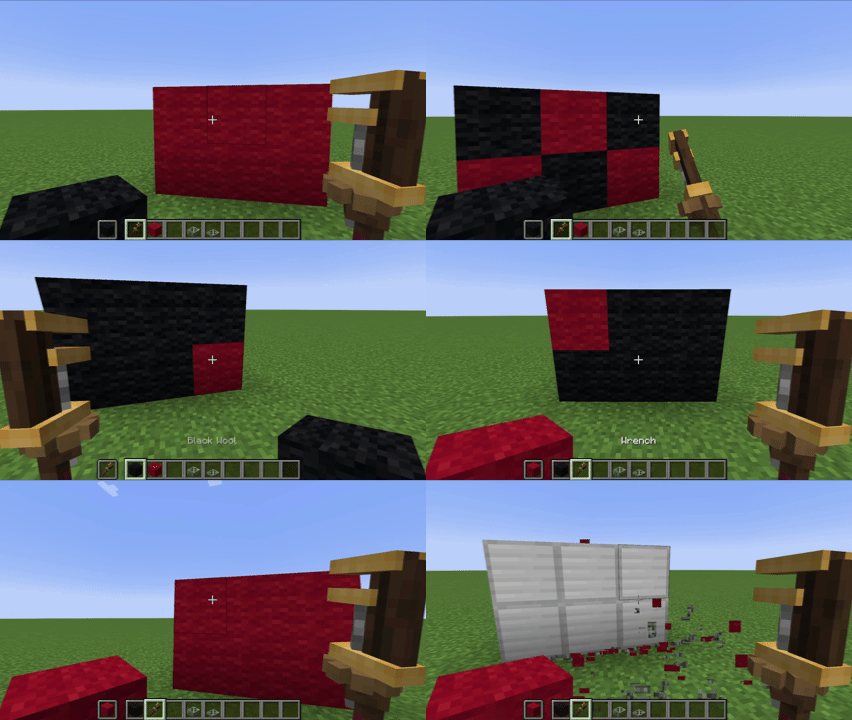
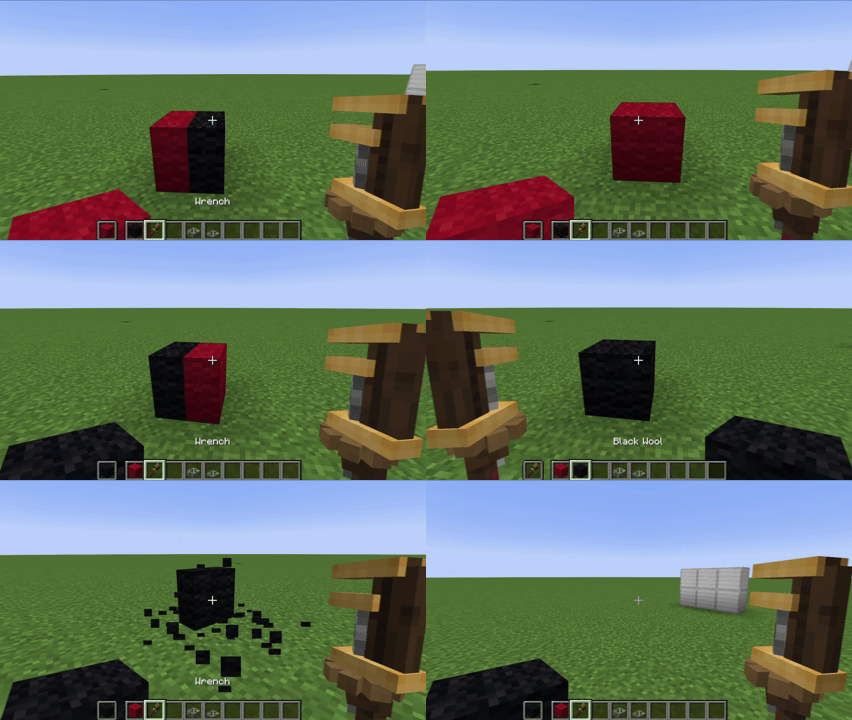
Update a group of face-connected Copycats together. Hold the connected-action key while right-clicking a Copycat to preview and perform a bulk action.
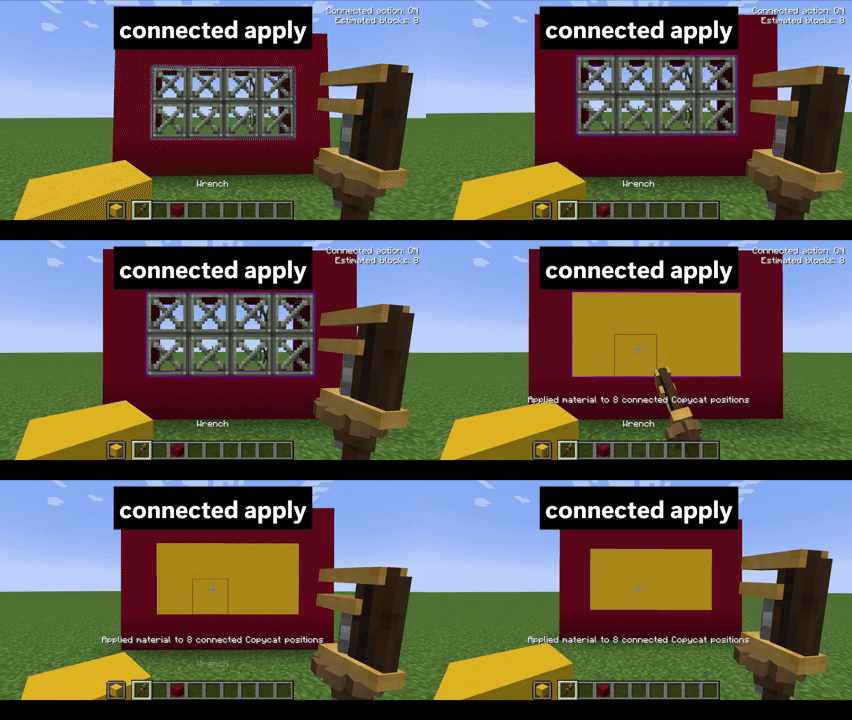
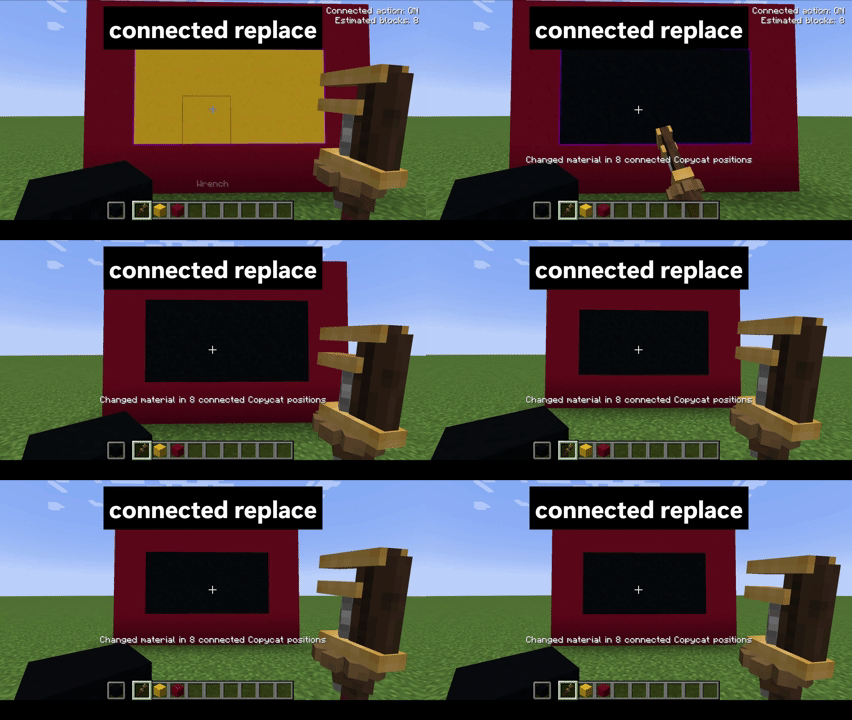
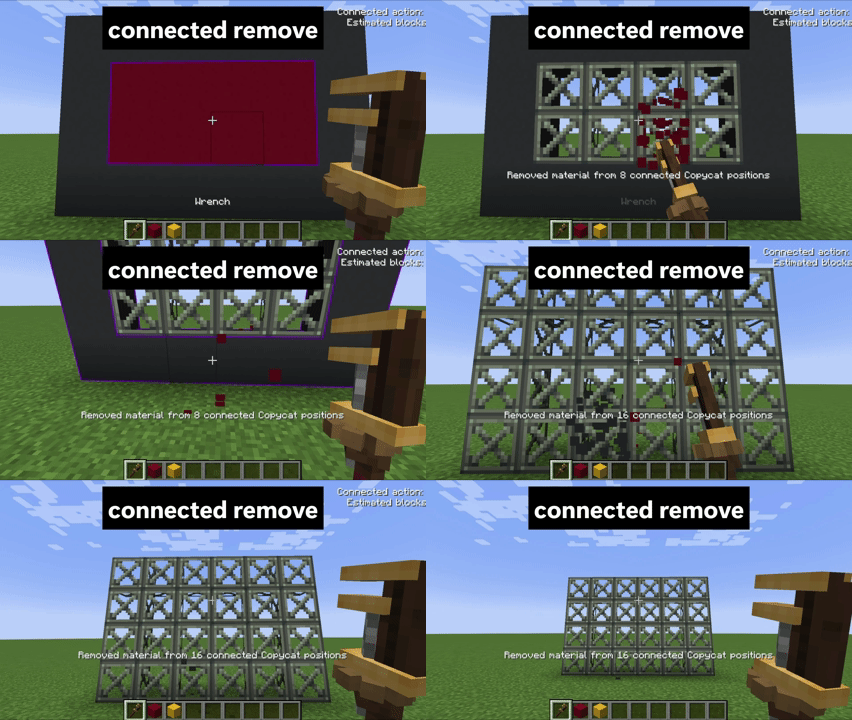
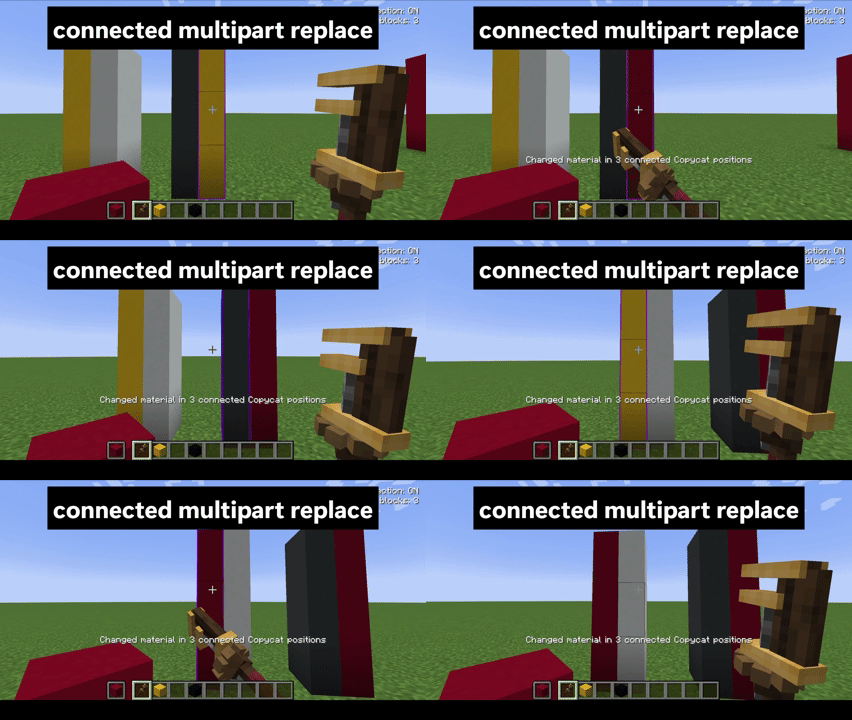
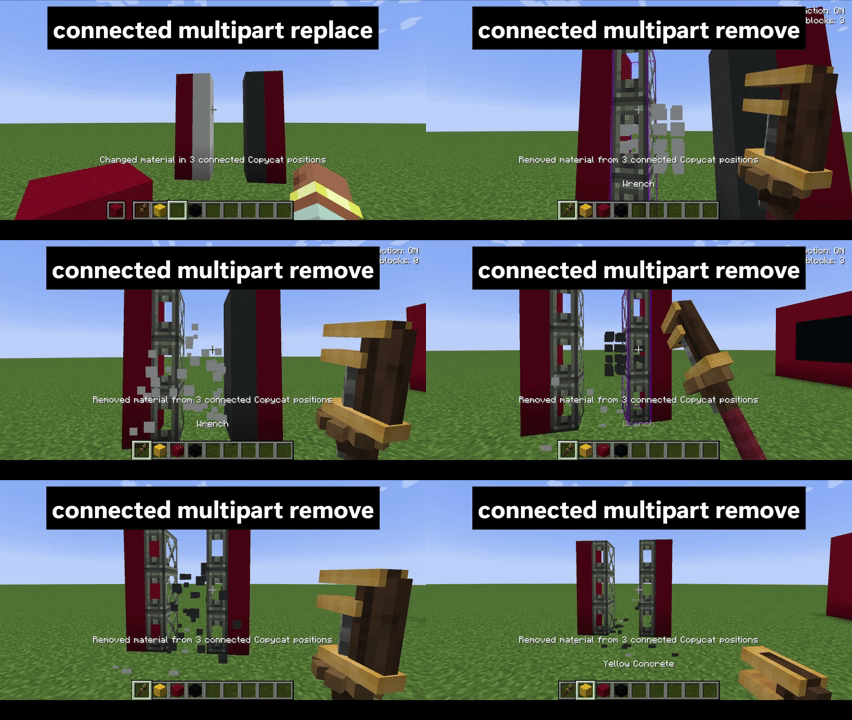

Heads up: Hold Sneak to pass the click through to Create's normal Wrench interaction. The connected action only includes face-connected blocks of the same Copycat type.

| Option | Default | What it does |
|---|---|---|
max_connected_blocks |
64 | Maximum number of connected Copycat blocks affected by one bulk action. Set it from 1 to 256 in config/copycat_replace-common.toml. |


Open a GitHub issue and include your Minecraft, loader, Create, and Copycat Replace versions, plus the steps to reproduce the problem. (The title image currently spells “FOUND” incorrectly.)

Yes. Create: Copycat Replace! is available under the MIT License.
For development notes, see the technical documentation. See the changelog for release history.
Project description from CurseForge.
Pick your setup
Choose the version and loader you play, then open the matching release.
Check the dependencies, then try the file in a copied instance before changing a world you care about.
Recent files
copycat_replace-neoforge-1.21.1-0.3.0.jar
3 Nov 2026
copycat_replace-forge-1.20.1-0.3.0.jar
3 Nov 2026
21 Oct 2026
29 Sept 2026
23 Aug 2026
21 Aug 2026
Looking for an older file? The official CurseForge project page is in Resources.
 mod
A lightweight Tinkers' Construct addon featuring tools, new materials, and exclusive projectile traits.
 mod
Makes Confluence prefixes configurable: editable prefix pools, compatible attributes, item eligibility, prefix selection, and rarity/crit behavior.
 mod
Replaces the vanilla hearts with an RPG-style health bar with an optional mana bar for Iron's Spells 'n Spellbooks.