Minecraft version
Back to mods 
CurseForge · Minecraft mod
Look Info
A compact in-world info panel for blocks and entities, with visual machine progress and per-target controls.
Choose a version Pick your version below, then grab the matching file.
Quick answer
Which Look Info release should I use?
Latest stable file lookinfo 1.0.0.jar
Game version 1.20.1
Loader NeoForge
Look Info lookinfo 1.0.0.jar targets 1.20.1 with NeoForge. The project page does not say whether this file belongs on the client, dedicated server, or both. No extra mods listed for this file.
Where it goes
Is Look Info required on the client, server, or both?
The project page does not say whether this file belongs on the client, dedicated server, or both.
Client Source doesn’t say
Dedicated server Source doesn’t say
Loader for this release NeoForge
Required install it here Optional supported, not mandatory Not supported do not install here Source doesn’t say do not assume
The source does not explicitly classify this release as client-only or server-only.
What else does Look Info lookinfo 1.0.0.jar need?
lookinfo 1.0.0.jar. Change the file and its required mods may change too.
This file does not list any required mods. Do not add a library just because a different file uses it.
This file does not list any required or optional mods.
Before you install it
Add Look Info without breaking your instance.
Built for Look Info lookinfo 1.0.0.jar. Pick another file and the loader, install side or required mods may change.
- 01
Stick to this file
Use lookinfo 1.0.0.jar. It targets 1.20.1 with NeoForge; another release may have different loader, side or dependency requirements.
- 02
Bring the mods it needs
This file does not list any required mods. Do not add a library just because a different file uses it.
- 03
Put it on the correct side
The project page does not say whether this file belongs on the client, dedicated server, or both.
- 04
Pick the file you checked
Use the “Get this file” button beside lookinfo 1.0.0.jar. It opens that exact file at the source.
About this project
What does Look Info add?
Look Info
Look Info shows a compact, semi-transparent information panel when you look at a block or entity. It is designed to make useful details easy to understand at a glance, using item icons and visual indicators instead of filling the screen with text.


Features
- See the name and icon of the block or entity you are looking at.
- View entity health using Minecraft-style hearts.
- Preview furnace inputs and outputs with a visual progress arrow.
- See brewing stand ingredients, bottles, and brewing progress.
- Preview supported inventories and campfires.
- See bee and honey information for beehives and bee nests.
- Empty machines collapse to a simple name-and-icon panel.
- Recognize items and entities added by other mods where their registry data and icons are available.
- Choose which blocks, items, and entities display information in a searchable settings screen.
Open the settings screen with O or the /lookinfo client command. The key can be changed in Minecraft's controls.
Project description from CurseForge.
Pick your setup
Look Info by Minecraft version and loader
Choose the version and loader you play, then open the matching release.
Check the dependencies, then try the file in a copied instance before changing a world you care about.
Recent files
Look Info versions and loaders
lookinfo 1.0.0.jar
23 Sept 2026
Client Source doesn’t say Server Source doesn’t say Dependencies No extras listed Listed on Release listing
Check the 1.20.1 · NeoForge setup 1.20.1NeoForge release
lookinfo 1.0.0.jar
23 Sept 2026
Client Source doesn’t say Server Source doesn’t say Dependencies No extras listed Listed on Release listing
Check the 1.20.1 · Forge setup 1.20.1Forge release
lookinfo 1.0.0.jar
23 Sept 2026
Client Source doesn’t say Server Source doesn’t say Dependencies No extras listed Listed on Release listing
Check the 1.20.1 · Fabric setup Fabric1.20.1 release
Looking for an older file? The official CurseForge project page is in Resources.
 mod
mod CurseForge + Modrinth · Minecraft
Structurify - Structure Control
A structure configuration mod that eliminates the need for datapacks. Spread out structures, prevent overlap, enforce flat terrain, customize size and biomes.
 mod
mod CurseForge + Modrinth · Minecraft
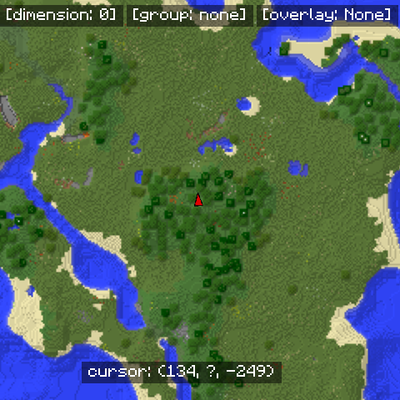
MapWriter Continued
A continued open-source minimap for Minecraft.
 mod
mod CurseForge + Modrinth · Minecraft
Not So Hardcore
Semi-Hardcore mod - multiple lives & life regain over time