Back to mods
Furnace Overlay project artwork

CurseForge · Minecraft mod

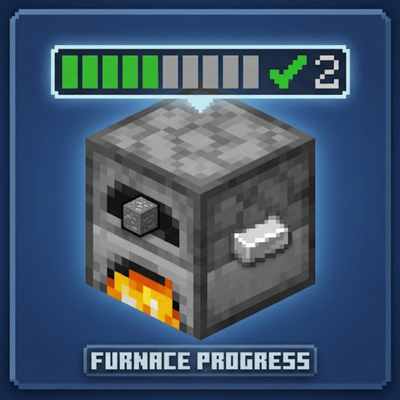
Furnace Overlay

Furnace Overlay is a overlay that works with Furnace, Blast Furnace, Smoker, Campfires and with optional mod called: Iron Furnaces. It shows coockable and smeltable progress.

Choose a version Pick your version below, then grab the matching file.

Quick answer

Which Furnace Overlay release should I use?

Updated 2 months ago
Latest stable file Customization Update — Forge
Game version 26.2
Loader Forge

Furnace Overlay Customization Update — Forge targets 26.2 with Forge. The project page does not say whether this file belongs on the client, dedicated server, or both. No extra mods listed for this file.

Where it goes

Is Furnace Overlay required on the client, server, or both?

The project page does not say whether this file belongs on the client, dedicated server, or both.

Client Source doesn’t say
Dedicated server Source doesn’t say
Loader for this release Forge
Required install it here Optional supported, not mandatory Not supported do not install here Source doesn’t say do not assume

The source does not explicitly classify this release as client-only or server-only.

What else does Furnace Overlay Customization Update — Forge need?

Customization Update — Forge. Change the file and its required mods may change too.

No extra mods listed for this file

This file does not list any required mods. Do not add a library just because a different file uses it.

This file does not list any required or optional mods.

Before you install it

Add Furnace Overlay without breaking your instance.

Built for Furnace Overlay Customization Update — Forge. Pick another file and the loader, install side or required mods may change.

  1. 01

    Stick to this file

    Use Customization Update — Forge. It targets 26.2 with Forge; another release may have different loader, side or dependency requirements.

  2. 02

    Bring the mods it needs

    This file does not list any required mods. Do not add a library just because a different file uses it.

  3. 03

    Put it on the correct side

    The project page does not say whether this file belongs on the client, dedicated server, or both.

  4. 04

    Pick the file you checked

    Use the “Get this file” button beside Customization Update — Forge. It opens that exact file at the source.

About this project

What does Furnace Overlay add?

🔥 Furnace Overlay

See exactly what your furnaces are doing—without constantly opening them.

Furnace Overlay is a lightweight quality-of-life mod that displays clean, real-time cooking and smelting information directly above supported blocks. Quickly check progress, remaining fuel, completed output, and nearby machines while continuing to build, explore, or manage your base.
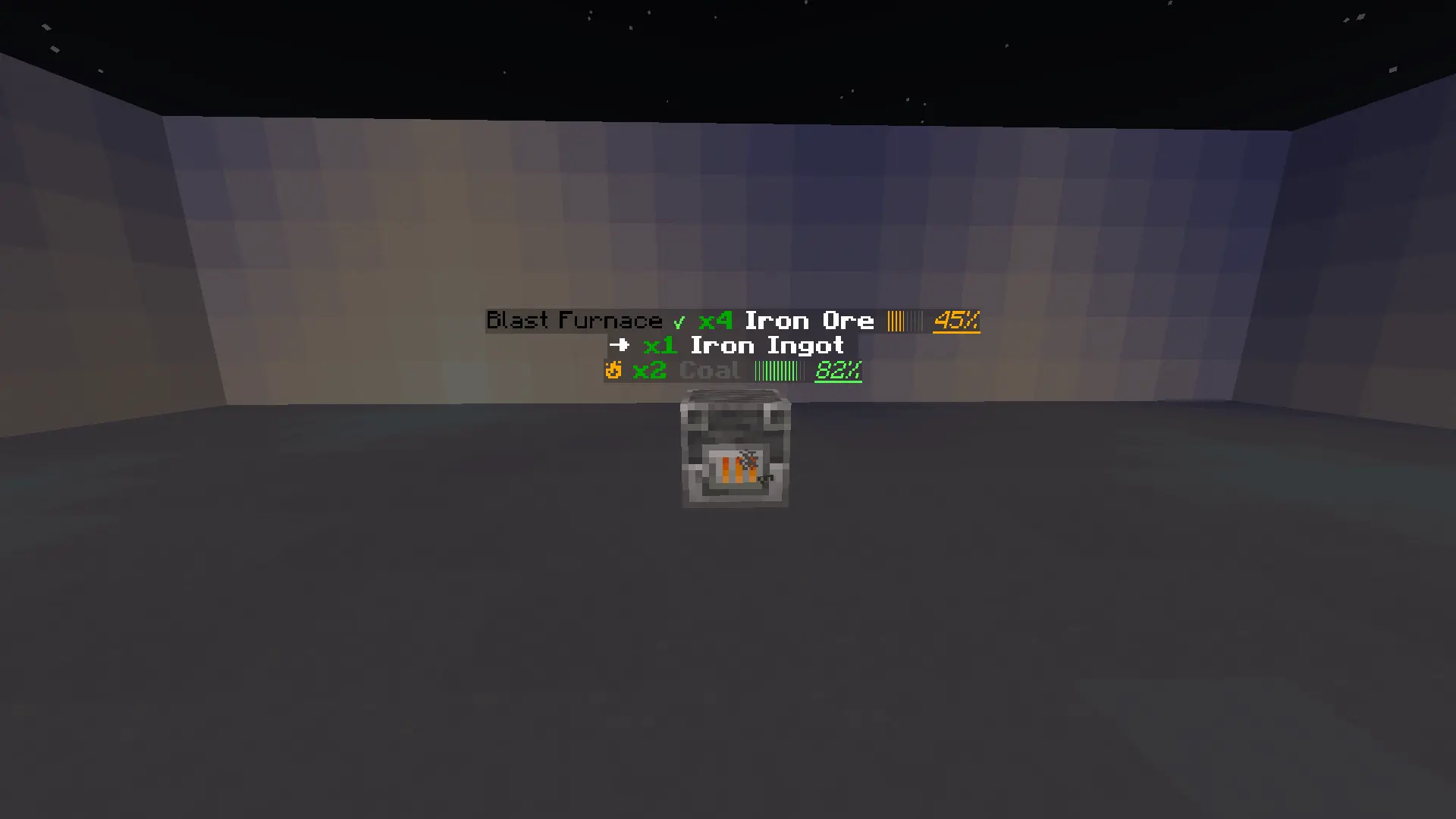
Furnace Overlay - Blast Furnace Display Progress

✨ Features

  • Displays overlays from up to 8 blocks away
  • Accurate, synchronized cooking and smelting progress
  • Dynamic progress bars with percentage indicators
  • Exact input, output, and fuel quantities
  • Automatic detection of vanilla and modded item names
  • Optional item and processing-block icons
  • Automatic data reset when a block is broken or replaced
  • Automatically groups supported cooking blocks located within 2 blocks of one another
  • Support for speed and fuel upgrades provided by compatible blocks
  • Clear information without repeatedly opening block interfaces

🎨 Customization

Press the , key by default to open the Furnace Overlay customization screen. This key can be changed through Minecraft's standard Controls menu.
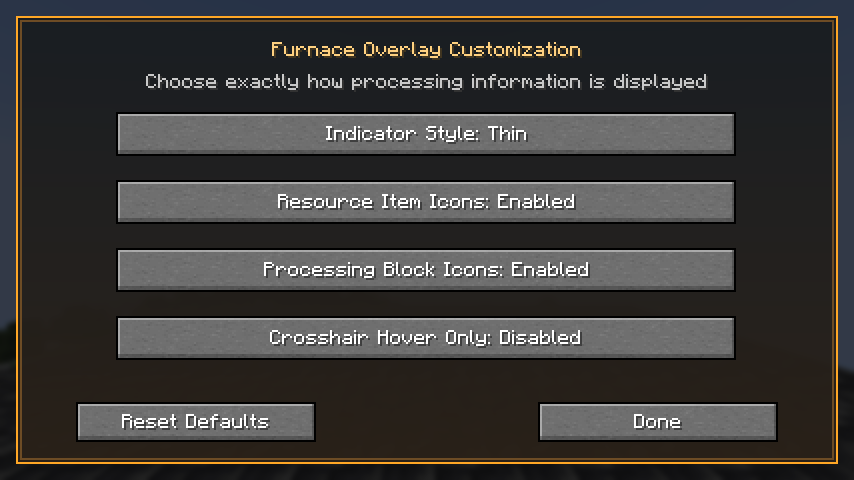
Furnace Overlay - Interface With Customization

Available customization options include:

  • Switch between Thin and Blocky progress indicators
  • Show resource items using icons or text names
  • Separately enable or disable furnace and processing-block icons
  • Enable Crosshair Hover mode so overlays only appear while directly looking at a supported block
  • Enable or disable individual visual features without affecting gameplay

Customization settings are saved automatically between game sessions.

🧱 Supported Blocks

  • Furnace
  • Blast Furnace
  • Smoker
  • Campfire
  • Soul Campfire

🔧 Mod Compatibility

Furnace Overlay automatically detects modded items and recipes used inside compatible cooking blocks.

Dedicated compatibility is included for the furnace tiers and speed upgrades provided by Iron Furnaces. Iron Furnaces is completely optional and is not required to use Furnace Overlay.

Iron Furnaces compatibility has been tested and confirmed on:

  • Fabric
  • Quilt
  • NeoForge

Iron Furnaces compatibility is not currently supported by the Forge version of Furnace Overlay.

Other custom furnace mods that use completely different block-entity or inventory systems may require dedicated compatibility support.

📦 Requirements

Furnace Overlay supports Minecraft 26.2 on the following platforms:

  • Fabric: Fabric Loader and Fabric API are required
  • Quilt: Quilt Loader and Fabric API are required
  • NeoForge: Fabric API is not required
  • Forge: Fabric API is not required

Make sure you download the Furnace Overlay file created for your chosen mod loader.

Furnace Overlay must be installed on both the client and server for multiplayer. Singleplayer is fully supported because Minecraft runs an integrated server internally.

License

All Rights Reserved.

Project description from CurseForge.
Pick your setup

Furnace Overlay by Minecraft version and loader

Choose the version and loader you play, then open the matching release.

4 available setups

Check the dependencies, then try the file in a copied instance before changing a world you care about.

Recent files

Furnace Overlay versions and loaders

6 of 6 releases match

Looking for an older file? The official CurseForge project page is in Resources.