Minecraft version
Back to mods 
CurseForge · Minecraft mod
Doom Block
Doom Block adds a deadly block with instant damage to the game. Flexible settings and full compatibility with NeoForge.
Choose a version Pick your version below, then grab the matching file.
Quick answer
Which Doom Block release matches 1.21.1?
Best match for your filters doom_block-1.1.5-neoforge-1.21.1.jar
Game version 1.21.1
Loader NeoForge
Doom Block doom_block-1.1.5-neoforge-1.21.1.jar targets 1.21.1 with NeoForge. The project page does not say whether this file belongs on the client, dedicated server, or both. No extra mods listed for this file.
Where it goes
Is Doom Block required on the client, server, or both?
The project page does not say whether this file belongs on the client, dedicated server, or both.
Client Source doesn’t say
Dedicated server Source doesn’t say
Loader for this release NeoForge
Required install it here Optional supported, not mandatory Not supported do not install here Source doesn’t say do not assume
The source does not explicitly classify this release as client-only or server-only.
What else does Doom Block doom_block-1.1.5-neoforge-1.21.1.jar need?
doom_block-1.1.5-neoforge-1.21.1.jar on 1.21.1. Every mod below is checked against that same setup.
This file does not list any required mods. Do not add a library just because a different file uses it.
This file does not list any required or optional mods.
Before you install it
Add Doom Block without breaking your instance.
Built for Doom Block doom_block-1.1.5-neoforge-1.21.1.jar on 1.21.1. Pick another file and the loader, install side or required mods may change.
- 01
Stick to this file
Use doom_block-1.1.5-neoforge-1.21.1.jar. It targets 1.21.1 with NeoForge; another release may have different loader, side or dependency requirements.
- 02
Bring the mods it needs
This file does not list any required mods. Do not add a library just because a different file uses it.
- 03
Put it on the correct side
The project page does not say whether this file belongs on the client, dedicated server, or both.
- 04
Pick the file you checked
Use the “Get this file” button beside doom_block-1.1.5-neoforge-1.21.1.jar. It opens that exact file at the source.
About this project
What does Doom Block add?
Doom Block — A Deadly Trap in a Cult Shooter Style 💥
🔥 A block that instantly kills anything it touches — 500 damage, no armor can save you. 💀 Minecraft becomes a survival arena!
⚠️ Found a bug or crash?
- 🐞 Report it on GitHub Issues — attach the crash report + Minecraft version and I'll fix it faster 💪
- 👉 Support link
🚫 NOT RECOMMENDED: 1.0.0 – 1.0.9
All Recipes 🧱
Doom Blocks 🎨


📸 Gallery
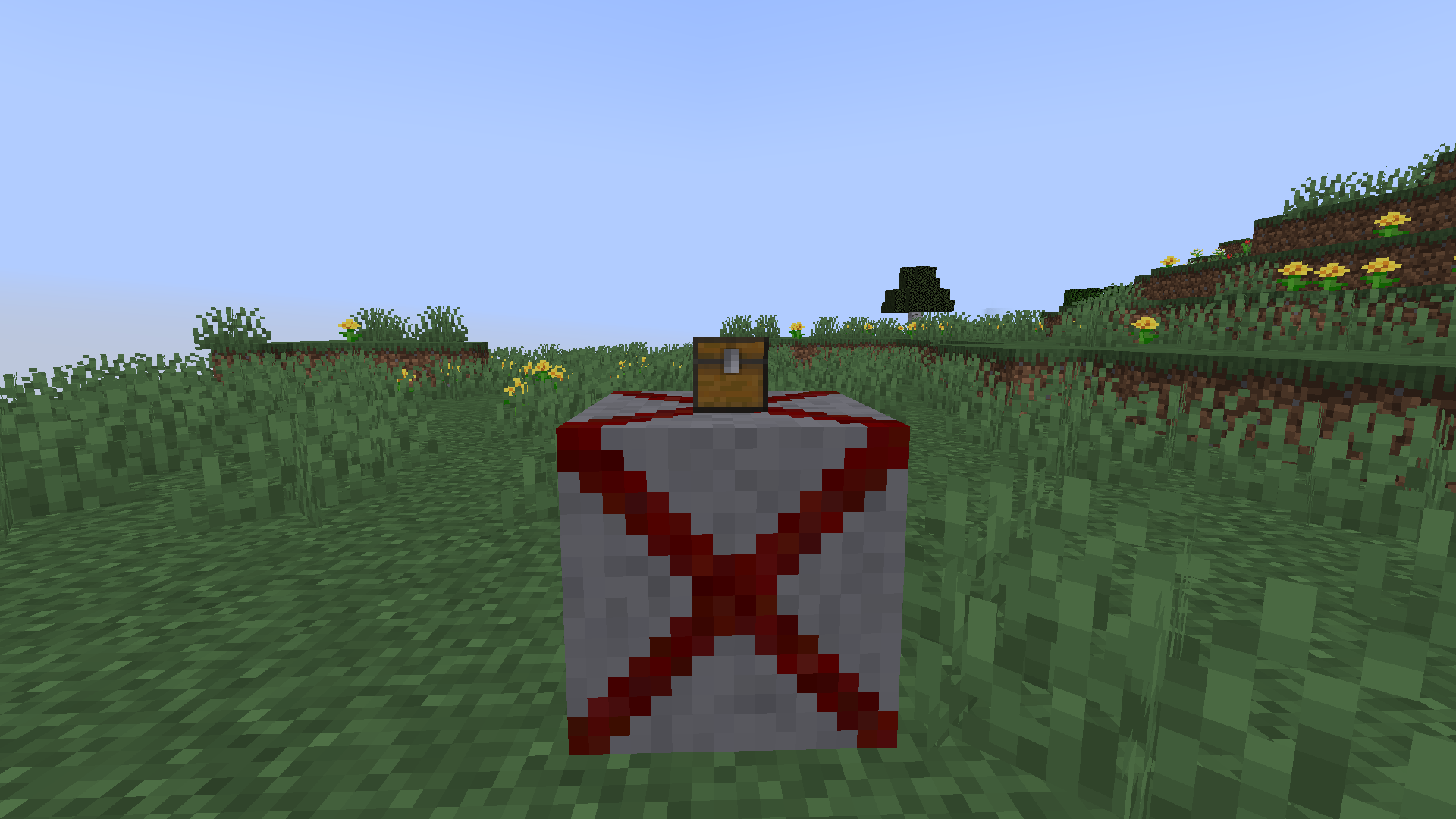
⚡ How to Activate?
- 🔌 Redstone signal — lever, button or sensor → perfect for auto-traps 🤖
- 💬
/doomblockcommand — place blocks or whole zones instantly 🚀
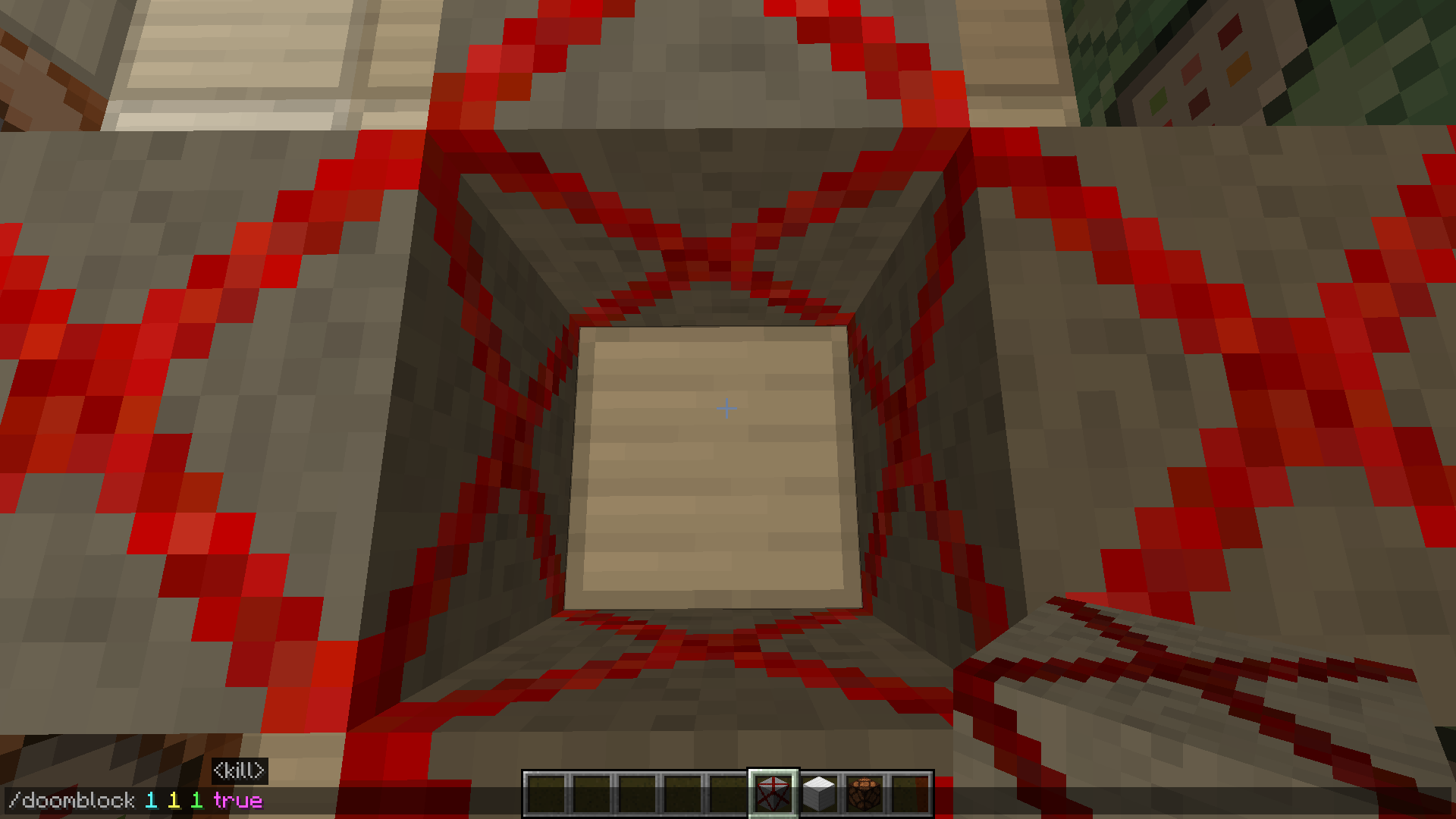
🎯 What Is It For?
- 🗺️ Challenge maps — deadly corridors & one wrong step = the end ☠️
- 🏃 Parkour — jump, but fear every block 😱
- 😈 Trolling friends — under the rug, in the chest… anywhere 😈
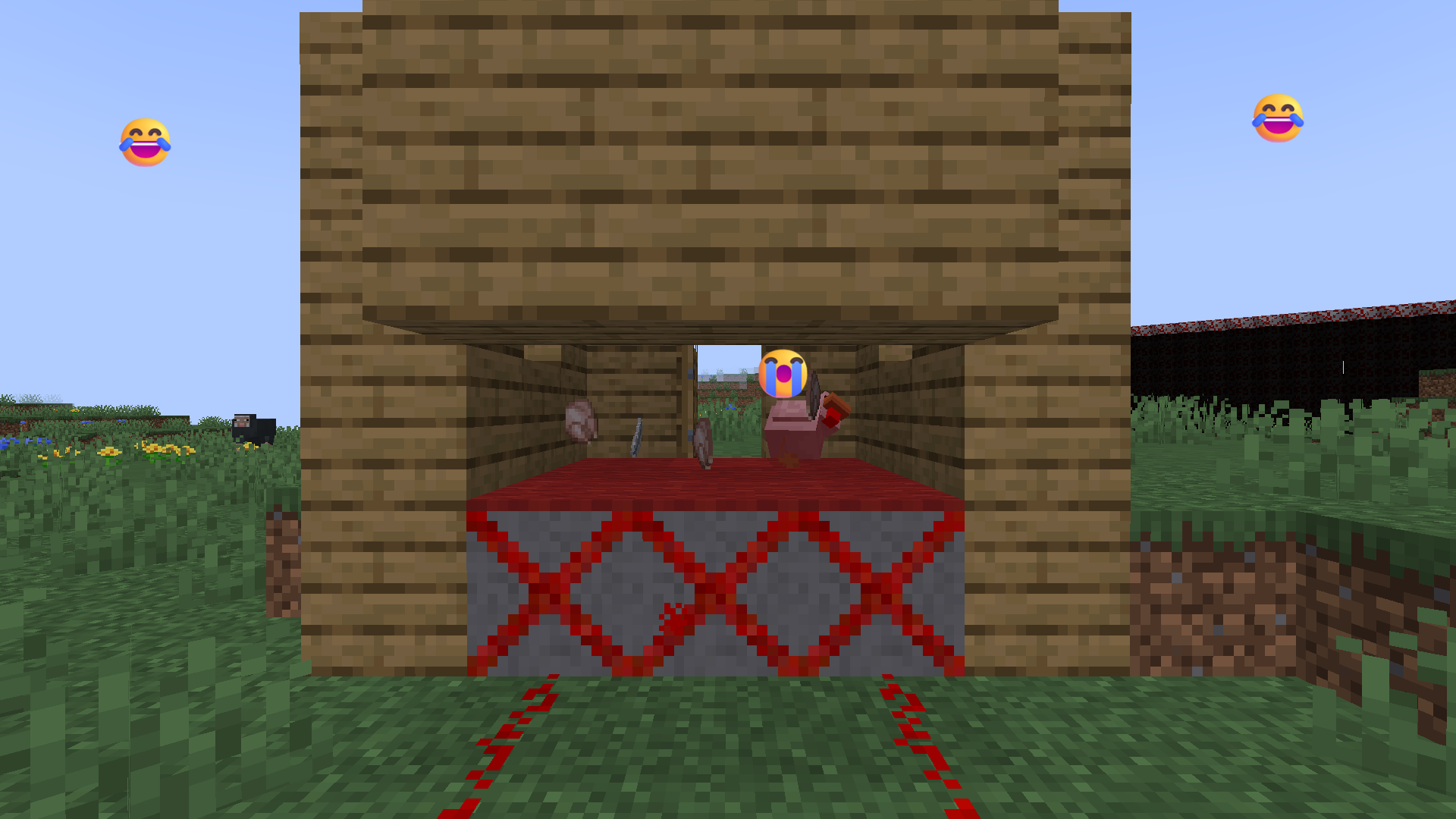
✨ Key Features
- 💀 500 damage on contact — armor can't help
- 🔌 Redstone or
/doomblock— traps exactly where you need them - ⚙️
blockKillsEntitiesrule — toggle lethality for testing 🛠️
🕒 DOOM BLOCK 1.1.5: MASTER THE TIME!
💾 Quick Specs
- 📦 ~432 KB — lighter than ever 📉
- 🎮 NeoForge 1.21.1
🔐 Key Rule
✅ Time Of Day Doom Block works in CREATIVE only — time control stays for mapmakers 🧠
💥 What's New
🌙 Time Control Panel
Step on it → world instantly shifts. 8 moods, 8 times: 🎬
- 🌑 Midnight 00:00 = 18000
- 🎃 Halloween Night 03:00 = 21000
- 🌫️ Quiet Morning 06:00 = 0
- ☀️ Day 09:00 = 3000
- 🌞 Noon 12:00 = 6000
- 🌓 Afternoon 15:00 = 9000
- 🌆 Twilight 18:00 = 12000
- 🌌 Deep Twilight 21:00 = 15000
Chain blocks for smooth cinematic transitions 🎥👻
📦 Smart Loot Tables
- 👻 Creative: block vanishes cleanly
- 💥 Survival: classic loot + adrenaline
- 🗺️ "doom" loot now spawns reliably in all villages
⚡ Fixed Lightning Triggers
- 💛 Yellow: lightning every 10 ticks — stable
- 🌸 Pink: every 20 ticks — no missed triggers
🔥 Fixes & Optimizations
| Fix | Impact |
|---|---|
| 🗣️ Apocalypse rule | DOOM_BLOCKS_WORK halved (32 KB → 16 KB) ✅ |
| 🌧️ Rain & Snow | Fewer drops, quieter sound 🔇 |
| 🔥 Orange & Fire | Step triggers fixed 💥 |
| 🗺️ Doom Flart | New map color #7F0707 🟥 |
| 🧤 Silk Touch | Get the block itself 🎁 |
| 🧹 Code cleanup | Fewer bugs, better stability 🐛❌ |
⚙️ Technical Details
- 🎮 Minecraft + NeoForge: 1.21.1, 1.21.4, 1.21.8, 26.1.2
- 🔧 NeoForge only — Forge & Fabric not supported
- 🌍 Full localization: English, German, Italian, Polish, Spanish, French, Arabic, Tatar, Russian
🎬 Setup tutorial: YouTube
Project description from CurseForge.
Pick your setup
Doom Block by Minecraft version and loader
Choose the version and loader you play, then open the matching release.
Minecraft version
26.2
1 loader buildMinecraft version
26.1.2
1 loader buildMinecraft version
1.21.8
1 loader buildMinecraft version
1.21.4
1 loader buildMinecraft version
1.21.1
1 loader buildCheck the dependencies, then try the file in a copied instance before changing a world you care about.
Recent files
Doom Block versions and loaders
doom_block-1.1.5-neoforge-1.21.1.jar
12 Nov 2026
Client Source doesn’t say Server Source doesn’t say Dependencies No extras listed Listed on Release listing
Check the 1.21.1 · NeoForge setup 1.21.1NeoForge release
doom_block-halloween-1.1.4-neoforge-1.21.1.jar
31 Oct 2026
Client Source doesn’t say Server Source doesn’t say Dependencies No extras listed Listed on Release listing
Check the 1.21.1 · NeoForge setup 1.21.1NeoForge release
doom_block-1.1.4-neoforge-1.21.1.jar
27 Oct 2026
Client Source doesn’t say Server Source doesn’t say Dependencies No extras listed Listed on Release listing
Check the 1.21.1 · NeoForge setup 1.21.1NeoForge release
doom_block-1.1.3-neoforge-1.21.1.jar
23 Oct 2026
Client Source doesn’t say Server Source doesn’t say Dependencies No extras listed Listed on Release listing
Check the 1.21.1 · NeoForge setup 1.21.1NeoForge release
doom_block-1.1.2-neoforge-1.21.1.jar
18 Oct 2026
Client Source doesn’t say Server Source doesn’t say Dependencies No extras listed Listed on Release listing
Check the 1.21.1 · NeoForge setup 1.21.1NeoForge release
doom_block-1.1.1-neoforge-1.21.1.jar
11 Oct 2026
Client Source doesn’t say Server Source doesn’t say Dependencies No extras listed Listed on Release listing
Check the 1.21.1 · NeoForge setup 1.21.1NeoForge release
doom_block-1.1-neoforge-1.21.1.jar
4 Oct 2026
Client Source doesn’t say Server Source doesn’t say Dependencies No extras listed Listed on Release listing
Check the 1.21.1 · NeoForge setup 1.21.1NeoForge release
doom_block-first_month-Thank_you!-neoforge-1.21.1.jar
24 Sept 2026
Client Source doesn’t say Server Source doesn’t say Dependencies No extras listed Listed on Release listing
Check the 1.21.1 · NeoForge setup 1.21.1NeoForge release
1.0.9
doom_block-1.0.9-neoforge-1.21.1.jar
12 Sept 2026
Client Optional Server Optional Dependencies No extras listed Listed on Release listing
Check the 1.21.1 · NeoForge setup 1.21.1NeoForge release
1.0.8
doom_block-1.0.8-neoforge-1.21.1.jar
4 Sept 2026
Client Optional Server Optional Dependencies No extras listed Listed on Release listing
Check the 1.21.1 · NeoForge setup 1.21.1NeoForge release
1.0.7
doom_block-1.0.7-neoforge-1.21.1.jar
28 Aug 2026
Client Optional Server Optional Dependencies No extras listed Listed on Release listing
Check the 1.21.1 · NeoForge setup 1.21.1NeoForge release
1.0.6
doom_block-1.0.6-neoforge-1.21.1.jar
27 Aug 2026
Client Optional Server Optional Dependencies No extras listed Listed on Release listing
Check the 1.21.1 · NeoForge setup 1.21.1NeoForge release
Looking for an older file? The official CurseForge project page is in Resources.
 mod
CurseForge + Modrinth · Minecraft
Armored Arms
A small client mod that adds first-person rendering of armour on the hand
 mod
CurseForge · Minecraft
PhoenixCore
Coremod for the modpack Phoenix Forge Technologies. It seeks to make gameplay more interesting through wacky new multiblocks and systems.
 mod
Modrinth · Minecraft
Progression Overhaul
Minecraft but theres over 200+ quests within 10 diffrent ages with 2 new armor and tool tiers added. For 26.3+