Back to mods
Ling Gacha project artwork

CurseForge · Minecraft mod

Ling Gacha

It's a mod where you pull for items, just like in a gacha game.

Choose a version Pick your version below, then grab the matching file.

Quick answer

Which Ling Gacha release should I use?

Updated yesterday
Latest stable file LingGachaAddon-1.0.1+1.21.1-neoforge.jar
Game version 1.21.1
Loader NeoForge

Ling Gacha LingGachaAddon-1.0.1+1.21.1-neoforge.jar targets 1.21.1 with NeoForge. The project page does not say whether this file belongs on the client, dedicated server, or both. All 1 required mods have matching files.

Where it goes

Is Ling Gacha required on the client, server, or both?

The project page does not say whether this file belongs on the client, dedicated server, or both.

Client Source doesn’t say
Dedicated server Source doesn’t say
Loader for this release NeoForge
Required install it here Optional supported, not mandatory Not supported do not install here Source doesn’t say do not assume

The source does not explicitly classify this release as client-only or server-only.

What else does Ling Gacha LingGachaAddon-1.0.1+1.21.1-neoforge.jar need?

LingGachaAddon-1.0.1+1.21.1-neoforge.jar. Change the file and its required mods may change too.

All 1 required mods have matching files

Install LingGemShop first. We found matching files for this game-version and loader setup.

LingGemShop Needed by Ling Gacha LingGachaAddon-1.0.1+1.21.1-neoforge.jar
required
Matching file found Matched file: ling_q_shop-v1.4FIX-neoforge-1.21.1.jar
We only count dependency files that match this setup. A file for another loader does not fill the gap.

Before you install it

Add Ling Gacha without breaking your instance.

Built for Ling Gacha LingGachaAddon-1.0.1+1.21.1-neoforge.jar. Pick another file and the loader, install side or required mods may change.

  1. 01

    Stick to this file

    Use LingGachaAddon-1.0.1+1.21.1-neoforge.jar. It targets 1.21.1 with NeoForge; another release may have different loader, side or dependency requirements.

  2. 02

    Bring the mods it needs

    Install LingGemShop first. We found matching files for this game-version and loader setup.

  3. 03

    Put it on the correct side

    The project page does not say whether this file belongs on the client, dedicated server, or both.

  4. 04

    Pick the file you checked

    Use the “Get this file” button beside LingGachaAddon-1.0.1+1.21.1-neoforge.jar. It opens that exact file at the source.

About this project

What does Ling Gacha add?

Ling Gacha Addon (Convene System)

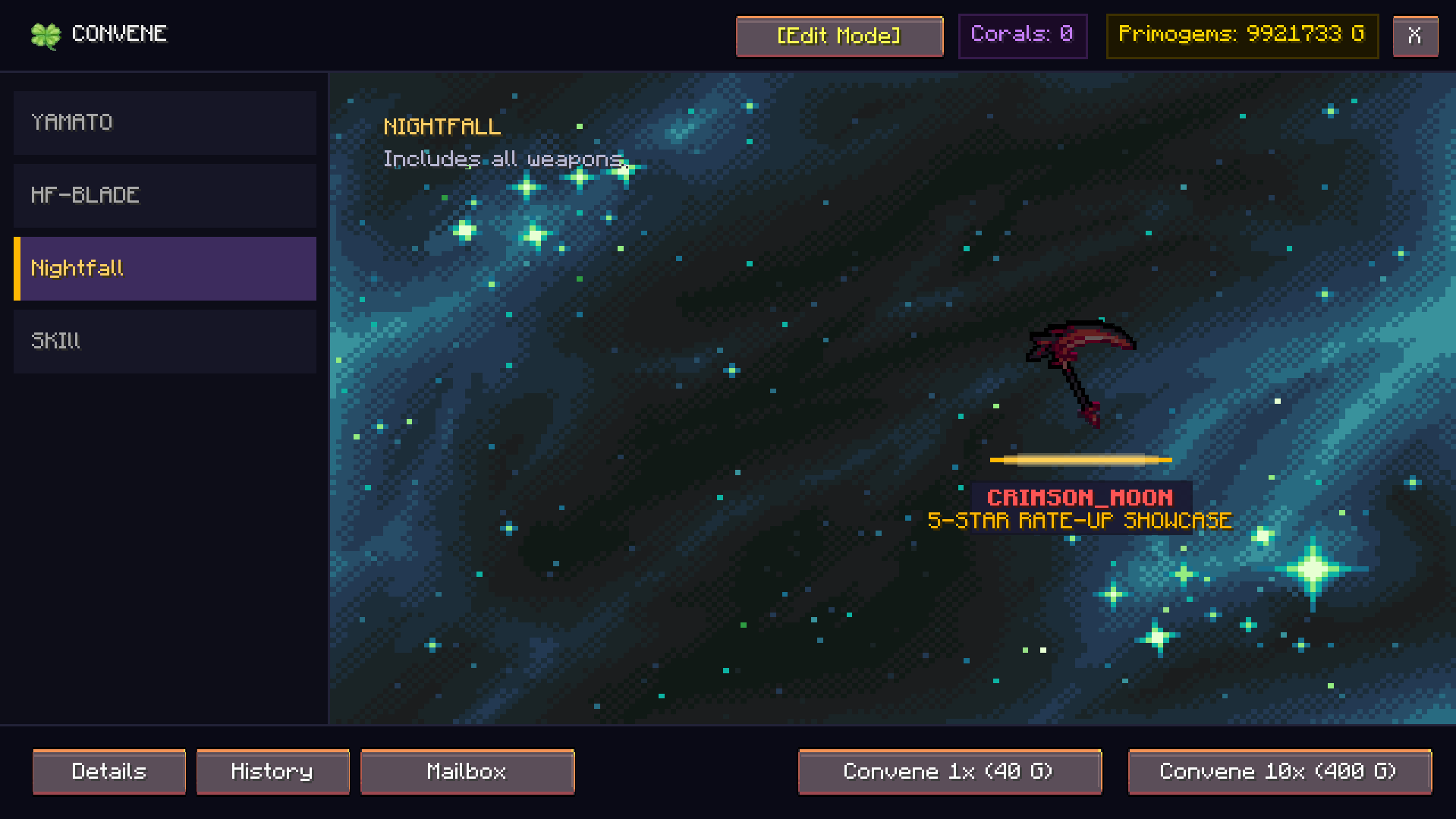
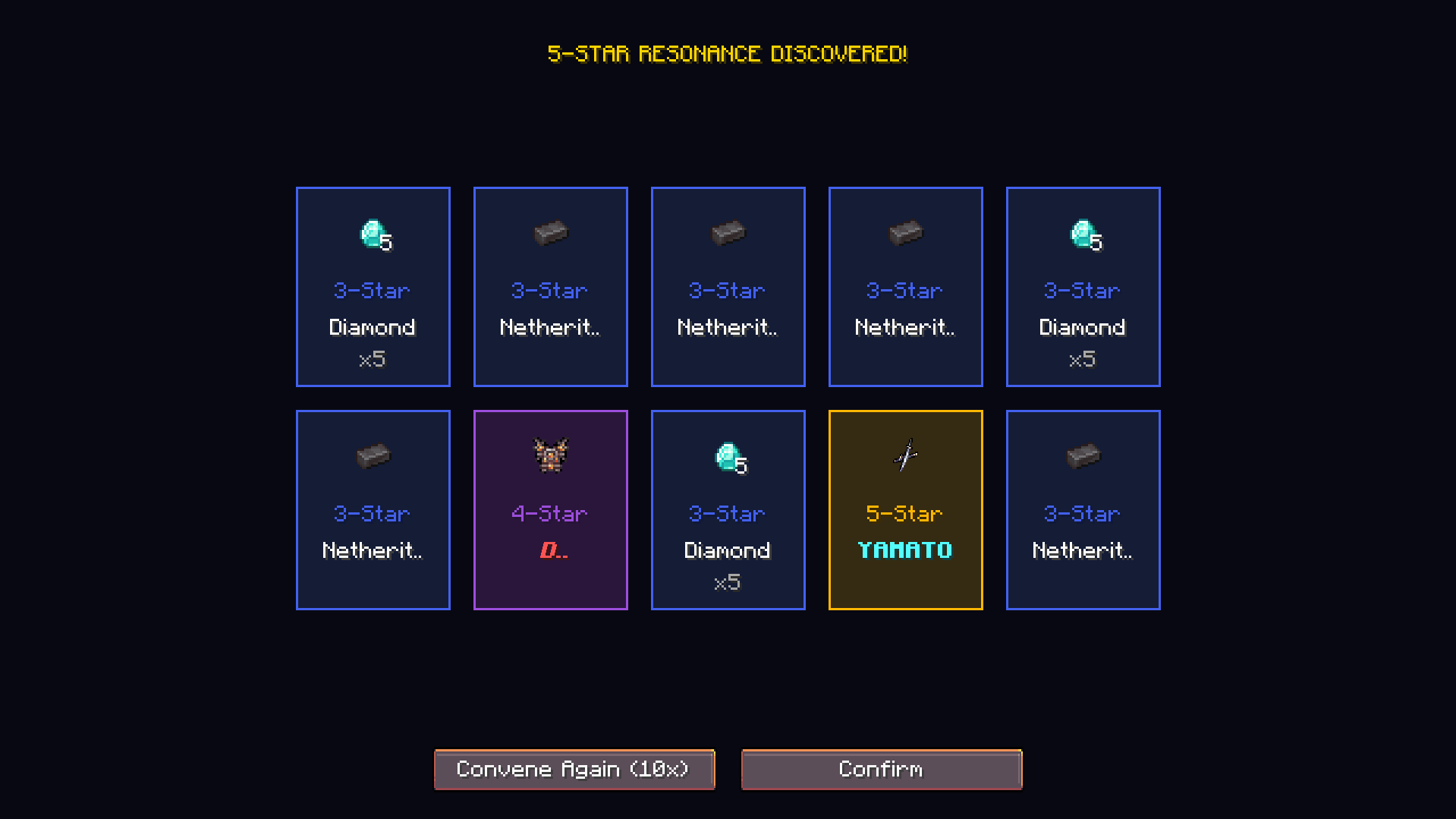
Ling Gacha Addon is an expansion mod for ling_q_shop (Minecraft 1.21.1 NeoForge) that brings a full-fledged gacha convene system inspired by Wuthering Waves into Minecraft.

You are free to include this mod in your modpacks
Git Hub


Key Features

1. Banner Types

  • Featured Resonator (Character Banner):
    • 50/50 Rule: 50% chance for the featured 5-Star item. If lost, the next 5-Star is 100% guaranteed to be the featured rate-up item.
  • Featured Weapon (Weapon Banner):
    • 100% Guaranteed: When pulling a 5-Star item, it is always the featured rate-up weapon without any off-banner loss.
  • Novice Convene (Beginner Banner):
    • 20% discount on 10-pulls (costs 8 pulls worth of Primogems) with a guaranteed 5-Star within the first 50 pulls.
  • Standard Convene (Permanent Banner):
    • Standard pool containing 5-Star, 4-Star, and 3-Star rewards.

2. Rates and Pity Mechanics

  • 5-Star (Legendary): Base rate of 0.8%. Soft pity starts at pulls 65-79 (rate scales up sharply). Hard pity guarantees a 5-Star at pull 80.
  • 4-Star (Epic): Base rate of 6.0%. Guaranteed at least one 4-Star item every 10 pulls.
  • 3-Star (Supplies): Base rate of 93.2%.
  • Afterglow Coral Cashback: Pulling items awards Afterglow Corals (15 for 5-Star, 3 for 4-Star, 1 for 3-Star).
  • Per-Banner Isolated Pity: Each banner tracks its own independent 5-Star pity, 4-Star pity, guaranteed state, and pull count.

3. Gacha Mailbox / Reward Storage

  • Inventory Overflow Protection: When pulling gacha, won items are automatically stored in the player's private Gacha Mailbox.
  • Selective & Bulk Claim: Players can inspect rewards, view pull dates, and claim items individually or using "Claim All".
  • Capacity Safe: Items will never drop on the ground or be lost if the player's inventory is full.

4. Custom Media & Animation Engine

  • Supported Formats: Supports animated GIF (.gif), sprite frame sequence (.afma), PNG (.png), and JPEG (.jpg).
  • Banner Backgrounds: Place background files in config/ling_gacha/backgrounds/ or use resource locations (e.g. ling_gacha:textures/gui/banners/featured_character.png).
  • Custom Pull Animations: Place pull animation files in config/ling_gacha/animations/:
    • pull_5star.gif / pull_5star.afma - Plays when pulling a 5-Star item.
    • pull_4star.gif / pull_4star.afma - Plays when pulling a 4-Star item.
    • pull_3star.gif / pull_3star.afma - Plays when pulling a 3-Star item.
    • pull.gif / pull.afma - Default pull animation.
    • Built-in frequency soundwave spectrogram fallback if no custom animation files are present.

5. In-Game Admin Editor

  • Permission: Requires OP Level 2, Creative Mode, or Singleplayer World Host.
  • Edit Mode: Toggle [Edit Mode] directly inside the Gacha UI to:
    • Create new banners and customize titles, subtitles, pull costs, discounts, and backgrounds.
    • Open [Pool] to edit item weights, custom display names, rate-up status, and rarity tiers.
    • Click [+ Add Hand Item] to immediately register the held item in hand with full SNBT data into the banner pool.

How to Use

1. Opening the Gacha Screen

  • Command: /convene or /gacha
  • ESC Pause Menu: Click the clover icon button on the right side of the Game Menu.
  • Convene Tide Item: Right-click the ling_gacha:convene_tide token item.

2. Configuration & Data Storage

  • Banner Configuration: config/ling_gacha/banners.json
    • Stores all banner definitions, item pools, costs, discounts, and background textures.
  • Player Data: config/ling_gacha/playerdata/<Player_UUID>.json
    • Secure server-side storage for player pity counts, pull history, Afterglow Corals, and Mailbox items.
  • Reload Command: /convene reload or /gacha reload (Admin only).

Project description from CurseForge.

Pick your setup

Ling Gacha by Minecraft version and loader

Choose the version and loader you play, then open the matching release.

1 available setups

Check the dependencies, then try the file in a copied instance before changing a world you care about.

Recent files

Ling Gacha versions and loaders

2 of 2 releases match

Looking for an older file? The official CurseForge project page is in Resources.