Minecraft version
Back to mods 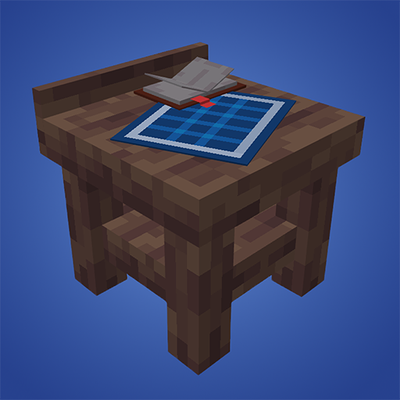
CurseForge · Minecraft mod
Privit
Protect your territory
Choose a version Pick your version below, then grab the matching file.
Quick answer
Which Privit release should I use?
Latest stable file privit-fabric-1.21.1-1.1.2.jar
Game version 1.21.1
Loader Fabric
privit-fabric-1.21.1-1.1.2.jar targets 1.21.1 with Fabric. The project page does not say whether this file belongs on the client, dedicated server, or both. No extra mods listed for this file.
Where it goes
Is Privit required on the client, server, or both?
The project page does not say whether this file belongs on the client, dedicated server, or both.
Client Source doesn’t say
Dedicated server Source doesn’t say
Loader for this release Fabric
Required install it here Optional supported, not mandatory Not supported do not install here Source doesn’t say do not assume
The source does not explicitly classify this release as client-only or server-only.
What else does privit-fabric-1.21.1-1.1.2.jar need?
privit-fabric-1.21.1-1.1.2.jar. Change the file and its required mods may change too.
This file does not list any required mods. Do not add a library just because a different file uses it.
This file does not list any required or optional mods.
Before you install it
Add Privit without breaking your instance.
Built for privit-fabric-1.21.1-1.1.2.jar. Pick another file and the loader, install side or required mods may change.
- 01
Stick to this file
Use privit-fabric-1.21.1-1.1.2.jar. It targets 1.21.1 with Fabric; another release may have different loader, side or dependency requirements.
- 02
Bring the mods it needs
This file does not list any required mods. Do not add a library just because a different file uses it.
- 03
Put it on the correct side
The project page does not say whether this file belongs on the client, dedicated server, or both.
- 04
Pick the file you checked
Use the “Get this file” button beside privit-fabric-1.21.1-1.1.2.jar. It opens that exact file at the source.
About this project
What does Privit add?
Introduction
Privit (short for “private IT”) is a region protection mod. It lets you create territories with per-player rules so you can limit griefing and other unwanted interactions.
How it works
Protection is based on attributing an action to a player. That includes instant actions (breaking a block, hitting an entity) or delayed ones (fire spread, redstone, mob griefing, and similar cases).
The mod gives you a large list of rules, player groups, and a server config you can adjust to your needs.
Regions are configured through a special block: the Region Table. Opening it shows a GUI where you can set up the region.
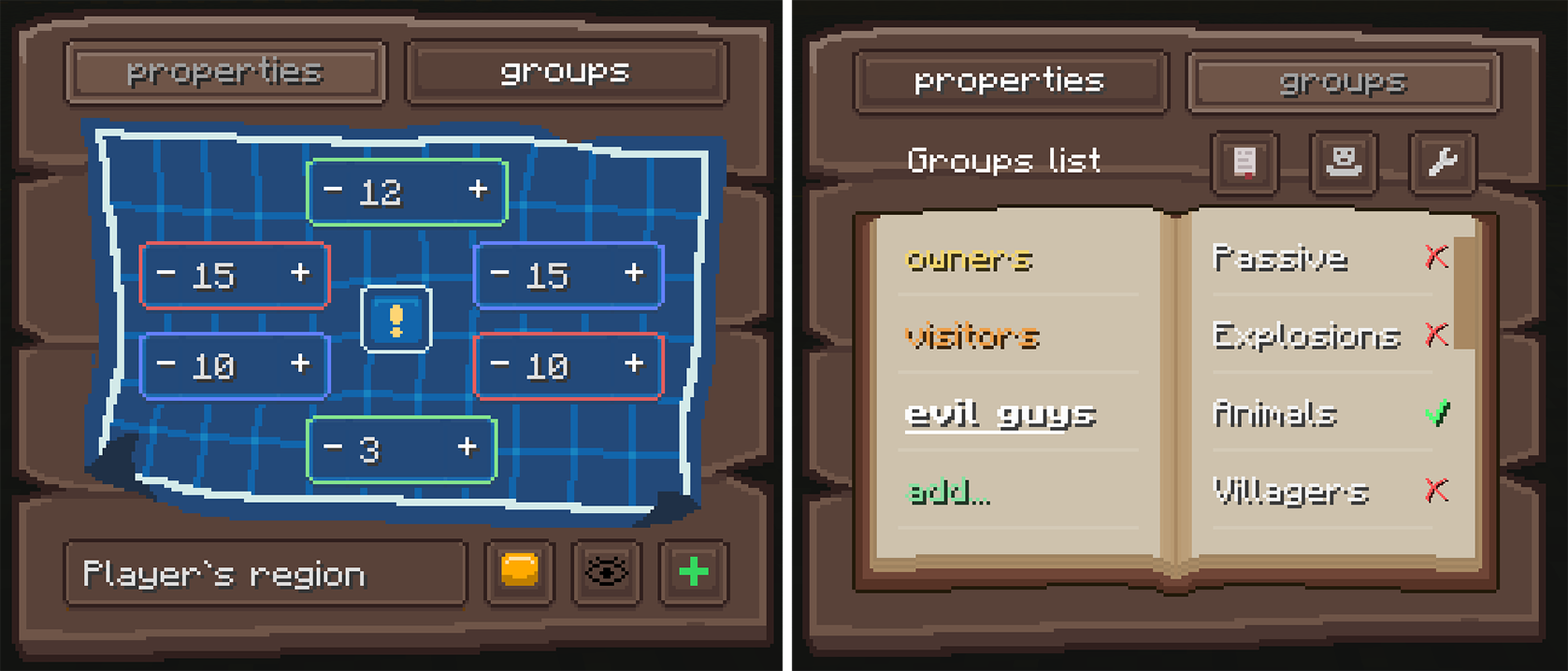
The GUI is fully synced: if several players have it open, they see each other’s changes in real time.
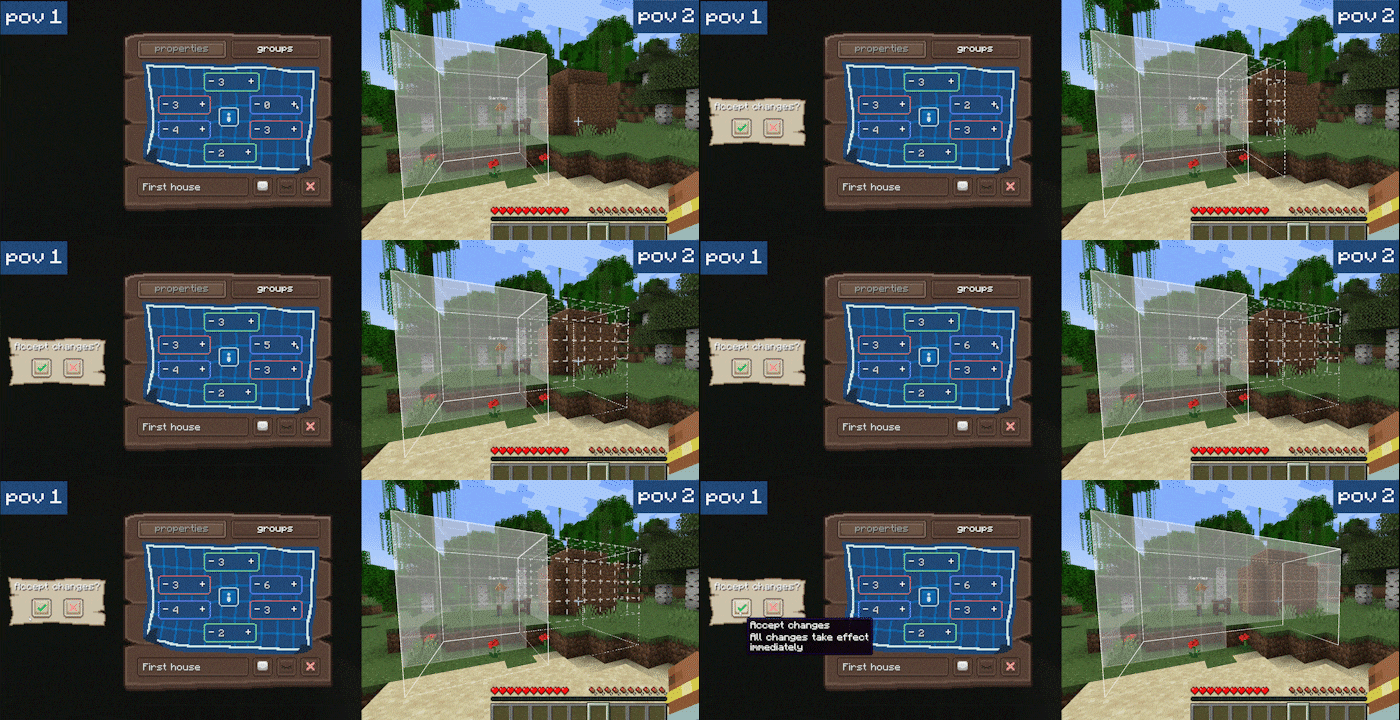
As an admin you also get global controls. In the config you can limit region size, limit how many regions a player may own, disable selected rules for everyone and more!
Work in progress
Not all planned features are in yet, and bugs may still appear. Bug reports and clear feedback help a lot and are very welcome.
FAQ
Q: Can I add this mod to an existing world?
A: Yes. It will not corrupt your world data. Player-action tracking only starts after the mod is installed, so delayed effects that began before that may not be attributed and can be ignored.
Q: Can I remove the mod and keep playing?
A: Yes. Mod data is stored in a separate folder inside the world directory and does not touch vanilla saves. If you reinstall the mod later, its features and data come back.
Q: If I break the Region Table inside a region, is the region deleted?
A: No. The table is only an entry point to the GUI. You can place and break as many tables as you want.
Q: Why does every region have the owners and visitors groups?
A: These groups are required. Only owners can change region settings. The visitors rules apply to anyone who is not in any group of that region.
Q: What is rule “freezing”?
A: Admins can disable rules in the config. A frozen rule stops working and is hidden from region GUIs. If you unfreeze it, it works again in every region with the same settings it had before.
Q: Why only 1.21.1?
A: Other versions will come after the planned feature set is done.
Q: Forge?
A: No. Not in the foreseeable future.
This project took a huge amount of time. If you like it, sharing it with friends or supporting development helps me finish the remaining features and keep maintaining the mod.
Project description from CurseForge.
Pick your setup
Privit by Minecraft version and loader
Choose the version and loader you play, then open the matching release.
Check the dependencies, then try the file in a copied instance before changing a world you care about.
Recent files
Privit versions and loaders
privit-fabric-1.21.1-1.1.2.jar
4 Sept 2026
Client Source doesn’t say Server Source doesn’t say Dependencies No extras listed Listed on Release listing
Check the 1.21.1 · Fabric setup Fabric1.21.1 release
privit-fabric-1.21.1-1.1.1.jar
2 Sept 2026
Client Source doesn’t say Server Source doesn’t say Dependencies No extras listed Listed on Release listing
Check the 1.21.1 · Fabric setup Fabric1.21.1 release
privit-fabric-1.21.1-1.1.0.jar
2 Sept 2026
Client Source doesn’t say Server Source doesn’t say Dependencies No extras listed Listed on Release listing
Check the 1.21.1 · Fabric setup Fabric1.21.1 release
privit-fabric-1.21.1-1.0.0.jar
30 Aug 2026
Client Source doesn’t say Server Source doesn’t say Dependencies No extras listed Listed on Release listing
Check the 1.21.1 · Fabric setup Fabric1.21.1 release
Looking for an older file? The official CurseForge project page is in Resources.
 mod
mod CurseForge · Minecraft
Pipez Optimizer
An unofficial Pipez add-on that significantly reduces server lag, optimizes transfer logic, and adds custom extraction frequencies and high-tier upgrades.
 mod
mod CurseForge · Minecraft
Aravon
Cobblemon Aravon official mod
 mod
mod CurseForge · Minecraft
Better Mob Combat - Reimagined
An add-on mod to Better Combat that allows it to work with (humanoid) mobs.