Minecraft version
Back to mods 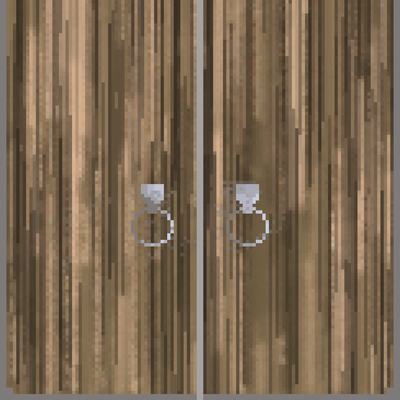
CurseForge · Minecraft mod
Brama - Advanced Medieval Gates
Adds highly customizable medieval gates that you can assemble in many sizes!
Choose a version Pick your version below, then grab the matching file.
Quick answer
Which Brama - Advanced Medieval Gates release should I use?
Latest stable file Brama 1.3.0
Game version 1.20.1
Loader Forge
Brama - Advanced Medieval Gates Brama 1.3.0 targets 1.20.1 with Forge. The project page does not say whether this file belongs on the client, dedicated server, or both. No extra mods listed for this file.
Where it goes
Is Brama - Advanced Medieval Gates required on the client, server, or both?
The project page does not say whether this file belongs on the client, dedicated server, or both.
Client Source doesn’t say
Dedicated server Source doesn’t say
Loader for this release Forge
Required install it here Optional supported, not mandatory Not supported do not install here Source doesn’t say do not assume
The source does not explicitly classify this release as client-only or server-only.
What else does Brama - Advanced Medieval Gates Brama 1.3.0 need?
Brama 1.3.0. Change the file and its required mods may change too.
This file does not list any required mods. Do not add a library just because a different file uses it.
This file does not list any required or optional mods.
Before you install it
Add Brama - Advanced Medieval Gates without breaking your instance.
Built for Brama - Advanced Medieval Gates Brama 1.3.0. Pick another file and the loader, install side or required mods may change.
- 01
Stick to this file
Use Brama 1.3.0. It targets 1.20.1 with Forge; another release may have different loader, side or dependency requirements.
- 02
Bring the mods it needs
This file does not list any required mods. Do not add a library just because a different file uses it.
- 03
Put it on the correct side
The project page does not say whether this file belongs on the client, dedicated server, or both.
- 04
Pick the file you checked
Use the “Get this file” button beside Brama 1.3.0. It opens that exact file at the source.
About this project
What does Brama - Advanced Medieval Gates add?
Brama — Medieval Gates
Minecraft 1.20.1 · Forge
Castle gates that are actually gate-sized. Build a wall of blocks, strike it with a Gate Hammer, and they lock together into one working gate — up to seven blocks wide and nine tall — that swings, lifts or falls as a single piece.
Four kinds of gate, eleven timbers
Medieval Gate — a timber double gate. Two leaves hinged on the outer edges, swinging apart like a double door. Mineable with an axe.
Portcullis — an iron grate that winches straight up, clearing two thirds of its height so the doorway opens without the grate ever leaving its slot. Mineable with a pickaxe.
Drawbridge — a deck hinged along its bottom edge. Raised it seals the gateway; lowered it becomes a walkable bridge, held on chains. The only gate whose blocks physically relocate as it moves, because a bridge has to lie somewhere its own doorway isn't.
Bascule Drawbridge — the later design. Counterweighted beams pivot above the gateway and chain down to the deck's far corners, so beams and deck swing together as one linkage.
The gate and both bridges come in oak, spruce, birch, jungle, acacia, dark oak, mangrove, cherry, bamboo, crimson and warped, each with its own artwork at every gate size and crafted from its own logs. Every wood is exactly as tough as every other — pick the one that suits the castle, not the one that survives longest.
Building one
- Lay out a solid rectangle of gate blocks, flat against one axis.
- Right-click it with a Gate Hammer.
The blocks fuse into a single gate and it starts working immediately. Hit it with the hammer again to take it apart.
Eleven footprints: 2x3, 3x3, 3x4, 3x5, 4x4, 4x6, 5x3, 5x5, 5x7, 7x7 and 7x9. Which ones are buildable is a server config option, so you can restrict big gates on a survival server.
Sieges
An assembled gate does not shatter in one hit. It wears down in stages — up to five, per gate type — and every block of it degrades together, so you can see how close a gate is to falling.
- Explosions cost a gate a stage rather than blowing a hole in it. Creepers can be made harmless to gates while TNT still works.
- Battering rams and other siege mods are handled without either side knowing about the other. Any outside force removing part of an assembled gate costs it a stage and the block is put back — including WorldEdit and machinery from mods this one has never heard of.
- Set any of it to plain block-breaking instead if you'd rather.
Gates that watch their own gateway
An enemy walks up to an open gate and it shuts in their face. Who counts as an enemy is answered in three steps, and it stops at the first answer:
- Anyone who may open the gate never does — the owner, co-owners, trusted players, trusted scoreboard teams, and the owner's allies according to a claim mod.
- Anyone on the owner's list always does —
/gate enemy add <player>, which covers every gate you own rather than one doorway at a time. - Otherwise the claim mod decides — standing inside the gate owner's claim without being a member or an ally of it is enough.
With no claim mod and nobody listed, nothing happens; a gate in the wilderness cannot tell an enemy from a passer-by. One config switch makes it treat everyone who cannot open it as hostile instead.
Claim mods: FTB Chunks (with FTB Teams for alliances) and Open Parties and Claims are read through their own APIs, so an alliance signed in their menus opens gates straight away. Everything else that protects blocks — Flan, GriefPrevention ports, a server's own plugin — is covered by a generic probe that asks the question every protection mod already answers. None of it is a dependency, and the whole feature can be switched off.
Ownership
Whoever assembles a gate owns it, and by default only they can open it.
| Command | Effect |
|---|---|
/gate trust <player> |
Let someone open this gate |
/gate untrust <player> |
Take that back |
/gate trust team <team> |
Trust a whole scoreboard team |
/gate op <player> |
Co-owner: can edit the trust list and disassemble |
/gate unop <player> |
Remove a co-owner |
/gate info |
Owner, co-owners, trusted players and teams, footprint |
/gate enemy add <player> |
Declare war: every gate you own shuts on them |
/gate enemy remove <player> |
Call it off |
/gate enemy list |
Who you are at war with |
Every command except /gate enemy applies to the gate you are looking at — no coordinates, no selection.
Operators bypass the lot, in creative mode. Permission level alone used to be enough, which made a moderator playing the server's own survival world a skeleton key: every locked gate on the map opened to them, and nothing told the owner. Creative mode is the mode you are in when you are administrating rather than playing. Both halves of that rule are configurable, and the whole ownership system can be switched off if you would rather gates stayed public.
Mobs know the difference
A lowered drawbridge is a safe walkway as far as pathfinding is concerned — villagers and animals will cross it instead of walking round. Raise it and they route away again. This works for mobs from other mods too, without any patching on either side.
Configuration
Server-side and per-world, so it syncs to clients and travels with the save.
Per gate type — damage stages, mining hardness assembled and loose, blast resistance both while protected and while vulnerable, and how long it takes to open.
Shared — which sizes can be built, hammer durability, whether outside forces damage or dismantle gates, ownership rules, admin permission level, how explosions are treated, and everything the siege watch does: radius, sweep interval, which claim mod to ask, whether allies are trusted automatically, and whether defenders are warned.
Every option is commented in the file itself, including why the defaults are what they are.
Resource packs
Built to be reskinned. Every texture and model is replaceable by an ordinary resource pack — no code and nothing to register.
One image covers a whole gate rather than tiling per block, and a pack can supply art per gate size at full resolution: 48x48 for a 3x3, 112x144 for a 7x9. Replace a single base texture and it applies to every size; supply sized files and those take over.
Models are ordinary Blockbench-editable JSON, and body models carry shape only — their UVs are ignored and the mapping follows whatever you build. Full documentation ships inside the jar under assets/brama/readme.md.
Recipes
Each wood is crafted from its own logs — spruce gates from spruce logs, warped from warped stems.
| Item | Cost | Makes |
|---|---|---|
| Medieval Gate | 6 logs + 3 iron | 4 |
| Portcullis | 8 iron + 1 chain | 4 |
| Drawbridge | 7 logs + 2 chains | 4 |
| Bascule Drawbridge | 5 logs + 4 chains | 4 |
| Gate Hammer | 5 iron + 2 sticks | 1 |
Gates are built by the dozen, so blocks come four at a time — but a full castle gate is a serious investment, and a 7x9 portcullis is the most expensive thing in the mod by a distance.
Open source
MIT, at github.com/mikiolo098761-lgtm/brama. Issues and pull requests welcome.
Project description from CurseForge.
Pick your setup
Brama - Advanced Medieval Gates by Minecraft version and loader
Choose the version and loader you play, then open the matching release.
Check the dependencies, then try the file in a copied instance before changing a world you care about.
Recent files
Brama - Advanced Medieval Gates versions and loaders
Brama 1.3.0
brama-1.3.0.jar
9 Nov 2026
Client Source doesn’t say Server Source doesn’t say Dependencies No extras listed Listed on Release listing
Check the 1.20.1 · Forge setup 1.20.1Forge release
brama-1.2.jar
31 Aug 2026
Client Source doesn’t say Server Source doesn’t say Dependencies No extras listed Listed on Release listing
Check the 1.20.1 · Forge setup 1.20.1Forge release
brama-1.0.jar
30 Aug 2026
Client Source doesn’t say Server Source doesn’t say Dependencies No extras listed Listed on Release listing
Check the 1.20.1 · Forge setup 1.20.1Forge release
Looking for an older file? The official CurseForge project page is in Resources.
 mod
CurseForge · Minecraft
XiaoQ-Planning
A module specifically designed for planning
 mod
CurseForge + Modrinth · Minecraft
Asgard Shield: Reloaded
A Minecraft mod that adds giant swords and shields to the game. A re-make of the original Asgard Shield, made popular by the 1.5 modpack Hexxit.
 mod
CurseForge · Minecraft
Zakarum's Ore Control - Universal Ore Control
Universal Control for EVERY Vanilla and Modded Ores built with a dedicated GUI without making any DataPacks or Json Scripts without loading it with KubeJS.