Fabric API Needed by Skin Wardrobe skinwardrobe-26.2-1.0.0.jar
requiredMatching file found Matched file: [26.2] Fabric API 0.159.0+26.2

CurseForge · Minecraft mod
Browse every skin in your skins folder as a rotating 3D preview and switch your skin in game, no restart needed.
Quick answer
Skin Wardrobe skinwardrobe-26.2-1.0.0.jar targets 26.2 with Fabric. The project page does not say whether this file belongs on the client, dedicated server, or both. All 1 required mods have matching files.
Where it goes
The project page does not say whether this file belongs on the client, dedicated server, or both.
The source does not explicitly classify this release as client-only or server-only.
skinwardrobe-26.2-1.0.0.jar. Change the file and its required mods may change too.
Install Fabric API first. We found matching files for this game-version and loader setup.
We only count dependency files that match this setup. A file for another loader does not fill the gap.
Before you install it
Built for Skin Wardrobe skinwardrobe-26.2-1.0.0.jar. Pick another file and the loader, install side or required mods may change.
Use skinwardrobe-26.2-1.0.0.jar. It targets 26.2 with Fabric; another release may have different loader, side or dependency requirements.
Install Fabric API first. We found matching files for this game-version and loader setup.
The project page does not say whether this file belongs on the client, dedicated server, or both.
Use the “Get this file” button beside skinwardrobe-26.2-1.0.0.jar. It opens that exact file at the source.
About this project
skins/ folder, in 3D, switchable in one clickSkin Wardrobe adds a skins/ folder to your game directory, right next to resourcepacks/. Drop your .png skins in it, press K in game, and pick the one you want to wear — each one is shown as a 3D character preview, exactly like the one in your inventory.
No restart, no relog, no account needed.
| Action | How |
|---|---|
| Open the menu | K key (rebindable in Options > Controls) or /skins |
| Apply a skin | Left click on its preview |
| Classic / slim model | Right click on its preview |
| Back to your real skin | First cell, Skin d'origine, or /skins origine |
| From chat | /skin <name> with autocompletion, /skins recharger |
This is a client-side mod. The skin you pick is shown on your screen only: inventory, third person view, your own hands, tab list. Other players still see the skin of your Mojang account — only Mojang can change that, by uploading the skin on minecraft.net.
Works on servers, since nothing is sent to them.
Requires Fabric API. The in-game menu is currently in French.
Deposez vos skins .png dans le dossier skins/ du jeu (a cote de resourcepacks/), appuyez sur K en jeu, et cliquez sur celui que vous voulez porter. Chaque skin est affiche en 3D, comme le personnage de l'inventaire. Le modele fin (Alex) est detecte tout seul, clic droit pour forcer l'autre. Les anciens skins 64x32 et les skins HD sont acceptes, les sous-dossiers aussi.
Attention : le changement n'est visible que sur votre ecran. Les autres joueurs voient toujours le skin de votre compte Mojang.
Project description from CurseForge.
Pick your setup
Choose the version and loader you play, then open the matching release.
Check the dependencies, then try the file in a copied instance before changing a world you care about.
Recent files
1 Sept 2026
skinwardrobe-1.0.0.jar
31 Aug 2026
Looking for an older file? The official CurseForge project page is in Resources.
 mod
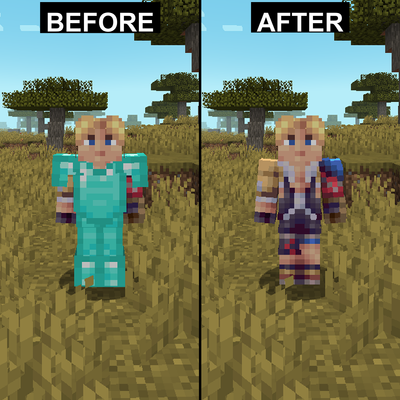
modHides armor on yourself and other players with configuration options
 mod
modUpgrade your hoppers!
 mod
modUnofficial companion mod for Patrix's Bonus Items and Addons resource packs, adding its content as placeable Creative Mode blocks. Not affiliated with or endorsed by Patrix.