YetAnotherConfigLib Optional for Item Particles [neoforge/26.2] Item Particles v1.1.0
optionalMatching file found Matched file: 3.9.7 for neoforge 26.2
CurseForge · Minecraft mod
Beautiful particles for your world items! Dropped and Hand Items support!
Quick answer
Item Particles [neoforge/26.2] Item Particles v1.1.0 targets 26.2 with NeoForge. The project page does not say whether this file belongs on the client, dedicated server, or both. All 1 required mods have matching files.
Where it goes
The project page does not say whether this file belongs on the client, dedicated server, or both.
The source does not explicitly classify this release as client-only or server-only.
[neoforge/26.2] Item Particles v1.1.0. Change the file and its required mods may change too.
Install MossyLib first. We found matching files for this game-version and loader setup.
We only count dependency files that match this setup. A file for another loader does not fill the gap.
Before you install it
Built for Item Particles [neoforge/26.2] Item Particles v1.1.0. Pick another file and the loader, install side or required mods may change.
Use [neoforge/26.2] Item Particles v1.1.0. It targets 26.2 with NeoForge; another release may have different loader, side or dependency requirements.
Install MossyLib first. We found matching files for this game-version and loader setup.
The project page does not say whether this file belongs on the client, dedicated server, or both.
Use the “Get this file” button beside [neoforge/26.2] Item Particles v1.1.0. It opens that exact file at the source.
About this project






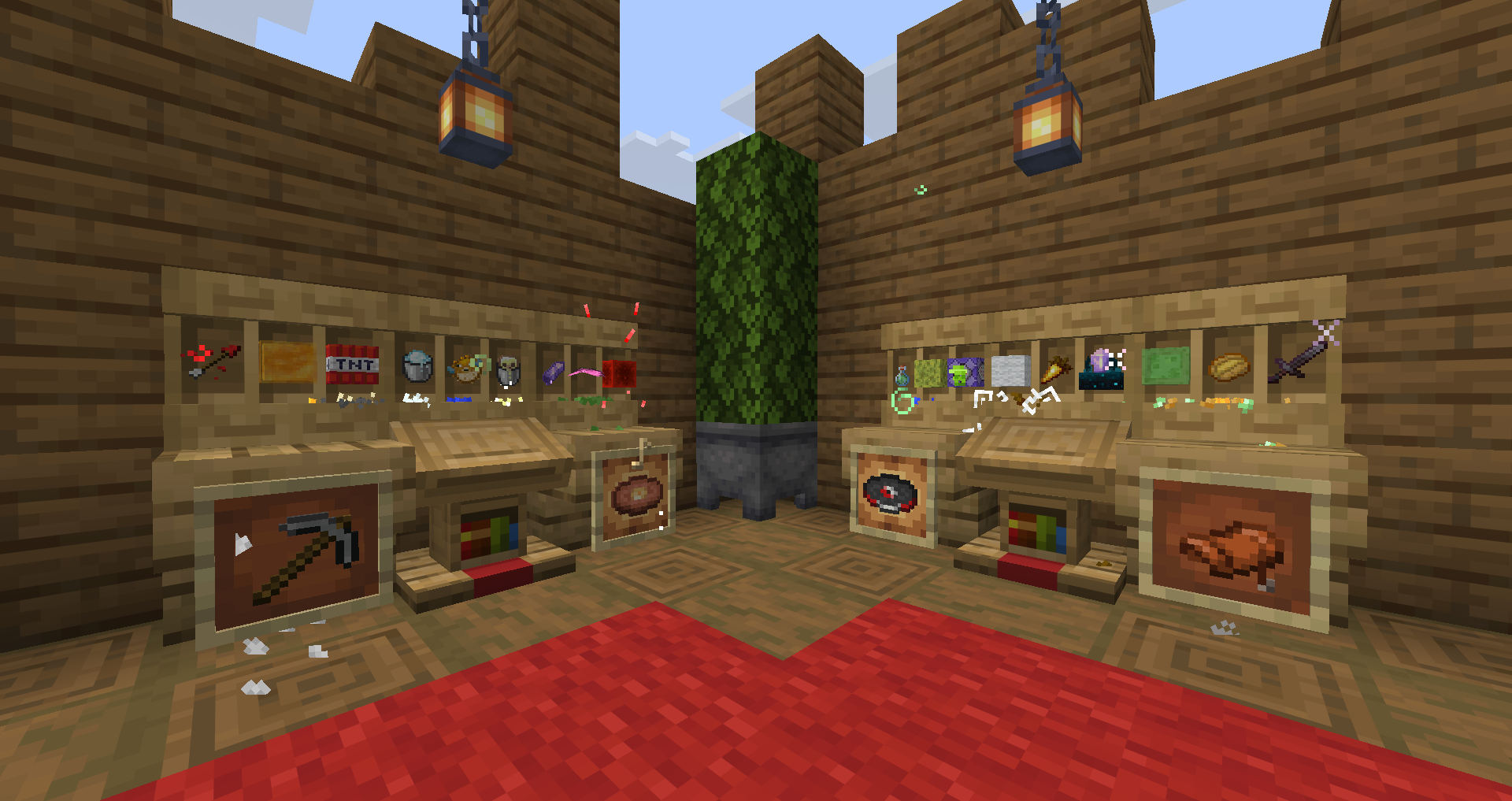
Item Particles — Visual mod which adds a lot of new particles for your world items! With this mod they will look more interactive and dynamic! Completely client-side.
This mod is based on another my mod: Inventory Particles,
So, if you’re already familiar with it, expect to see the same particles, just in the world!
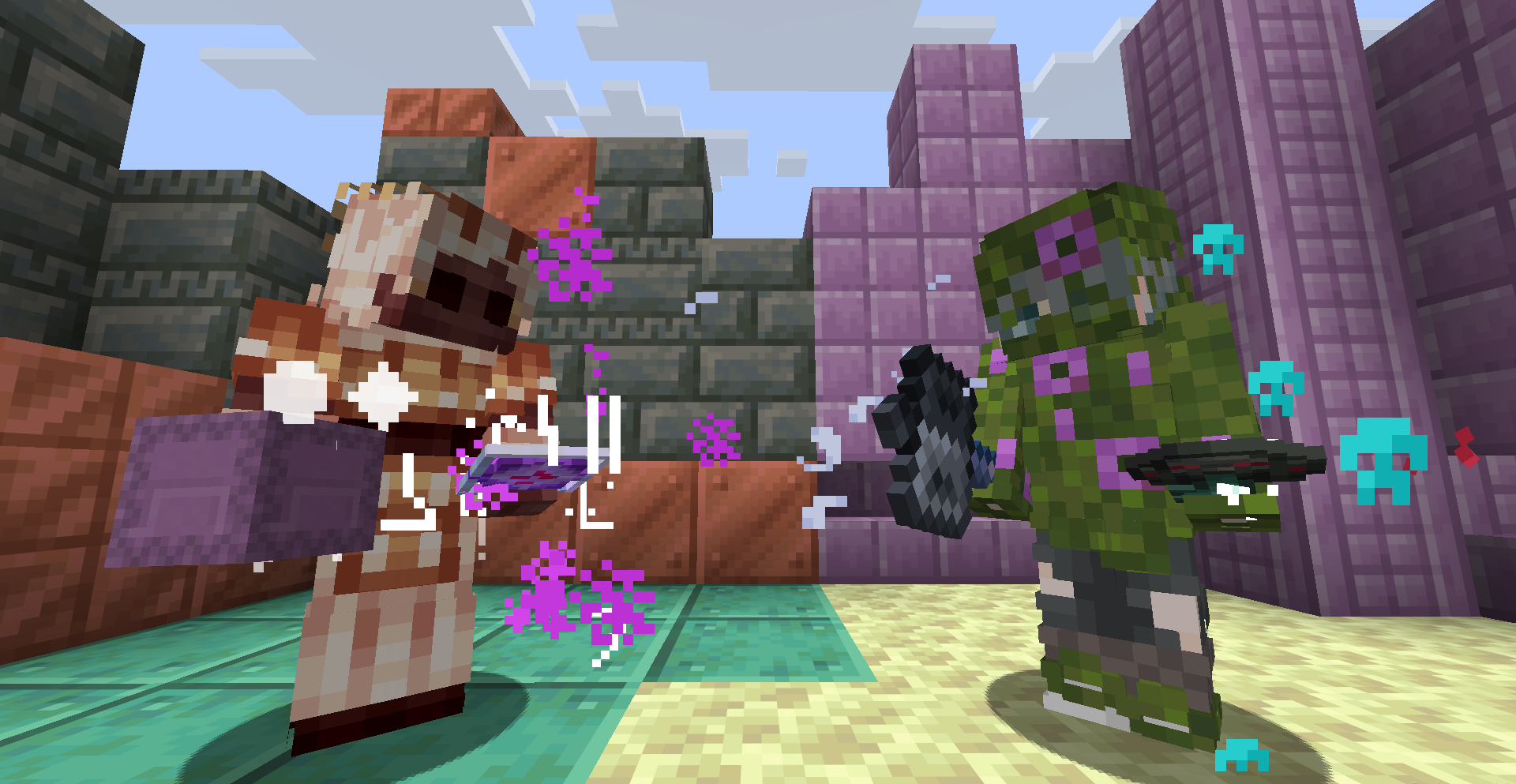
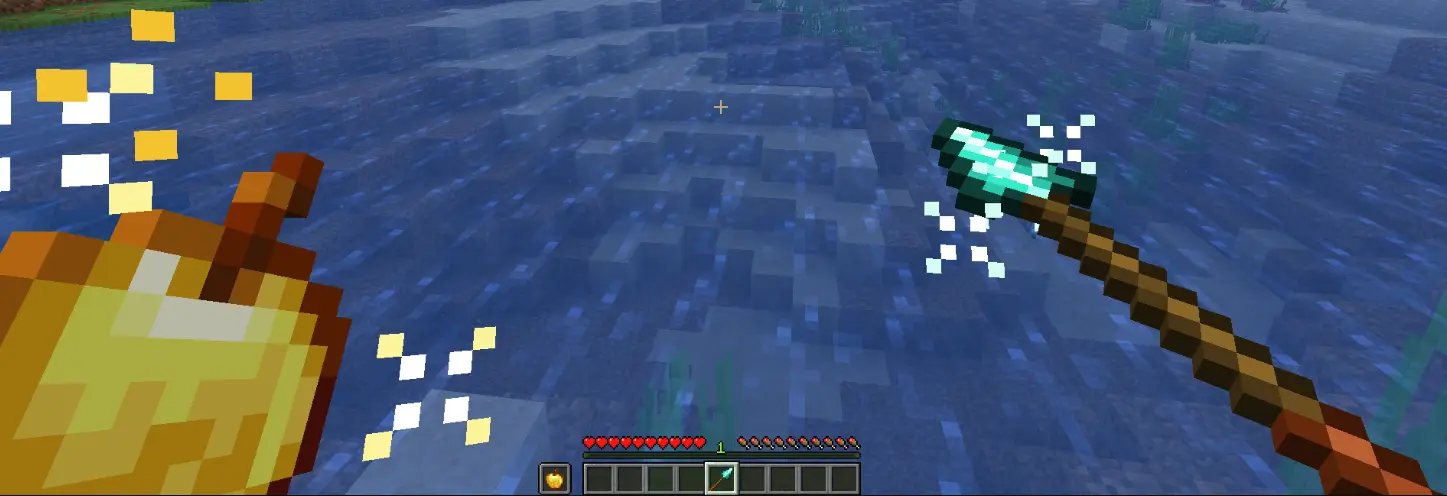
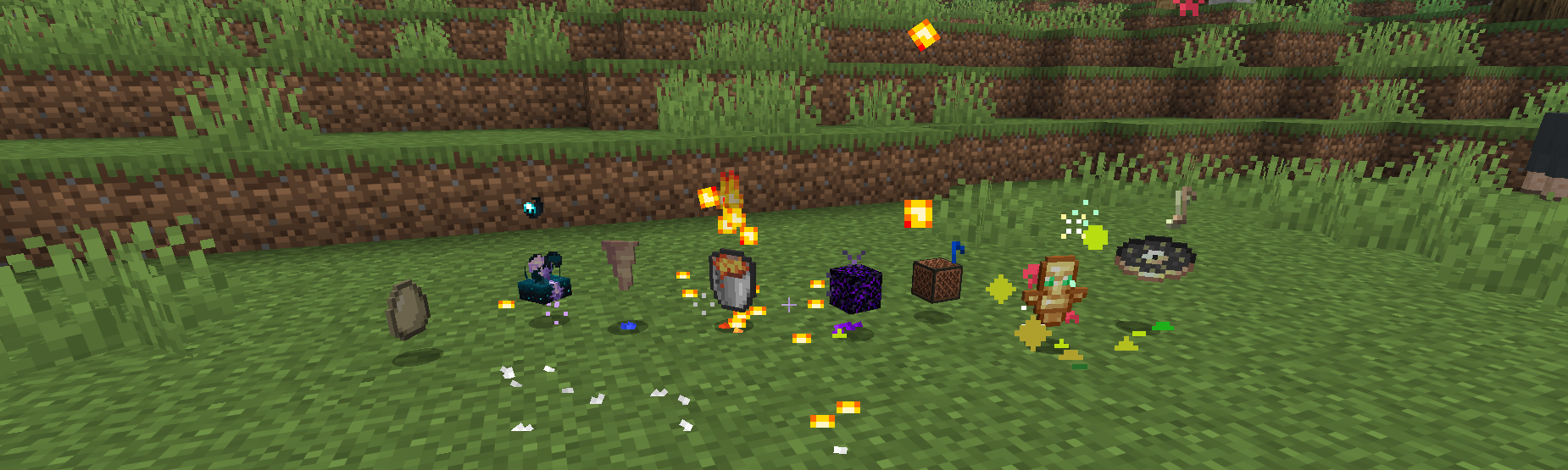
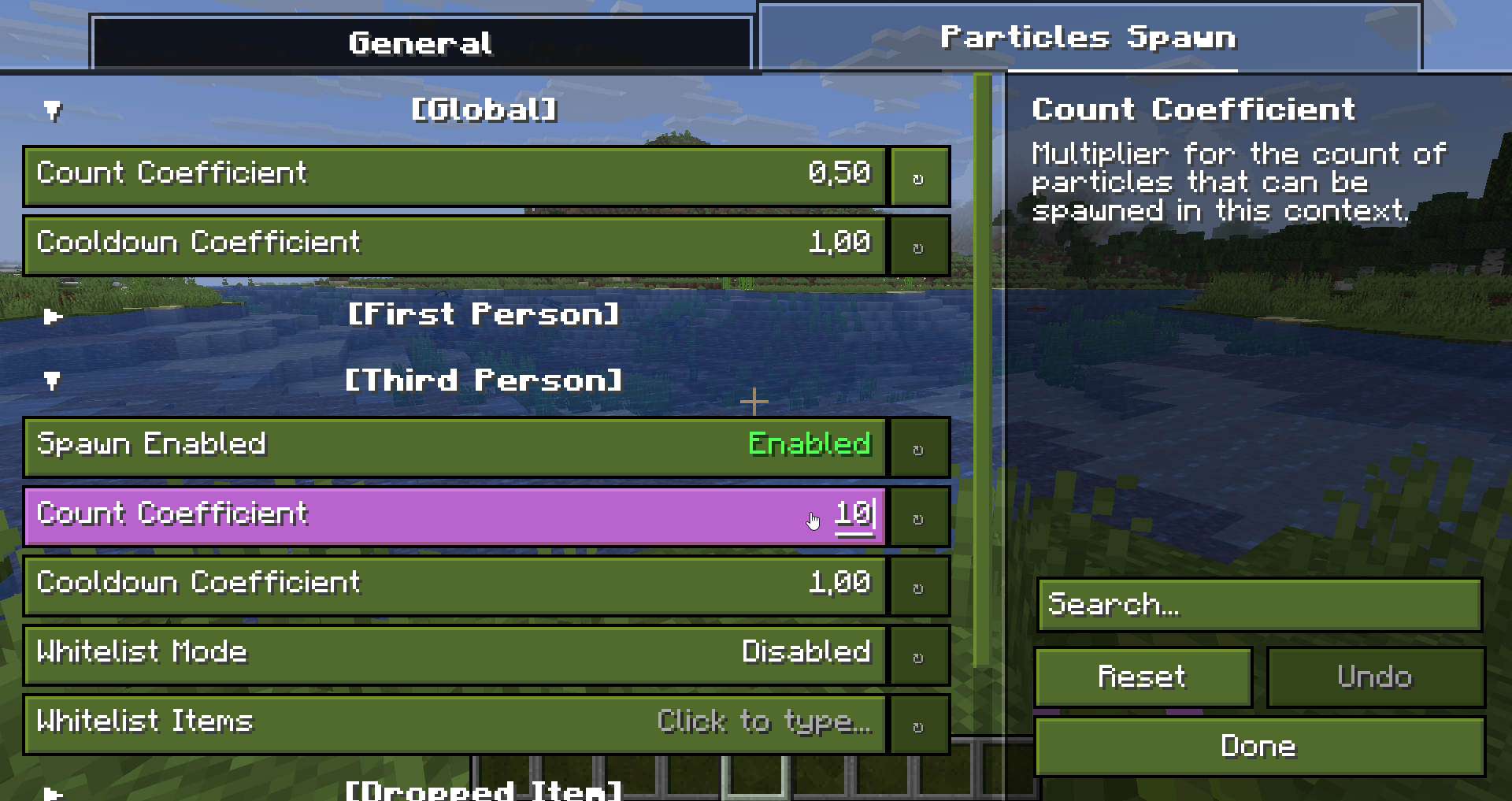
If it seems like there are too many of them, you can easily adjust their count and cooldown in the configuration menu, to perfectly complement your gameplay!


You’re probably wondering how the mod handles items from other mods? Well, starting with version v2.0.0, the mod features its own system for generating "family" particles!
You don't need to do anything — the mod handles it all for you!
In short: The mod includes config files that define item "categories" and "varieties." It analyzes the items and, based on these configs, assigns particles, potentially recolors them, and sets up unique spawn areas for the items themselves.
{
    "keywords": [
        "powder",
        "gunpowder",
        "sugar",
        "dust",
        "dye",
        "ash",
        "ashen"
    ],
    "tags": [
        "c:dusts"
    ],
    "particles": [
        {
            "id": "family/dust/dust",
            "textures": [
                "item_particles:dust/dust_0.png",
                "item_particles:dust/dust_1.png",
                "item_particles:dust/dust_2.png"
            ],
            "texture_generation_mode": {
                "luminance": true,
                "saturation": true,
                "frequency": true
            },
            "spawn_count": [0, 2],
            "spawn_frequency": [10, 20],
            "speed_coefficient": 0.25,
            "nbt_conditions_match": "any",
            "nbt_conditions": []
        }
    ],
    "family_groups": [],
    "compatible": false,
    "priority": 1500
}

All particles are data driven! This means that you can add more particles just by using resource packs and some basic configs!
You can customize: 1) Physics (acceleration, braking, impulses, etc.) 2) Rotations (actual and visual) 3) Sizes (+ animations) 4) Colors (+ animations) 5) Texture (+ animations) 6) Holders (items from which they will spawn) 7) Spawn Area (just with additional texture) 8) Life Time (ticks) 9) And other little things ^^
See the official wiki to learn how thing works here!
{
    "life_time": 100,
    "animation_type": "stretch",
    "animation_speed": 1.0,

    "size": {
        "width": 8.0,
        "height": 8.0
    },
    // or
    "size": {
        // https://nicmulvaney.com/easing
        "interpolation": "ease_in_quint",
        "sizes": {
            "0": {
                "width": 16.0,
                "height": 16.0,
                // Overrides "ease_in_quint"
                "interpolation": "linear"
            },
            "50": {
                "width": 32.0,
                "height": 32.0
            },
            "100": {
                "width": 64.0,
                "height": 64.0
            }
        }
    },

    "textures": [
        "item_particles:example/texture_0.png",
        "item_particles:example/texture_1.png"
    ],

    "holders": [
        {
            "item": "minecraft:potion",

            "spawn_area": "example_spawn_area.png",
            // or
            "spawn_area": "#full",
            // or
            "spawn_area": {
                "minecraft:block/grass_block_side": "particles_area_on_side.png",
                "minecraft:block/grass_block_top": "particles_area_on_top.png"
            },
            // or
            "spawn_area": {
                "minecraft:block/grass_block_side": "#full",
                "minecraft:block/grass_block_top": "particles_area_on_top.png"
            },

            "spawn_count": [0, 1],
            "spawn_frequency": [5, 20],
            "speed_coefficient": 0.3,

            "color": "#AARRGGBB",
            // or
            "color": {
                // mixed, random, random_static, gradient, gradient_random_static, gradient_loop, gradient_bounce
                "mode": "gradient",
                "values": ["#FF8CC091", "#003700", "nbt", "nbt_list"],
                "speed": 5.0
            },

            "nbt_conditions_match": "none",
            "nbt_conditions": [
                {
                    "this_name": "components",
                    "this_type": "object",
                    "next_match": "any",
                    "next": {
                        "this_name": "minecraft:potion_contents",
                        "this_type": "object",
                        "next_match": "any",
                        "next": [
                            {
                                "this_name": "potion",
                                "this_type": "string",
                                "check_value": "minecraft:water"
                            }
                        ]
                    }
                }
            ]
        }
    ],

    "physics": {
        "base": {
            "x_speed": {
                "impulse": [0.0, 0.0],
                "impulse_bidirectional": false,
                "acceleration": 0.0,
                "acceleration_bidirectional": false,
                "max_acceleration": [-100.0, 100.0],
                "braking": 0.0,
                "turbulence": [0.0, 0.0],
                "impulse_inherit_coefficient": 1.0
            },
            "y_speed": {
                "impulse": [0.0, 0.0],
                "impulse_bidirectional": false,
                "acceleration": 0.0,
                "acceleration_bidirectional": false,
                "max_acceleration": [-100.0, 100.0],
                "braking": 0.0,
                "turbulence": [0.0, 0.0],
                "impulse_inherit_coefficient": 1.0
            },
            "angle_speed": {
                "impulse": [1.0, 1.5],
                "impulse_bidirectional": false,
                "acceleration": 0.0,
                "acceleration_bidirectional": false,
                "max_acceleration": [-100.0, 100.0],
                "braking": 0.0,
                "turbulence": [0.0, 0.0]
            }
        },
        "rotation": {
            "particle": {
                "spawn_angle": [0.0, 360.0],
                "spawn_azimuth": [0.0, 360.0],
                "rotate_in_movement_direction": false,
                "speed": {
                    "impulse": [0.0, 0.0],
                    "impulse_bidirectional": false,
                    "acceleration": 0.0,
                    "acceleration_bidirectional": false,
                    "max_acceleration": 0.0,
                    "braking": 0.0,
                    "turbulence": [0.0, 0.0]
                }
            },
            "texture": {
                "spawn_angle": [0.0, 0.0],
                "spawn_azimuth": [0.0, 360.0],
                "rotate_in_movement_direction": false,
                "speed": {
                    "impulse": [0.0, 0.0],
                    "impulse_bidirectional": true,
                    "acceleration": 0.0,
                    "acceleration_bidirectional": false,
                    "max_acceleration": 0.0,
                    "braking": 0.0,
                    "turbulence": [0.0, 0.0]
                }
            }
        }
    }
}

 Want to support mod and authors? Just tell everyone about this mod!
Yeah, you got it right. Just by advertising, you will support the mod and the creators well. The more people will know about this mod, the more downloads it will have, more downloads will give good motivation to authors and increase income from the site (literally free donation). Remember, advertising must not be intrusive and annoiyng!
Project description from CurseForge.
Pick your setup
Choose the version and loader you play, then open the matching release.
Check the dependencies, then try the file in a copied instance before changing a world you care about.
Recent files
ItemParticles-1.1.0+26.2+neoforge.jar
12 Sept 2026
ItemParticles-1.1.0+26.1+neoforge.jar
12 Sept 2026
ItemParticles-1.1.0+1.21.11+neoforge.jar
12 Sept 2026
ItemParticles-1.1.0+26.2+fabric.jar
12 Sept 2026
ItemParticles-1.1.0+26.1+fabric.jar
12 Sept 2026
ItemParticles-1.1.0+1.21.11+fabric.jar
12 Sept 2026
ItemParticles-1.0.0+26.2+neoforge.jar
7 Sept 2026
ItemParticles-1.0.0+26.1+neoforge.jar
7 Sept 2026
ItemParticles-1.0.0+1.21.11+neoforge.jar
7 Sept 2026
ItemParticles-1.0.0+26.2+fabric.jar
7 Sept 2026
ItemParticles-1.0.0+26.1+fabric.jar
7 Sept 2026
ItemParticles-1.0.0+1.21.11+fabric.jar
7 Sept 2026
Looking for an older file? The official CurseForge project page is in Resources.