Sodium Optional for Continuity: NeoForged 3.0.2+26.2
optionalMatching file found Matched file: Sodium 0.9.2 for NeoForge 26.2
CurseForge · Minecraft mod
A Minecraft mod that allows for efficient connected textures, re-built for NeoForge.
Quick answer
Continuity: NeoForged 3.0.2+26.2 targets 26.2 with NeoForge. The project page does not say whether this file belongs on the client, dedicated server, or both. No extra mods listed for this file.
Where it goes
The project page does not say whether this file belongs on the client, dedicated server, or both.
The source does not explicitly classify this release as client-only or server-only.
3.0.2+26.2. Change the file and its required mods may change too.
This file does not list any required mods. Do not add a library just because a different file uses it.
We only count dependency files that match this setup. A file for another loader does not fill the gap.
Before you install it
Built for Continuity: NeoForged 3.0.2+26.2. Pick another file and the loader, install side or required mods may change.
Use 3.0.2+26.2. It targets 26.2 with NeoForge; another release may have different loader, side or dependency requirements.
This file does not list any required mods. Do not add a library just because a different file uses it.
The project page does not say whether this file belongs on the client, dedicated server, or both.
Use the “Get this file” button beside 3.0.2+26.2. It opens that exact file at the source.
About this project






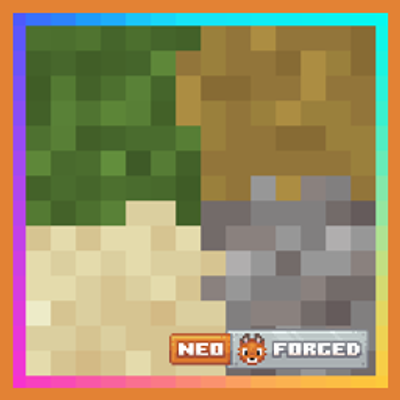
Continuity makes resource packs that use the OptiFine connected textures, emissive textures, and custom block layers formats work without OptiFine. It is client side only, and this build is native NeoForge: no Sinytra Connector, no Fabric API, nothing else to install.
Packs are read straight from their optifine/ctm directory, the same layout OptiFine and Continuity on Fabric already use, so nothing needs converting. A file naming a block or texture that is not there is logged and skipped rather than breaking the rest of the pack.
The formats are documented on the Continuity wiki.
Two packs ship with the mod, both off by default:
This is a port of PepperCode1's Continuity, a Fabric mod whose NeoForge releases run under Connector with Forgified Fabric API beneath them. This build needs neither, so install it instead of the upstream one rather than alongside it.
Packs written for Continuity on Fabric are meant to look identical here. Connected textures are not yet visually confirmed on this build.
NeoForge, and nothing else. A separate file is built for every Minecraft version from 1.21.1 through 1.21.11, and for 26.1 and 26.2. Download the one matching your Minecraft version; each needs the NeoForge line that goes with it, so the 1.21.8 build wants NeoForge 21.8.0 or newer and the 26.2 build wants 26.2.0 or newer.
LGPL-3.0-only, the same as upstream, with the full terms in LICENSE. This is a derivative work: if you distribute the JAR, you must make the source available to whoever you distribute it to.
Project description from CurseForge.
Pick your setup
Choose the version and loader you play, then open the matching release.
Showing the newest 12 of 15 game versions. Older files are in the list below.
Check the dependencies, then try the file in a copied instance before changing a world you care about.
Recent files
ContinuityNeoForge-3.0.2+26.2.jar
9 Sept 2026
ContinuityNeoForge-3.0.2+26.1.2.jar
9 Sept 2026
ContinuityNeoForge-3.0.2+1.21.11.jar
9 Sept 2026
ContinuityNeoForge-3.0.2+1.21.10.jar
9 Sept 2026
ContinuityNeoForge-3.0.2+1.21.9.jar
9 Sept 2026
ContinuityNeoForge-3.0.2+1.21.8.jar
9 Sept 2026
ContinuityNeoForge-3.0.2+1.21.7.jar
9 Sept 2026
ContinuityNeoForge-3.0.2+1.21.6.jar
9 Sept 2026
ContinuityNeoForge-3.0.2+1.21.5.jar
9 Sept 2026
ContinuityNeoForge-3.0.2+1.21.4.jar
9 Sept 2026
ContinuityNeoForge-3.0.2+1.21.3.jar
9 Sept 2026
ContinuityNeoForge-3.0.2+1.21.1.jar
9 Sept 2026
Looking for an older file? The official CurseForge project page is in Resources.
 mod
modConfig API with automatic GUIs, powerful validation options, server-client sync, and more!
 mod
modOfficially recognized community ports and special editions of Bird Watching, maintained by community contributors.
 mod
modAscend beyond the skies by empowering your wings with ancient relics to master the heavens and command the battlefield from above.
