Sodium Optional for Continuity: NeoForged 3.0.12+26.3
optionalMatching file found Matched file: Sodium 0.9.2 for NeoForge 26.3
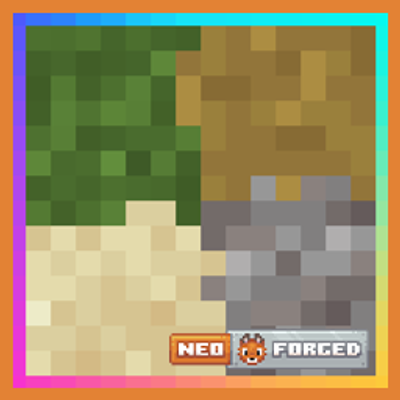
CurseForge · Minecraft mod
A Minecraft mod that allows for efficient connected textures, re-built for NeoForge.
Quick answer
Continuity: NeoForged 3.0.12+26.3 targets 26.3 with NeoForge. The project page does not say whether this file belongs on the client, dedicated server, or both. No extra mods listed for this file.
Where it goes
The project page does not say whether this file belongs on the client, dedicated server, or both.
The source does not explicitly classify this release as client-only or server-only.
3.0.12+26.3 on 26.3. Every mod below is checked against that same setup.
This file does not list any required mods. Do not add a library just because a different file uses it.
We only count dependency files that match this setup. A file for another loader does not fill the gap.
Before you install it
Built for Continuity: NeoForged 3.0.12+26.3 on 26.3. Pick another file and the loader, install side or required mods may change.
Use 3.0.12+26.3. It targets 26.3 with NeoForge; another release may have different loader, side or dependency requirements.
This file does not list any required mods. Do not add a library just because a different file uses it.
The project page does not say whether this file belongs on the client, dedicated server, or both.
Use the “Get this file” button beside 3.0.12+26.3. It opens that exact file at the source.
About this project




Continuity makes resource packs that use OptiFine's connected textures, emissive textures and custom block layers work without OptiFine. It runs on the client only and is built for NeoForge itself, so it needs no Sinytra Connector, no Fabric API and nothing else.
A pack describes each connected texture in a short .properties file in its optifine/ctm folder. This one comes from the built-in pack and joins black stained glass into one clean sheet:
method=ctm
matchTiles=black_stained_glass
matchBlocks=black_stained_glass
tiles=0-46
connect=block
resourceCondition=textures/block/black_stained_glass.png
tiles=0-46 points at the 47 pieces of glass sitting next to the file, and the last line turns the file off when another pack retextures black stained glass. OptiFine and Continuity on Fabric read the same layout, so packs made for either work here without converting anything. A file naming a block or texture the game does not have is logged and skipped, and the rest of the pack loads as usual.
The full format is documented on the Continuity wiki.
Two packs ship with the mod, and both stay off until you turn them on in Options, then Resource Packs:
Default Connected Textures --> connected glass, glass panes, sandstone and bookshelves, as OptiFine has them built in, with a matching set for Programmer Art
Glass Pane Culling Fix --> hides the faces between vertically stacked glass panes, so a column of panes reads as one
Each Minecraft version below has its own file, and each file needs NeoForge from the same line:
1.21.2 to 1.21.10 got a single release, 3.0.2, and stay on it.
Sodium is supported, and Continuity's options get a page of their own in its video settings. Connected textures have been seen working under it. Emissive textures are another story on 1.21.1, where they stay unlit while Sodium is installed, since Sodium replaces the part of the renderer that lights them. From 1.21.11 Sodium should light them itself. That comes from reading its source, and nobody has checked it in game yet.
ModernFix's dynamic resources option works on 1.21.1 and 26.1, the two versions here that ModernFix is out for, and connected and emissive textures apply to the models it bakes on demand. Embeddium has not been tested.
Emissive textures cover block and item models only, as in the original Continuity, so entities and worn armor stay as they are. Custom block layers stop working from 26.1, since the game no longer asks which layer a block goes in. The original Continuity dropped them on the same version, and the setting is left off the config screen there.
This is a port of PepperCode1's Continuity, a Fabric mod whose NeoForge files run under Sinytra Connector with Forgified Fabric API beneath them. This build needs neither, so install it instead of the upstream one, not alongside it. Packs made for Continuity on Fabric should look exactly the same here, and if one does not, please report it on GitHub.
LGPL-3.0-only, the same as upstream, with the full terms in LICENSE. This is a derivative work, so if you pass the jar on, you have to make the source available to whoever you give it to.
Project description from CurseForge.
Pick your setup
Choose the version and loader you play, then open the matching release.
Showing the newest 12 of 16 game versions. Older files are in the list below.
Check the dependencies, then try the file in a copied instance before changing a world you care about.
Recent files
ContinuityNeoForge-3.0.12-26.3.jar
18 Nov 2026
ContinuityNeoForge-3.0.11-26.3.jar
13 Nov 2026
ContinuityNeoForge-3.0.8+26.3.jar
15 Oct 2026
ContinuityNeoForge-3.0.7+26.3.jar
24 Sept 2026
ContinuityNeoForge-3.0.6+26.3.jar
23 Sept 2026
Looking for an older file? The official CurseForge project page is in Resources.
 mod
Enhances vanilla wolves with unique personalities (Aggressive, Pacifist, Normal), smarter AI, safety behaviors, and combat improvements.
 mod
Replaces the static vanilla main menu with a panoramic view of your actual in-game locations.
 mod
See every player's PvP tier in their nametag. Supports Tier Tests, MCTiers, PvPTiers, SubTiers and MCPVP
