Quick answer
Which Applied Glyphs release should I use?
Latest stable file applied-glyphs-v1
Game version 1.21.1
Loader NeoForge
Applied Glyphs applied-glyphs-v1 targets 1.21.1 with NeoForge. The project page does not say whether this file belongs on the client, dedicated server, or both. All 3 required mods have matching files.
Where it goes
Is Applied Glyphs required on the client, server, or both?
The project page does not say whether this file belongs on the client, dedicated server, or both.
Client Source doesn’t say
Dedicated server Source doesn’t say
Loader for this release NeoForge
Required install it here Optional supported, not mandatory Not supported do not install here Source doesn’t say do not assume
The source does not explicitly classify this release as client-only or server-only.
What else does Applied Glyphs applied-glyphs-v1 need?
applied-glyphs-v1. Change the file and its required mods may change too.
Install Applied Energistics 2, Ars Nouveau, GuideME first. We found matching files for this game-version and loader setup. 14 come through another mod in the chain.
4 listed on this file 14 pulled in by those mods
Matching file found Matched file: AE2 19.2.18 [NEOFORGE]
Matching file found Matched file: JustDireThings-1.5.7
Matching file found Matched file: ars_nouveau-1.21.1-5.13.3
ExtendedAE Optional for Applied Glyphs applied-glyphs-v1 optionalMatching file found Matched file: ExtendedAE-1.21-2.2.41-neoforge.jar
Jade 🔍 Needed by Applied Energistics 2 pulled inMatching file found Matched file: [NeoForge 1.21.1] 15.10.6
WTHIT Needed by Applied Energistics 2 pulled inNo matching file
EMI Needed by Applied Energistics 2 pulled inMatching file found Matched file: emi-1.1.24+1.21.1+neoforge
Matching file found Matched file: [NeoForge 1.21(.1)] v16.0.799
Matching file found Matched file: TheOneProbe - 1.21_neo-12.0.8
GuideME Needed by Applied Energistics 2 pulled inMatching file found Matched file: GuideME 21.1.19
Matching file found Matched file: ae2wtlib-19.5.1.jar
Matching file found Matched file: Glodium-1.21-2.2-neoforge.jar
Matching file found Matched file: 19.57.0.451 for NeoForge 1.21.1
Matching file found Matched file: [NeoForge 1.21] v15.0.140
Matching file found Matched file: [NeoForge 1.21] v13.0.11
No matching file
Matching file found Matched file: MezzConfig GUI mc1.21.1-0.5.5 for NeoForge
Matching file found Matched file: MezzConfig 0.6.8 for NeoForge 1.21.1
14
extra mods were pulled in by other dependencies.
Indented rows show who needs each one. We only count dependency files that match this setup. A file for another loader does not fill the gap.
Before you install it
Add Applied Glyphs without breaking your instance.
Built for Applied Glyphs applied-glyphs-v1. Pick another file and the loader, install side or required mods may change.
- 01
Stick to this file
Use applied-glyphs-v1. It targets 1.21.1 with NeoForge; another release may have different loader, side or dependency requirements.
- 02
Bring the mods it needs
Install Applied Energistics 2, Ars Nouveau, GuideME first. We found matching files for this game-version and loader setup. 14 come through another mod in the chain.
- 03
Put it on the correct side
The project page does not say whether this file belongs on the client, dedicated server, or both.
- 04
Pick the file you checked
Use the “Get this file” button beside applied-glyphs-v1. It opens that exact file at the source.
About this project
What does Applied Glyphs add?
Two Ars Technica glyphs for automating Applied Energistics 2: grow budding crystals on command and craft AE2 circuits with spells.
- Bud is a tier 2 effect glyph that forces extra random ticks on budding blocks, making their crystals grow as if more time had passed (like the Growth Accelerator ).
- Inscribe works with Fuse (from Ars Technica) to run AE2 Inscriber recipes without an actual Inscriber or its power connection.
- Amplify and AOE can enhance the glyphs where applicable.
- Requires Ars Nouveau, Ars Technica, and Applied Energistics 2.
Bud Glyph
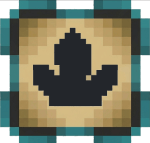
Bud forces extra random ticks through budding blocks, accelerating the growth of the crystals they produce.
- Cast Bud at a budding block such as budding amethyst, AE2 budding certus quartz, or a compatible budding block from another mod.
- Aim anywhere. The spell works when it hits either the budding block or a crystal cluster growing from it. You do not need to break the cluster first.
- Bud automatically supports most modded budding blocks without configuration. A block qualifies if it randomly ticks and its registry name contains
"budding".
- Amplify adds more ticks per cast. One Amplify augment roughly doubles the growth speed.
- AOE increases the area affected, allowing one cast to reach multiple nearby budding blocks.
- The config provides a cap on the amount of growth Bud can apply, including the effects of Amplify and AOE.
- Bud also automatically supports Just Dire Things time crystal budding blocks.
Why I made it
I wanted to automate more of AE2 with spell turrets. A Growth Accelerator does one job, while a spell turret can perform that same job alongside other automation. Bud lets a turret handle crystal growth without requiring a dedicated Growth Accelerator setup.
Inscribe Glyph
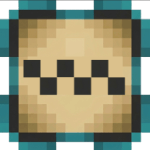
Inscribe lets Fuse run AE2 Inscriber recipes, allowing you to craft circuits with spells instead of an actual Inscriber.
How it works
- Inscribe changes what Fuse does. Fuse on its own runs Create mixing recipes. When Inscribe is present, Fuse instead looks for AE2 Inscriber recipes.
- The spell does not fall back to Create mixing when Inscribe is present. If the ingredients do not match an Inscriber recipe, the spell simply fizzles.
- Presses are still required for recipes that normally use them. If an Inscriber recipe requires a press, you must provide the appropriate press as an ingredient.
- Presses are refunded. After the recipe is completed, the required press is returned, so the press is not consumed.
- AOE works the same way it does with Fuse, providing a wider pickup area and allowing more crafts from a single cast.
Presses
The Flatten glyph from Ars Omega mod is particularly useful for these printed circuit steps, as it can create the printed components without requiring the normal pressing process.
Automation
Spell turrets can cast Inscribe spells too. Put Fuse + Inscribe in a turret's spell and you can automate AE2 circuit production without connecting an Inscriber to a power source.
Requirements
- Ars Nouveau — required.
- Ars Technica — required. Inscribe augments its Fuse glyph.
- Applied Energistics 2 — required. Inscribe targets AE2 Inscriber recipes, while Bud supports AE2's budding certus quartz blocks automatically.
- NeoForge for Minecraft 1.21.1.
- Ars Omega — optional. The Flatten glyph useful printed circuit steps - better than using fuse+inscribe.
- Just Dire Things — optional. Bud automatically supports its time crystal budding blocks.
Modpacks
Feel free to use my mods in your modpack. Please give proper credit.
Other Mods by me
I run these mods together:
Project description from CurseForge.
Pick your setup
Applied Glyphs by Minecraft version and loader
Choose the version and loader you play, then open the matching release.
Minecraft version
1.21.1
1
loader build Check the dependencies, then try the file in a copied instance before changing a world you care about.
Recent files
Applied Glyphs versions and loaders
applied_glyphs-1.0.0.jar
4 Sept 2026
Client Source doesn’t say Server Source doesn’t say Dependencies 3 required · matched Listed on Release listing
Check the 1.21.1 · NeoForge setup → 
 mod
mod mod
mod mod
mod