Regions Unexplored Optional for Safepaths (MineColonies) v2.5.0 (NeoForge 1.21.1)
optionalMatching file found Matched file: v0.6.3 ~ Neoforge 21.1

CurseForge · Minecraft mod
Turn everyday routes into natural paths, travel faster on roads, and let nature reclaim unused trails. With optional MineColonies support.
Quick answer
Safepaths (MineColonies) v2.5.0 (NeoForge 1.21.1) targets 1.21.1 with NeoForge. The project page does not say whether this file belongs on the client, dedicated server, or both. No extra mods listed for this file.
Where it goes
The project page does not say whether this file belongs on the client, dedicated server, or both.
The source does not explicitly classify this release as client-only or server-only.
v2.5.0 (NeoForge 1.21.1). Change the file and its required mods may change too.
This file does not list any required mods. Do not add a library just because a different file uses it.
20 extra mods were pulled in by other dependencies. Indented rows show who needs each one. We only count dependency files that match this setup. A file for another loader does not fill the gap.
Before you install it
Built for Safepaths (MineColonies) v2.5.0 (NeoForge 1.21.1). Pick another file and the loader, install side or required mods may change.
Use v2.5.0 (NeoForge 1.21.1). It targets 1.21.1 with NeoForge; another release may have different loader, side or dependency requirements.
This file does not list any required mods. Do not add a library just because a different file uses it.
The project page does not say whether this file belongs on the client, dedicated server, or both.
Use the “Get this file” button beside v2.5.0 (NeoForge 1.21.1). It opens that exact file at the source.
About this project
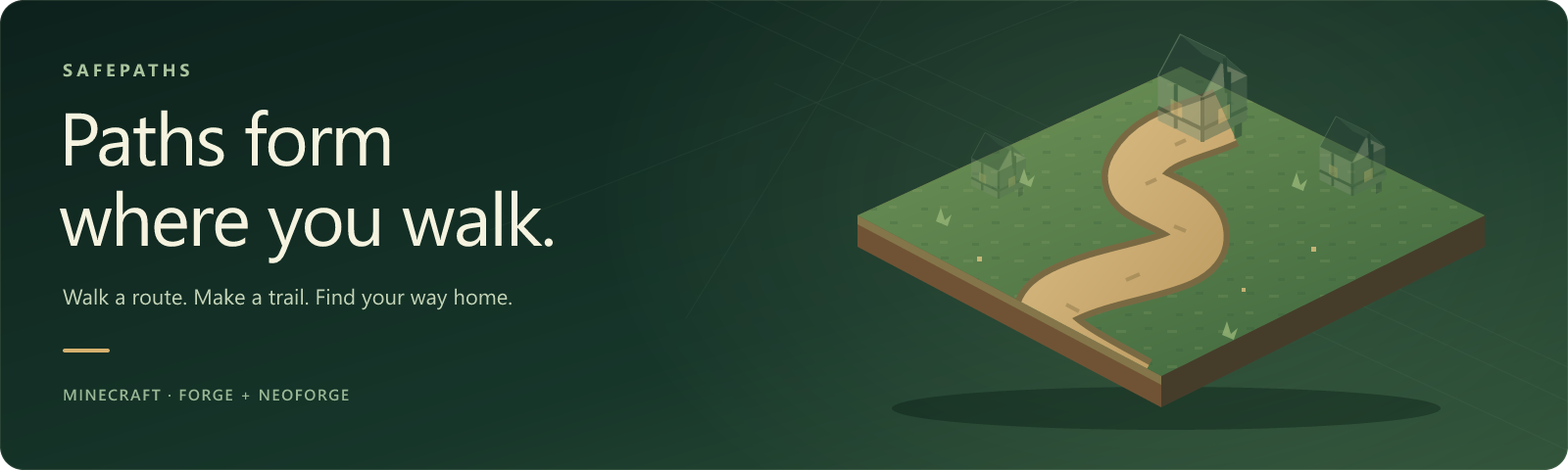
Let journeys shape the world: footsteps form paths, roads speed up travel, and unused trails return to nature. Customize your paths and pace, with optional MineColonies support for citizen-made paths that respect colony permissions.


Install · Settings · Compatibility · Wiki
| 👣 Trails shaped by your journeys The routes you walk become part of the landscape. Grass, dirt, sand, and other supported ground turn into paths after repeated use — 20 passes within one Minecraft day by default. Want to keep a patch untouched? Enable ground protection while sneaking. |
⚡ Roads that reward the journey Enjoy a 20% road speed bonus by default, or set a different bonus for each conversion. Grass and sand can lead to the same path block while keeping their own bonuses. Add permanent roads from your favorite building materials, too. |
| 🌿 Let nature take the path back Unused tracked paths return to their original terrain after three Minecraft days by default. Creation and decay have separate switches, so you choose how the landscape changes. Placed and shovel-made paths are not automatically given a decay timer. |
🏘️ At home in your colony MineColonies citizens can form paths as they travel. Colony permissions apply, and farmland, inventories, and MineColonies blocks are protected. MineColonies is optional — Safepaths also works on its own. |
Choose the jar that matches both your Minecraft version and loader:
| Minecraft | Loader | Java | File ending |
|---|---|---|---|
| 1.21.1 | NeoForge 21.1.235+ | 21 | -1.21.1-neoforge.jar |
| 1.20.1 | Forge 47.3.0+ | 17 | -1.20.1-forge.jar |
mods folder.Playing on a server? Install Safepaths on the server. Clients do not need it to use the paths or speed bonus. Settings are controlled by the server owner.
Updating to 2.5.0? Back up your world and replace the previous Safepaths jar. Keep only one installed version. Existing configs and path records remain supported; conversion entries without @ speed keep using the global bonus.
Open Mods → Safepaths → Config. Choose Creation, Decay, or Speed, then open Block Conversions… to edit your ground and road choices.
Your roads, your pace. Enter 12.5 or 12,5 for a +12.5% bonus. Leave a rule's speed empty to use the global bonus, or enter 0 for no bonus. Time values show their tick unit beside the field.
Permanent roads: choose the same block for source and road. Gravel already works this way by default. Missing-mod rules stay in your list as inactive entries.
Need to inspect a path? Operators can use /safepaths inspect to see progress, the selected speed, decay, and protection status. The command and its messages also work for clients without Safepaths installed.
All settings · Conversion editor · Inspect command
Safepaths works on its own. These integrations are optional:
| Mod | What Safepaths adds |
|---|---|
| MineColonies | Citizen-made paths and colony permission checks. |
| Oh The Biomes We've Gone | Default conversions for selected lush and sandy soils. |
| Biomes O' Plenty | A default conversion for origin grass. |
| Regions Unexplored | Default conversions for peat, silt, and chalk soils. |
Other soils and road materials can be added through the conversion editor or datapack tags. Each optional mod must match your Minecraft version and loader.
Report a bug with your Minecraft, loader, and Safepaths versions, reproduction steps, and a relevant log or screenshot.
Wiki · Changelog · Support development on Patreon
Modpacks are welcome with credit. All Rights Reserved; standalone redistribution is not permitted. See LICENSE.
Project description from CurseForge.
Pick your setup
Choose the version and loader you play, then open the matching release.
Check the dependencies, then try the file in a copied instance before changing a world you care about.
Recent files
safepaths-2.5.0-1.21.1-neoforge.jar
11 Nov 2026
safepaths-2.5.0-1.20.1-forge.jar
11 Nov 2026
safepaths-2.0.2-1.20.1-forge.jar
28 Oct 2026
safepaths-2.0.2-1.21.1-neoforge.jar
28 Oct 2026
safepaths-2.0.1-1.20.1-forge.jar
15 Oct 2026
safepaths-2.0.1.jar
7 Oct 2026
safepaths-2.0.1.jar
7 Oct 2026
safepaths-2.0.0.jar
30 Sept 2026
safepaths-1.2.0.jar
29 Sept 2026
safepaths-1.2.0.jar
29 Sept 2026
safepaths-1.1.0.jar
16 Jul 2026
safepaths-1.0.2.jar
16 Jul 2026
Looking for an older file? The official CurseForge project page is in Resources.
 mod
VoltRide adds realistic, customizable electric scooters to Minecraft. Craft parts, upgrade motors and batteries, use lights and indicators, perform wheelies and drifts, and experience advanced physics, damage, and repairs.
 mod
An end portal expansion, for those who seek to stare down the throat of the void.
 mod
Hire, pay, command, and keep alive a handful of mercenaries who remember your promises, your victories, and the graves you left behind.
