Minecraft version
Back to mods 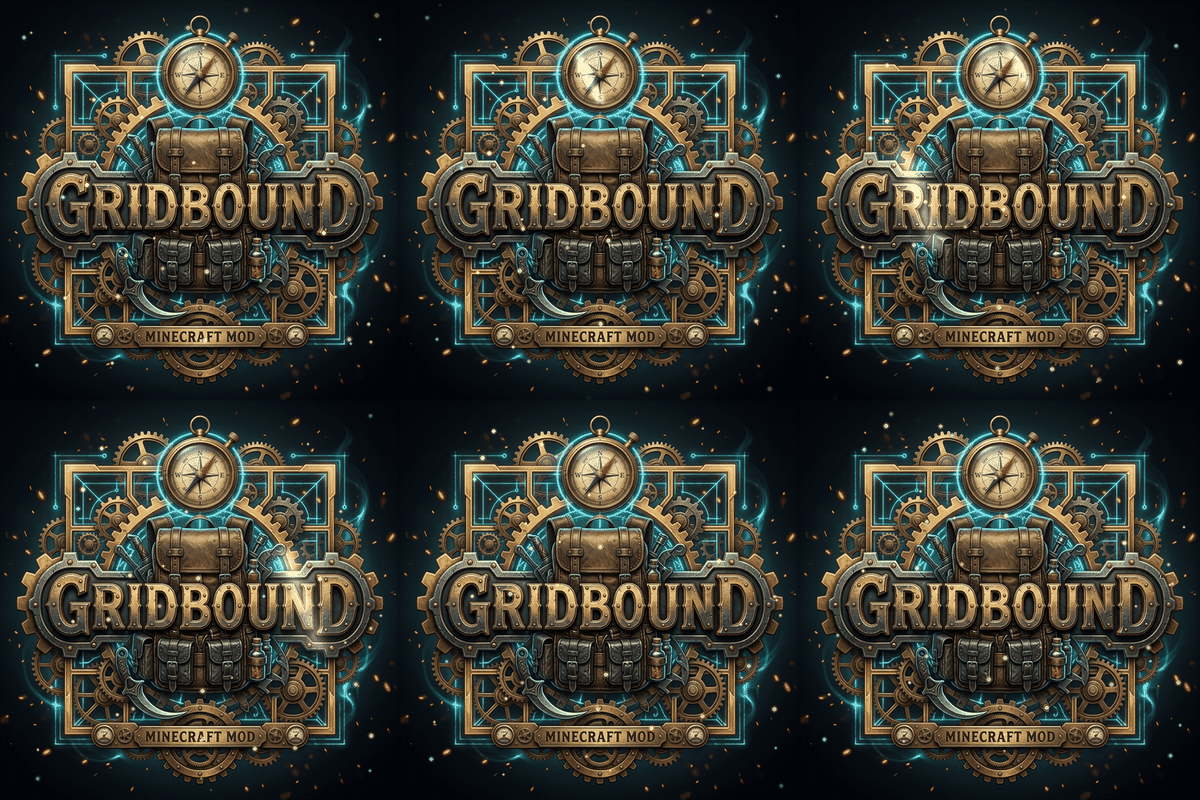
CurseForge · Minecraft mod
Gridbound
Realistic spatial grid inventory, dynamic weight physics, crushing hazards & survival logistics.
Choose a version Pick your version below, then grab the matching file.
Quick answer
Which Gridbound release should I use?
Latest stable file Gridbound.jar
Game version 1.20.1
Loader Forge
Gridbound.jar targets 1.20.1 with Forge. The project page does not say whether this file belongs on the client, dedicated server, or both. No extra mods listed for this file.
Where it goes
Is Gridbound required on the client, server, or both?
The project page does not say whether this file belongs on the client, dedicated server, or both.
Client Source doesn’t say
Dedicated server Source doesn’t say
Loader for this release Forge
Required install it here Optional supported, not mandatory Not supported do not install here Source doesn’t say do not assume
The source does not explicitly classify this release as client-only or server-only.
What else does Gridbound.jar need?
Gridbound.jar. Change the file and its required mods may change too.
This file does not list any required mods. Do not add a library just because a different file uses it.
This file does not list any required or optional mods.
Before you install it
Add Gridbound without breaking your instance.
Built for Gridbound.jar. Pick another file and the loader, install side or required mods may change.
- 01
Stick to this file
Use Gridbound.jar. It targets 1.20.1 with Forge; another release may have different loader, side or dependency requirements.
- 02
Bring the mods it needs
This file does not list any required mods. Do not add a library just because a different file uses it.
- 03
Put it on the correct side
The project page does not say whether this file belongs on the client, dedicated server, or both.
- 04
Pick the file you checked
Use the “Get this file” button beside Gridbound.jar. It opens that exact file at the source.
About this project
What does Gridbound add?
🎒 GRIDBOUND
A Realistic Spatial Grid Inventory, Dynamic Weight Physics, Crushing Hazards & Tactical Survival Logistics
👉 [ Join Official Discord Community ] 👈
📖 Overview
Gridbound completely replaces Minecraft's vanilla inventory system with a dynamic, tactile spatial survival experience inspired by Resident Evil, Escape from Tarkov, and S.T.A.L.K.E.R.
Say goodbye to magic infinite-capacity pocket storage! In Gridbound, every single item occupies physical dimensions, mass in kilograms, kinetic momentum, and environmental vulnerability.
✨ Key Features
- 📐 Spatial Polyomino Shapes: Items occupy realistic geometric footprints — from compact 1×1 ingots to 1×3 swords, 2×3 shields, and iconic 3×3 T-shaped pickaxes.
- 🔄 Tactile Item Rotation: Freely rotate any item in 90-degree increments by pressing [R] while holding or hovering over it to optimize backpack space.
- ⚖️ Dynamic Weight & Encumbrance: Every block, ore, and tool possesses true mass in kilograms (kg). Carrying excess weight causes kinetic inertia, movement penalties, jump exhaustion, and increased fall damage.
- 💥 Motion-Based Crushing Hazards: Violent impacts (jumping or falling from heights) cause heavy items (like iron anvils or gold blocks) to crush delicate glass bottles and potions placed beneath them!
- 🔥 Environmental Thermodynamics: Storing blocks of ice next to heat sources (campfires, torches, lava buckets) will gradually melt them into streams of water.
- 🥩 Contamination & Spoilage: Fresh food gradually decays over time if stored directly adjacent to filth, rotten flesh, or dirty soil.
- 🛠️ Full Workstation Integration: Bespoke physical grid interfaces for Anvils, Crafting Tables, Furnaces, Brewing Stands, Enchanting Tables, and Cartography Tables.
- 💍 Curios API Support: Dedicated accessory slots for rings, charms, belts, necklaces, and pendants (when Curios API is installed).
- ⚙️ Data-Driven & Customizable: Easily customize item sizes, geometric footprints, and weights for both vanilla and modded items via
config/topoinventory.json.
🎮 Controls & Hotkeys
| Action | Control |
|---|---|
| Rotate Item | Press [R] while dragging or hovering over an item |
| Quick Move (Shift-Click) | Shift + Left Click to automatically pack an item into the grid |
| Take Half Stack | Right Click on an item stack |
| Drop Item | Drag outside the inventory window or press [Q] |
📦 Requirements & Installation
- Minecraft Version:
1.20.1 - Mod Loader:
Forge(v47.1.0 or newer) - Java:
Java 17 - (Optional): Curios API (Forge) for accessory slot support.
💬 Community & Feedback
Encountered a bug, have a suggestion, or want to share your loadout?
👉 Join our Official Discord Community 👈
Created with ❤️ by bios79
Project description from CurseForge.
Pick your setup
Gridbound by Minecraft version and loader
Choose the version and loader you play, then open the matching release.
Check the dependencies, then try the file in a copied instance before changing a world you care about.
Recent files
Gridbound versions and loaders
Gridbound.jar
20 Sept 2026
Client Source doesn’t say Server Source doesn’t say Dependencies No extras listed Listed on Release listing
Check the 1.20.1 · Forge setup 1.20.1Forge release
Gridbound-1.20.1-1.0.0.jar
6 Sept 2026
Client Source doesn’t say Server Source doesn’t say Dependencies No extras listed Listed on Release listing
Check the 1.20.1 · Forge setup 1.20.1Forge release
Looking for an older file? The official CurseForge project page is in Resources.
 mod
mod CurseForge + Modrinth · Minecraft
Straw Statues
Bring some life to your builds with player statues of your favorite Minecrafters!
 mod
mod CurseForge + Modrinth · Minecraft
Scalable Cat's Force
Scala language provider for Minecraft 1.13.2 and newer
 mod
mod CurseForge + Modrinth · Minecraft
Kaleidoscope Cookery
Cook all kinds of delicious food!