Create: Numismatics Needed by Numismatics treasury & Auction house numismatics_treasury-1.3.0.jar
requiredMatching file found Matched file: Numismatics 1.1.0 NeoForge 1.21.1

CurseForge · Minecraft mod
Numismatics Treasury expands Numismatics with direct bank transfers, server shops, player-owned shops, and a global Auction House. Every transaction uses Numismatics bank accounts directly, with configurable modules, secure auction payments
Quick answer
Numismatics treasury & Auction house numismatics_treasury-1.3.0.jar targets 1.21.1 with NeoForge. The project page does not say whether this file belongs on the client, dedicated server, or both. All 2 required mods have matching files.
Where it goes
The project page does not say whether this file belongs on the client, dedicated server, or both.
The source does not explicitly classify this release as client-only or server-only.
numismatics_treasury-1.3.0.jar. Change the file and its required mods may change too.
Install Create: Numismatics, Create first. We found matching files for this game-version and loader setup. 1 comes through another mod in the chain.
1 extra mod was pulled in by another dependency. Indented rows show who needs each one. We only count dependency files that match this setup. A file for another loader does not fill the gap.
Before you install it
Built for Numismatics treasury & Auction house numismatics_treasury-1.3.0.jar. Pick another file and the loader, install side or required mods may change.
Use numismatics_treasury-1.3.0.jar. It targets 1.21.1 with NeoForge; another release may have different loader, side or dependency requirements.
Install Create: Numismatics, Create first. We found matching files for this game-version and loader setup. 1 comes through another mod in the chain.
The project page does not say whether this file belongs on the client, dedicated server, or both.
Use the “Get this file” button beside numismatics_treasury-1.3.0.jar. It opens that exact file at the source.
About this project
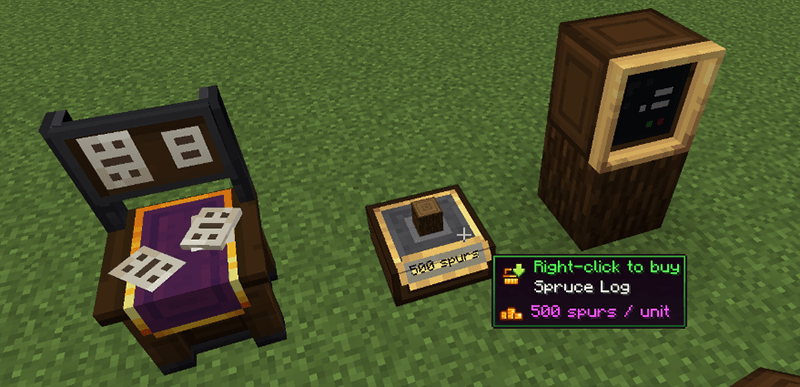
Numismatics Treasury is a NeoForge 1.21.1 addon for Numismatics that expands its banking system with direct transfers, configurable shops, player-owned stores, a global Auction House, and detailed economy statistics.
All transactions use Numismatics bank accounts directly. Players do not need to carry physical coins or manually convert currency before buying, selling, bidding, or transferring money.
The mod includes English text and a complete French translation.
/pay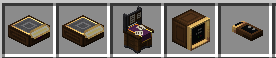
Transfer money directly between Numismatics bank accounts with:
/pay <player> <amount> command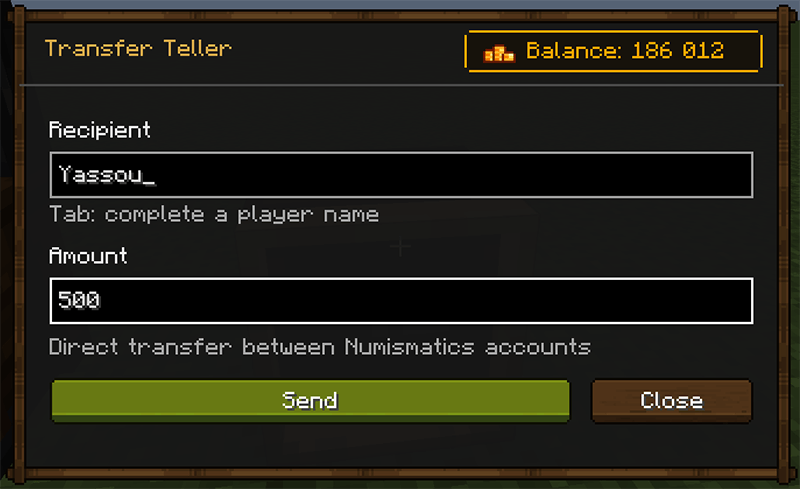
Known player names can be completed automatically, including offline players who already have a Numismatics account.
Server Shops are controlled by operators and use unlimited server stock and funds.
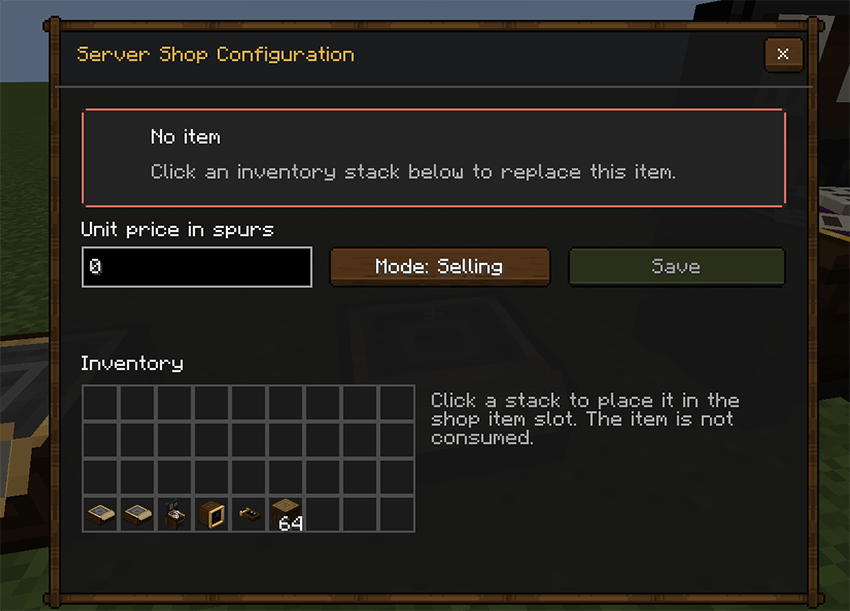
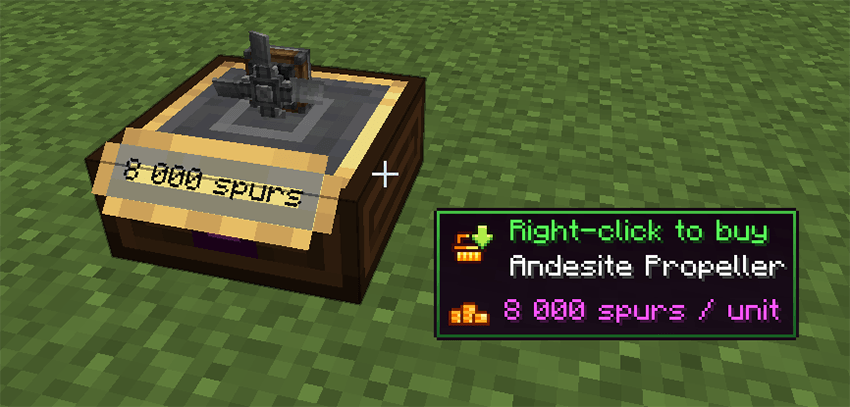
Administrators can configure:
A Server Shop can either sell items to players or buy items from them. Payments are taken from or deposited directly into the player’s bank account.
Server Shops have no crafting recipe and are intended to be distributed by server administrators.
Player Shops allow players to sell one configured item.
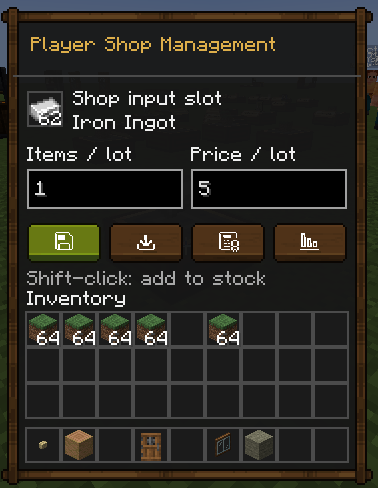
Each shop provides:
The shop owner can add up to 16 associates and assign an individual revenue percentage to each one. The combined associate shares cannot exceed 100%.
Revenue is distributed directly between the owner’s and associates’ Numismatics bank accounts after every sale. Any remaining amount and all rounding differences are paid to the owner.
Associates are managed through a dedicated scrollable interface. Player names support Tab completion, including offline players who already have a Numismatics account.
Associates receive a notification when they are added to a shop and whenever their revenue percentage changes. Notifications are stored and delivered later if the player is offline.
The owner, linked associates, and server operators can manage the shop. Only the owner or a server operator can modify the associate list and revenue percentages.
Stock can be withdrawn through a dedicated quantity selector.
A Player Shop cannot be broken until its stock has been emptied.
The History & Statistics interface provides a detailed overview of each player’s activity across Numismatics Treasury.
It records:
Bank transfers sent and received
Server Shop purchases and sales
Player Shop sales and revenue
Auction House purchases, sales, bids, refunds, and completed listings
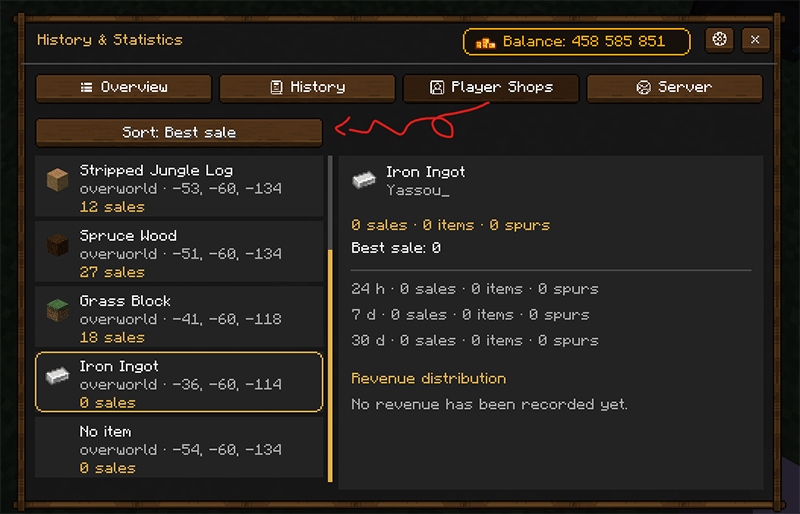
The overview displays the player’s total money earned, spent, sent, and received, together with a scrollable list of recent activity.
Each Player Shop has its own statistics, including:
Operators can also access server-wide statistics showing transaction volumes from transfers, Player Shops, Server Shops, the Auction House, and collected Auction House commissions.
Item entries preserve their complete tooltip information, including enchantments, custom lore, and modded components.
The interface includes local settings to hide the displayed bank balance or disable Treasury notifications.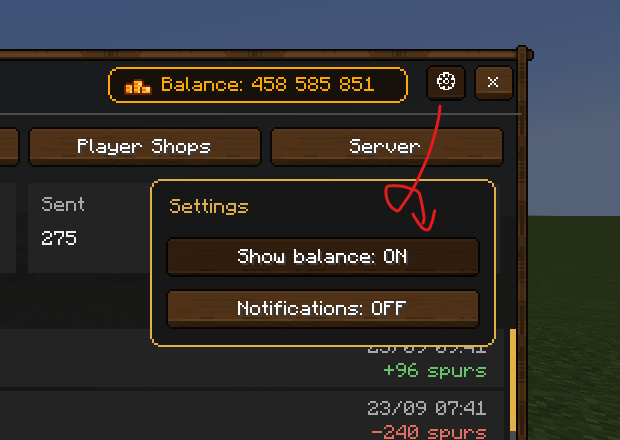
History & Statistics can be opened from:
/numismatics_treasury historyHistory data is stored separately from shops. Existing shops continue working normally and begin collecting statistics after installing this version. Transactions completed before installation cannot be reconstructed.
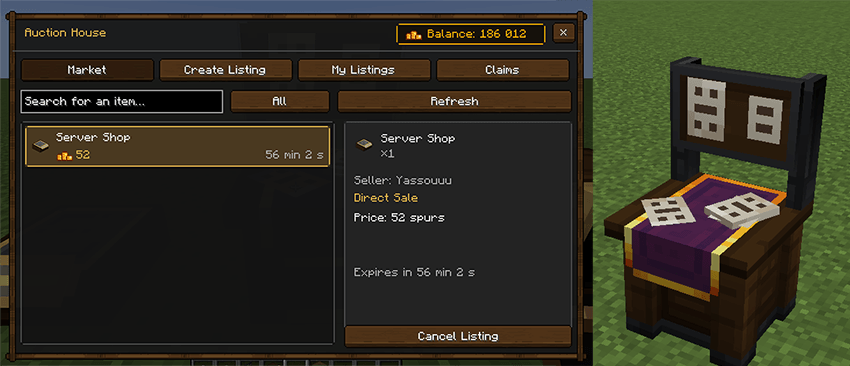
Every Auction House block opens the same server-wide marketplace.
Players can:
Auction bids are held securely until the auction ends. Outbid players are refunded, and the winning payment is transferred after the configurable commission is applied.
Purchased items are placed directly into the player’s inventory whenever possible. Items that cannot be delivered safely remain available on the Claims page.
Players can receive notifications for purchases, bids, outbids, sales, and completed listings, including notifications stored while they are offline.
Each major module can be enabled or disabled independently:
/payHistory & Statistics can also be enabled or disabled through its dedicated configuration section.
When a block module is disabled, its recipe is removed after the server configuration is reloaded, and already placed blocks become inactive.
The server configuration is stored in:
config/numismatics_treasury.json
The file is generated automatically on the first server launch. It only needs to be edited on the server; relevant settings are synchronized with connected clients.
Apply changes without restarting the server with:
/numismatics_treasury reload
This command requires operator permissions.
The modules section controls which modules are available:
"modules": {
  "payCommand": true,
  "bankTeller": true,
  "portableTransferTerminal": true,
  "serverShop": true,
  "playerShop": true,
  "auctionHouse": true
}
Set a value to false to disable that module.
The pay section defines the minimum and maximum amount allowed for a transfer:
"pay": {
  "minimum": 1,
  "maximum": 2000000000
}
The auctionHouse section controls marketplace limits and fees:
"auctionHouse": {
  "commissionPercent": 5.0,
  "maximumListingsPerPlayer": 20,
  "minimumPrice": 1,
  "maximumPrice": 2000000000,
  "allowedDurationsHours": [
    1,
    6,
    12,
    24,
    48
  ]
}
commissionPercent: percentage removed from completed salesmaximumListingsPerPlayer: maximum number of simultaneous listings per playerminimumPrice: lowest accepted price or starting bidmaximumPrice: highest accepted price or starting bidallowedDurationsHours: listing durations available in the interfaceThe history section controls data collection, retention, and operator access:
"history": {
  "enabled": true,
  "retentionDays": 30,
  "maximumEntriesPerPlayer": 500,
  "maximumEntriesPerShop": 500,
  "recordTransfers": true,
  "recordServerShops": true,
  "recordPlayerShops": true,
  "recordAuctionHouse": true,
  "operatorGlobalStatistics": true
}
enabled: enables or disables History & StatisticsretentionDays: number of days transaction entries are retainedmaximumEntriesPerPlayer: maximum number of stored entries for each playermaximumEntriesPerShop: maximum number of stored entries for each Player ShoprecordTransfers: records direct bank transfersrecordServerShops: records Server Shop transactionsrecordPlayerShops: records Player Shop transactionsrecordAuctionHouse: records Auction House activityoperatorGlobalStatistics: allows operators to access server-wide statisticsNumismatics is the only mod dependency declared by Numismatics Treasury.
Project description from CurseForge.
Pick your setup
Choose the version and loader you play, then open the matching release.
Check the dependencies, then try the file in a copied instance before changing a world you care about.
Recent files
23 Sept 2026
19 Sept 2026
8 Sept 2026
7 Sept 2026
6 Sept 2026
Looking for an older file? The official CurseForge project page is in Resources.
 mod
modAdd Protection Blocks
 mod
modAdds some 'vanilla' features to Pixelmon in the world. This mod aims to be highly configurable but default functionality exists for most players needs.
 mod
modIt's a mod where you pull for items, just like in a gacha game.