Minecraft version
Back to mods 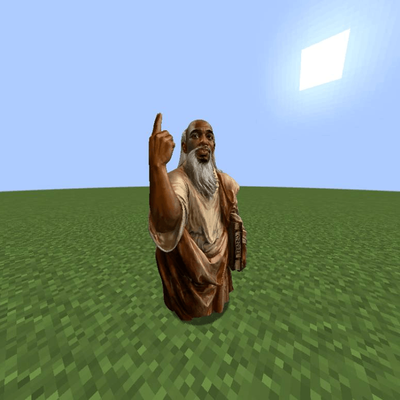
CurseForge · Minecraft mod
La Peace
Adds Kai Cenat and IShowSpeed to your mc world. Before you find diamond , YOU NEED TO FIND LA PEACE! Say LA PEACE in chat to spawn him
Choose a version Pick your version below, then grab the matching file.
Quick answer
Which La Peace release should I use?
Latest stable file LaPeace.jar
Game version 1.20.1
Loader Forge
La Peace LaPeace.jar targets 1.20.1 with Forge. The project page does not say whether this file belongs on the client, dedicated server, or both. No extra mods listed for this file.
Where it goes
Is La Peace required on the client, server, or both?
The project page does not say whether this file belongs on the client, dedicated server, or both.
Client Source doesn’t say
Dedicated server Source doesn’t say
Loader for this release Forge
Required install it here Optional supported, not mandatory Not supported do not install here Source doesn’t say do not assume
The source does not explicitly classify this release as client-only or server-only.
What else does La Peace LaPeace.jar need?
LaPeace.jar. Change the file and its required mods may change too.
This file does not list any required mods. Do not add a library just because a different file uses it.
This file does not list any required or optional mods.
Before you install it
Add La Peace without breaking your instance.
Built for La Peace LaPeace.jar. Pick another file and the loader, install side or required mods may change.
- 01
Stick to this file
Use LaPeace.jar. It targets 1.20.1 with Forge; another release may have different loader, side or dependency requirements.
- 02
Bring the mods it needs
This file does not list any required mods. Do not add a library just because a different file uses it.
- 03
Put it on the correct side
The project page does not say whether this file belongs on the client, dedicated server, or both.
- 04
Pick the file you checked
Use the “Get this file” button beside LaPeace.jar. It opens that exact file at the source.
About this project
What does La Peace add?
LA PEACE
Kai Cenat and IShowSpeed are in your world.
They follow you, watch what you're mining, and they talk to you and they will NOT stop arguing about La Peace.
Speed is dumb af and he falls for lapis because he thinks its a diamond.
It's La Peace :D
Stuff
- They react to what's happening around you and they have feelings
- They can talk back with both voice and text if you set up the AI (optional, free)
- Hold V to talk to them with your mic
- F3 + C finds the stronghold for you
- New dimension (3 new dimensions), a boss, and an ending
- It gets a bit scary sometimes (very bit :D)
- Read the notebook and say "La Peace" in chat to spawn him.
- Custom intro and custom menu
- Lapis tools & armors
Install
Forge 1.20.1. Put the jar in your mods folder.
AI Setup (optional)
They work fine without this.
Want them replying to whatever you type? Get a free Groq key, press K in game and paste your API key into it ,Ez.
Same key covers the voices and the mic too.
Mic
Hold V, talk, let go.
Press K and make sure Microphone is ON. If you've got a few mics plugged in you'll have to pick one in the config file:og
.minecraft/config/lapeace-common.toml
Under
[speech_to_text]setmicDevice.
Stronghold
Throw an eye, walk, throw another, then press F3 + C. It'll tell you where to dig.
F3 + Shift + C to reset if it goes weird.
Made a video?
Put the link in a comment down below. I watch every one and I comment back.
Got an idea for the mod? Comment it and I'll add it.
Data
If you put in an API key, your chat messages (and mic audio if you use it) get sent to that provider so they can reply.
No key = nothing gets sent.
Everything else is offline.
Enjoy the peace :D
Links
YouTube: https://www.youtube.com/@MaclandStudio2
Modrinth: Modrinth
Discord : @kend.official
Macland Studio
Project description from CurseForge.
Pick your setup
La Peace by Minecraft version and loader
Choose the version and loader you play, then open the matching release.
Check the dependencies, then try the file in a copied instance before changing a world you care about.
Recent files
La Peace versions and loaders
LaPeace.jar
5 Nov 2026
Client Source doesn’t say Server Source doesn’t say Dependencies No extras listed Listed on Release listing
Check the 1.20.1 · Forge setup 1.20.1Forge release
LaPeace-EssentialSupport.jar
LaPeace.jar
20 Oct 2026
Client Source doesn’t say Server Source doesn’t say Dependencies No extras listed Listed on Release listing
Check the 1.20.1 · Forge setup 1.20.1Forge release
LaPeace-2.03.jar
14 Oct 2026
Client Source doesn’t say Server Source doesn’t say Dependencies No extras listed Listed on Release listing
Check the 1.20.1 · Forge setup 1.20.1Forge release
LaPeace.jar
13 Oct 2026
Client Source doesn’t say Server Source doesn’t say Dependencies No extras listed Listed on Release listing
Check the 1.20.1 · Forge setup 1.20.1Forge release
LaPeace-VerityUpdate.jar
LaPeace.jar
9 Oct 2026
Client Source doesn’t say Server Source doesn’t say Dependencies No extras listed Listed on Release listing
Check the 1.20.1 · Forge setup 1.20.1Forge release
LaPeace.jar
25 Sept 2026
Client Source doesn’t say Server Source doesn’t say Dependencies No extras listed Listed on Release listing
Check the 1.20.1 · Forge setup 1.20.1Forge release
LaPeace.jar
25 Sept 2026
Client Source doesn’t say Server Source doesn’t say Dependencies No extras listed Listed on Release listing
Check the 1.20.1 · Forge setup 1.20.1Forge release
LaPeace.jar
24 Sept 2026
Client Source doesn’t say Server Source doesn’t say Dependencies No extras listed Listed on Release listing
Check the 1.20.1 · Forge setup 1.20.1Forge release
LaPeace.jar
24 Sept 2026
Client Source doesn’t say Server Source doesn’t say Dependencies No extras listed Listed on Release listing
Check the 1.20.1 · Forge setup 1.20.1Forge release
LaPeace.jar
24 Sept 2026
Client Source doesn’t say Server Source doesn’t say Dependencies No extras listed Listed on Release listing
Check the 1.20.1 · Forge setup 1.20.1Forge release
LaPeace.jar
24 Sept 2026
Client Source doesn’t say Server Source doesn’t say Dependencies No extras listed Listed on Release listing
Check the 1.20.1 · Forge setup 1.20.1Forge release
LaPeace.jar
24 Sept 2026
Client Source doesn’t say Server Source doesn’t say Dependencies No extras listed Listed on Release listing
Check the 1.20.1 · Forge setup 1.20.1Forge release
Looking for an older file? The official CurseForge project page is in Resources.
 mod
mod CurseForge · Minecraft
Ashendawn Core
The custom gameplay core for Ashendawn. Players should install the official Ashendawn modpack for the complete server experience.
 mod
mod CurseForge · Minecraft
Star Wars Expansion
Star Wars inside Minecraft.
 mod
mod CurseForge · Minecraft
Roguelite Advancements
Advancement now give permanent player buffs. Health, Damage, Reach, Step Assist, Pick up radius and much more.