Palladium 🐿️ Needed by Palladium Capes 1.2.0 Fix
requiredMatching file found Matched file: Palladium 4.5.10 for Forge/NeoForge 1.20.1
CurseForge · Minecraft mod
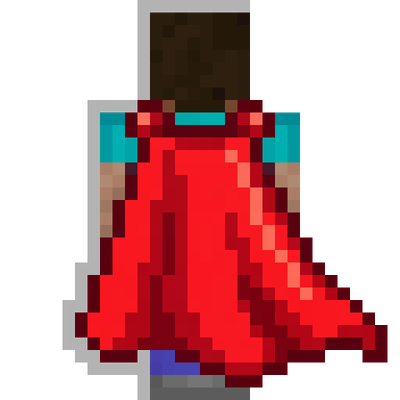
Adds cloth physics to capes used by Palladium suits.
Quick answer
Palladium Capes 1.2.0 Fix targets 1.20.1 with Forge. The project page does not say whether this file belongs on the client, dedicated server, or both. All 1 required mods have matching files.
Where it goes
The project page does not say whether this file belongs on the client, dedicated server, or both.
The source does not explicitly classify this release as client-only or server-only.
Palladium Capes 1.2.0 Fix. Change the file and its required mods may change too.
Install Palladium 🐿️ first. We found matching files for this game-version and loader setup. 8 come through another mod in the chain.
8 extra mods were pulled in by other dependencies. Indented rows show who needs each one. We only count dependency files that match this setup. A file for another loader does not fill the gap.
Before you install it
Built for Palladium Capes 1.2.0 Fix. Pick another file and the loader, install side or required mods may change.
Use Palladium Capes 1.2.0 Fix. It targets 1.20.1 with Forge; another release may have different loader, side or dependency requirements.
Install Palladium 🐿️ first. We found matching files for this game-version and loader setup. 8 come through another mod in the chain.
The project page does not say whether this file belongs on the client, dedicated server, or both.
Use the “Get this file” button beside Palladium Capes 1.2.0 Fix. It opens that exact file at the source.
About this project


Palladium Capes is a client-side cape physics addon for Minecraft 1.20.1, built for Palladium.
Palladium normally renders capes as one solid model. This addon splits supported capes into moving sections, allowing them to bend, sway and follow your character as you walk, run and fly.
The mod uses the models and textures already included with your suits, keeping their original shape, colors and emblems.
 Features
Palladium Capes supports standard Palladium caped_humanoid addon-pack capes.
The mod enhances existing capes; it does not add suits or cape textures. Custom cape renderers may not be supported, and basic collision may not prevent clipping in every pose.
 Requirements
Use a Palladium addon pack with a supported cape to see the effect.
 Installation
.jar file inside your client’s mods folder.Client-side only — the server does not need this mod.
Project description from CurseForge.
Pick your setup
Choose the version and loader you play, then open the matching release.
Check the dependencies, then try the file in a copied instance before changing a world you care about.
Recent files
palladiumcapes-1.2.0.jar
22 Nov 2026
palladiumcapes-1.1.1-oculus-fix.1.jar
28 Oct 2026
palladiumcapes-1.1.0.jar
17 Oct 2026
palladiumcapes-1.0.0.jar
15 Oct 2026
Looking for an older file? The official CurseForge project page is in Resources.
 mod
Terralith addon: swaps Terralith's vanilla-block trees for 20+ new woods (logs, planks, doors, boats, signs, leaves with fixed colours) without touching terrain.
 mod
A Mod Patches Item Value
 mod
Add custom villager trades with a GUI